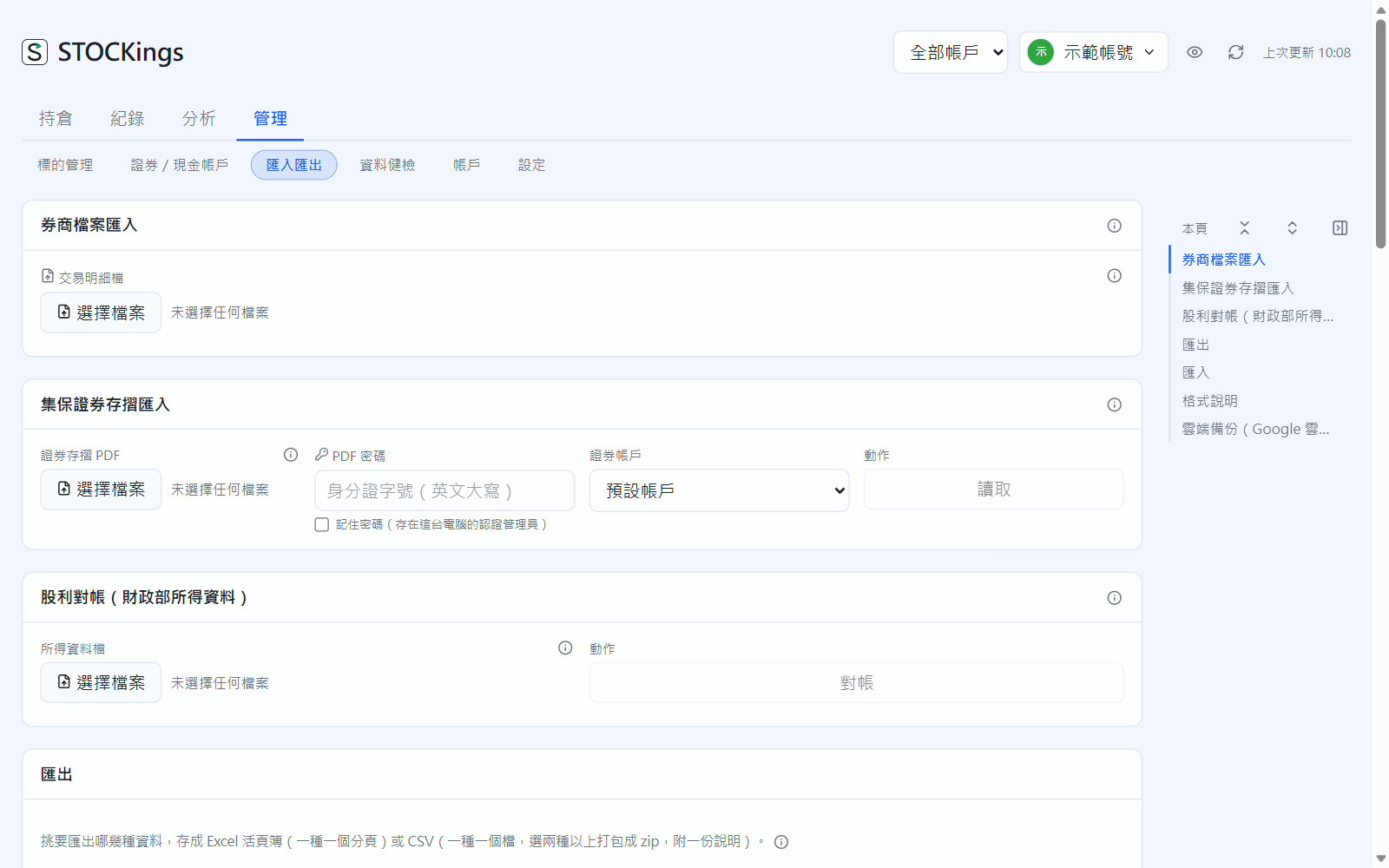
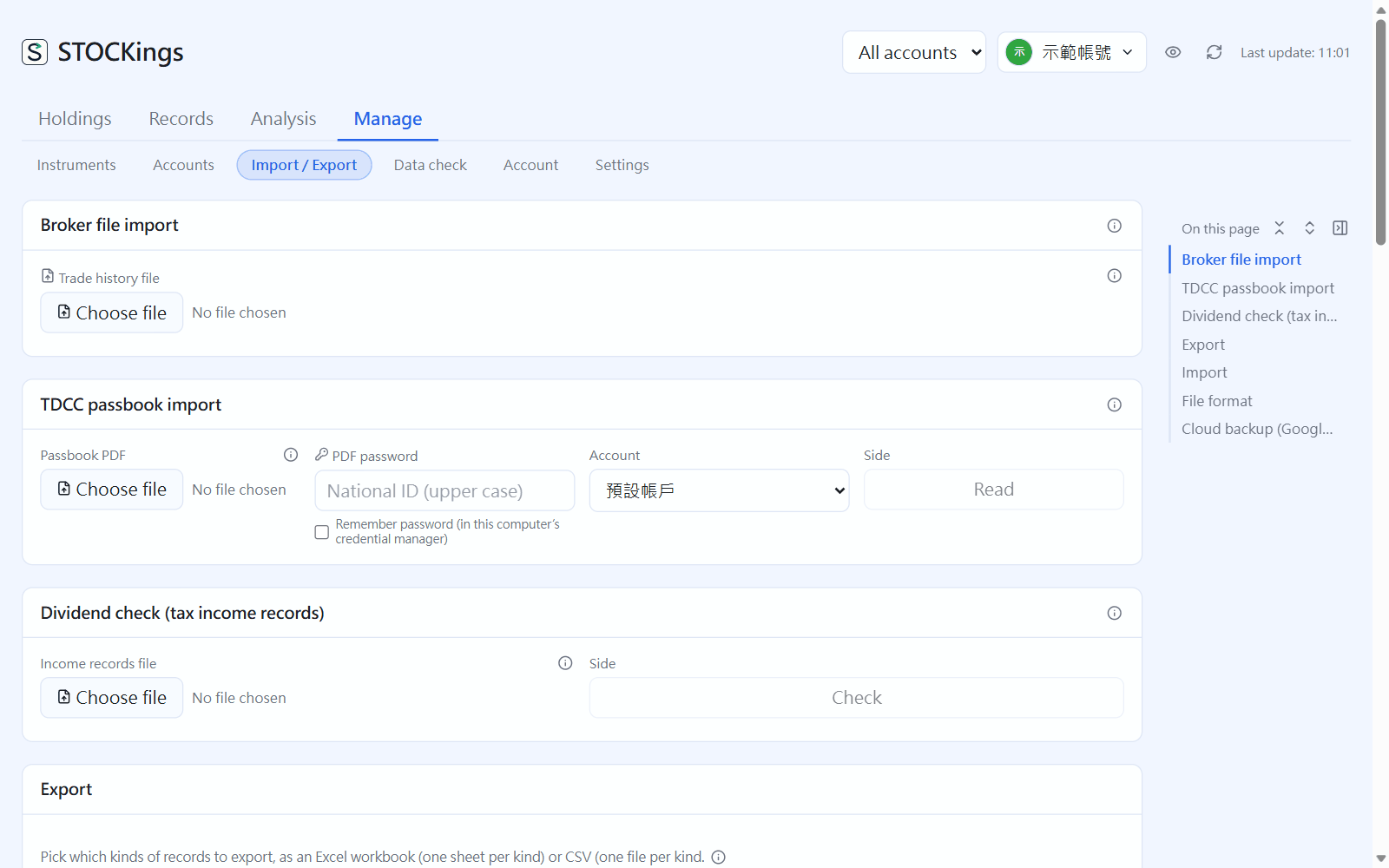
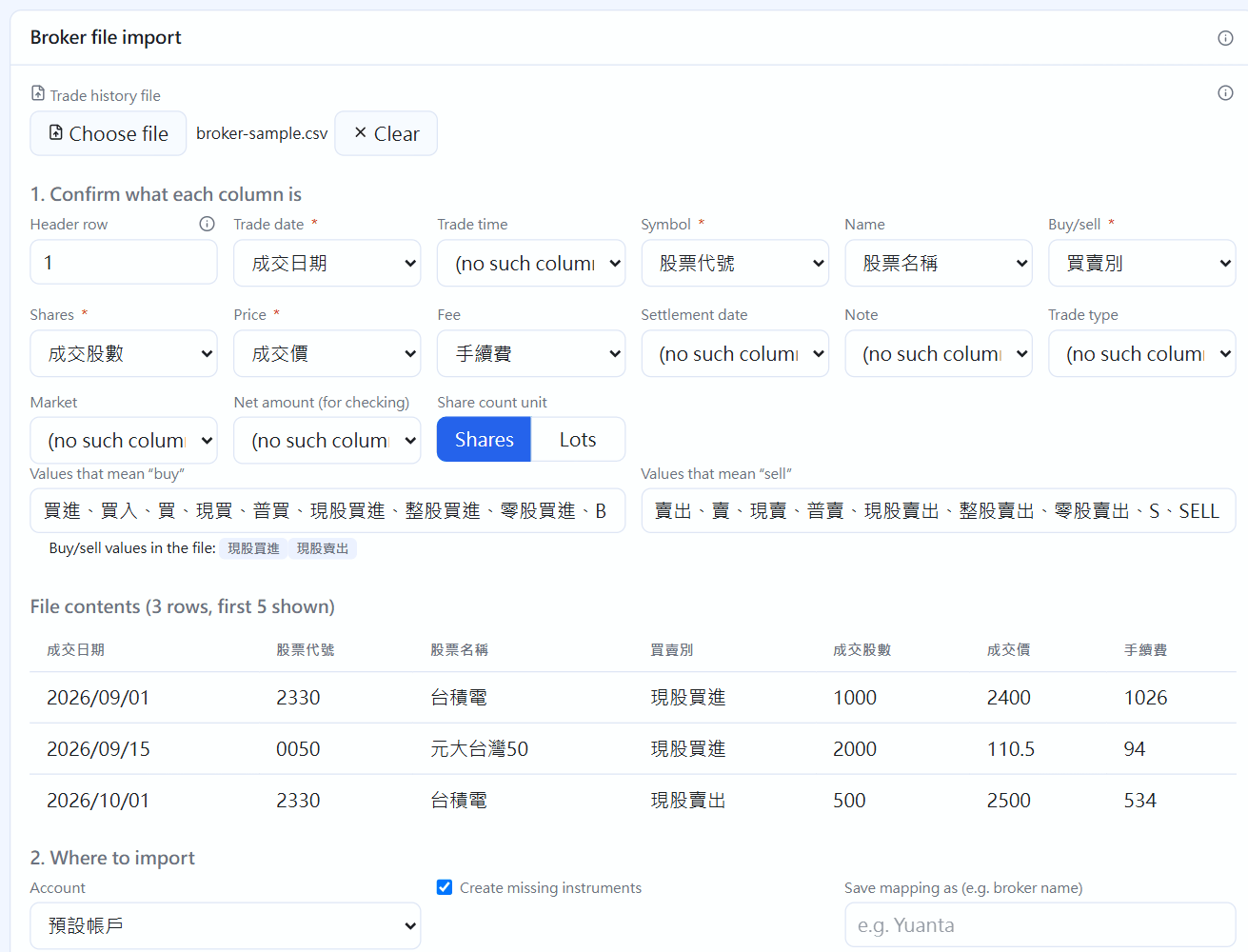
In “Broker file import”, click “Choose file” and pick the trade history exported from your broker's app or website (CSV or .xlsx).
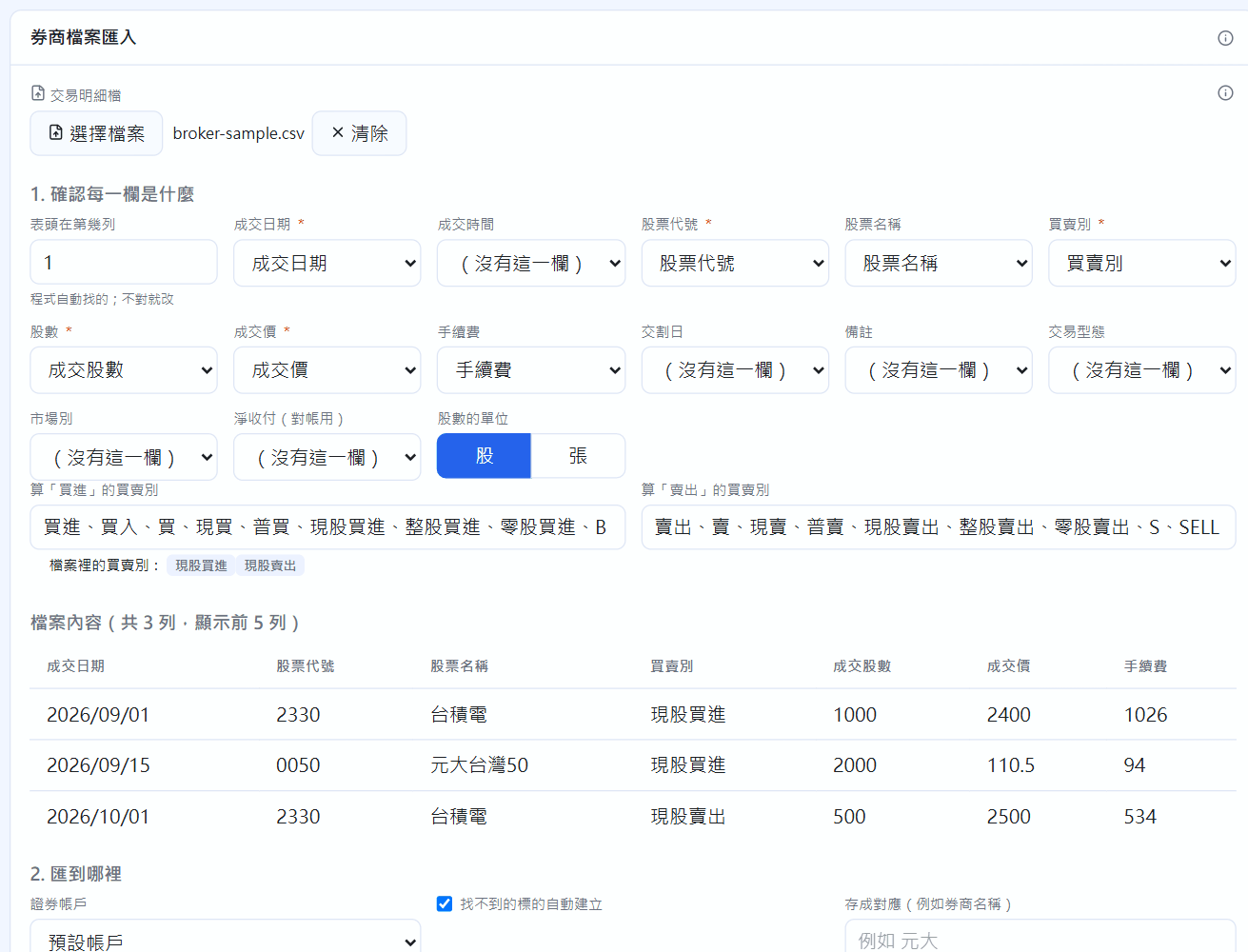
The app finds the header row and guesses what each column is. Formats from Yuanta, Cathay, SinoPac, Fubon, KGI, Capital, Taishin, President, Hua Nan, Mega and Mitake-based systems are built in. Check trade date, symbol, buy/sell, shares and price (required), and pick the fee column too if there is one. If shares are in lots, switch to lots.
If some buy/sell wording isn't recognized, add it to the “Buy” or “Sell” box.
1. Check what each column is; the file's contents are previewed below
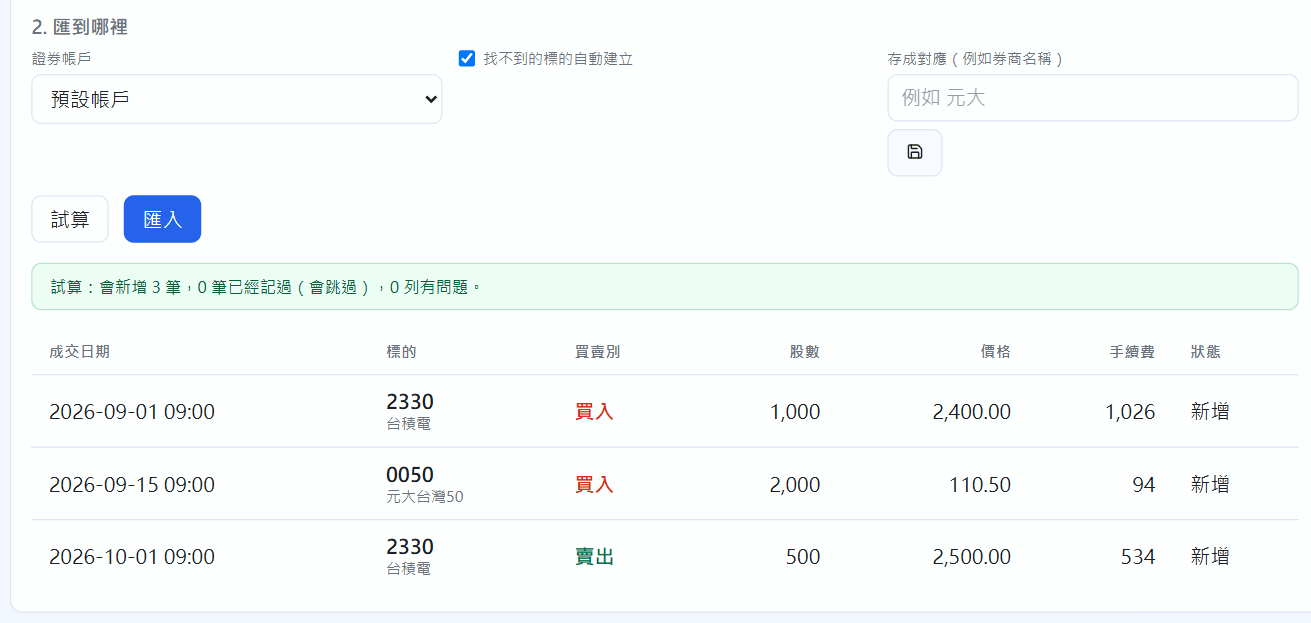
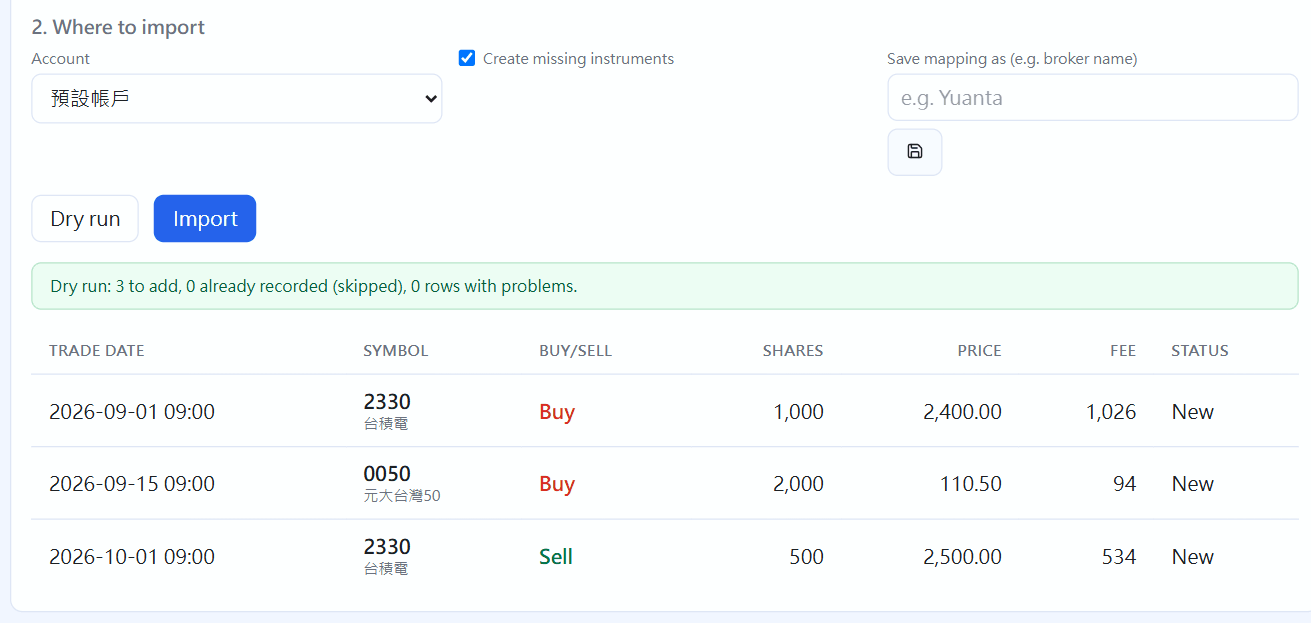
Choose which securities account to import into and click “Dry run”: see how many trades will be added, which are already recorded (they are skipped) and which rows have problems.
If all looks fine, click “Import”. You can save this column mapping (for example as “Yuanta”) and reuse it next time.
2. Choose where to import, then click “Dry run” to see the result
Importing the same file again never records trades twice, so each month you can simply drop in the whole recent period. If something went wrong, click “Undo this import”, or expand “Import history” to undo a particular batch. Ex-dividend events during the imported period are added from the corporate action reminders in Dividends.
TDCC securities passbook (PDF)
For the “securities passbook” PDF exported from the TDCC e-Passbook app (集保 e 手掌握): choose the file, enter the password (your national ID number, upper-case letter), pick the securities account and click “Read”. TDCC has no trade prices, so buys and sells become cost to fill in: enter the trade price from your statement and click ✓ to confirm. The holdings data is used to reconcile against the positions in your ledger. Tick “remember password” to store it in this computer's credential manager.
TDCC securities passbook import
Dividend check (Ministry of Finance income records)
At tax time, download your income records from the individual income tax system, choose the file and click “Check”. It lists, payer by payer, the income records, the amounts in your ledger and the difference. It only compares and never adds or changes records. The first time, you choose which ETF each entry is; it is remembered after that.
Dividend check
Export
Choose what to export (all 19 kinds by default), the format (Excel workbook: one xlsx with a sheet per kind, or CSV) and the header language, then click “Export”. Exported files are not encrypted and contain your full ledger, so keep them safe. The journal exports text only; images are included only in cloud backups.
Export
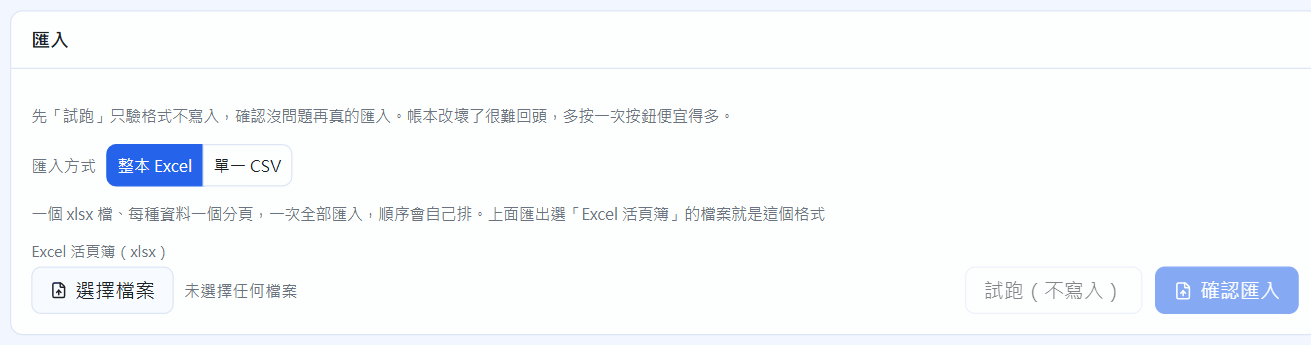
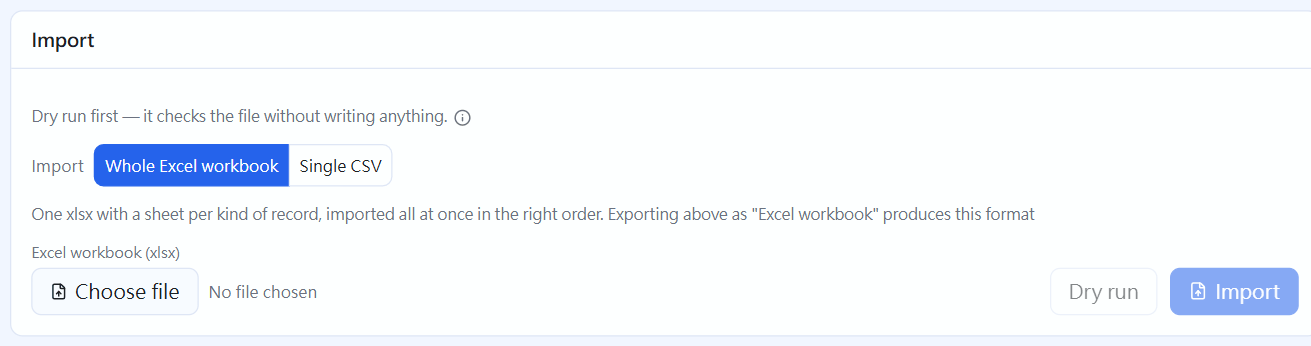
Import
Choose “Whole Excel workbook” or “Single CSV”, pick the file, and first click “Dry run” to check the format without writing anything. If all is fine, click “Import”. Format errors block the whole file and tell you which row is wrong and why. Exporting a file first to use as a template is the easiest way.
 STOCKings