Go to Records → Trades and use the “New trade” form at the top.
Record a buy
Pick the instrument from the drop-down. The market, currency and board it fills in are shown below.
Set Type to “Cash” and Side to “Buy”.
The trade date / time defaults to today and now; you can backdate it. Just type the date: 2026/1/5 and 20260105 both work.
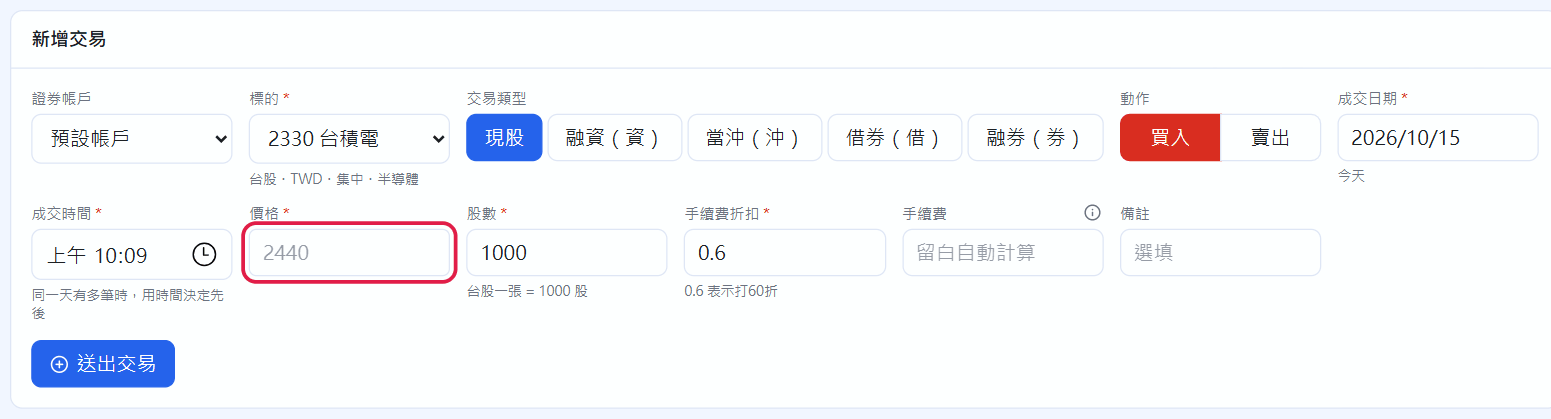
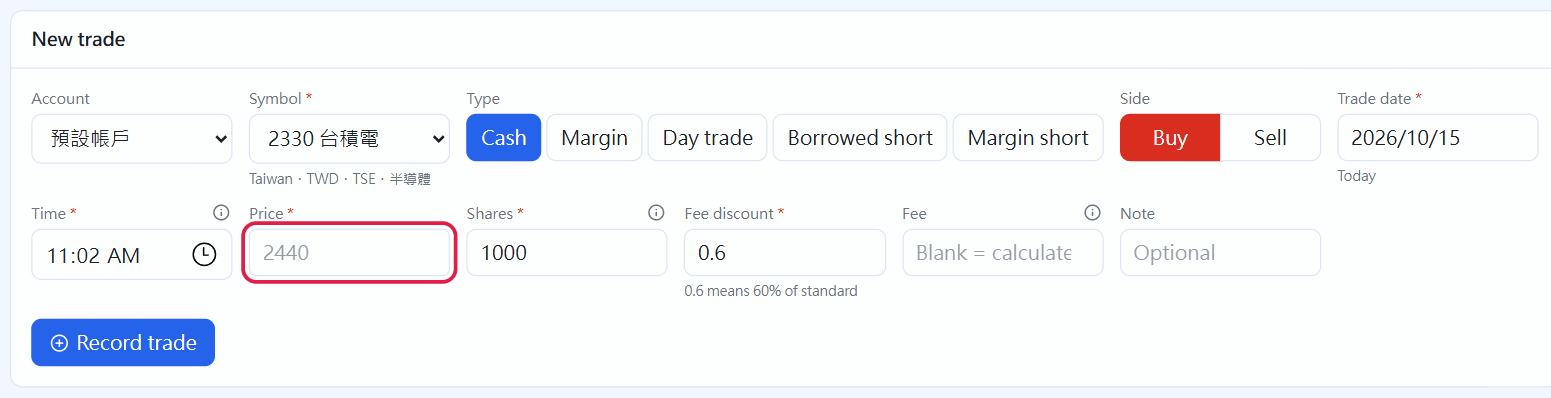
The grey number in the Price field is the instrument's current price (the latest quote, fund NAV or the reference price you entered). It is only a hint; type in your actual trade price.
Shares: one lot of a Taiwan stock is 1,000 shares; fewer than 1,000 is an odd lot. US stocks can have decimals (fractional shares).
Fee discount: 0.6 means 40% off (set the default in Settings). Leave Fee blank to use the discount, or type the amount from your statement if they don't match.
After picking the instrument, the grey number in the price field is the current price (red box)
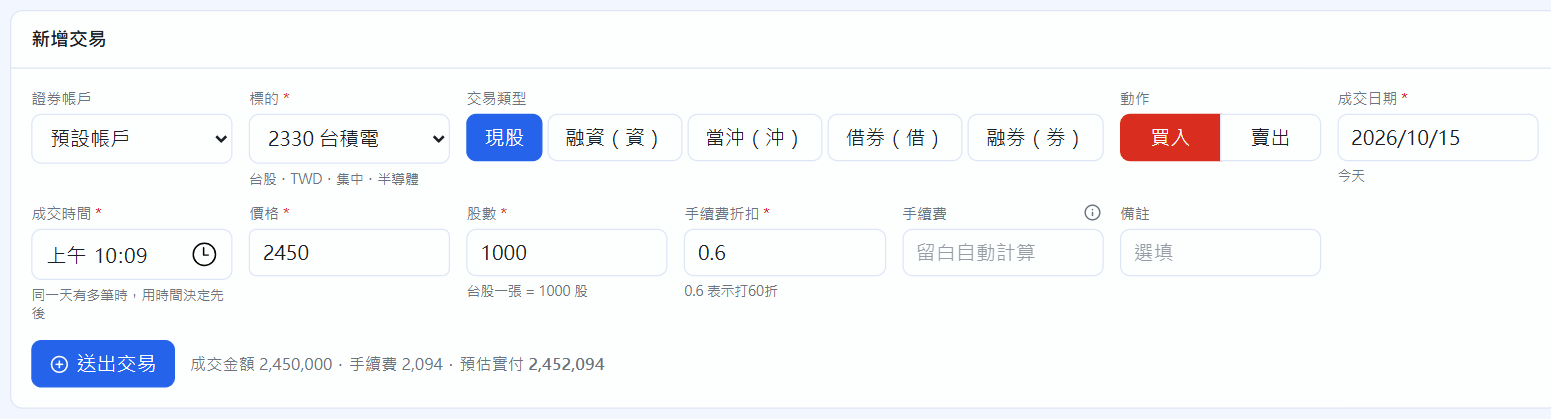
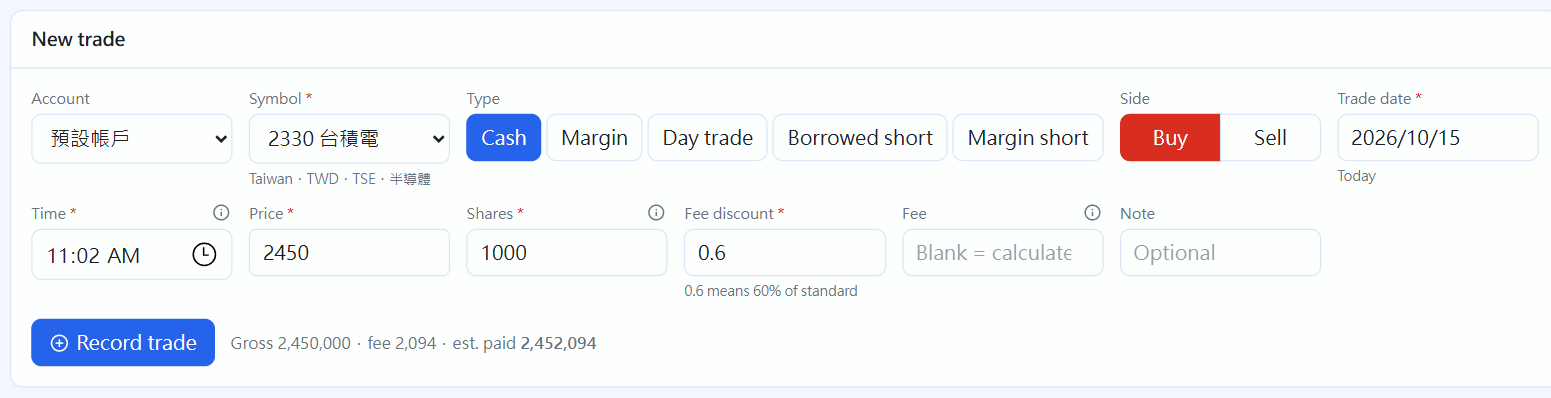
Once price and shares are filled in, an estimate appears next to the button: gross amount, fee and estimated amount paid. Check it and click “Record trade”; fees and transaction tax are calculated for you.
The estimate before recording
Record a sell
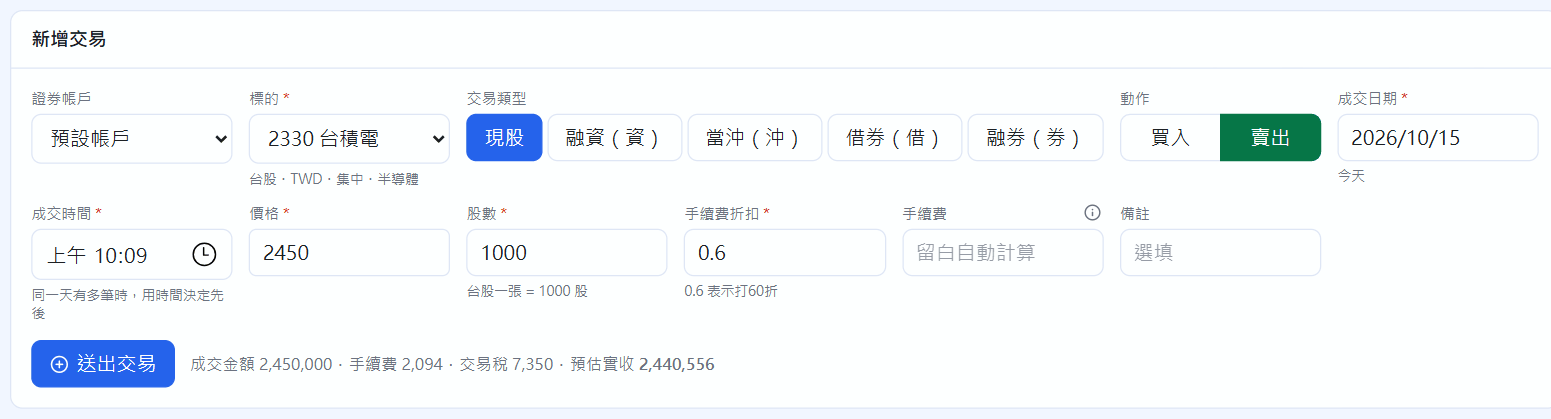
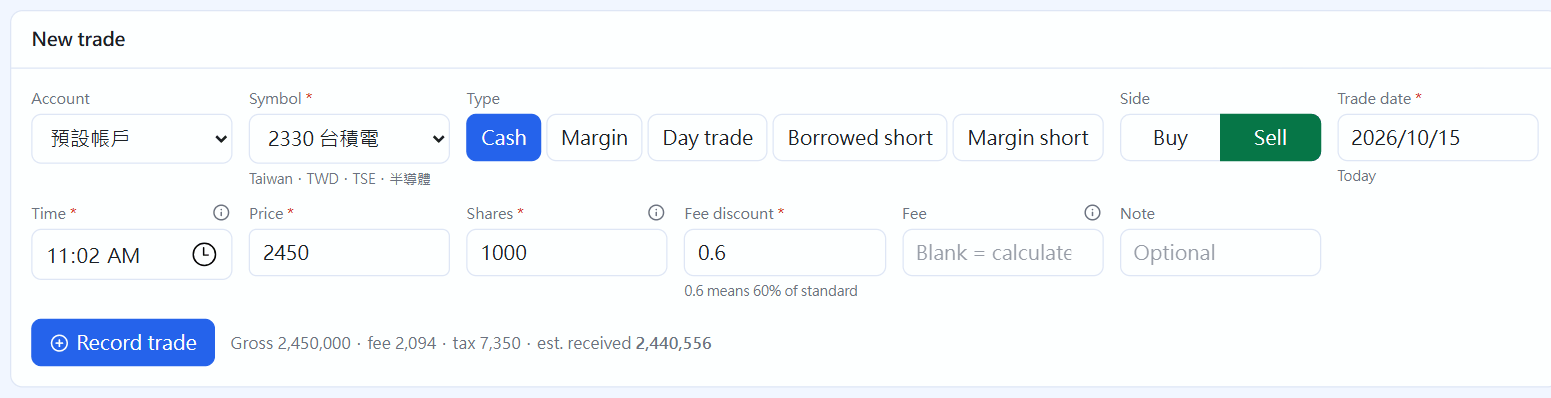
Switch the side to “Sell”. The estimate adds transaction tax (Taiwan stocks 0.3%, ETFs 0.1%) and the estimated amount received. Cost on a sale uses first-in, first-out, and realized P&L is calculated when you record it.
Sell: transaction tax is added
Trades: search, filter, edit
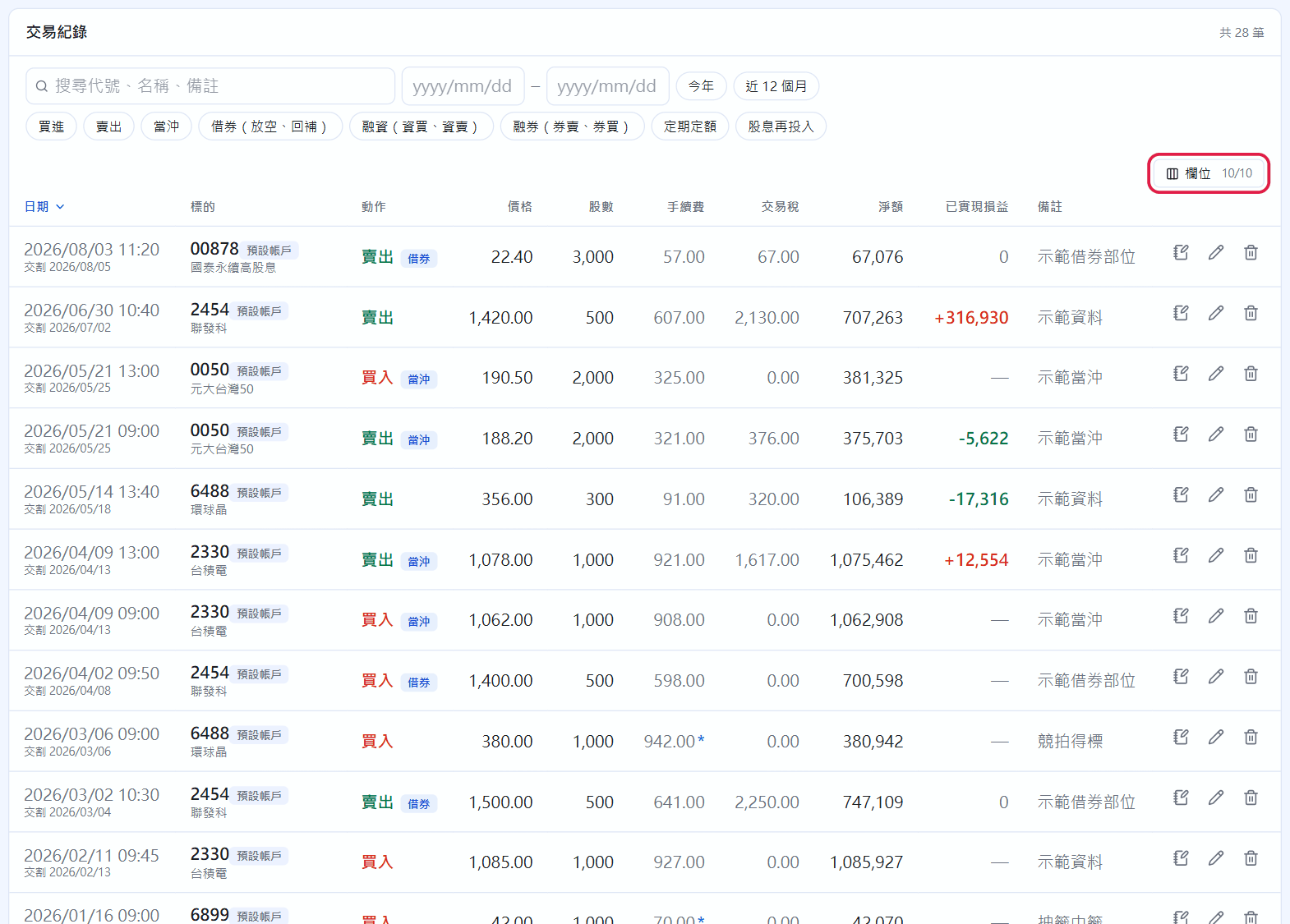
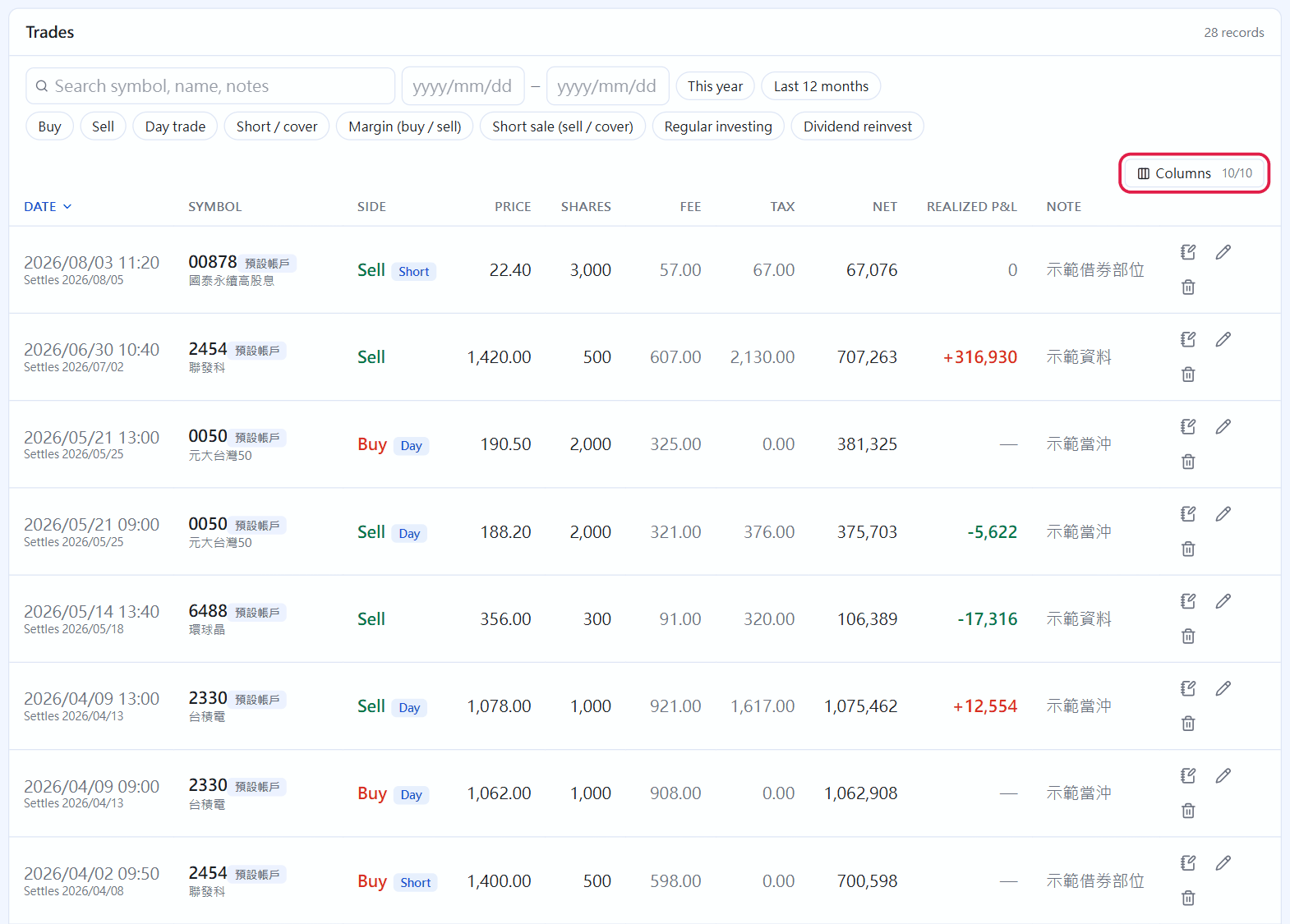
The filter bar: search symbol, name and note; type chips (Buy, Sell, Day trade, Short, Margin, Short sale, Regular investing, Dividend reinvest); from/to dates plus “This year” and “Last 12 months”.
“Columns” (red box) turns off columns you don't need; drag the right edge of a header to resize it.
At the right end of each row: Write a note (a journal entry linked to this trade, chapter 15), ✎ edit, and the bin to delete. Deleting recalculates the holding for that whole instrument; a deletion that would leave a sale with no shares to sell is blocked.
Trades
Day trades, margin, short sales and borrowed shorts
The trade types match the margin / day-trade / borrow / short labels (資、沖、借、券) in your broker's app. Types that don't apply to this instrument are greyed out:
Day trade (沖): enter the buy price, sell price and shares in one go, and choose buy then sell or sell then buy. Transaction tax is halved automatically and your existing holding is not affected. For Taiwan stocks, ticking “Margin offset” means a margin buy and a short sale closed out on the same day.
Margin (資): on a margin buy, the margin loan is prefilled as “gross amount × margin ratio” and the rate as the account's margin rate. A margin sell can only sell shares bought on margin, repaid first-bought, first-repaid. To repay a margin loan with cash, use “Repay margin and short sales” at the bottom of Trades.
Margin short (券): a short sale needs no holding. The short-sale fee and margin are prefilled from the account settings, and the proceeds and margin are listed as collateral. Cover with a buy, or “Deliver shares” you already hold.
Borrowed short (借): the sell is a short sale of borrowed shares, and the cover buys them back to return. Record how many shares you borrowed from the broker and the fees separately in Records → Lending (chapter 10).
When you have margin or short positions, Dashboard shows “Margin & short sales”. The account-wide maintenance ratio turns red below the alert line, and a short-sold stock going ex-dividend within 30 days triggers a forced-cover reminder (for reference only; your broker's notice is what counts).
US stocks and foreign currency
The trade form for US stocks has an extra FX rate field. It defaults to the live rate; change it to the rate your broker actually gave you. Things that have already happened (trades, dividends) use and store the rate at that moment; market value and unrealized P&L use the live rate. If you have a USD settlement account, US stock trades and dividends move USD directly (chapters 4 and 9).
 STOCKings