If you use only one broker account and one settlement account, you can skip this chapter: everything is recorded in the default account (預設帳戶) and its settlement account, and no account fields appear on screen.
A securities account holds shares (positions, cost, realized P&L) and matches your broker statement. Each broker works out cost with first-in, first-out on its own, so keep them separate and your realized P&L will match.
A cash account holds money (settlement account (交割戶), broker CMA (分戶帳), bank deposit, futures margin) and matches your bankbook. The link is many-to-many: one securities account can settle through several cash accounts.
Manage → Accounts
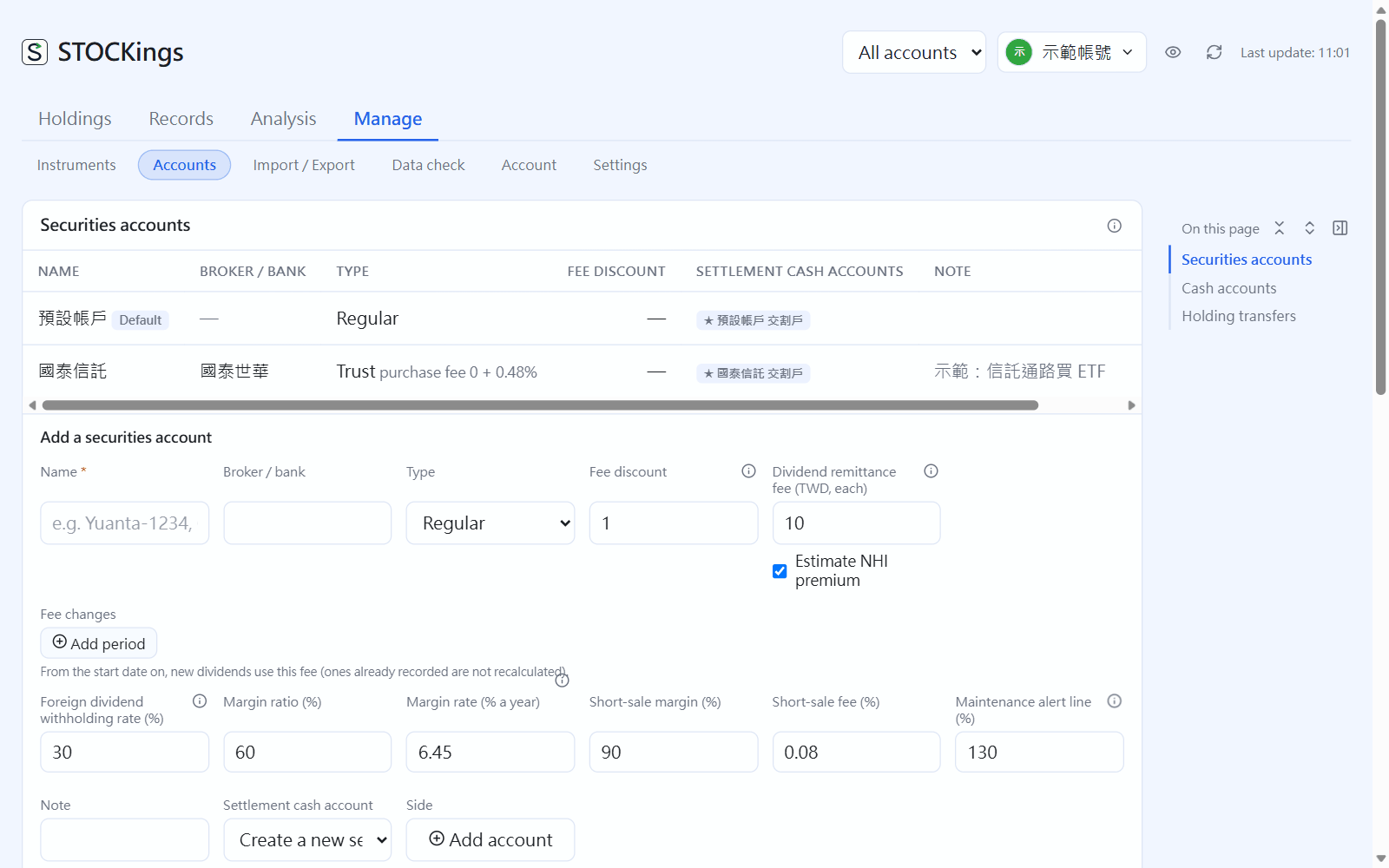
Add a securities account
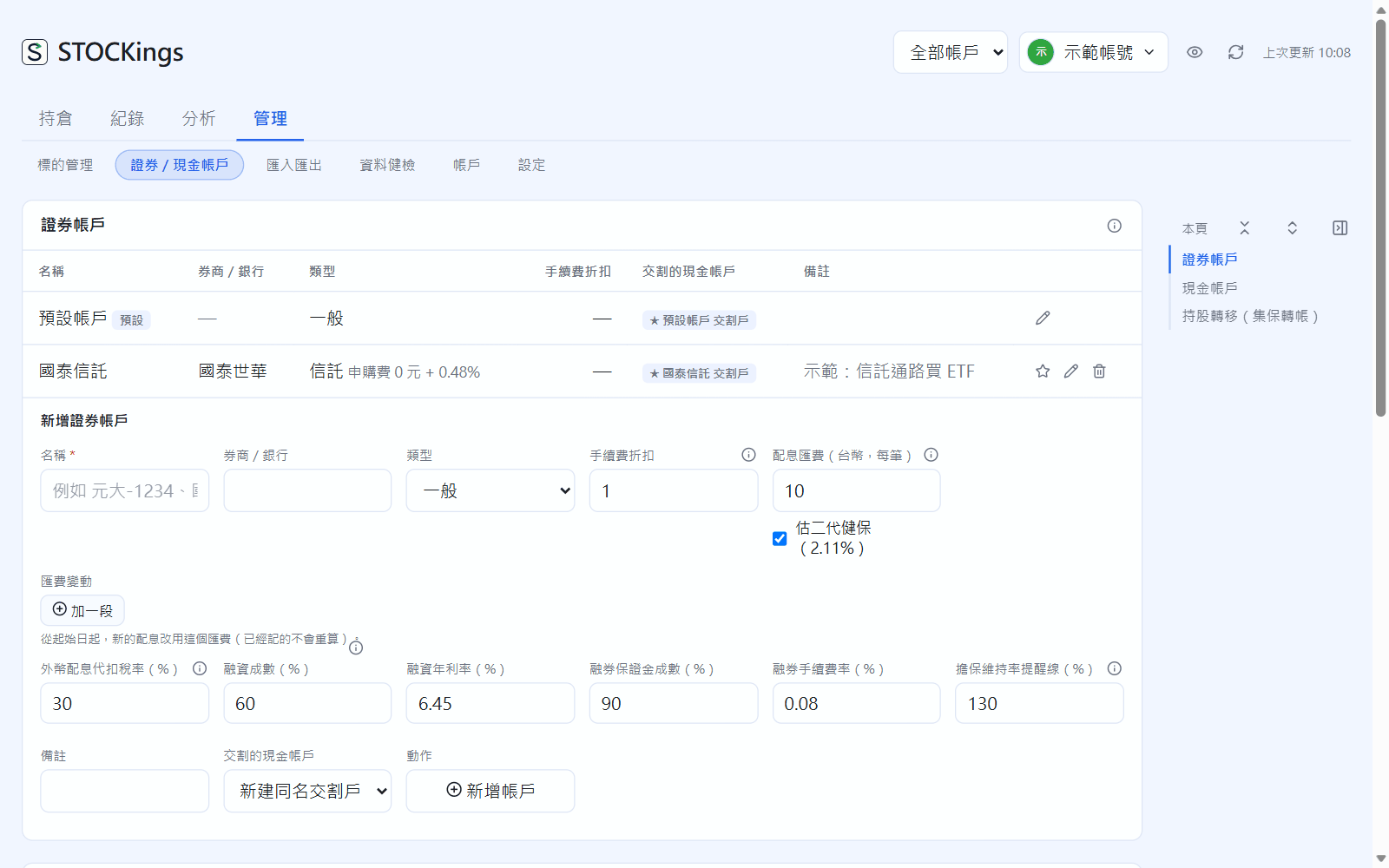
Under Securities accounts, in “Add a securities account”, fill in the name (for example “Yuanta-1234”), broker, type (Regular / Trust) and fee discount.
Dividend fees (TWD, per payment) and Estimate NHI premium (二代健保, the NHI supplementary premium) are prefilled when you record dividends; Foreign dividend withholding rate defaults to 30%.
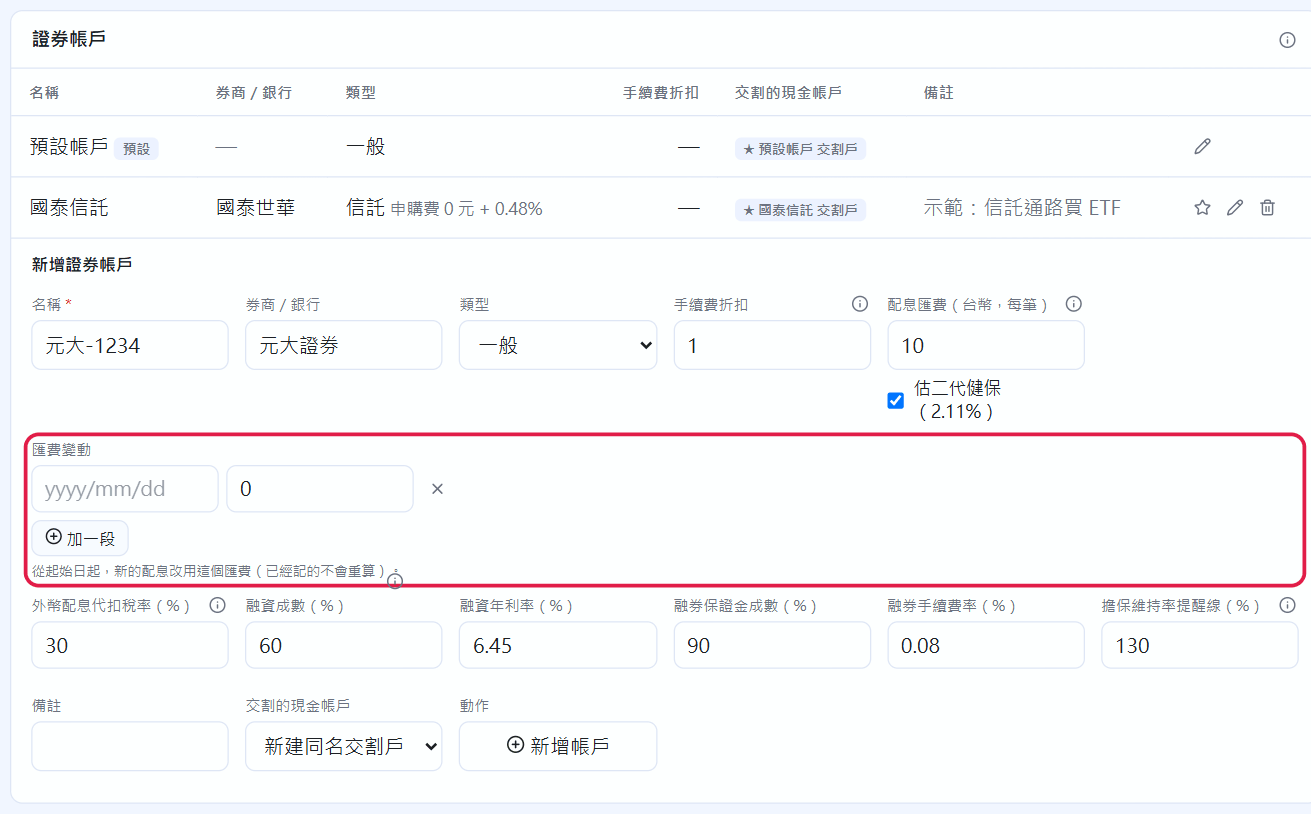
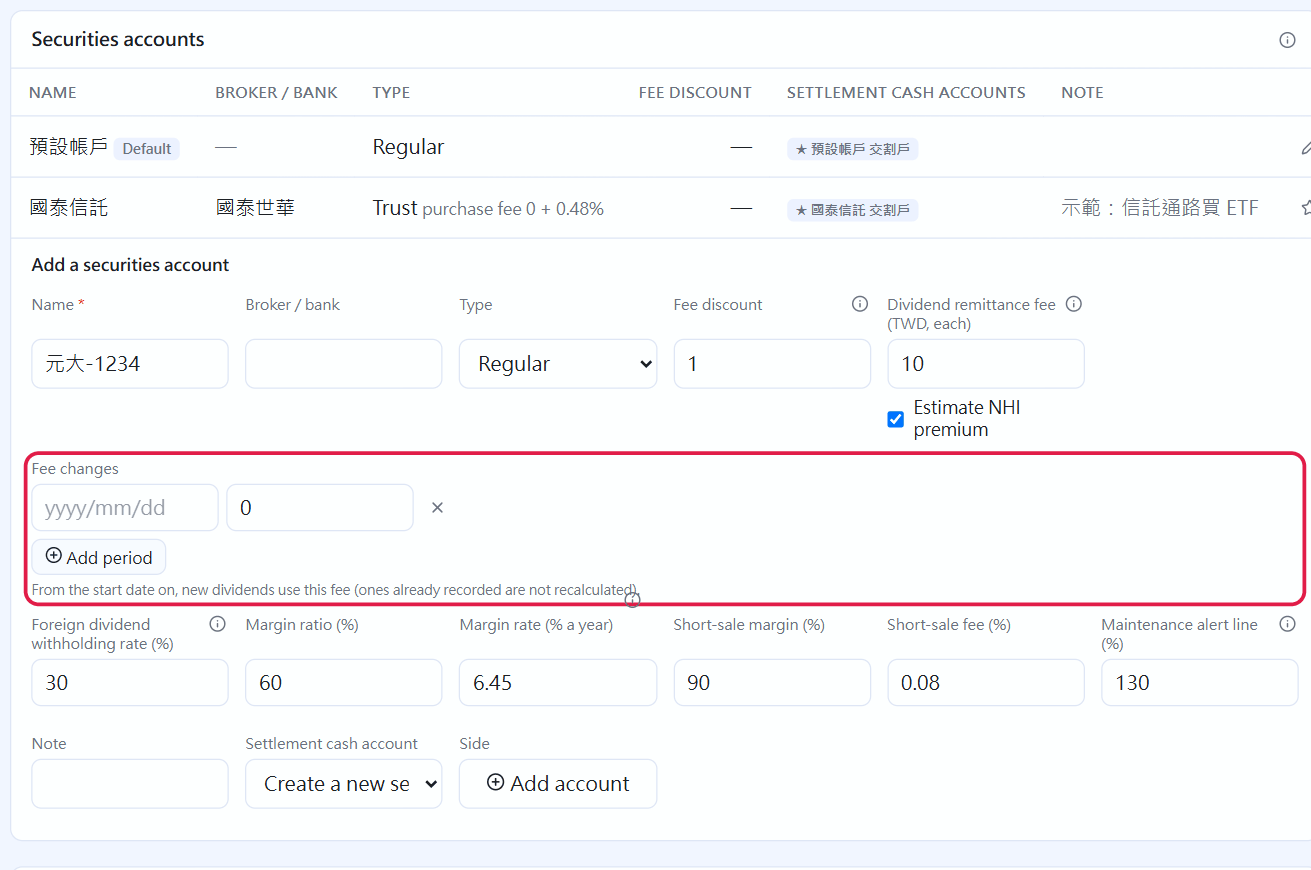
If your broker changed its dividend fee (for example, free from July), click “Add period” under Fee changes and enter the start date and the new fee. When you record a dividend, the pay date decides which period applies.
Set the margin loan ratio, interest rate, short-sale margin ratio, fee rate and maintenance ratio alert as your broker does (defaults: 60%, 6.45%, 90%, 0.08%, 130%).
For Settlement cash account, a new settlement account with the same name is created by default, or you can pick an existing cash account. Click “Add account”.
Add a securities account; the red box shows the dividend fee periods
Later, click ✎ to tick which cash accounts it may settle through, and use the radio button to choose the default. Once you have two or more securities accounts, the entry forms gain a “Securities account” selector, and “All accounts” in the header can switch to a single account so positions, returns and records count only that account.
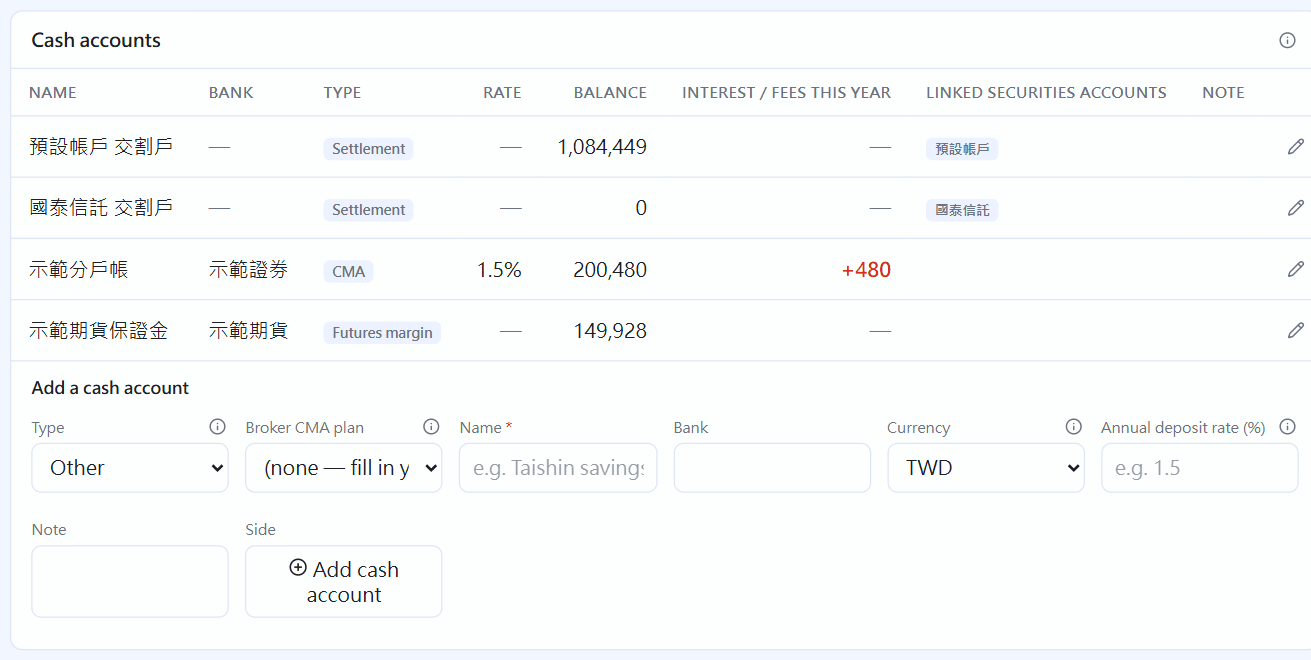
Add a cash account (broker CMA, bank deposit, futures margin, USD settlement)
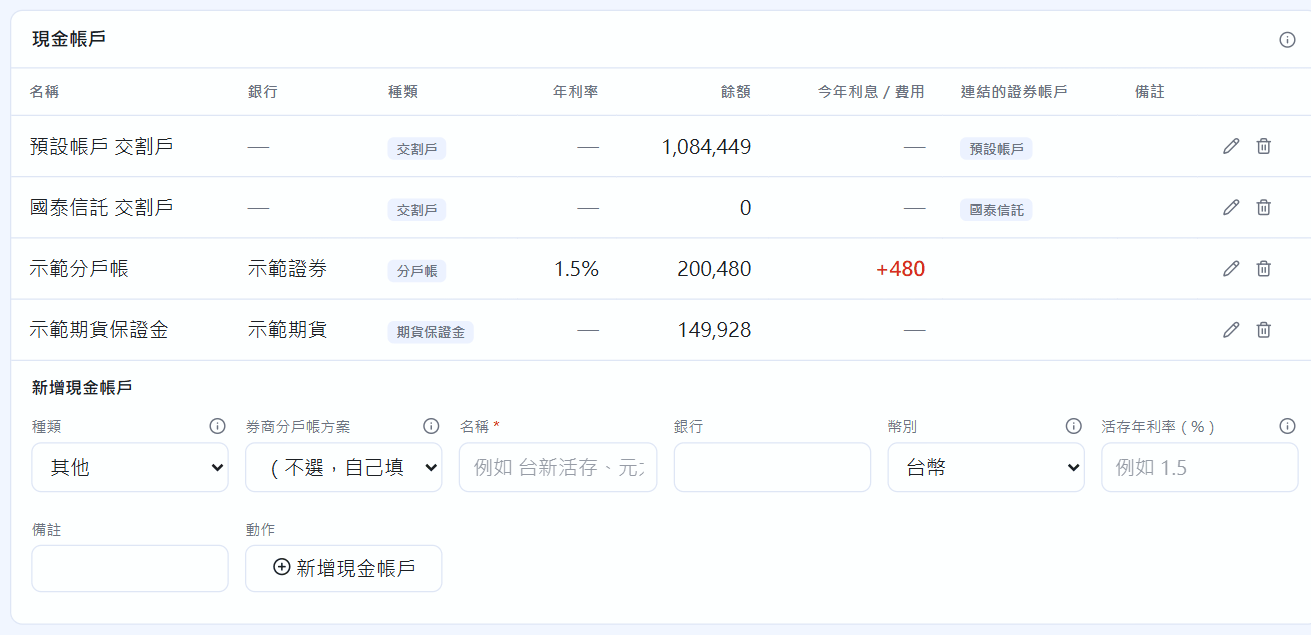
Under Cash accounts, choose a type, or pick a broker from “Broker CMA plan” (Yuanta, Fubon, Capital, CTBC, KGI…) to fill in the name and broker.
Fill in the name and bank. For a USD settlement account used for foreign stocks through your broker (複委託), set currency to USD.
To estimate interest, fill in Annual deposit rate (%) (1.5 means 1.5%); the “Interest check” in chapter 9 uses it. Click “Add cash account”.
The cash account table: annual rate, balance, this year's interest / fees (interest in green, fees in red)
The type is just a label, with one exception: Futures margin. Only this type can hold futures trades, and the account overview lists it under “Futures” (chapter 12).
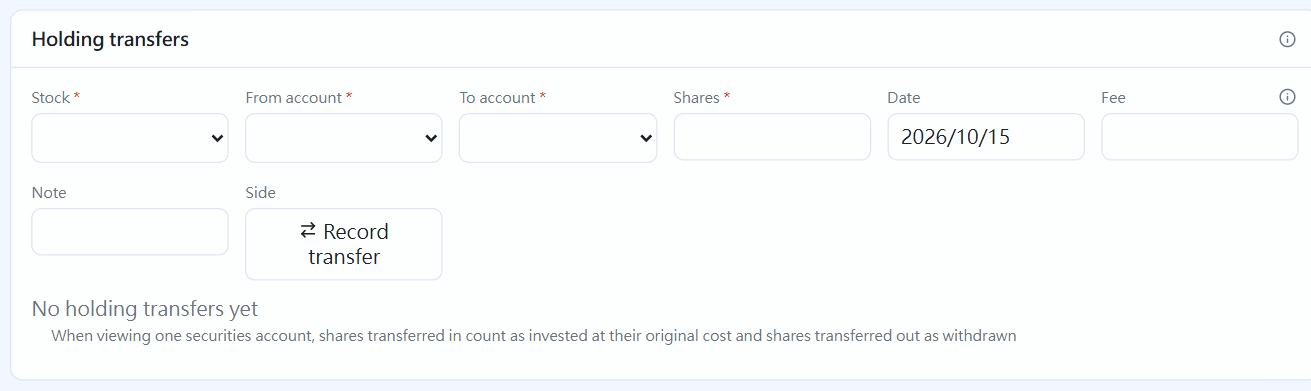
Holding transfers (TDCC transfer)
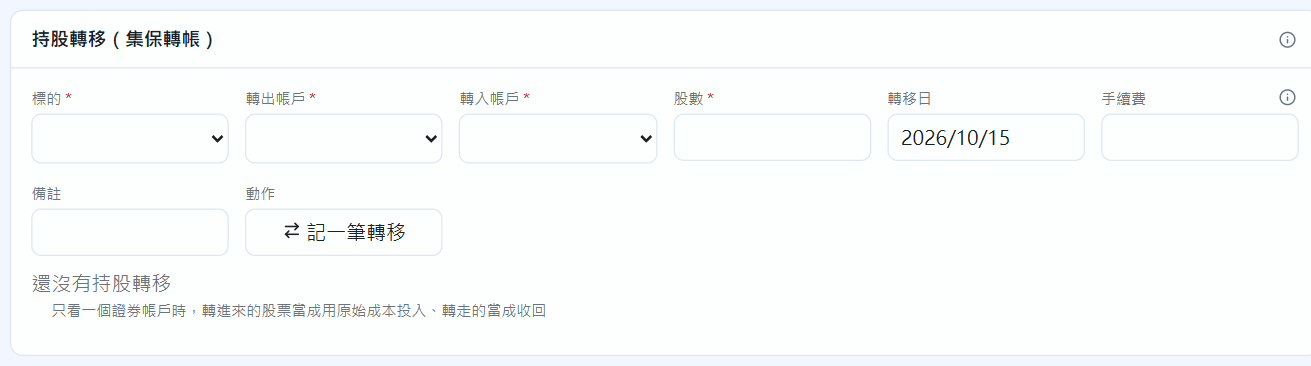
To move shares of one instrument from one securities account to another (for example, when changing brokers): pick the instrument, the from and to accounts, the number of shares and the transfer date, then click “Record transfer”. This is not a sale and a new purchase: the shares, original cost and buy dates move with them, and no gain or loss is created. If there is a transfer fee, enter it (it is recorded as a fee of the sending account).
 STOCKings