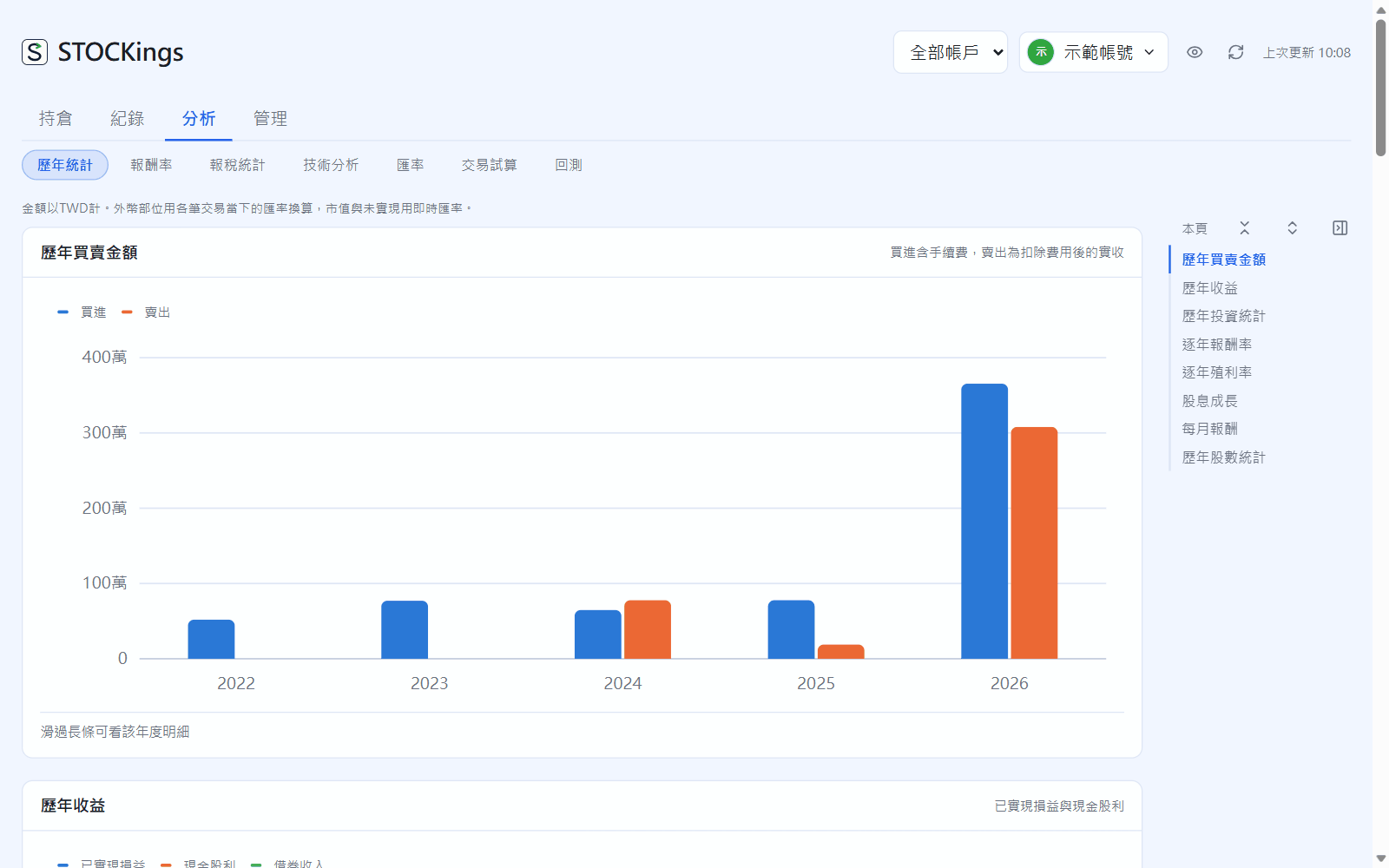
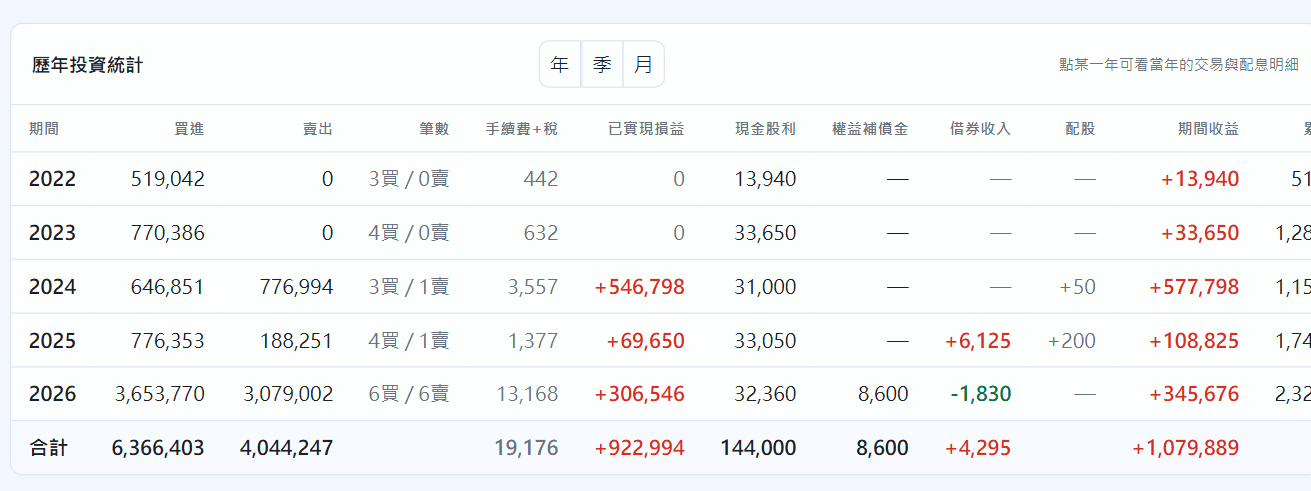
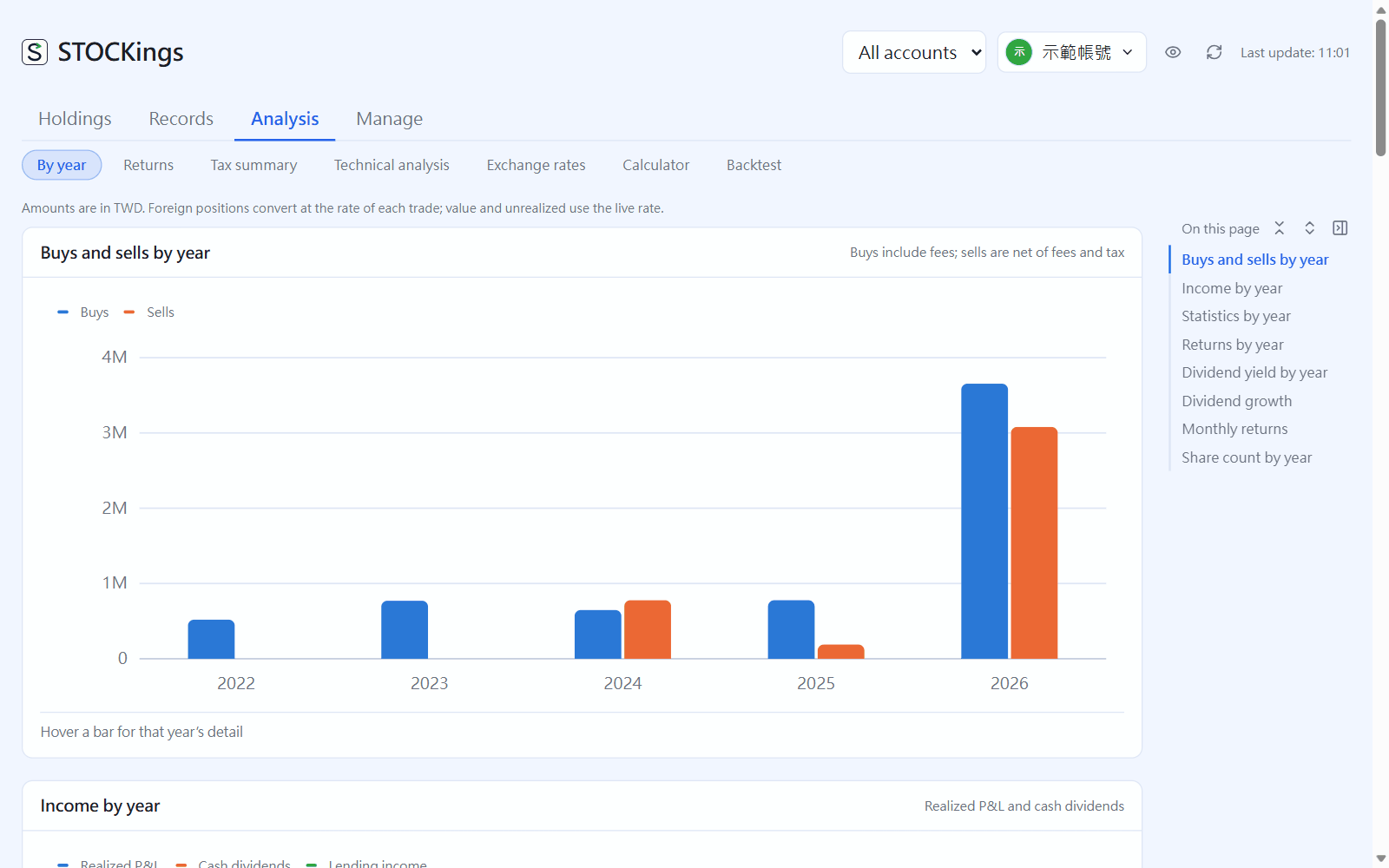
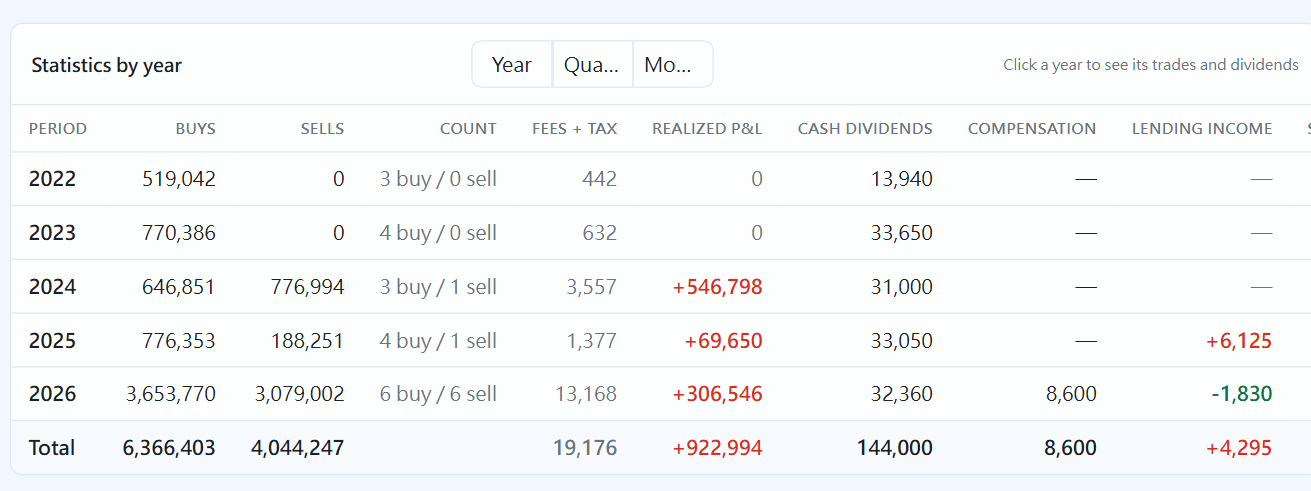
Two charts (buys and sells by year, income by year) and two tables (investment statistics by year, shares by year). Switch to quarters or months at the top right.
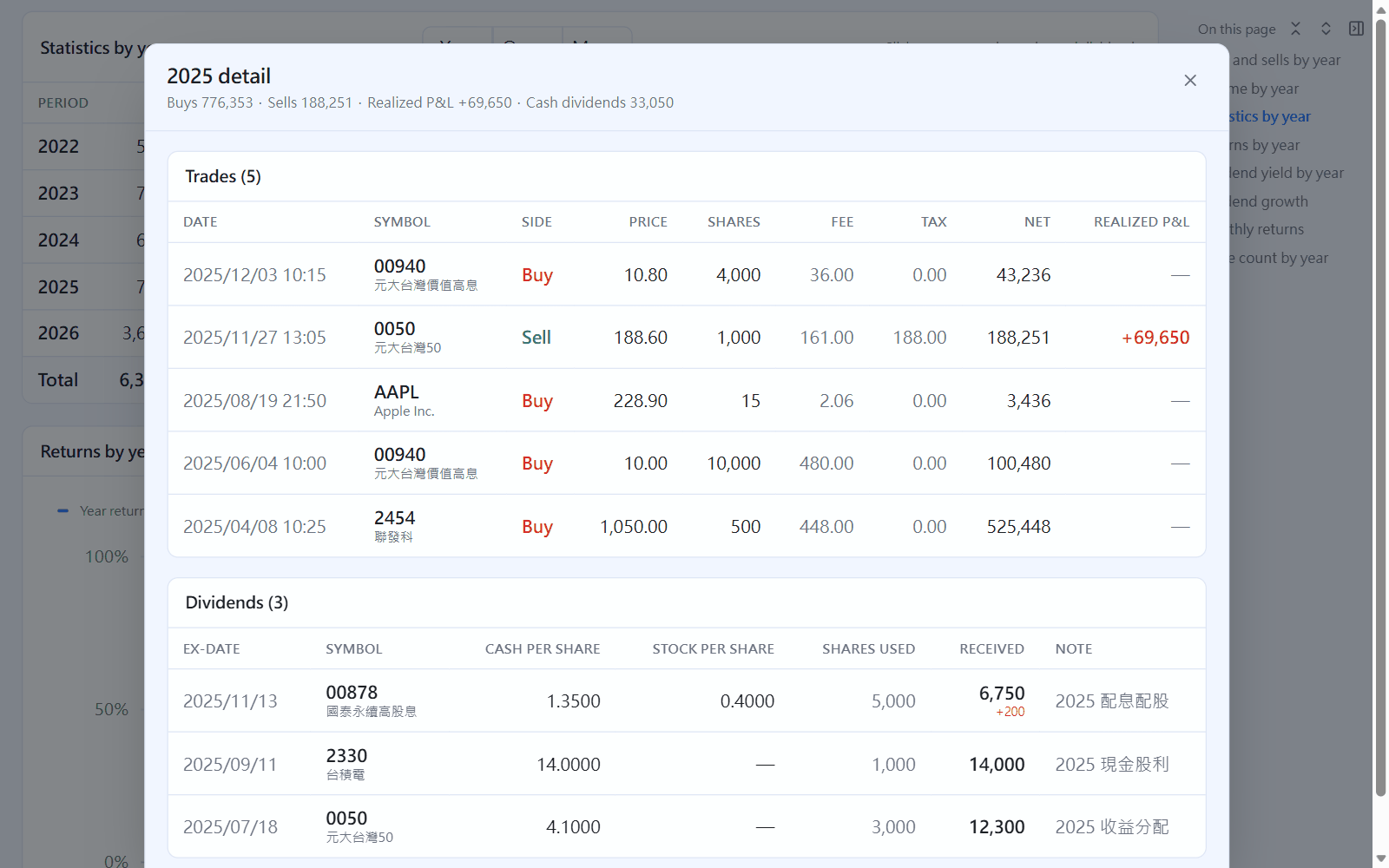
Analysis → By yearInvestment statistics by year: click any year for its details
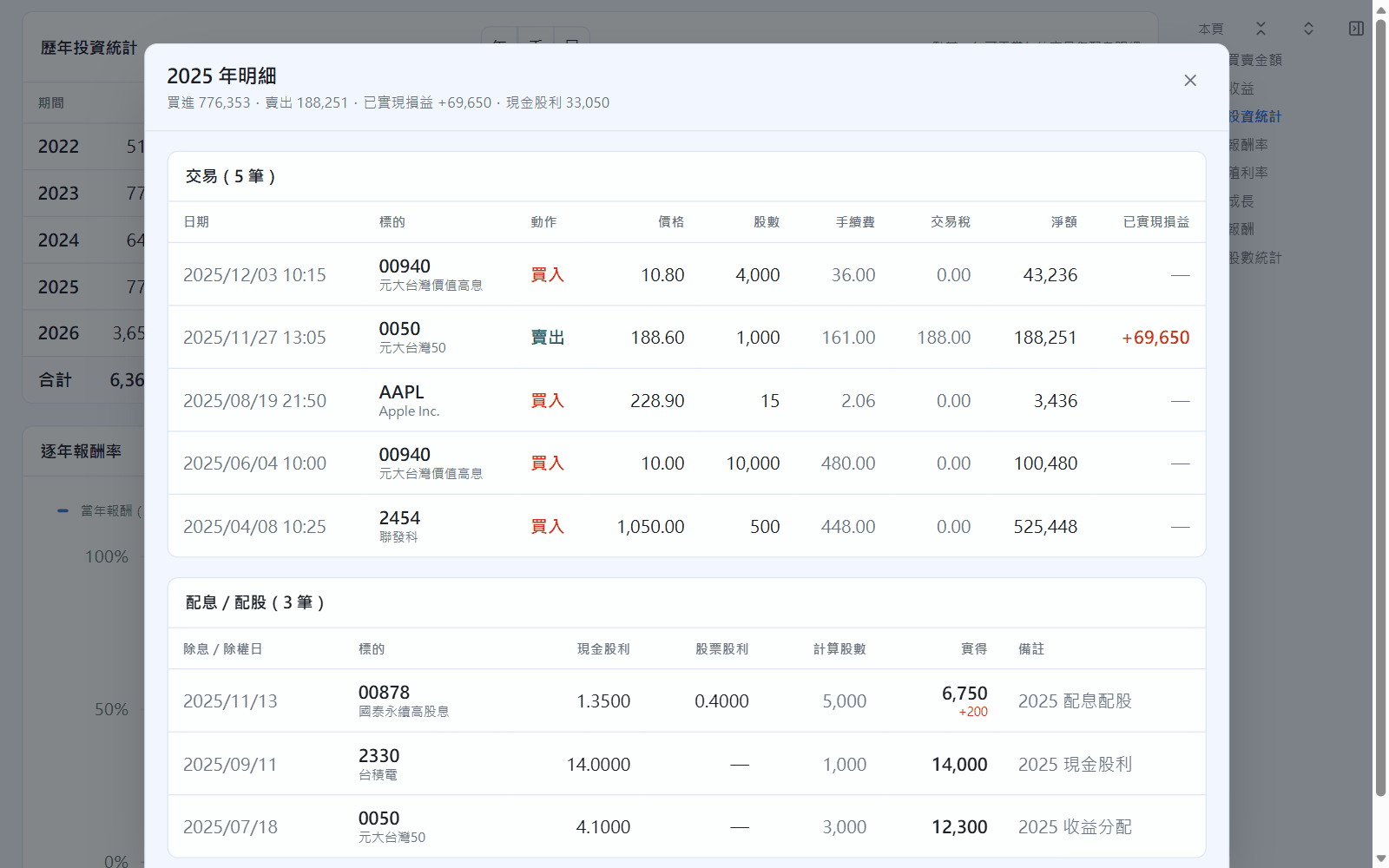
Click a year in the table to open all trades and dividends for that year; press Esc or Back to close it.
Year details
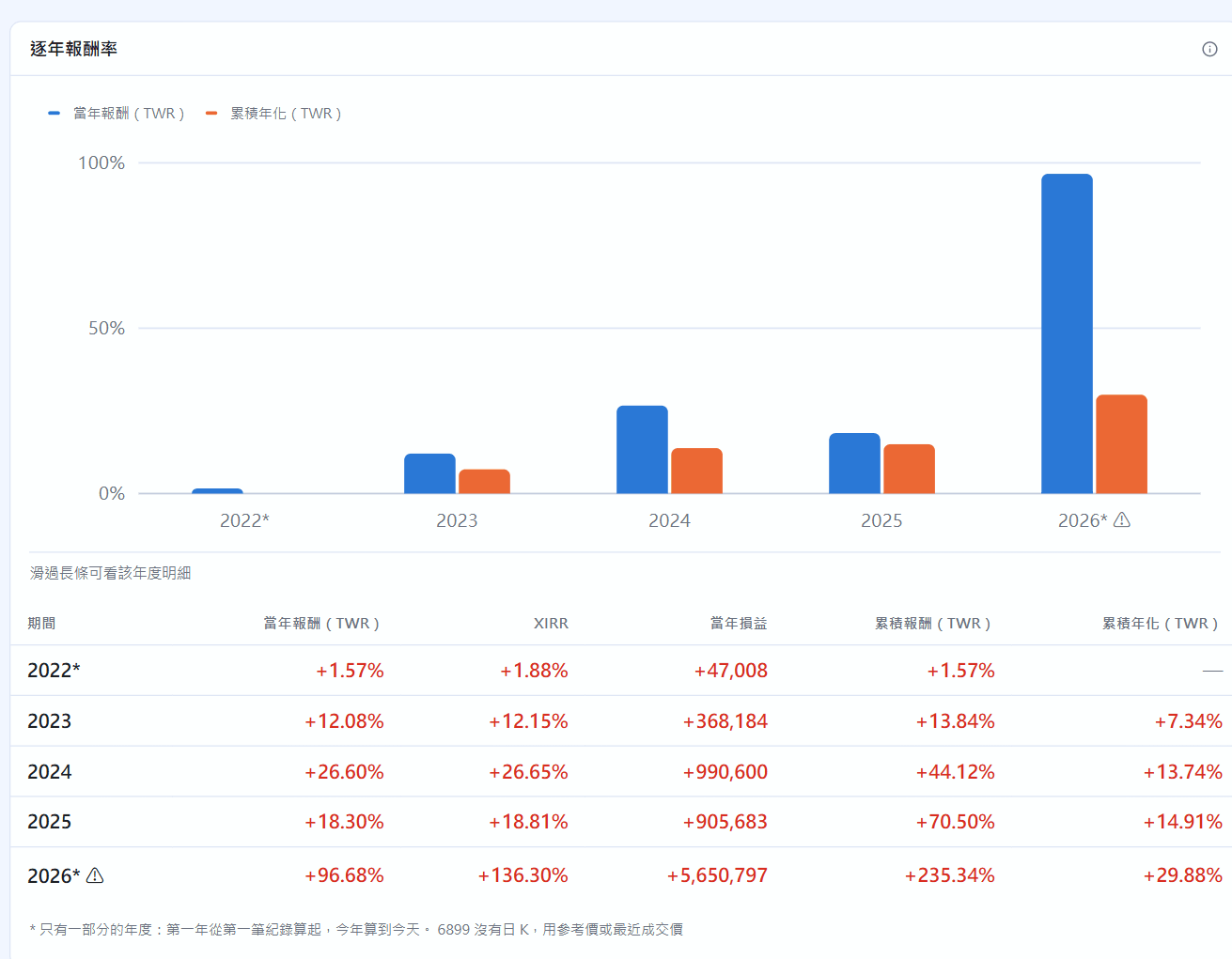
Below the tables are four more charts:
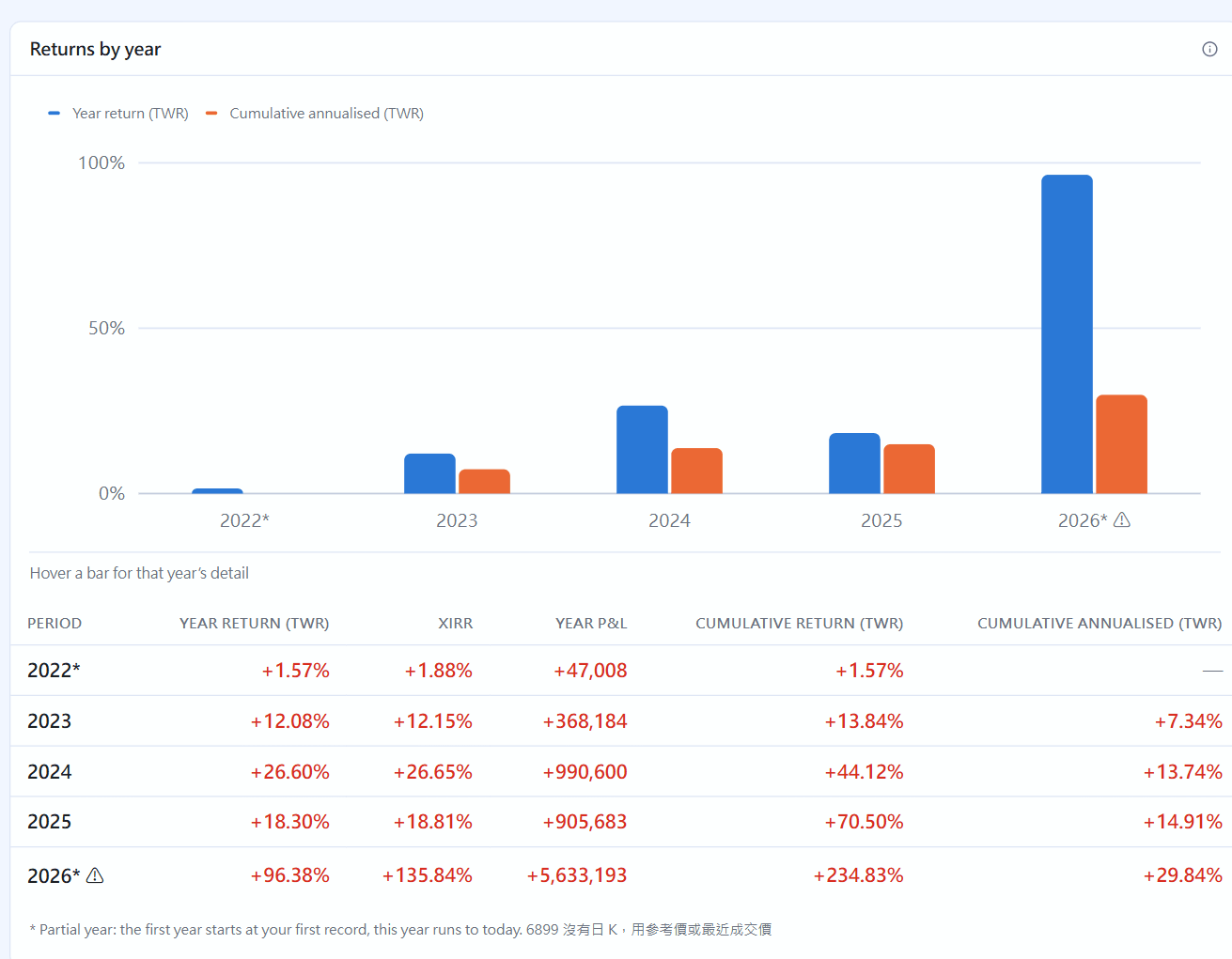
Returns by year: each year's return (TWR, with deposits and withdrawals taken out) and the cumulative annualized return. A ⚠ next to a year means the account cash was negative on some days that year (usually a missing deposit); hover for details. Adding the deposit fixes it.
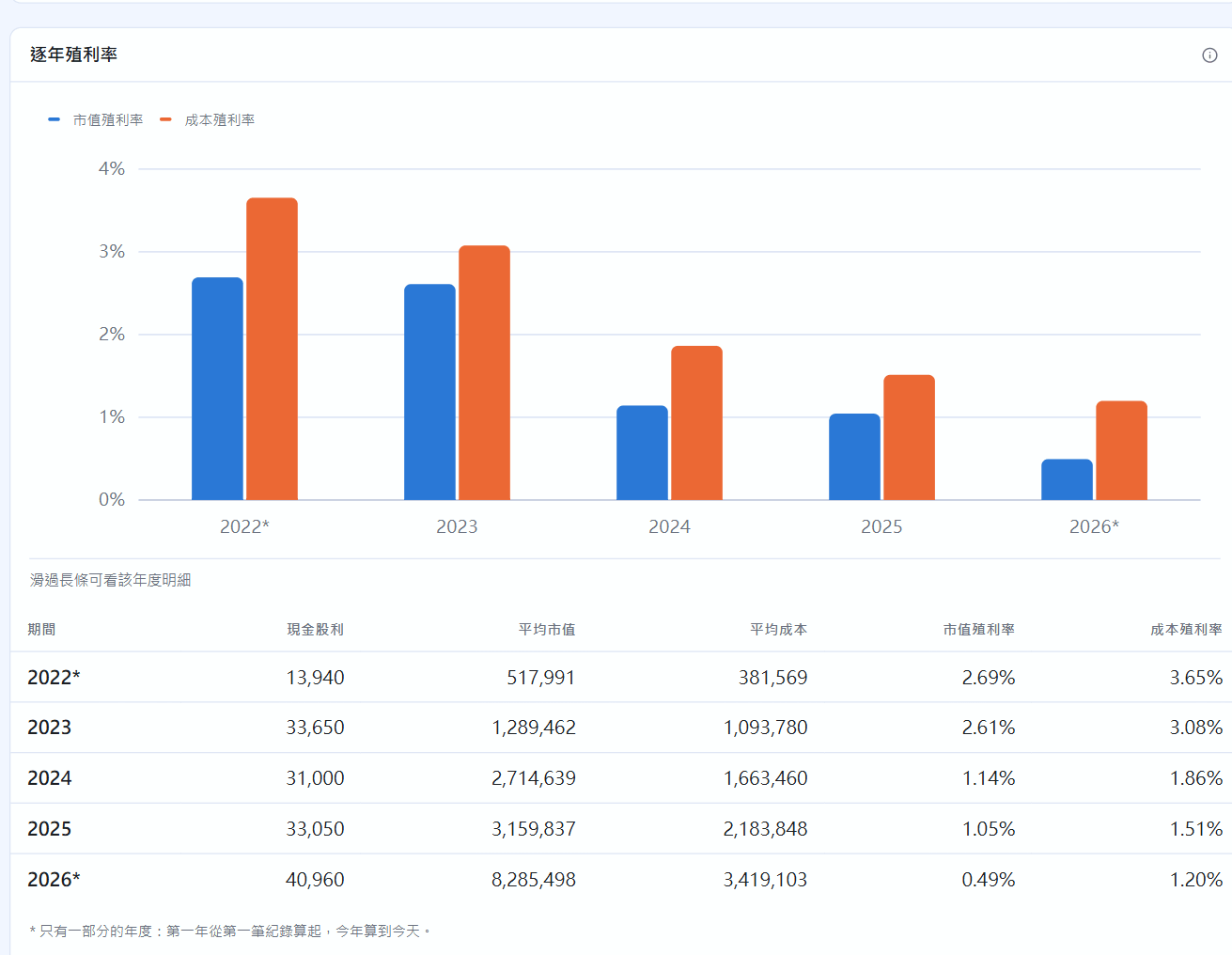
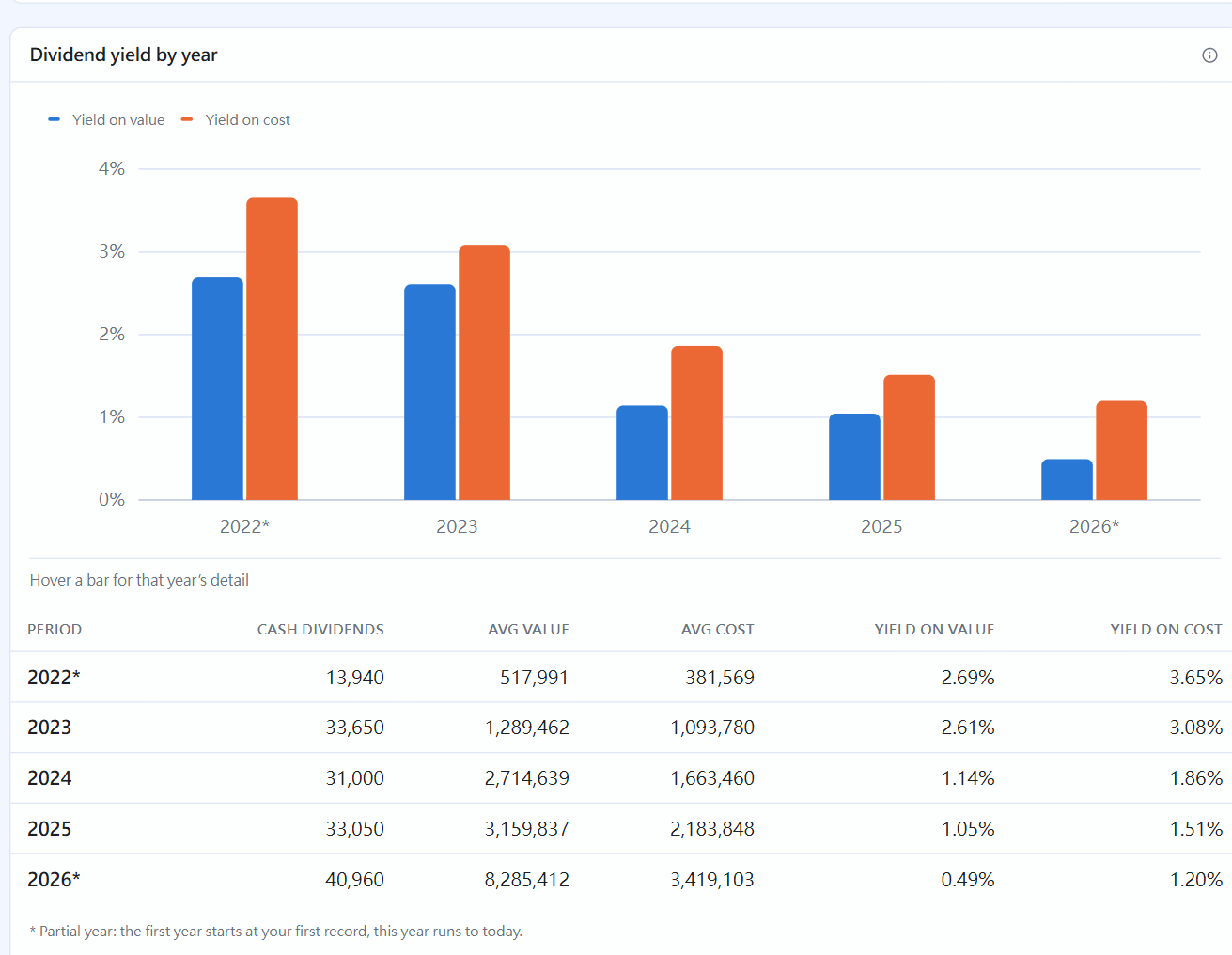
Dividend yield by year: cash dividends received that year \div average holdings value (yield on market value) and \div average cost (yield on cost).
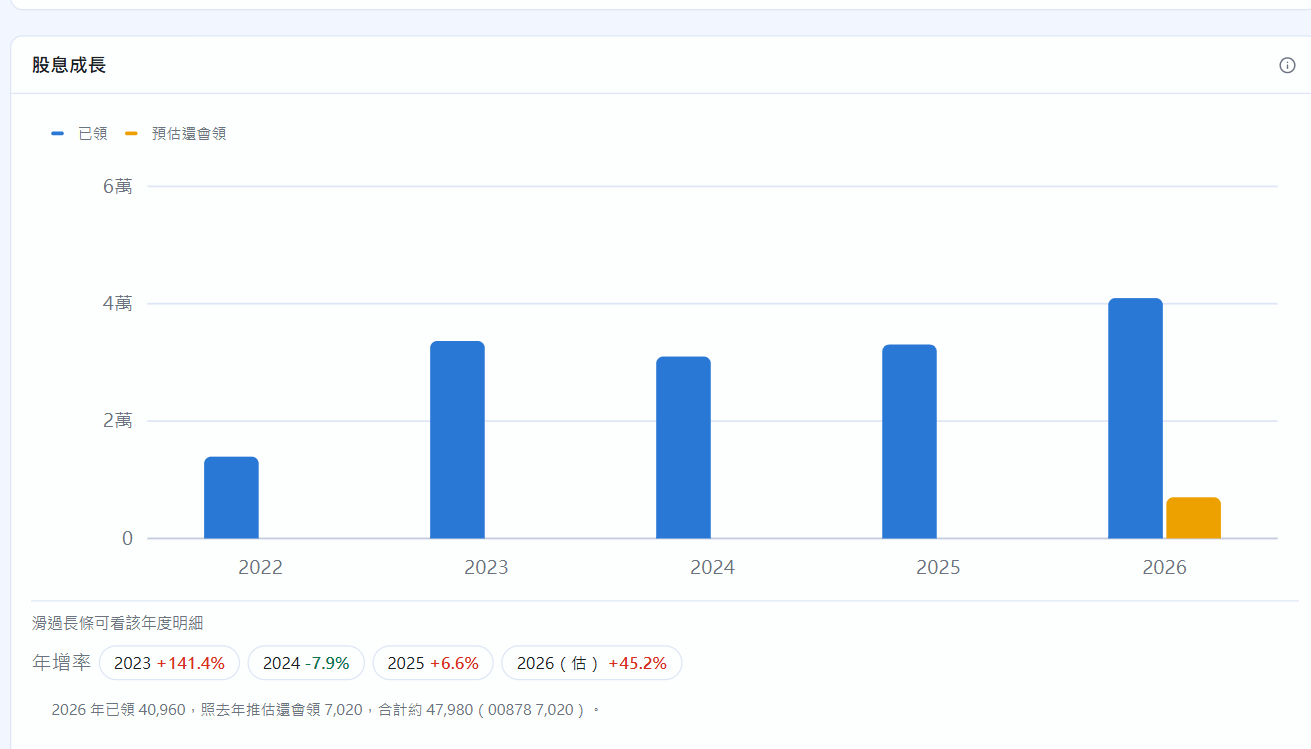
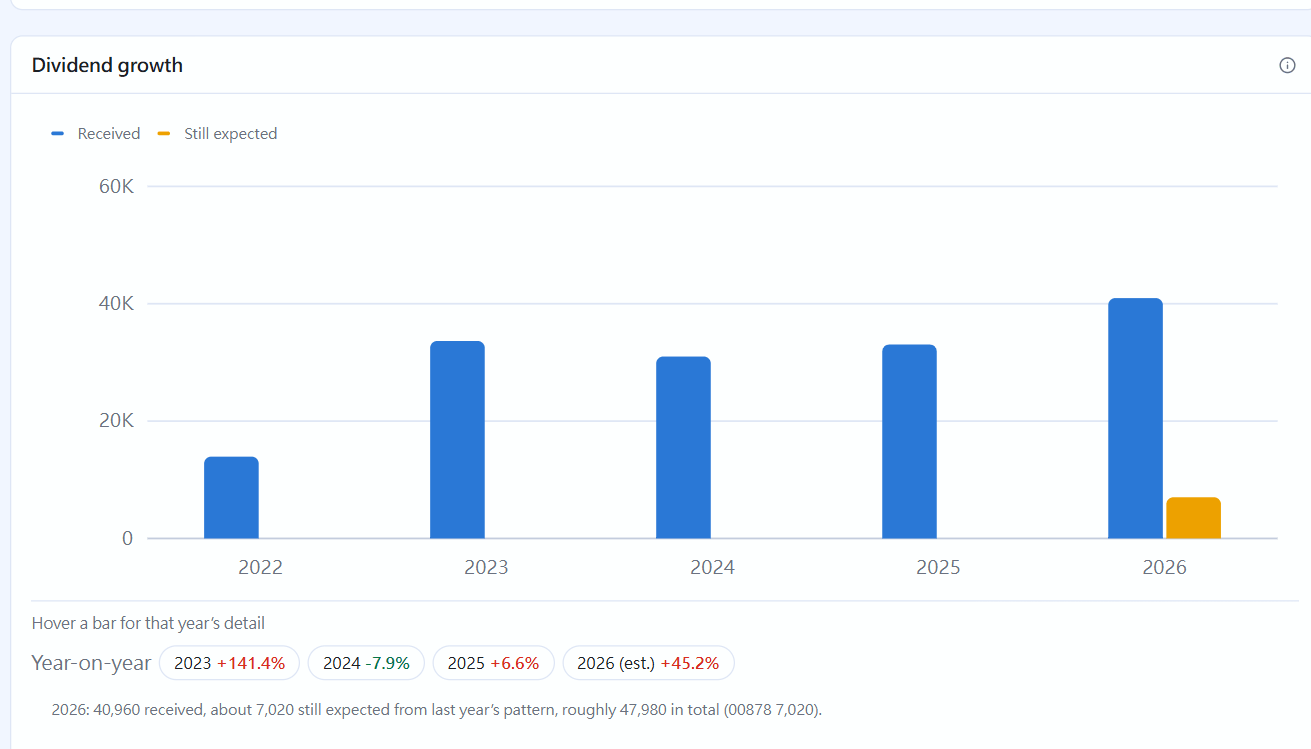
Dividend growth: cash dividends received each year (before tax) and the year-on-year growth. For this year, the part still expected is estimated from last year.
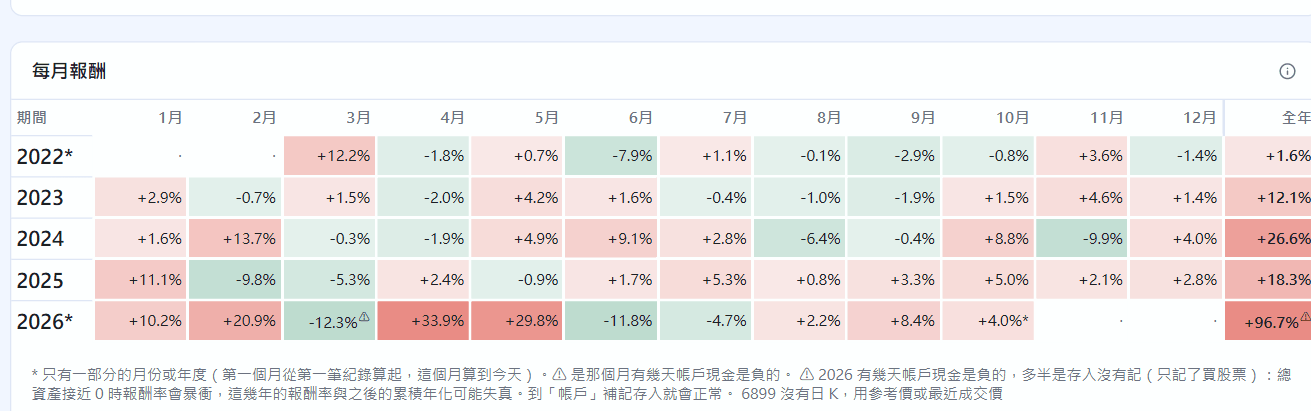
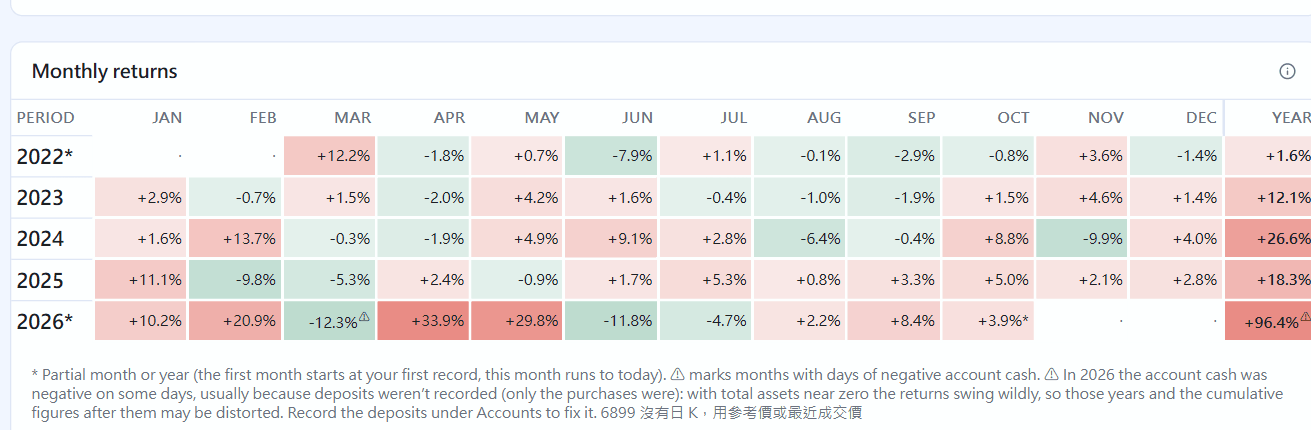
Monthly returns: each cell is one month's TWR; darker colours mean bigger moves, and the right-most column is the full year. Hover over a cell for details.
Returns by yearDividend yield by yearDividend growth: the orange part next to this year is what is still expected based on last year; growth rates are belowMonthly returns heat map
Returns
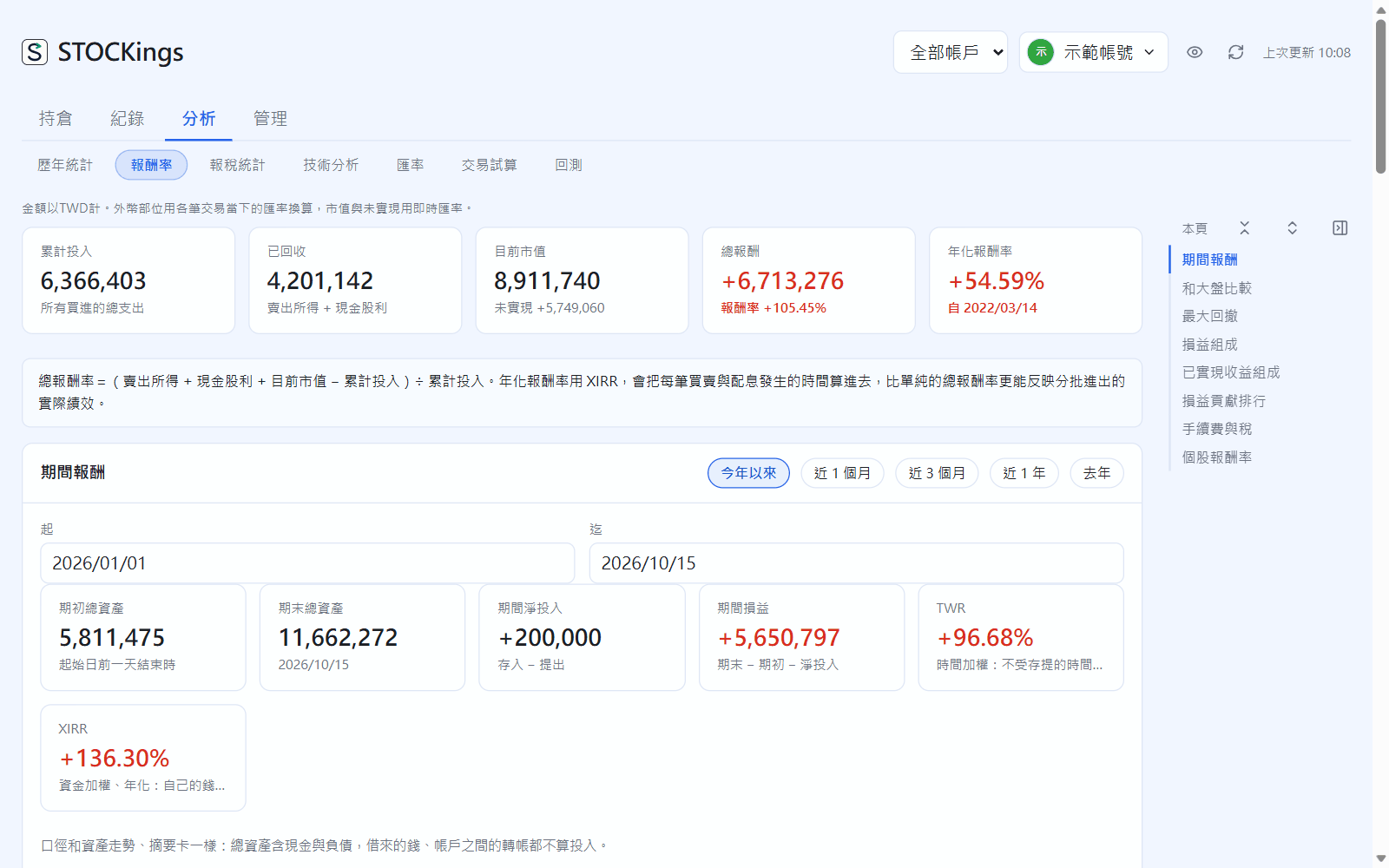
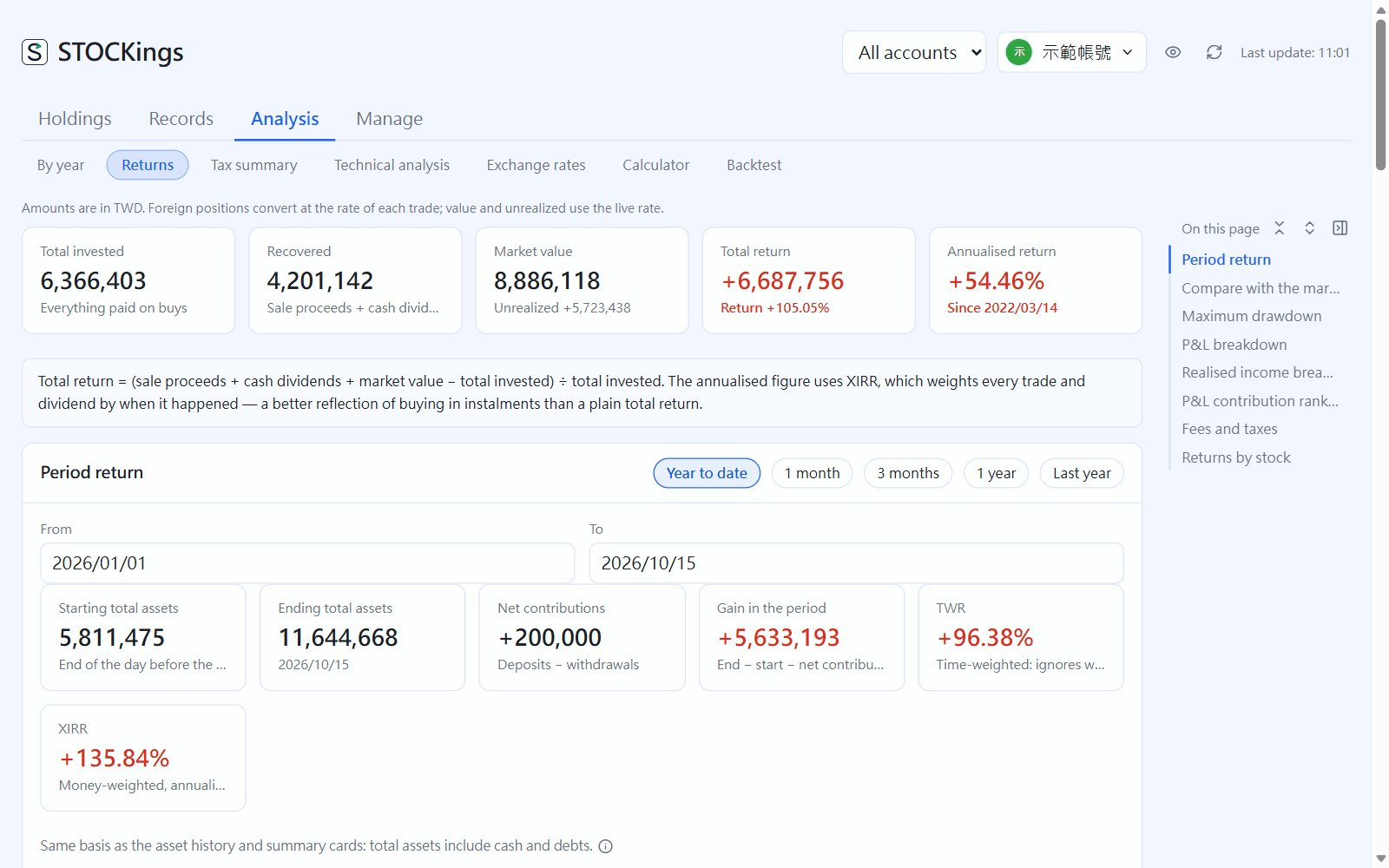
From top to bottom: overall money invested, money returned, current market value, total return and annualized return; the period return; comparison with the market and maximum drawdown; P&L breakdown, realized income breakdown, P&L contribution ranking, and fees and taxes; and at the bottom, returns by stock.
Analysis → Returns
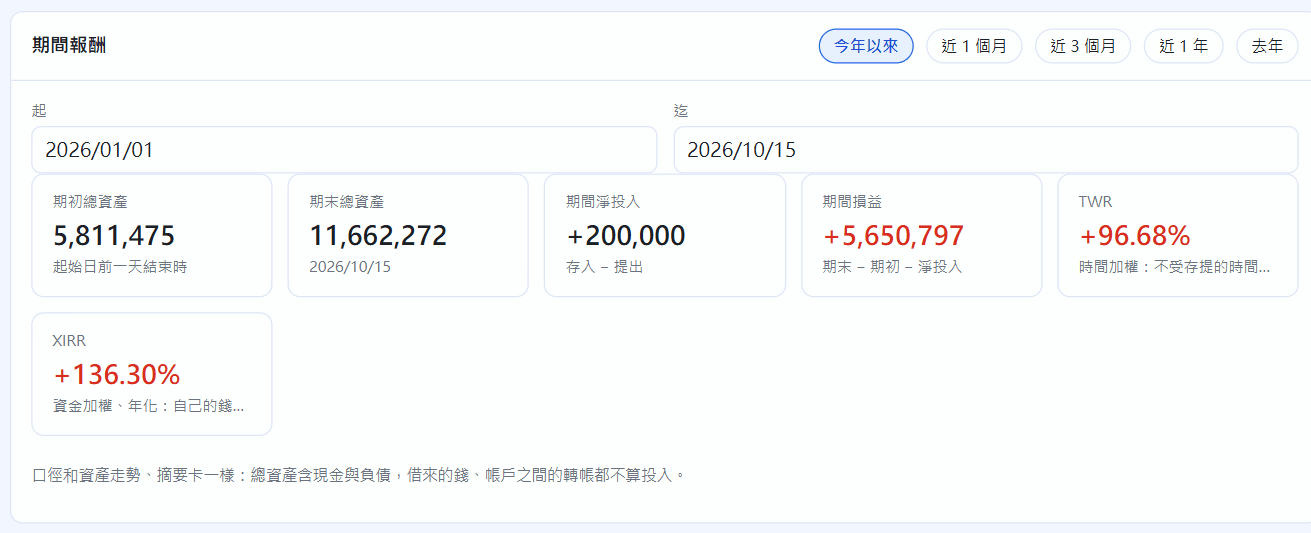
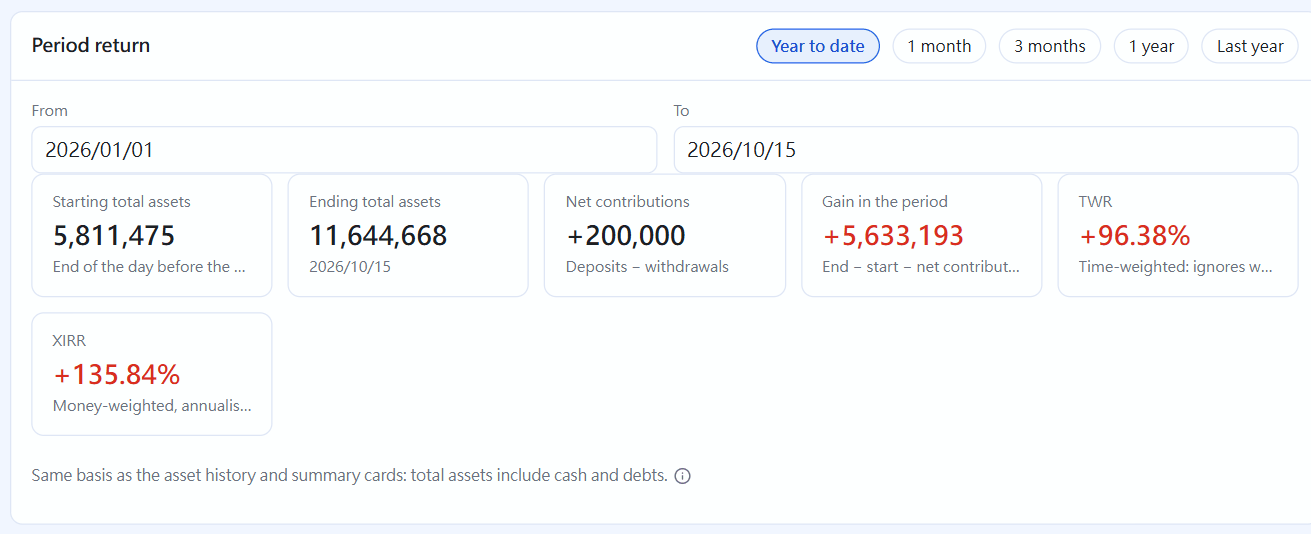
For the period return, choose year to date, the last 1 / 3 months, the last 1 year, last year, or your own dates. You see starting and ending total assets, net money in, P&L, plus TWR (time-weighted, comparable with the market) and XIRR (money-weighted, annualized).
Period return
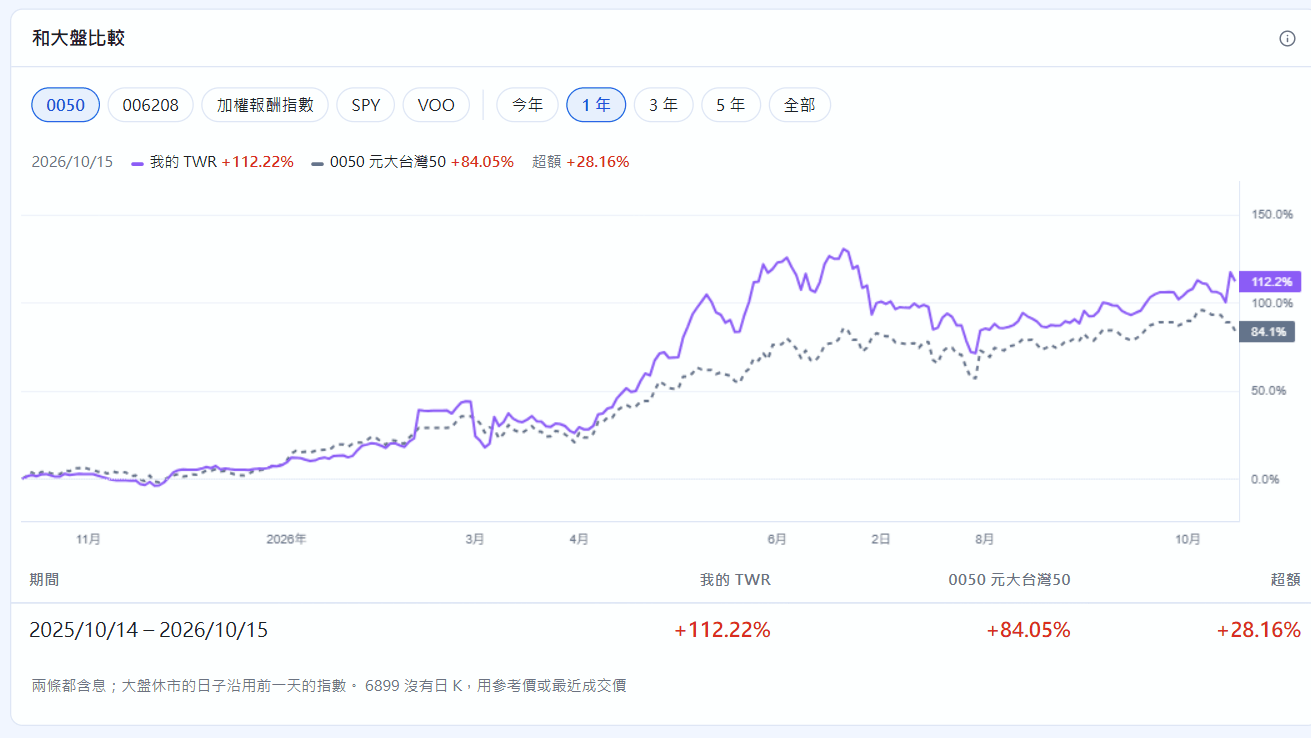
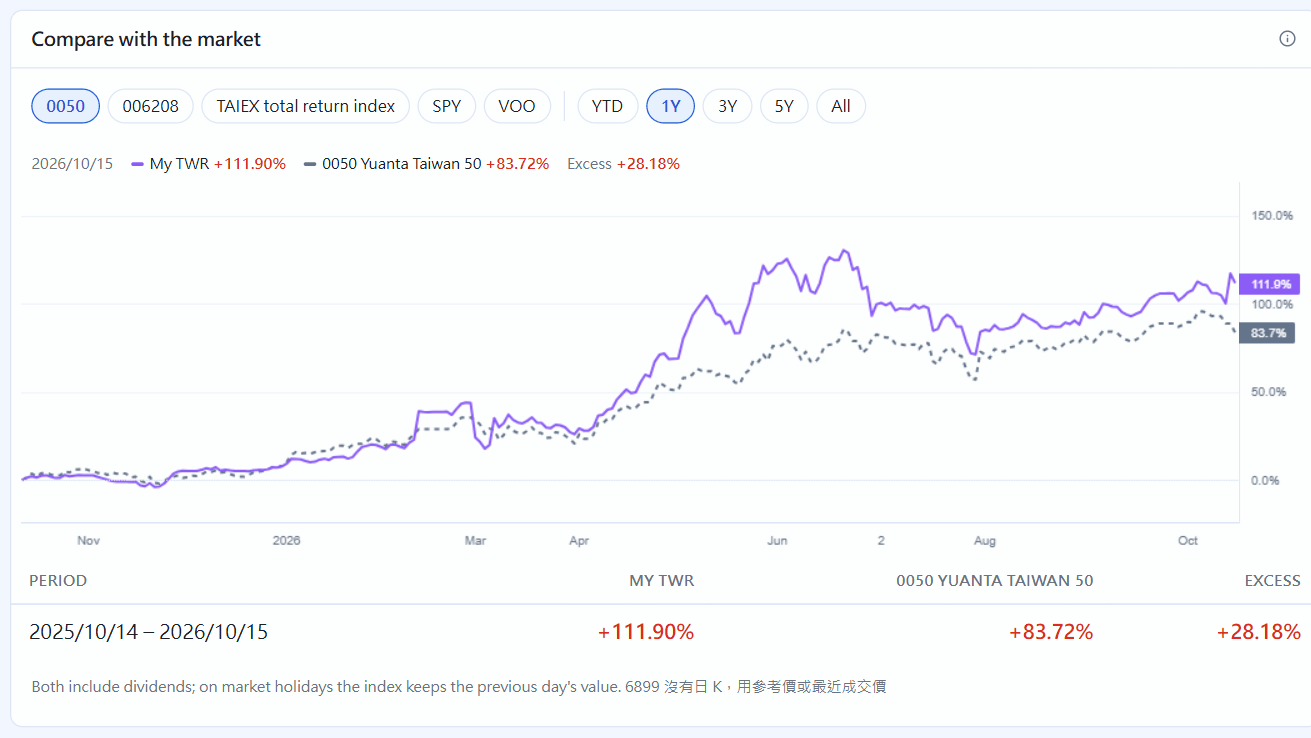
Compare with the market resets your TWR and a market total return (pick one: 0050, 006208, the TAIEX total return index, SPY, VOO) to zero at the same starting point and plots them on one percentage axis. Switch between YTD, 1Y, 3Y, 5Y and All at the top to see your excess return:
Compare with the market
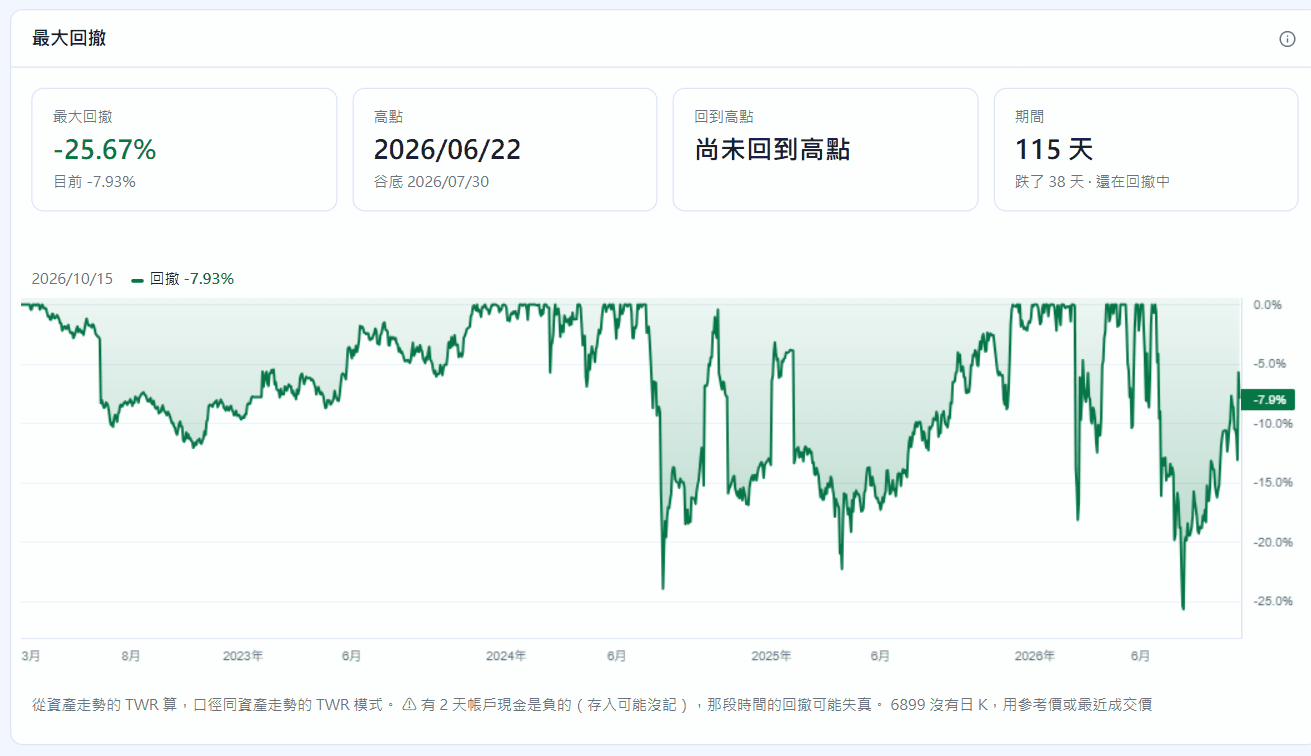
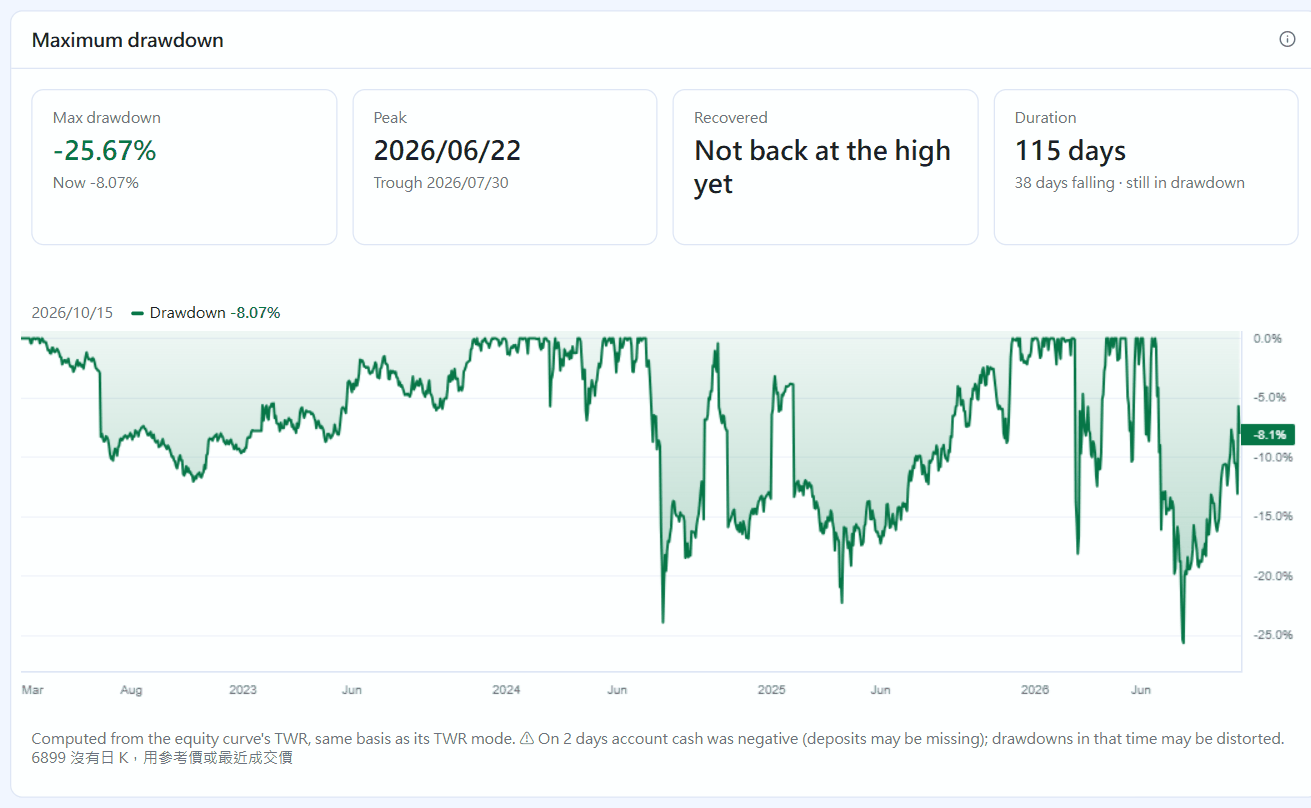
Maximum drawdown is an underwater chart: how far below its previous best each day was (0 means at a high). It marks the peak, trough and recovery dates of the largest drawdown and how many days it lasted:
Maximum drawdown
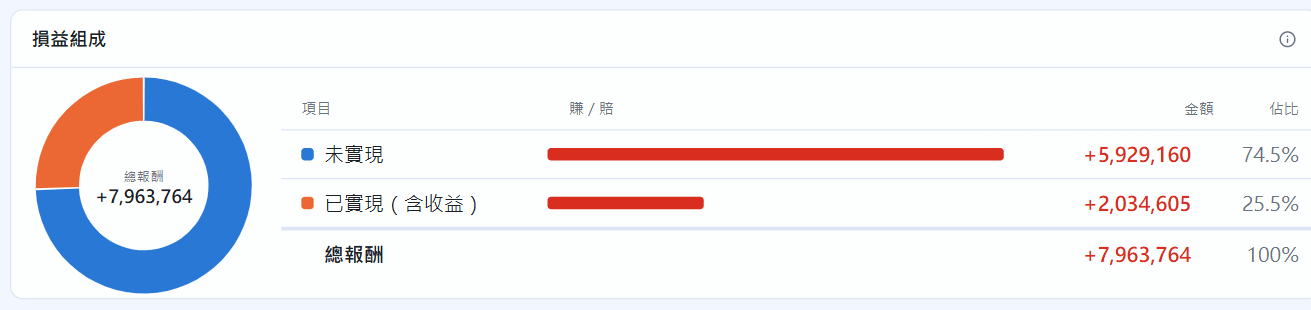
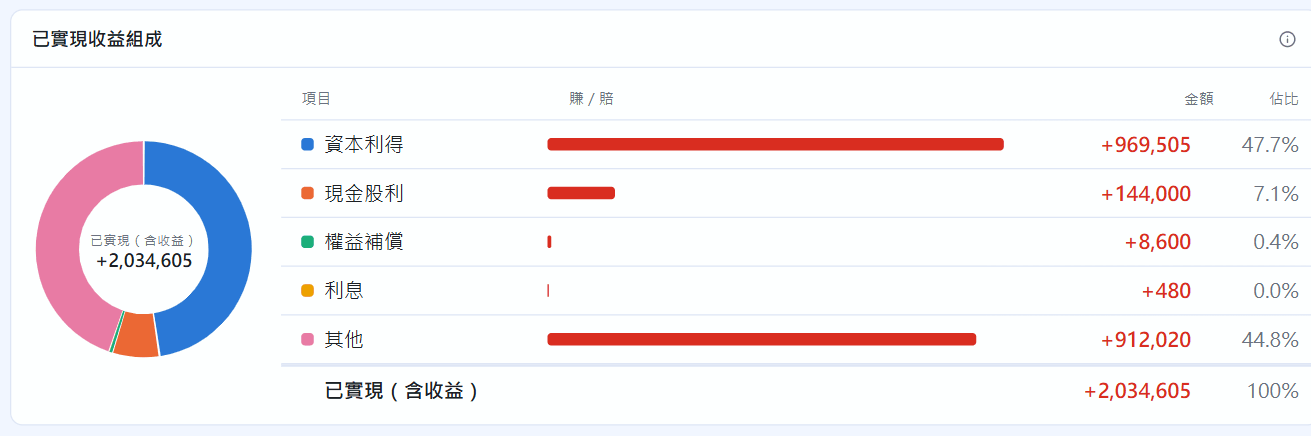
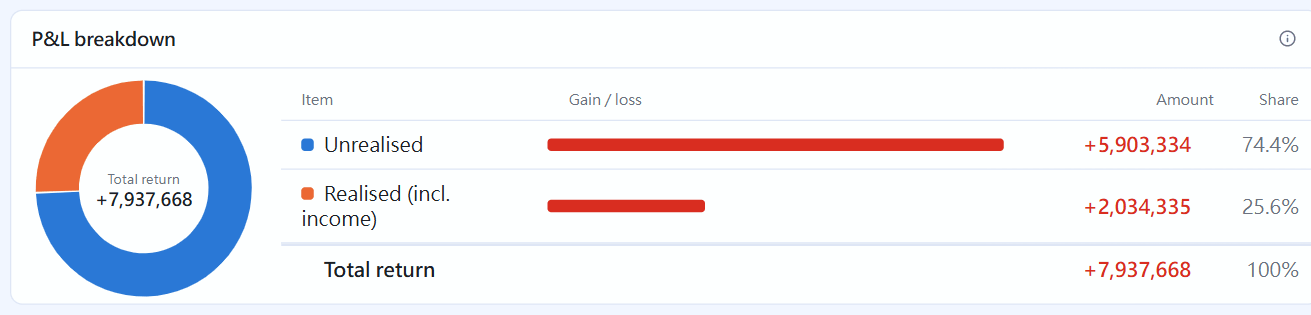
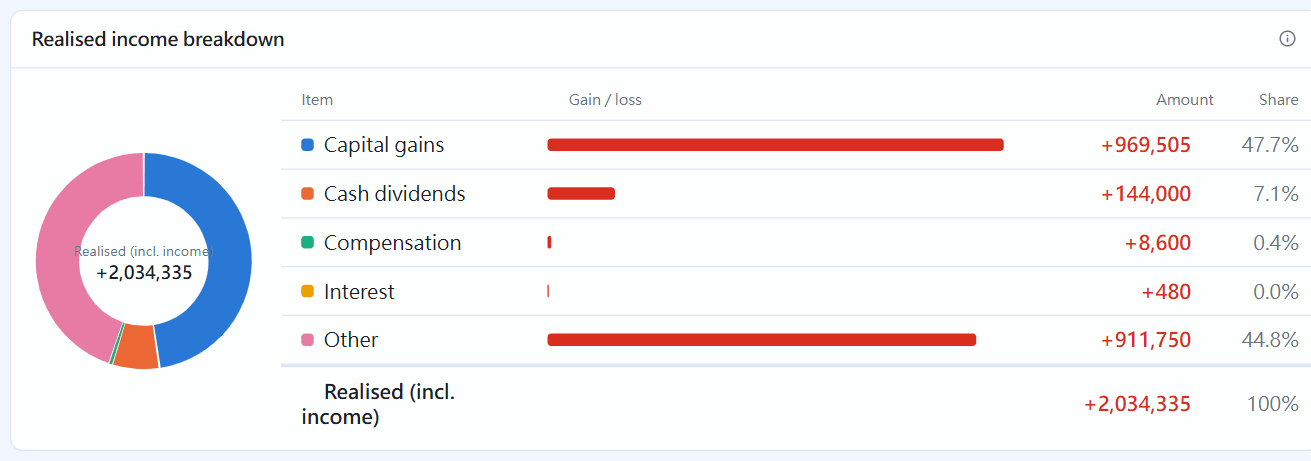
The P&L breakdown splits total return into unrealized and realized (incl. income); the realized income breakdown splits that further into capital gains, cash dividends, compensation, interest and other. The donut on the left shows the items that made money, and the colour swatch before each name matches the donut. When some items gain and some lose, compare the bar lengths:
P&L breakdownRealized income breakdown
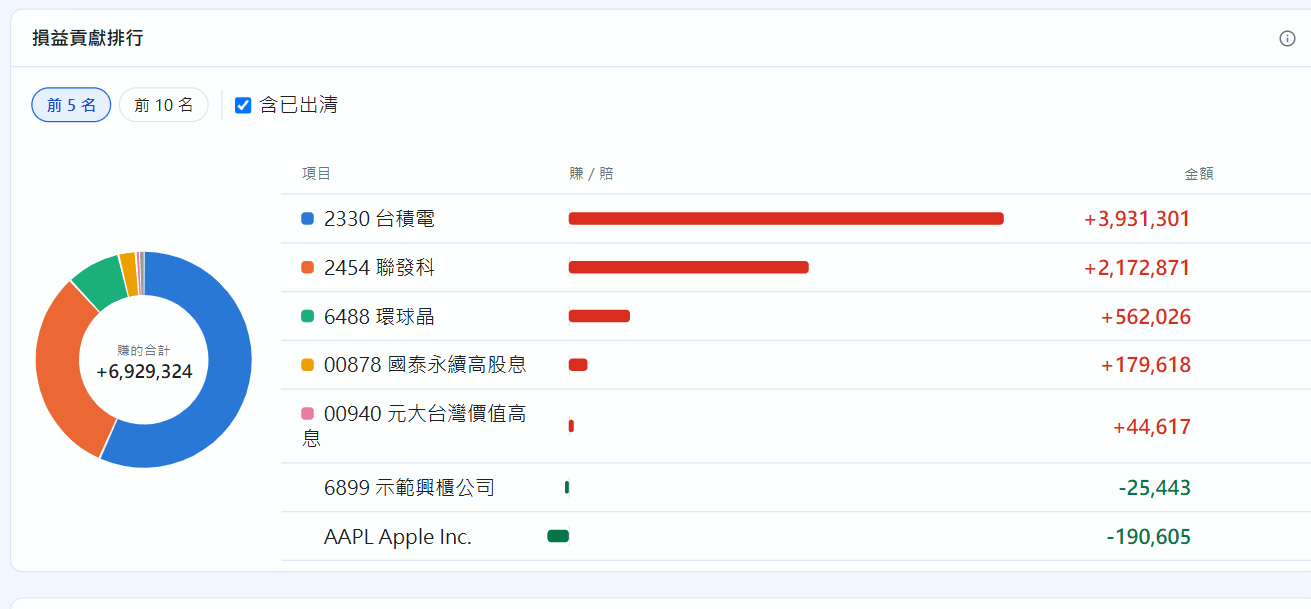
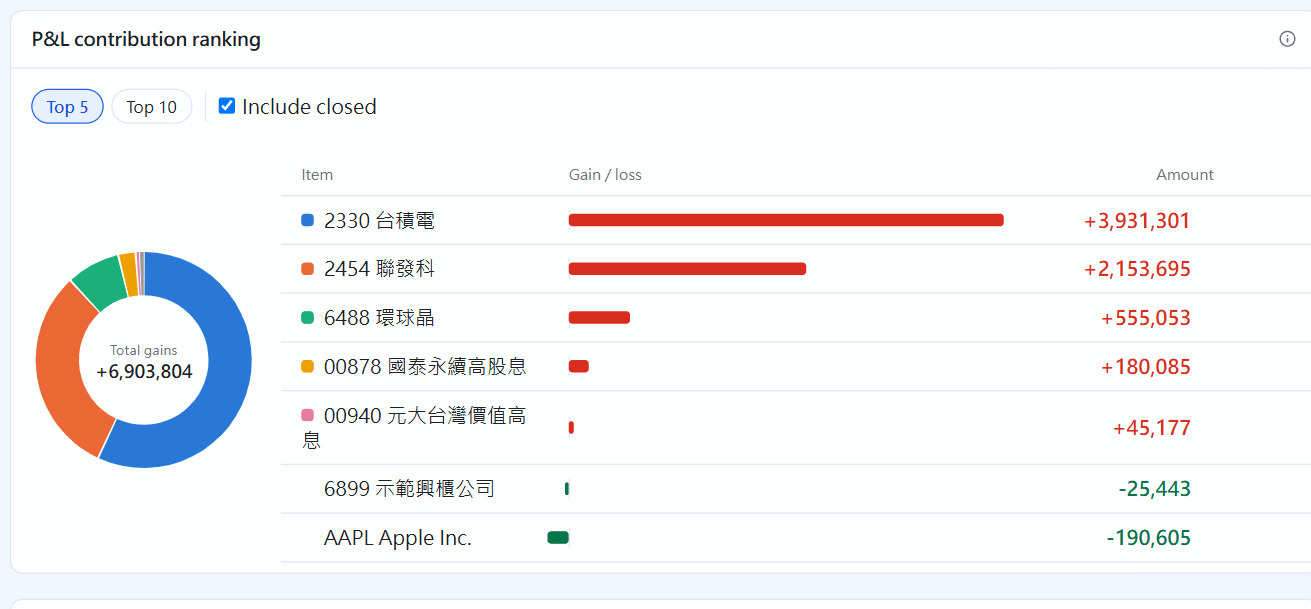
The P&L contribution ranking lists the holdings that made and lost the most (each one's total return, as in the table below). You can choose how many to show and tick “Include closed”:
P&L contribution ranking
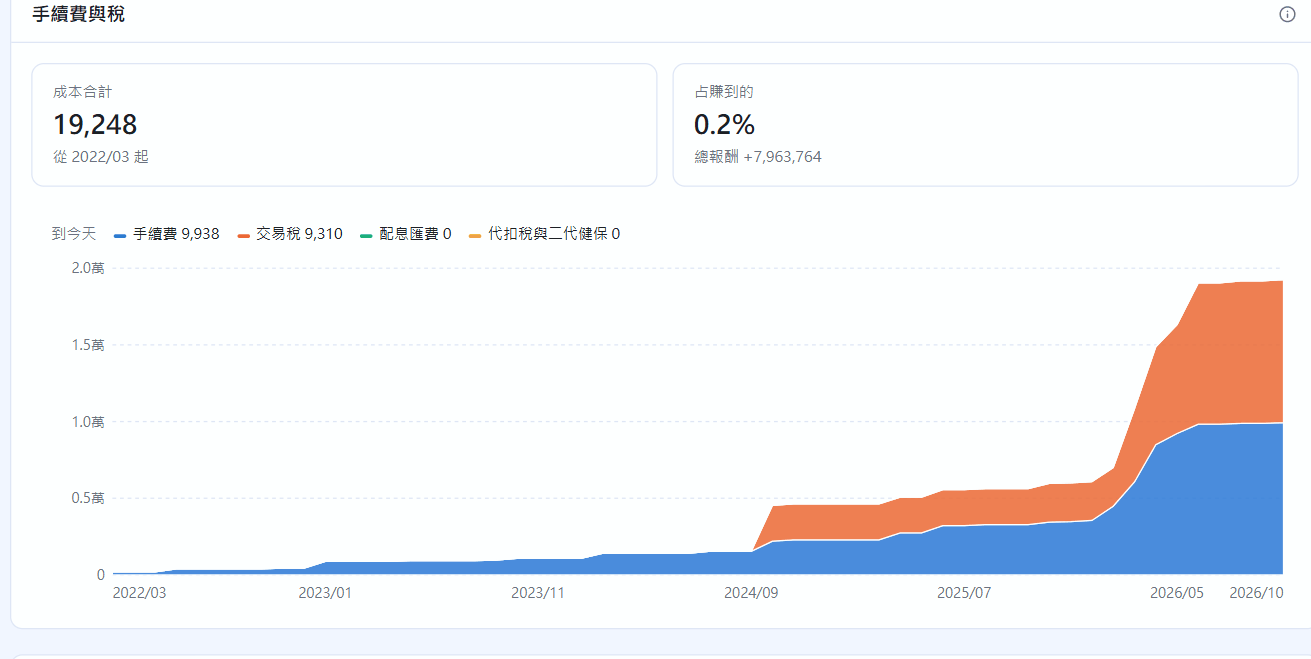
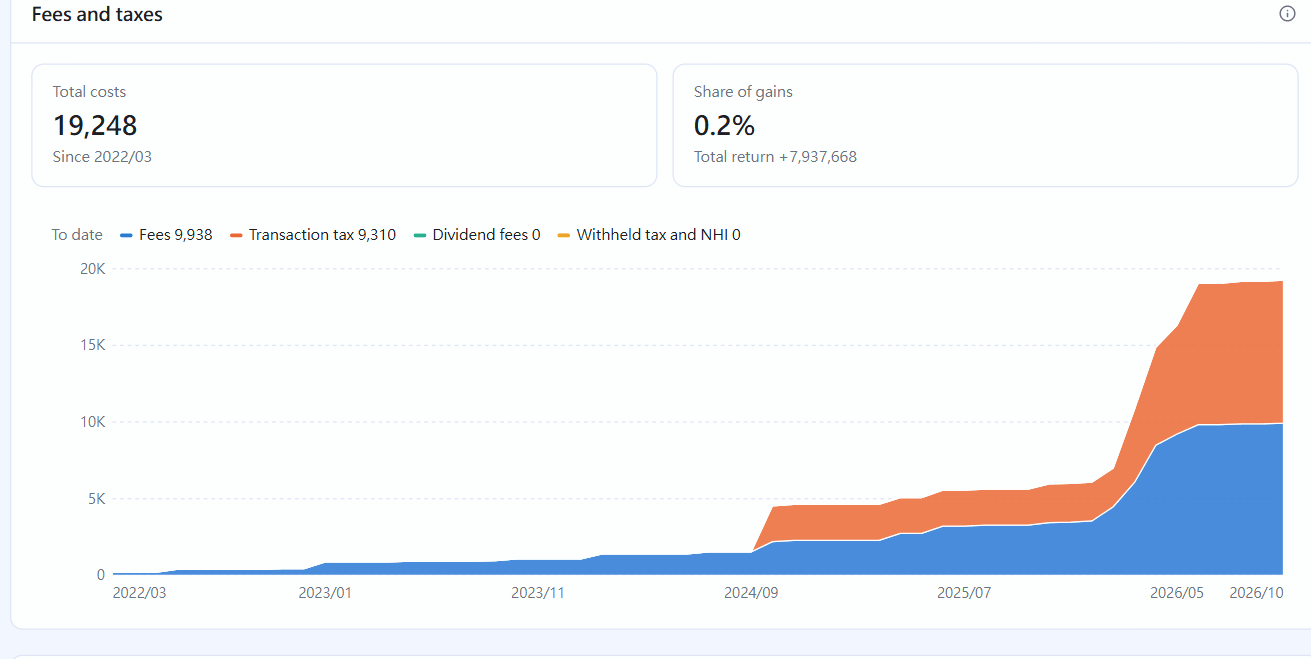
Fees and taxes converts fees, transaction tax, dividend fees, dividend withholding tax and the NHI supplementary premium into TWD, adds them up month by month from your first record, and shows costs as a share of what you earned:
Fees and taxes
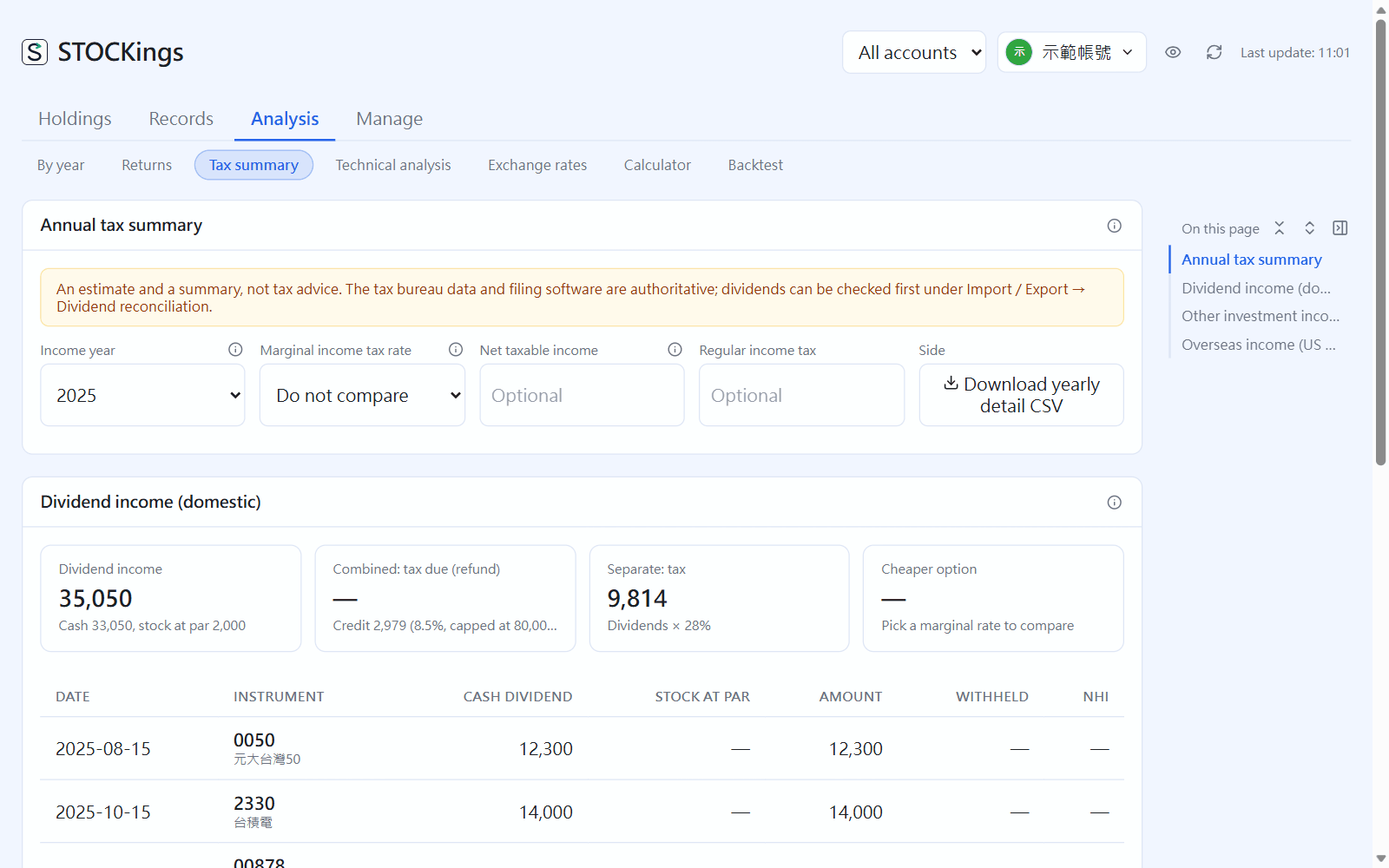
Tax summary
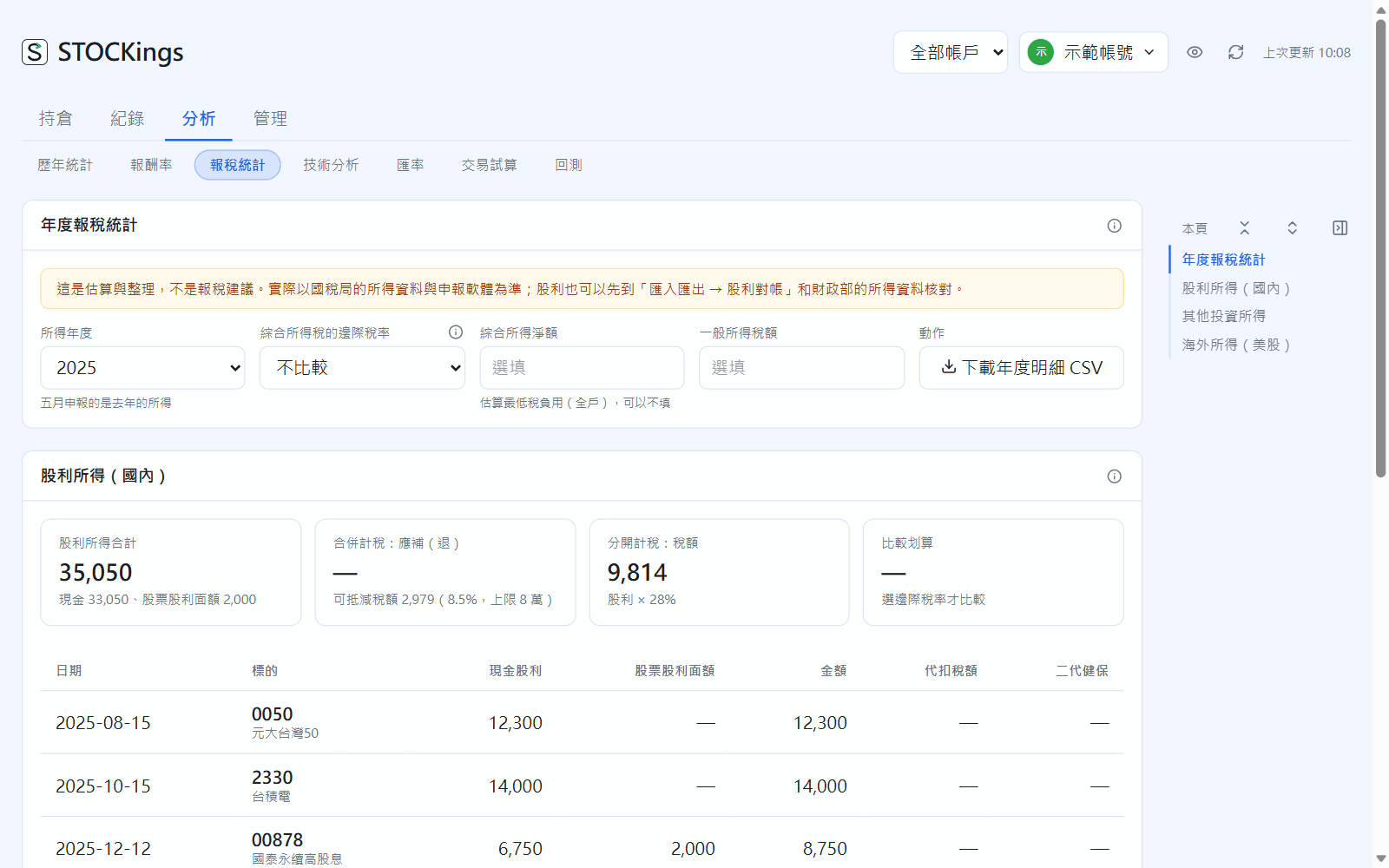
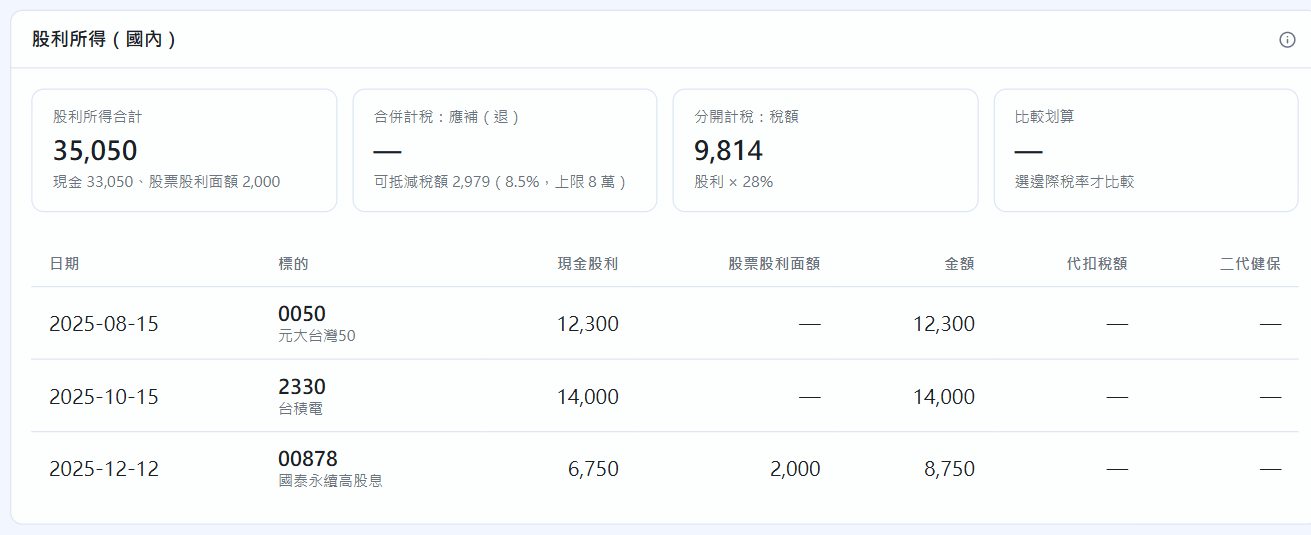
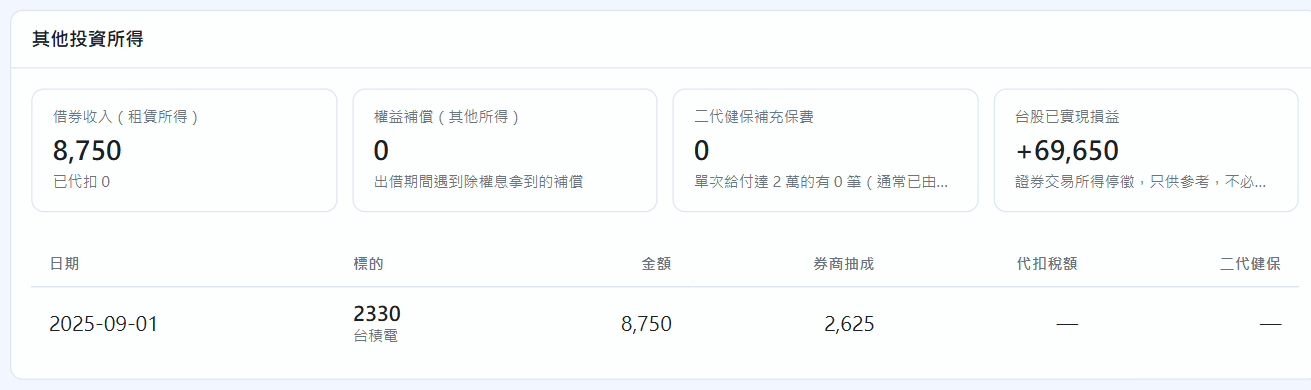
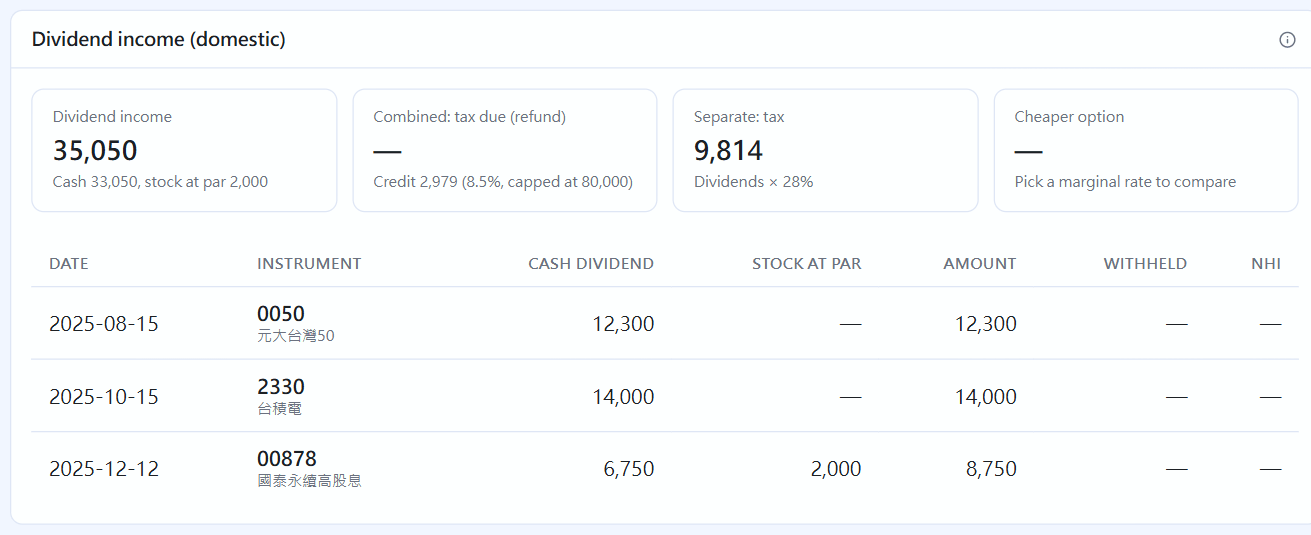
Choose the Income year (the return you file in May covers the previous year). Income is grouped by the categories of Taiwan's individual income tax (綜所稅), across all securities accounts. Pick your marginal tax rate to compare whether combined or separate taxation of dividends is better for you, and click “Download yearly detail CSV”.
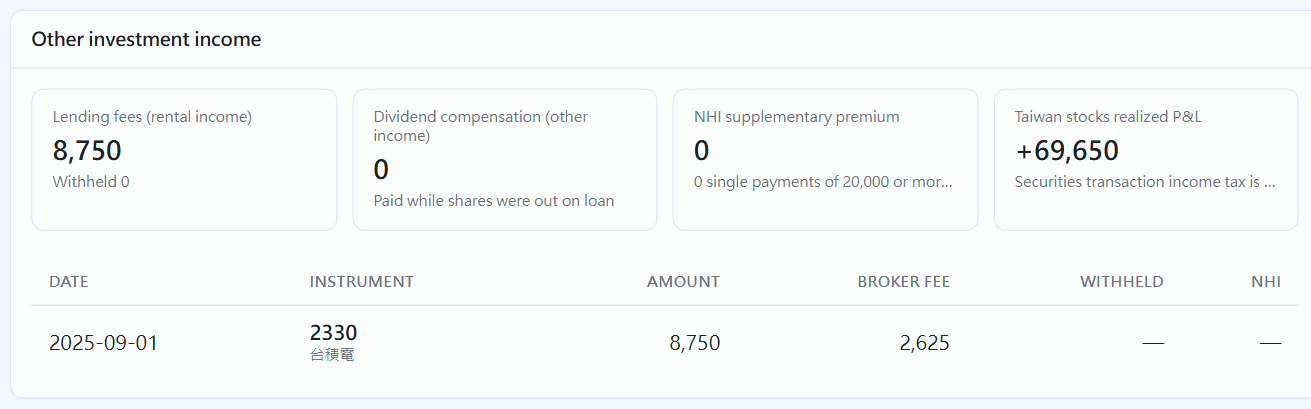
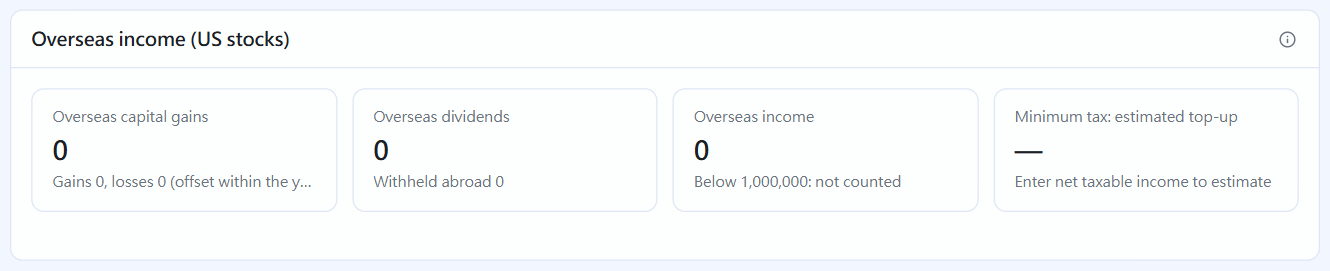
Analysis → Tax summaryDividend income (domestic): each payment's cash dividend, stock dividend face value, tax withheld and NHI premiumOther investment income: lending income (rental income), compensation, NHI premium, Taiwan realized gains (currently exempt, for reference only)Overseas income: US realized gains and dividends, with an estimate of the alternative minimum tax
If you have deposit interest, bond interest or employee shares, matching sections appear. This is an estimate and a summary, not tax advice. You can check your dividends against the Ministry of Finance's records first with the “Dividend check” in chapter 20.
 STOCKings