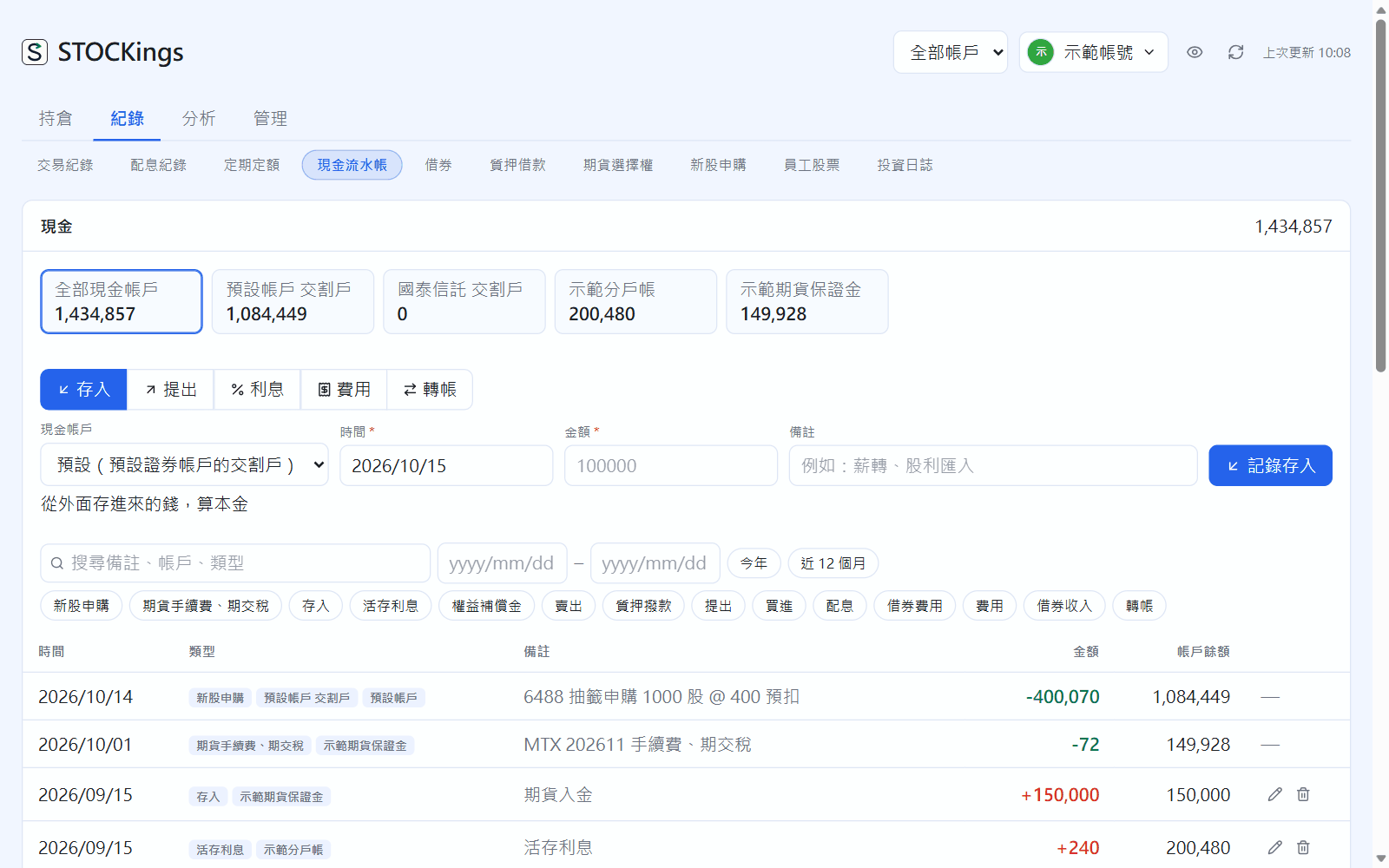
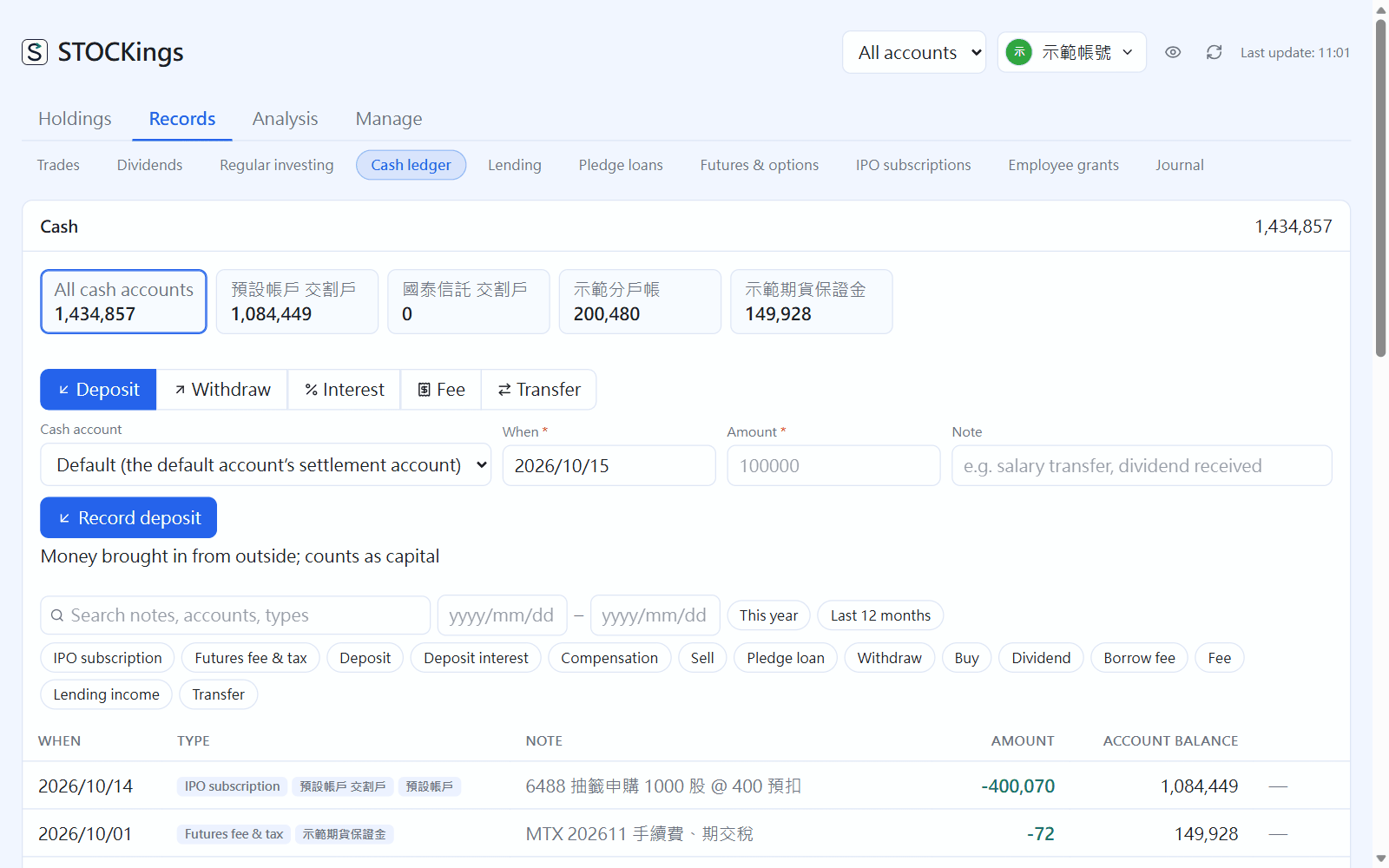
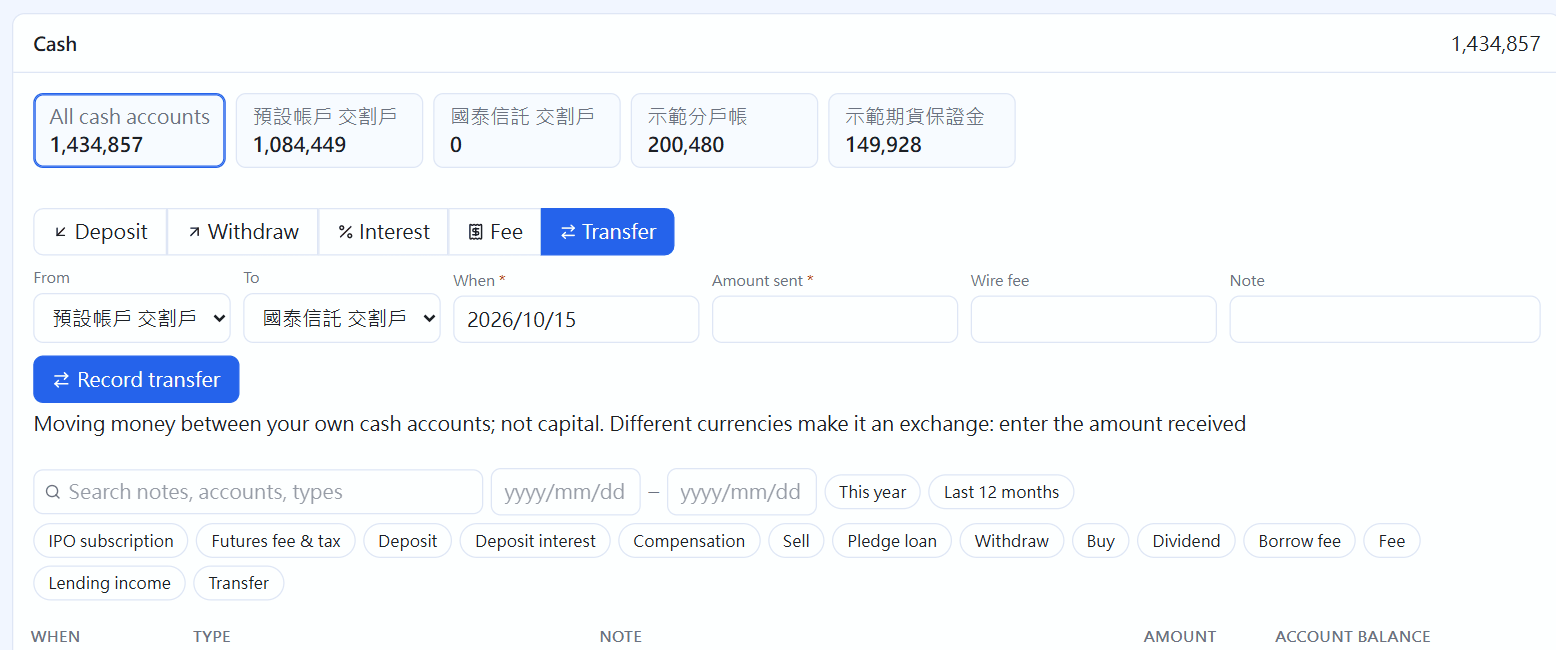
Go to Records → Cash ledger. The balance of each cash account is shown at the top; click one to see only that account. Balances are calculated: buys take money out, sales and dividends put it in, and you record deposits, withdrawals, interest and fees yourself.
Cash ledger
Deposits, withdrawals, interest and fees
At the top of the entry form, choose what to record: Deposit, Withdraw, Interest, Fee or Transfer.
Choose the cash account, date (past dates are fine), amount and note, then click “Record deposit” (the button changes with the type).
Only deposits and withdrawals count as capital. Interest and fees count toward your return but are not capital.
A negative balance usually means you entered past trades but not the money you originally put in. Add it with a “Deposit”.
The kinds you record yourself can be edited (✎) or deleted. Entries that come from trades or dividends must be changed at the source.
Transfers and currency exchange
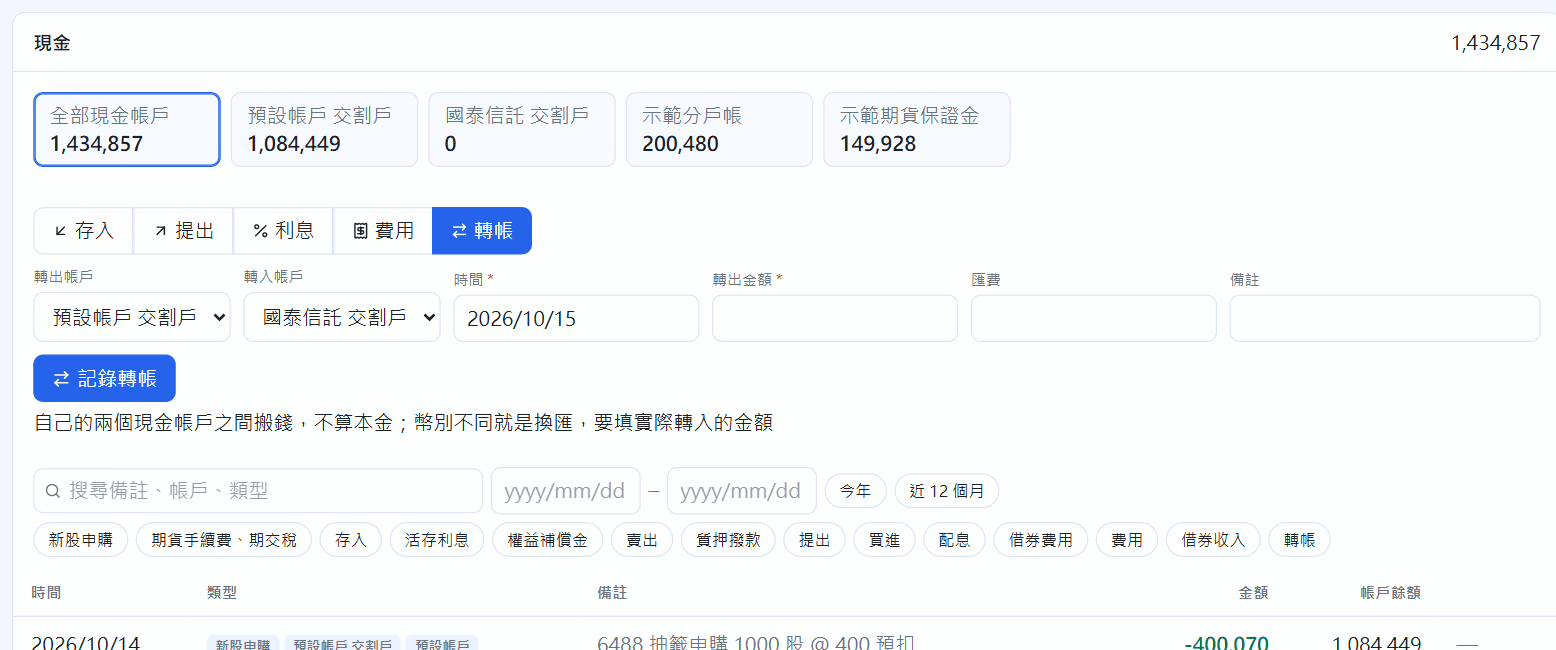
Choose “Transfer”, fill in the from and to accounts, the amount sent and any wire fee; both sides are created together. If the two accounts use different currencies (for example TWD settlement → USD settlement), an extra “Amount received” field appears: enter what you actually received, and the rate is worked out from the two. Transfers and exchanges are not capital.
Transfer: both sides recorded together
Interest check (broker CMA, bank deposit)
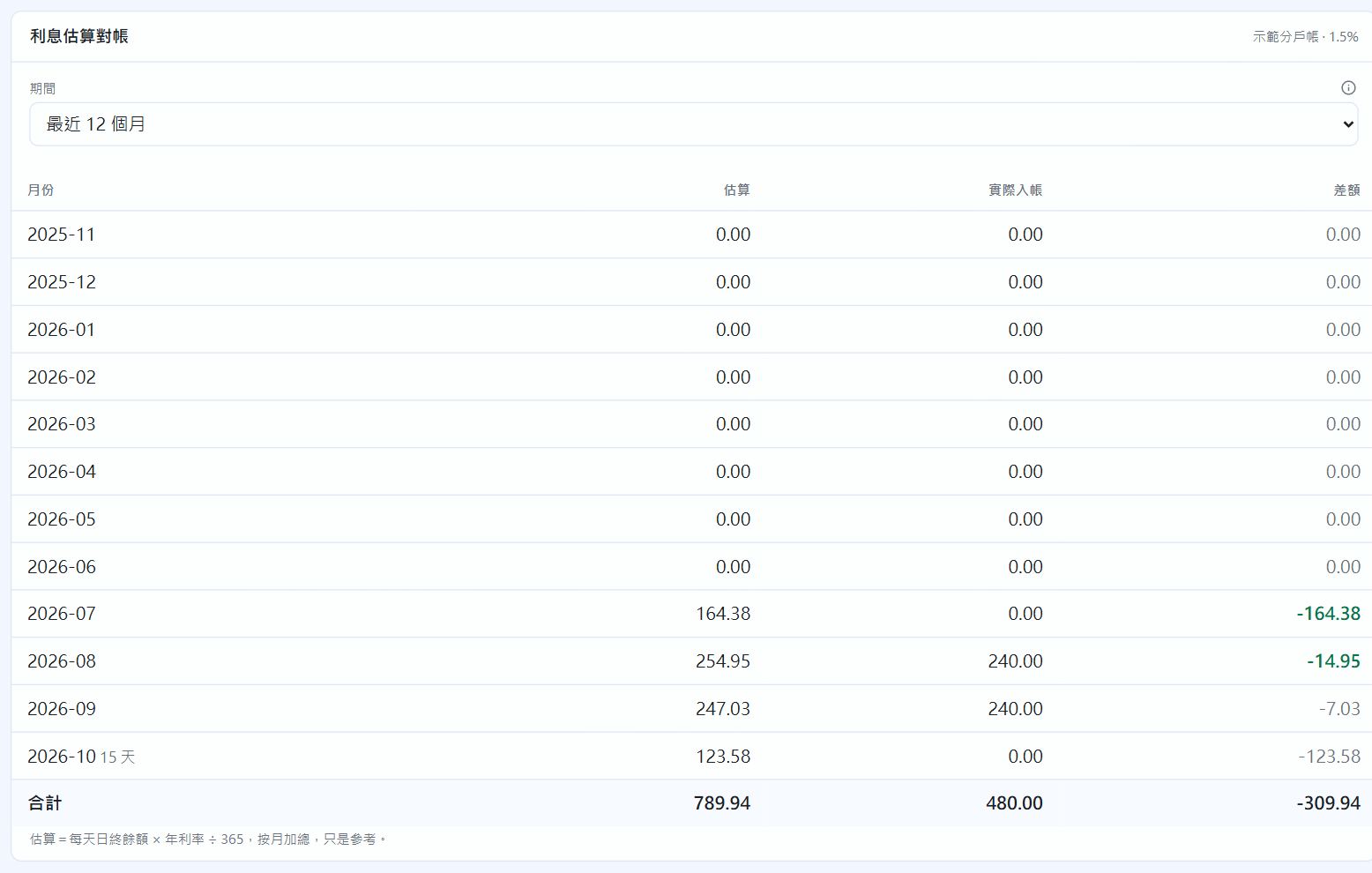
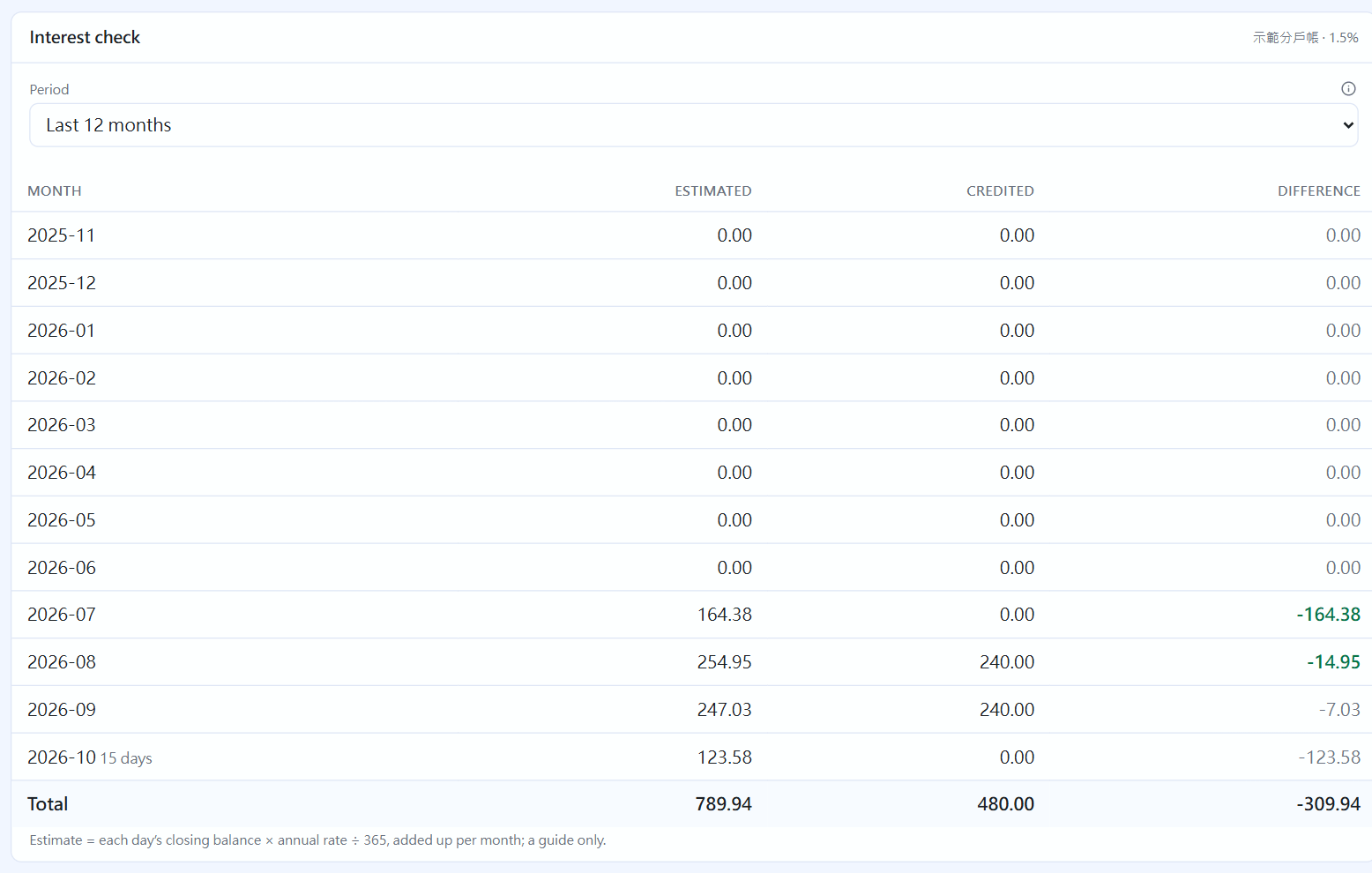
If a cash account has an annual rate (or its type is broker CMA or bank deposit), click that account's balance at the top and an Interest check section appears below. It lists, month by month, the estimate (each day's closing balance × annual rate \div 365), the interest actually paid and the difference; choose a span of 6 to 36 months. Differences over 1 dollar and over 5% are marked red. Banks often pay a month or a quarter later, so a single month not matching is normal; the total is more reliable.
After clicking the demo CMA account: the interest check
 STOCKings