登錄配息時勾「再投入」(標的管理可以設成這檔的預設)。台股、ETF 在發放日後 2 個交易日出現一筆預填的買進,金額照「除息時股數 × 每股股利」,手續費從金額裡扣;在標的管理可以選投入比例(100%、75%、50%、25%)和「再投入買哪一檔」(領 A 投 B)。確認後才入帳,交易紀錄標「股息再投入」。
Chapter 8
Regular investing and dividend reinvestment
Go to Records → Regular investing. It is semi-automatic: on each debit date (or dividend pay date) an entry to confirm appears. Change it to the actual figures from your statement and click “Confirm”; only then does it become a normal buy.
Add a plan
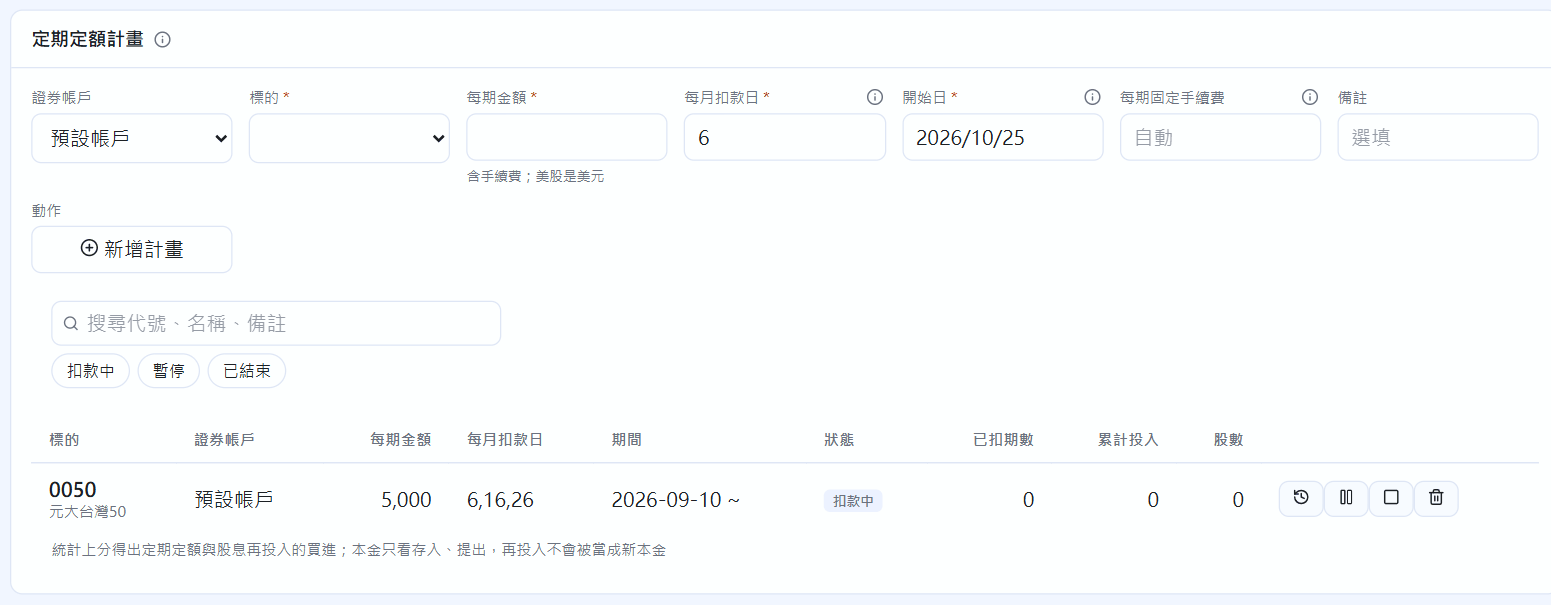
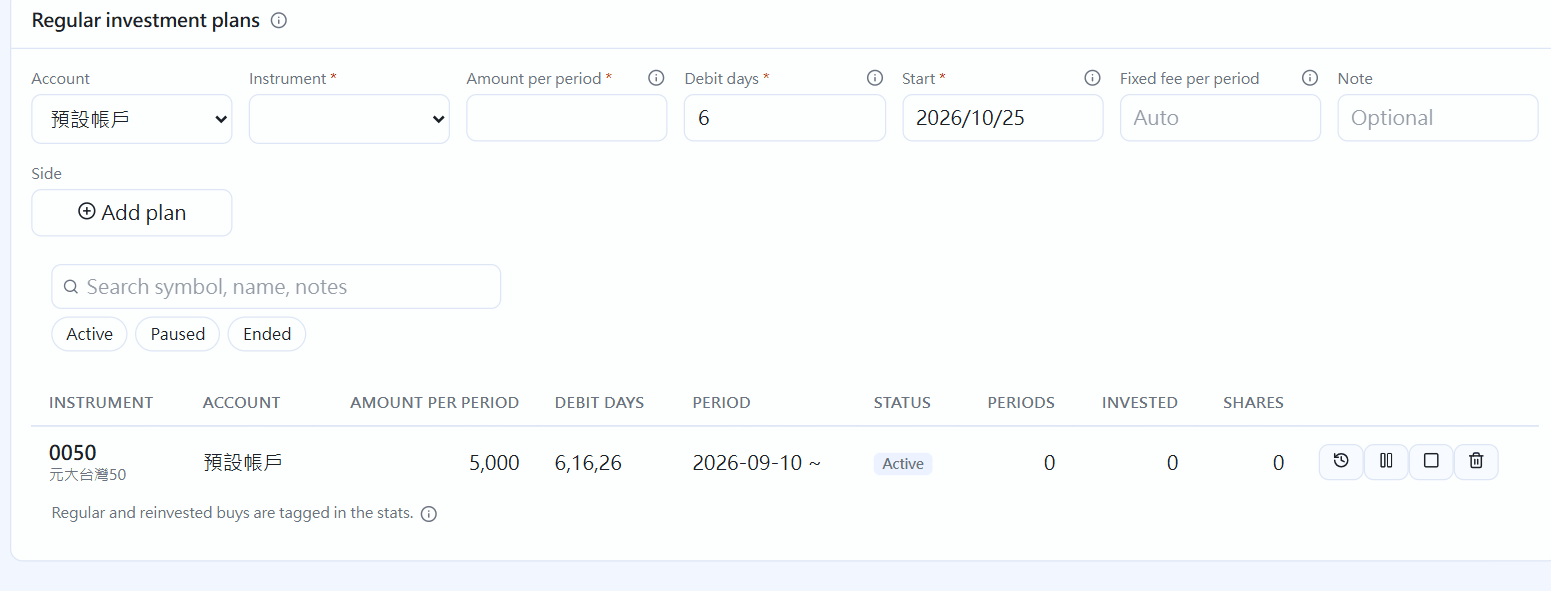
In “Regular investment plans”, pick the instrument and fill in the Amount per period (including fees; in USD for US stocks).
Debit days can list several days, for example 6,16,26. If the market is closed, it moves to the next trading day.
Fill in the Start date. If your broker charges a fixed fee (for example 1 dollar), fill in “Fixed fee per period”. If the start date is in the past, earlier debits are added as entries to confirm.
Regular investment plans
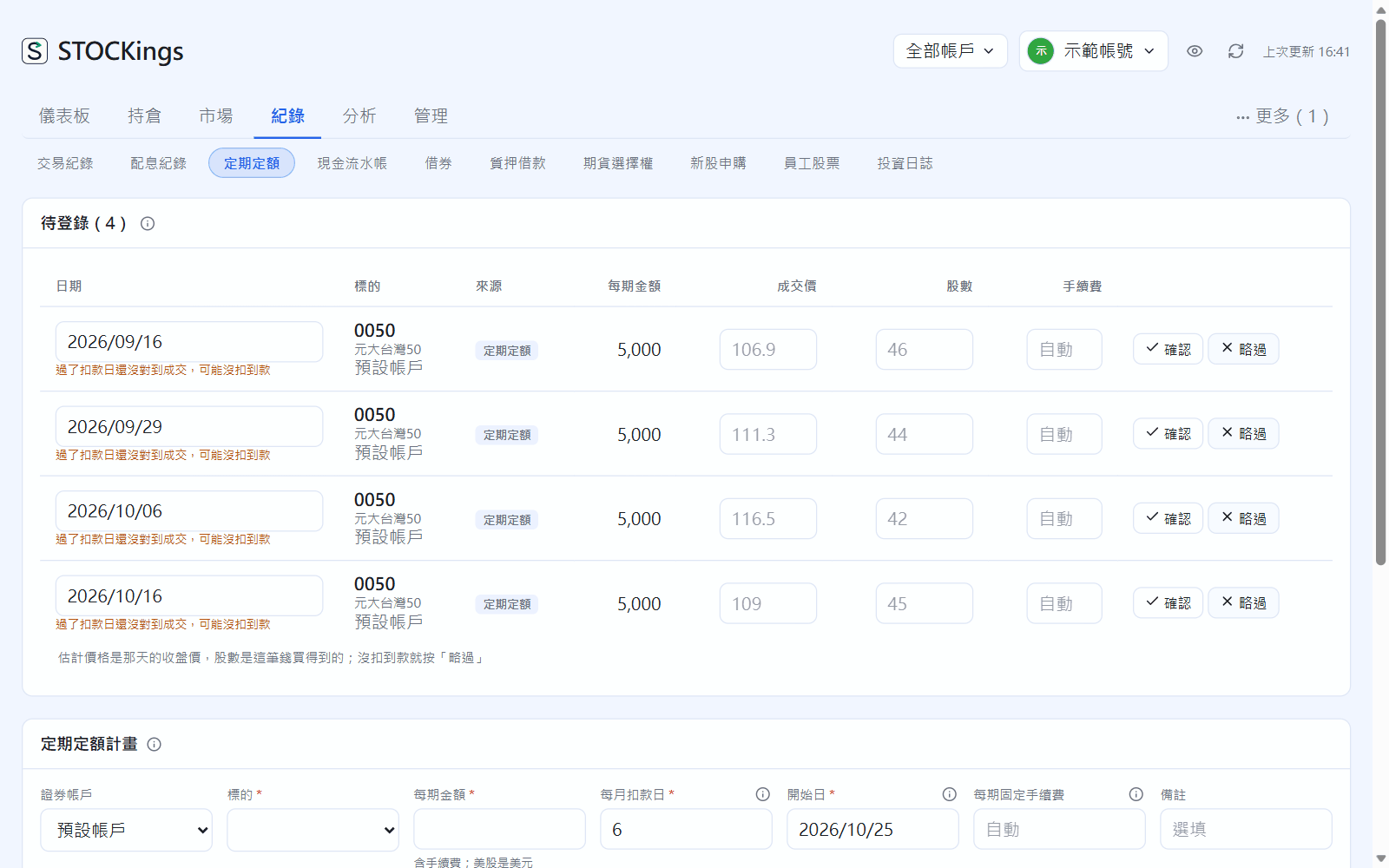
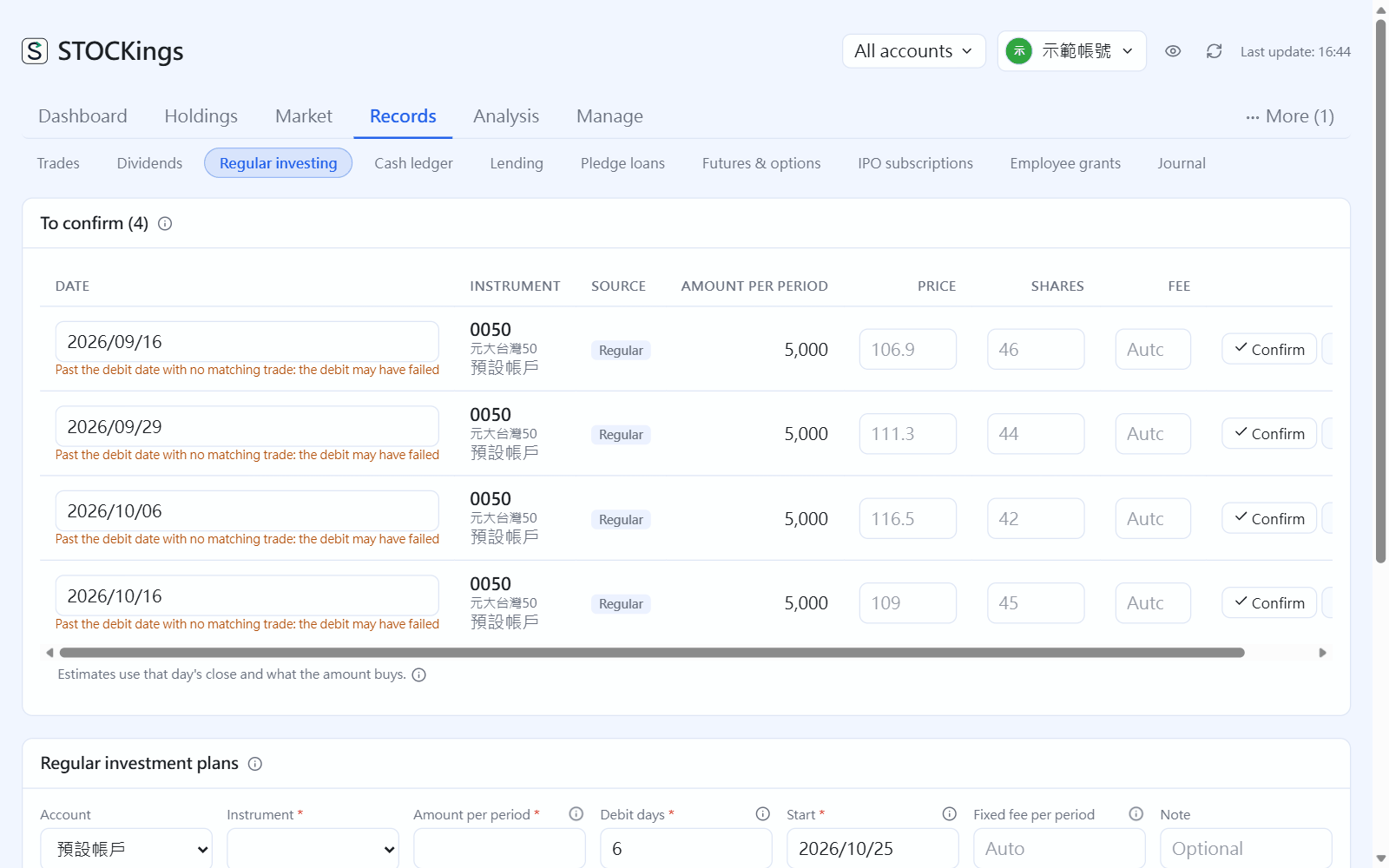
Confirm entries
Each entry to confirm is prefilled with the date, an estimated price (that day's close) and the number of shares.
Fill in the trade price, shares and fee from your statement (blank keeps the prefilled value), then click “Confirm”. If the debit didn't happen, click “Skip”. Entries left more than three days past the debit date are marked as possibly failed.
Entries to confirm: confirm against your statement or skip
A buy you already imported from a broker file or the TDCC passbook (集保存摺) is matched to its period automatically and won't show up again here.
Dividend reinvestment
Tick “Reinvest” when recording a dividend (you can make it the default for an instrument in Instruments). For Taiwan stocks and ETFs, a prefilled buy appears 2 trading days after the pay date, for “shares at ex-date × dividend per share”, with the fee taken out of that amount. In Instruments you can choose the share to reinvest (100%, 75%, 50%, 25%) and “Reinvest into” another instrument (collect from A, buy B). It is only recorded once you confirm it, and Trades marks it “Dividend reinvest”.
 STOCKings