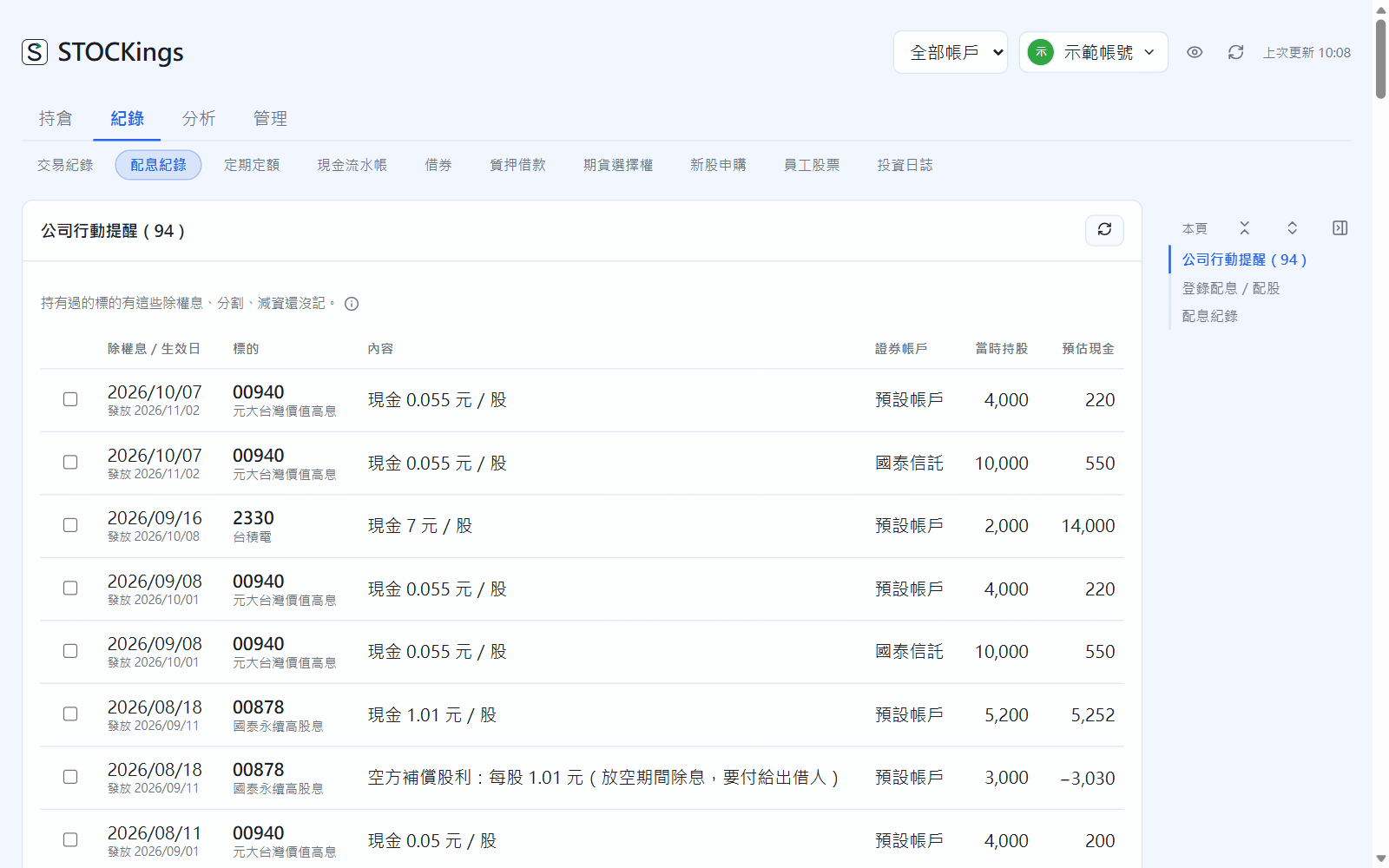
At the top of the page, Corporate actions to record lists ex-dividend dates, splits and capital reductions for instruments you have held that are not yet recorded (only ones where you held shares the day before the ex-date and the ex-date has passed).
Check each row's ex-date, details, securities account, shares held and estimated cash. Fees and withholding tax are prefilled from the securities account settings; you can edit them in the table first.
Tick the ones to record and click “Add”. For ones you never want to see again, click “Dismiss (stop reminding)”.
Dividends added this way are marked “To check” in the dividend records. Once you have checked them against your statement, click that badge.
Corporate actions to record, at the top of Dividends
If you recorded the ex-date wrong (there is already one within 20 days with a different date), the row is marked “Possibly recorded”. Choose “Move it to this date”, “Add anyway” or “Skip” for each. In Settings → Corporate actions you can set cash dividends, stock dividends, splits and capital reductions separately to Off, Ask me or Auto-record.
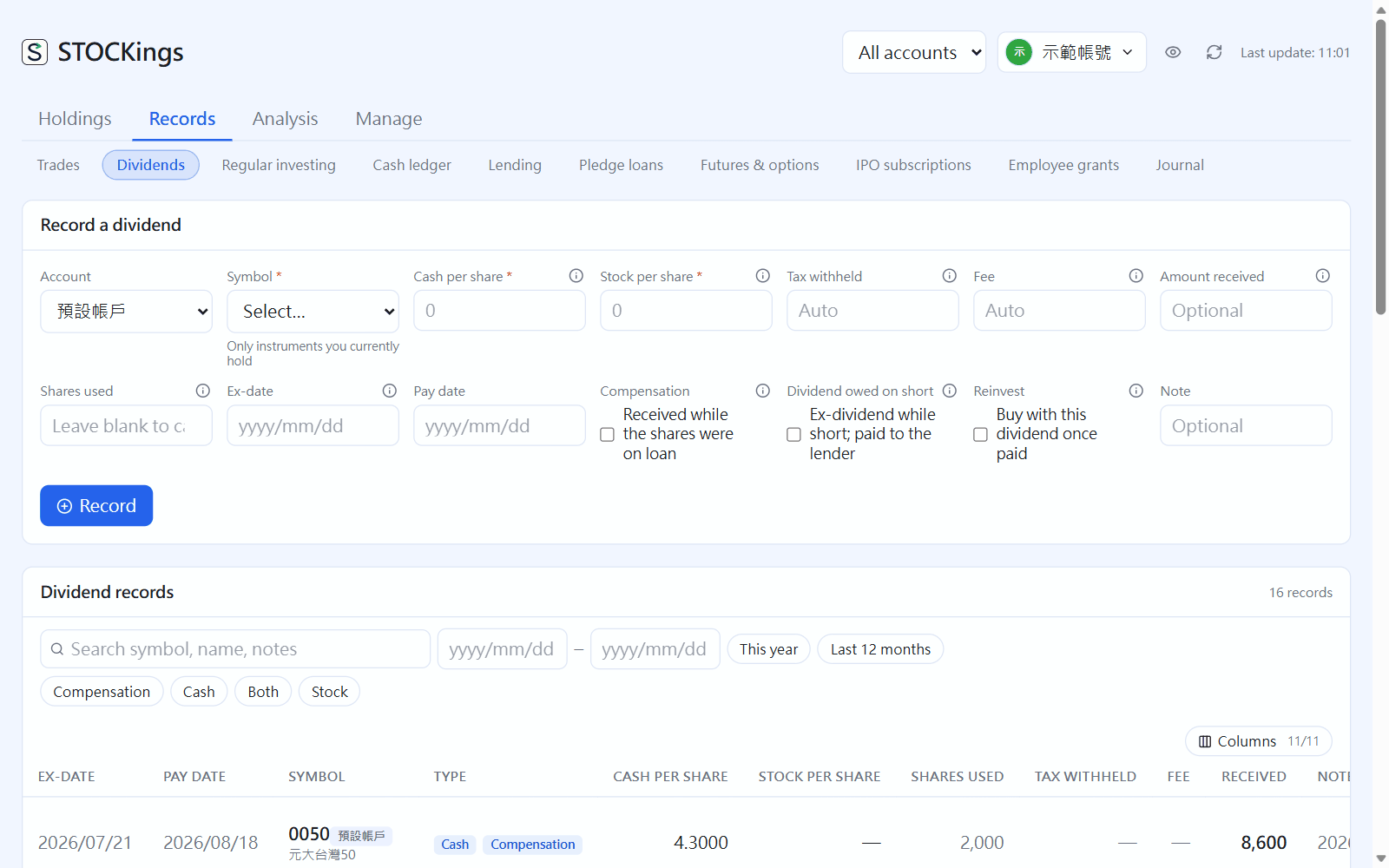
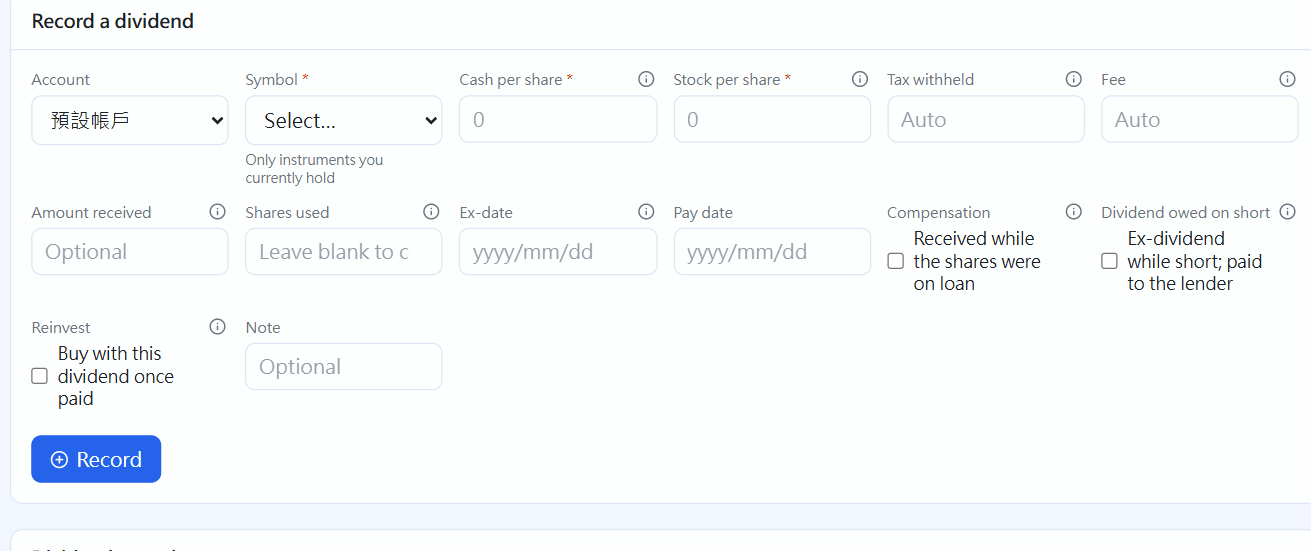
Record a cash or stock dividend by hand
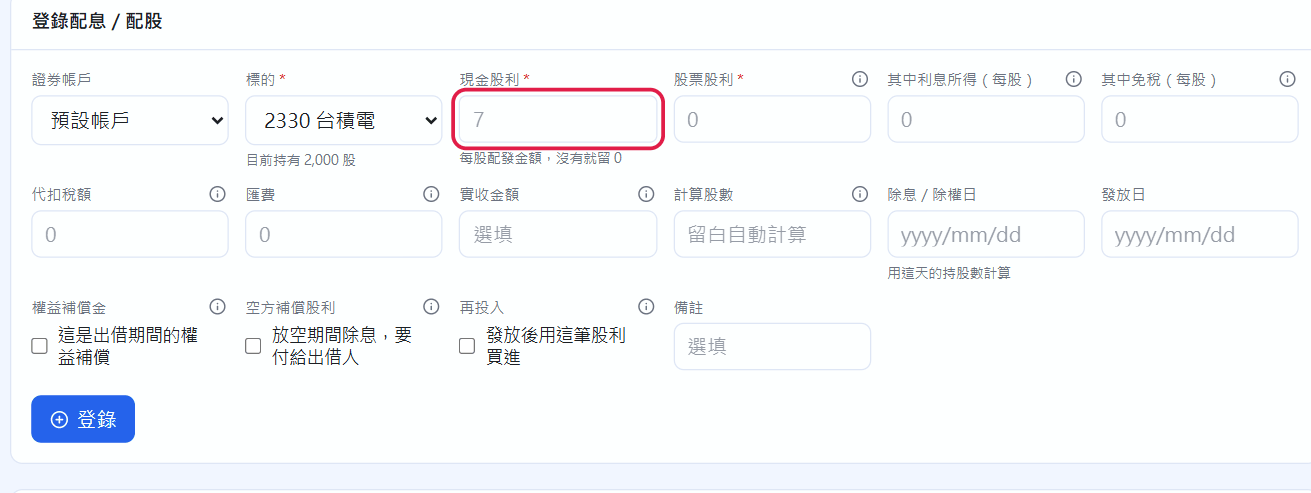
Pick the instrument. The grey numbers in the per-share cash dividend and stock dividend fields are the dividend announced by the data source (once you enter an ex-date, the one closest to that day). They are only hints; type in your own figures.
Taiwan stocks often pay cash and stock at the same time: fill in both fields to record them as one entry. The stock dividend is entered in TWD: 1 dollar means 100 shares per 1,000 shares held. Stock dividends join your holding at zero cost.
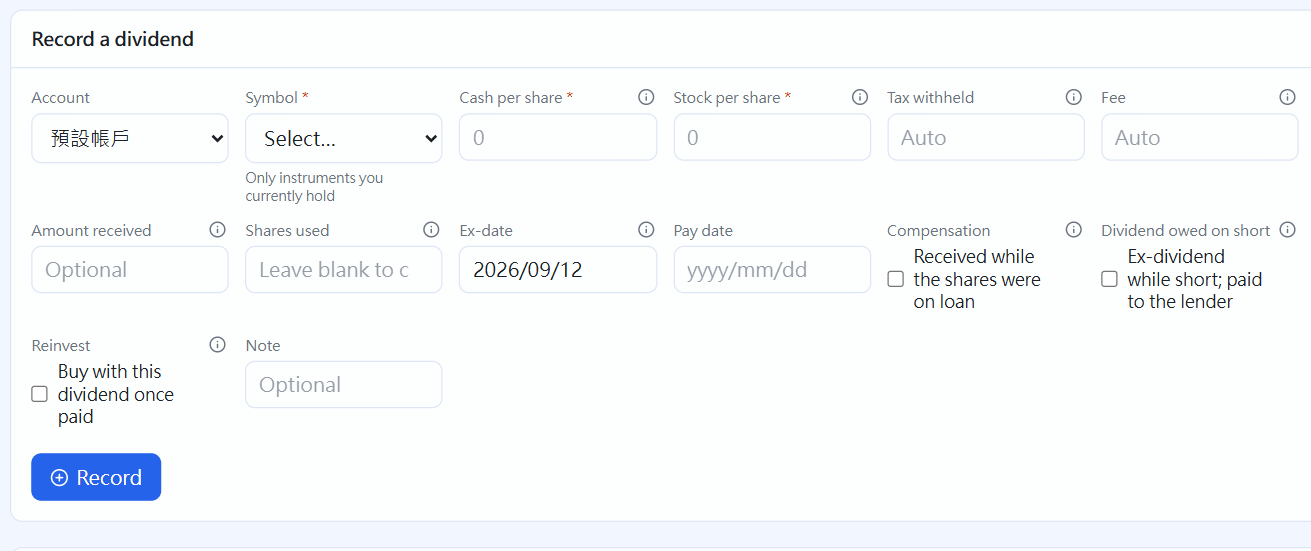
The Ex-date matters: the share count is worked out from “shares held at the close the day before the ex-date”, so even a dividend from two years ago comes out right.
Enter Tax withheld (for example 30% for US stocks) and the Fee (including the NHI supplementary premium) separately. Leave them blank to prefill from the securities account settings.
If the dividend notice shows interest income or an income equalization amount, fill in “Of which interest (per share)” and “Of which tax-free (per share)” so the tax summary sorts it correctly. Click “Record”.
Instrument picked: the grey number in the cash dividend field is the announced dividend (red box)
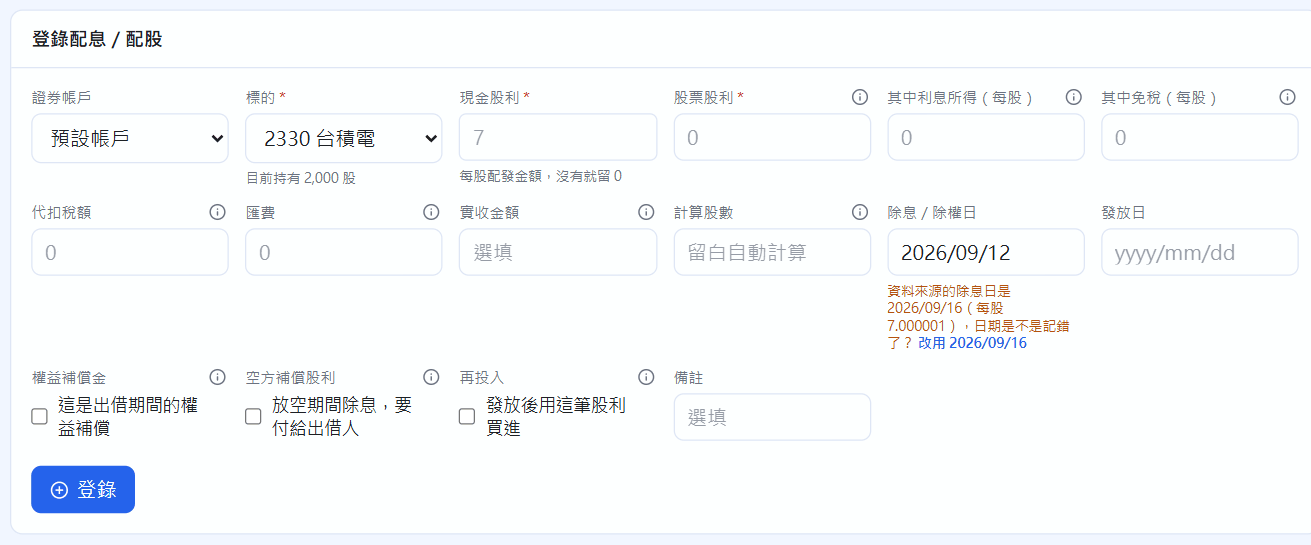
If your ex-date is a few days off from the data source, a note appears under the field, and one click changes it to the source's date:
The note when the ex-date differs from the announcement
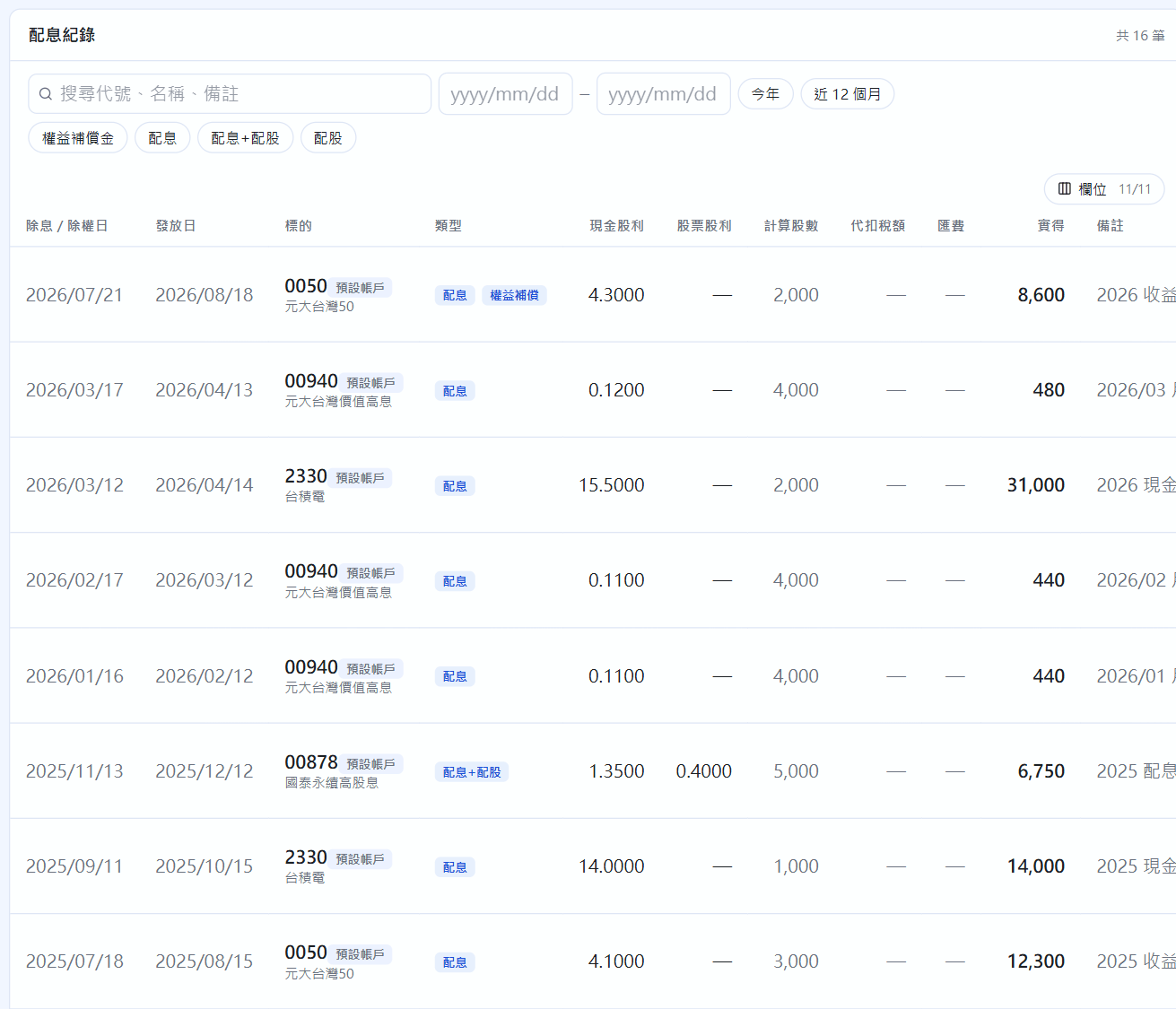
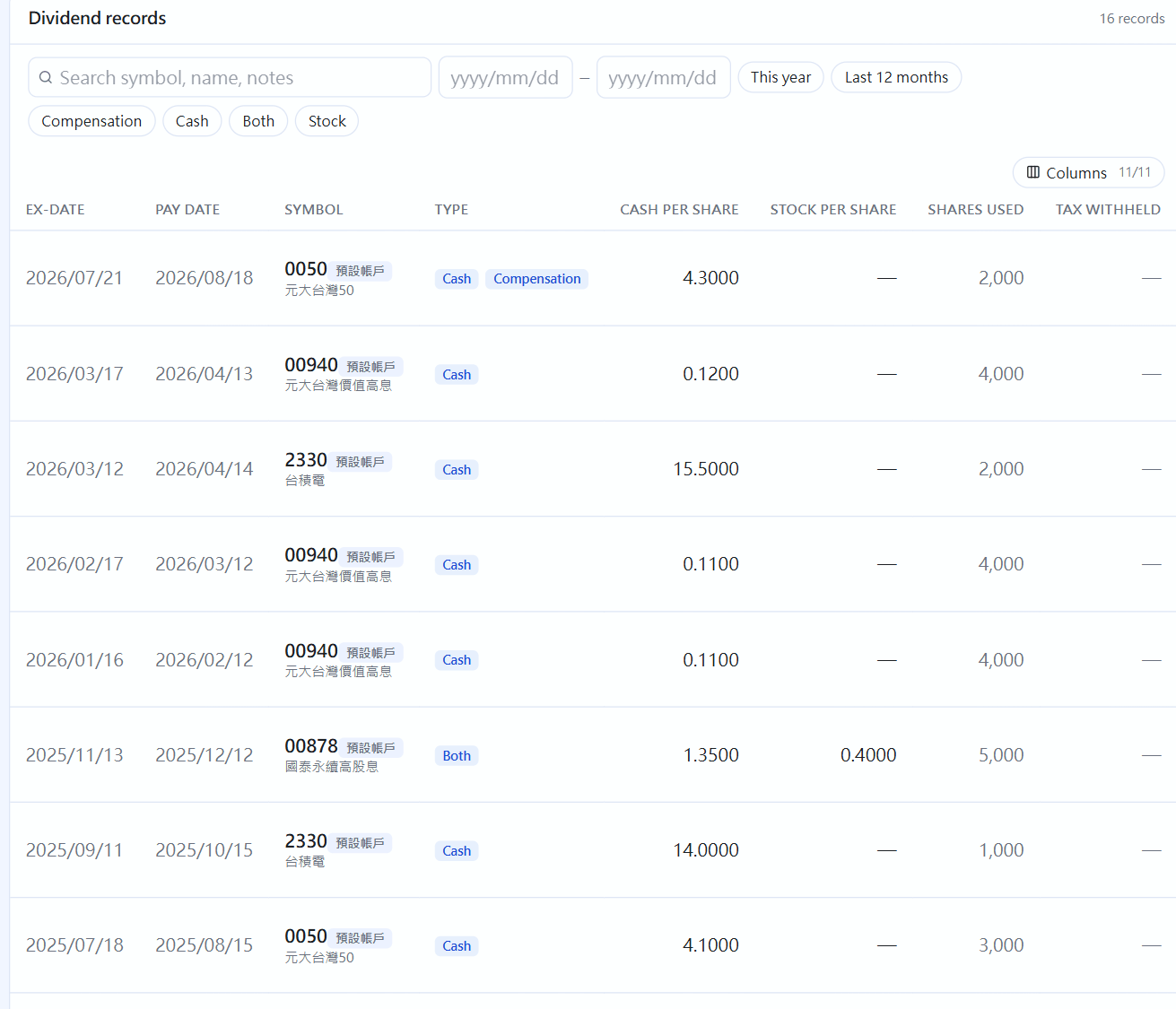
Dividend records
All cash and stock dividends are listed below. You can search, filter by type and tick “Only those to check”. If the amount received is a dollar off your statement, click ✎ and enter the statement figure (marked “*”).
 STOCKings