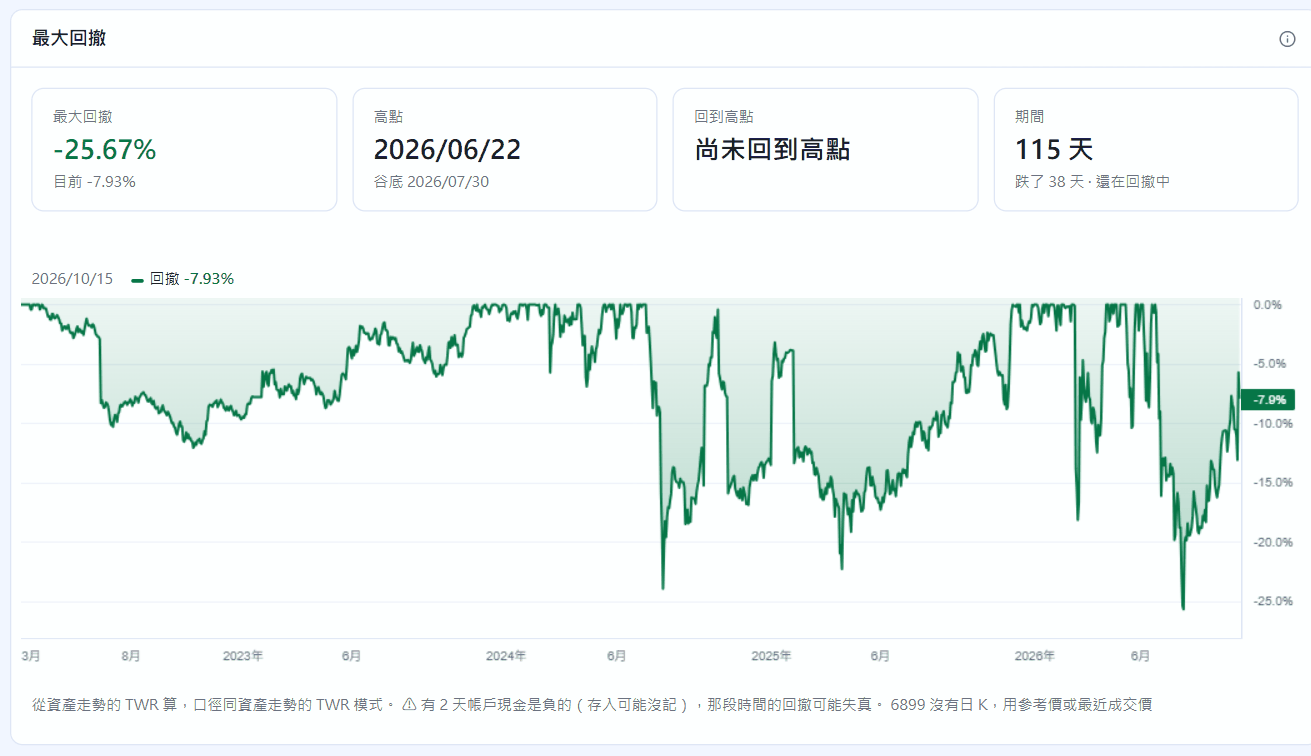
最大回撤Maximum drawdown
水下圖標出高點、谷底、回到高點的日子與花了幾天。An underwater chart with the peak, the trough, the recovery and how many days each took.
台股 · 美股 · 基金 · 債券 · 期貨選擇權Taiwan & US stocks · funds · bonds · futures & options
STOCKings 照台股規則算手續費與證交稅、用先進先出算出真正的損益,報酬率、配息與報稅一次整理好。你的交易與持股只存在你的電腦。 STOCKings — on your own computer. Taiwan-style fees and transaction tax, first-in first-out P&L, returns, dividends and tax summaries in one place. Your trades and holdings stay on your computer.
Windows · Linux · 九種介面語言 · 資料不離開你的電腦Windows · Linux · nine UI languages · your data stays on your computer
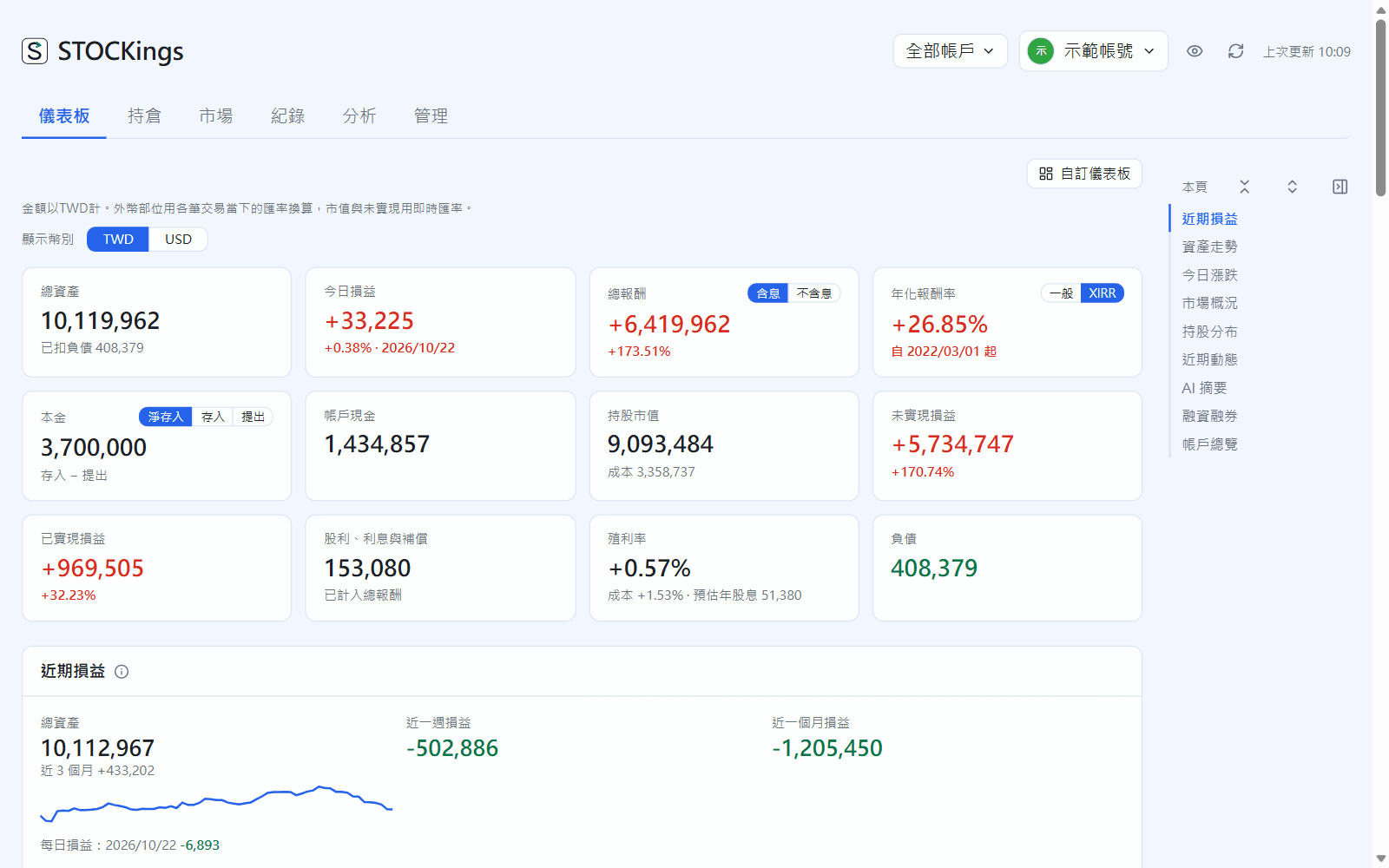
STOCKings 是桌面程式,不是網站服務。你的交易、持股、帳戶與日誌存在你自己電腦上的加密資料庫,開發者看不到、也收不到。 STOCKings is a desktop app, not a web service. Your trades, holdings, accounts and journal live in an encrypted database on your own computer. The developer can't see or receive them.
閱讀完整的隱私權政策Read the full privacy policy資料庫預設加密保存;另外可以下載復原金鑰,隨時匯出自己的資料。 The database is encrypted by default. Download a recovery key and export your data whenever you like.
程式沒有把交易或持股傳給開發者或任何第三方的功能,也不收集使用行為。 The app has no feature that sends your trades or holdings to the developer or any third party, and it collects no usage data.
查股價、匯率時只送股票代號和日期;選用的 AI 摘要用你自己的 API 金鑰,只送那一檔股票的公開市場資料。 Fetching prices and exchange rates sends only symbols and dates. Optional AI summaries use your own API key and send only public market data for that stock.
雲端備份放在你自己的 Google 雲端硬碟,上傳前先用你的備份密碼加密,程式也只能存取它自己建立的資料夾。 Cloud backups go to your own Google Drive, encrypted with your backup password before upload, and the app can only reach the folder it created.
為台灣投資人設計:台股的稅費規則、美股的匯率、券商與銀行帳戶都照實際的樣子記。 Built for investors in Taiwan: local fee and tax rules, US stocks with real exchange rates, and brokers and bank accounts recorded the way they really are.
補登或修改以前的交易,後面的成本、損益整段自動重算。Back-fill or edit an old trade and everything after it is recalculated.
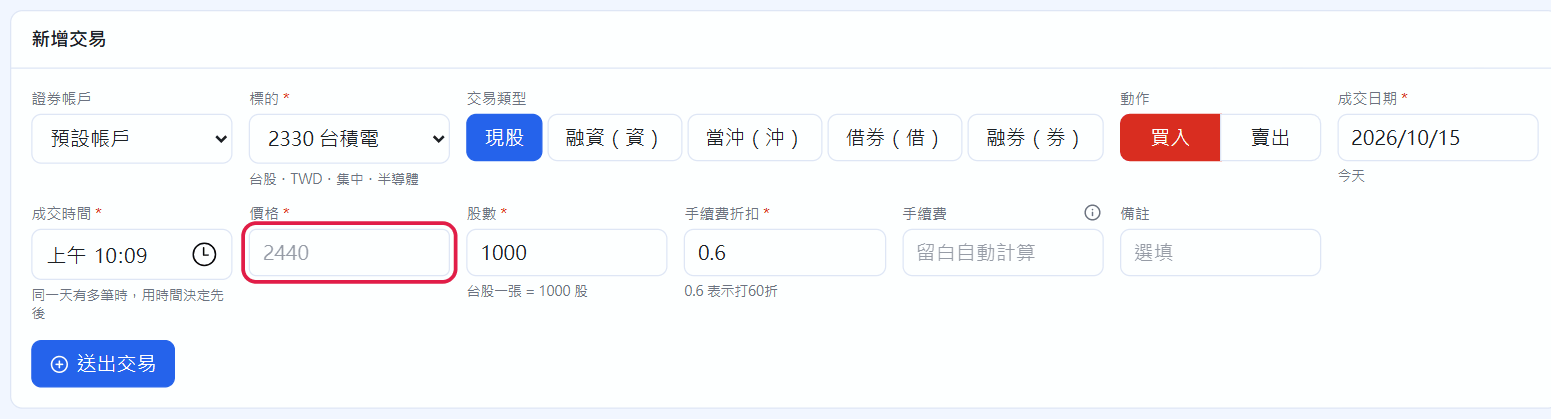
每個證券帳戶對它的券商對帳單,每個現金帳戶對它的存摺。Each securities account matches its broker statement; each cash account matches its passbook.
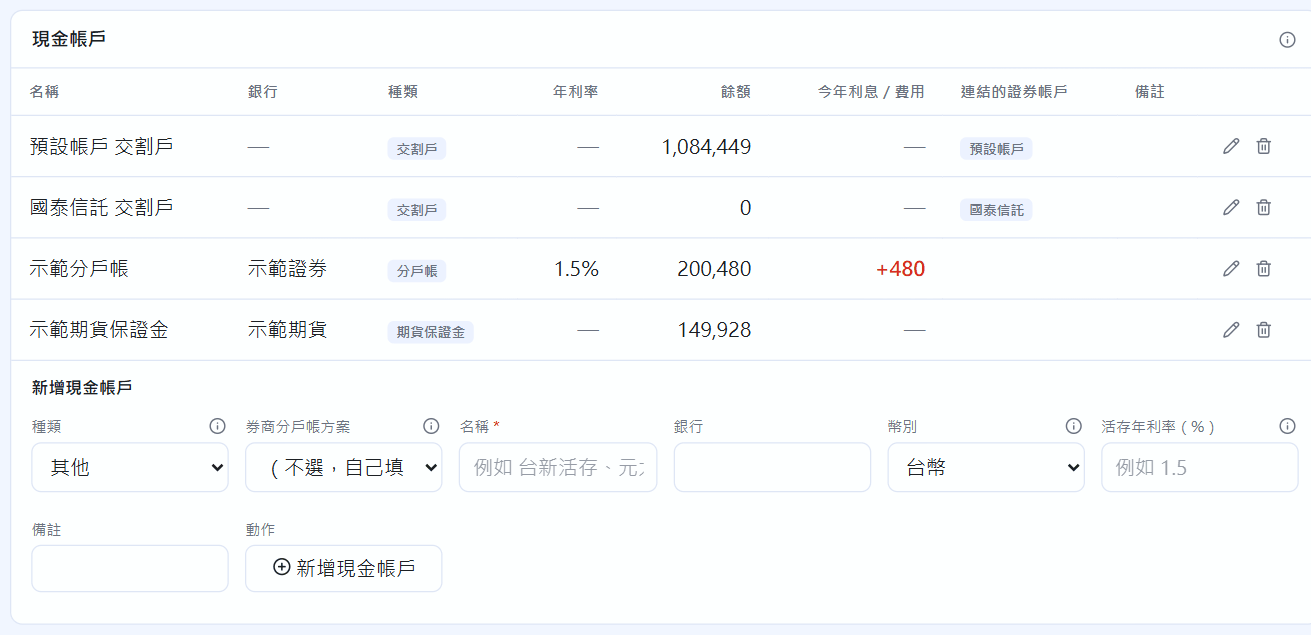
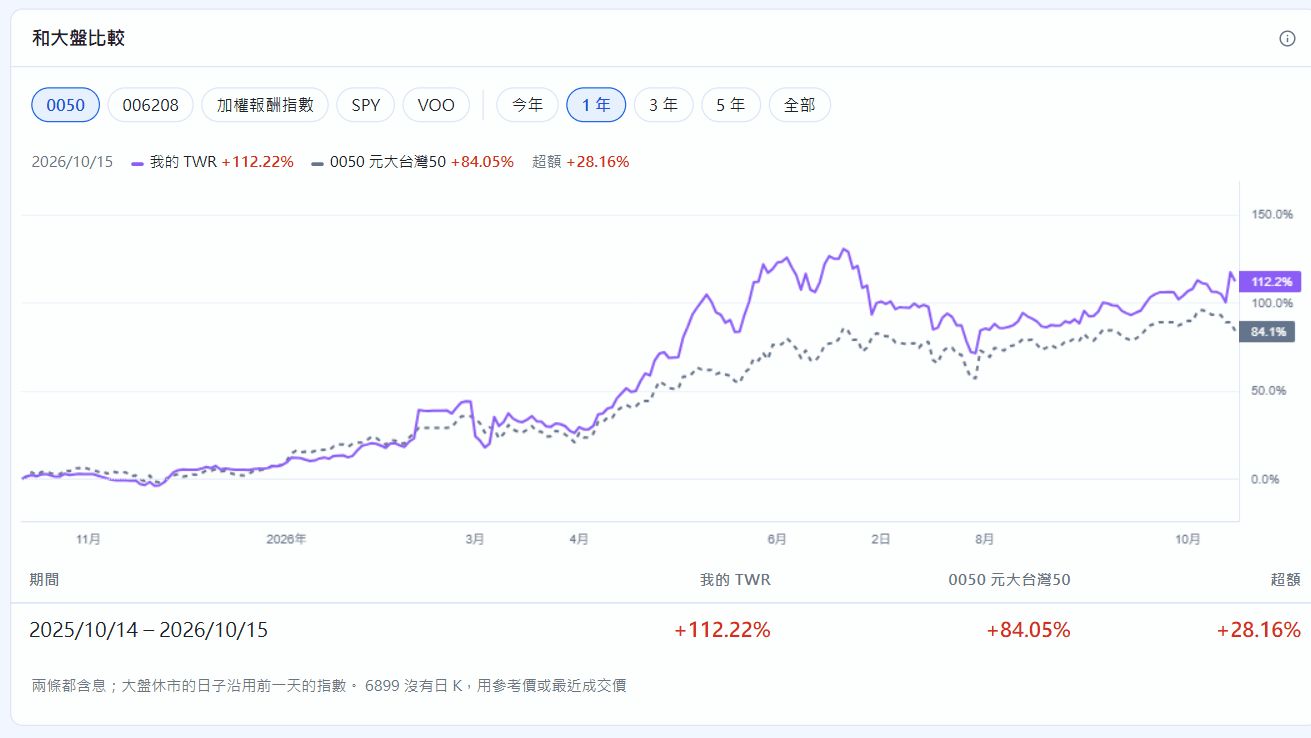
不只看賺多少:用正確的報酬率、看最糟時跌多深、錢是從哪裡賺來的。Not just how much you made: the right return figures, how deep the worst drop went, and where the money came from.
水下圖標出高點、谷底、回到高點的日子與花了幾天。An underwater chart with the peak, the trough, the recovery and how many days each took.
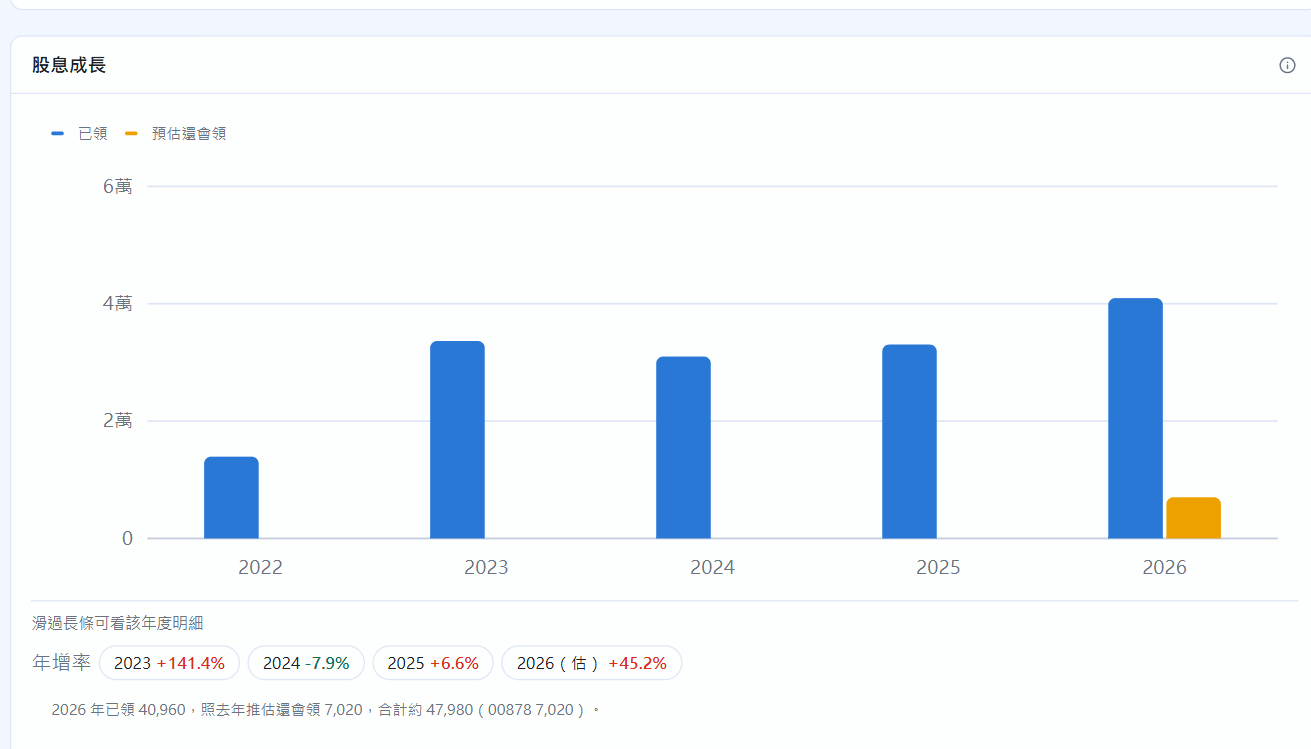
每年領到的現金股利與年增率,今年還會領的照去年推估。Cash dividends per year and their growth, with the rest of this year estimated from last year.
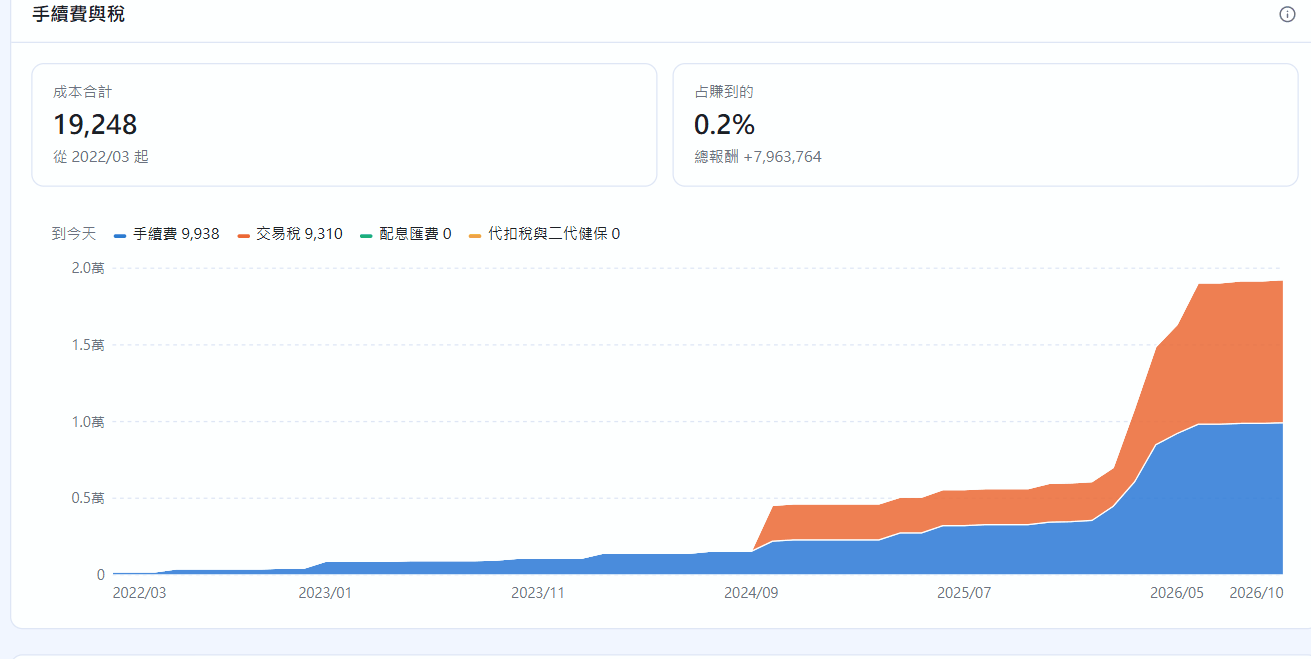
逐月累加的手續費、交易稅、配息匯費與代扣稅,以及它們吃掉多少獲利。Broker fees, transaction tax, dividend remittance fees and withholding over time — and how much of your gains they eat.
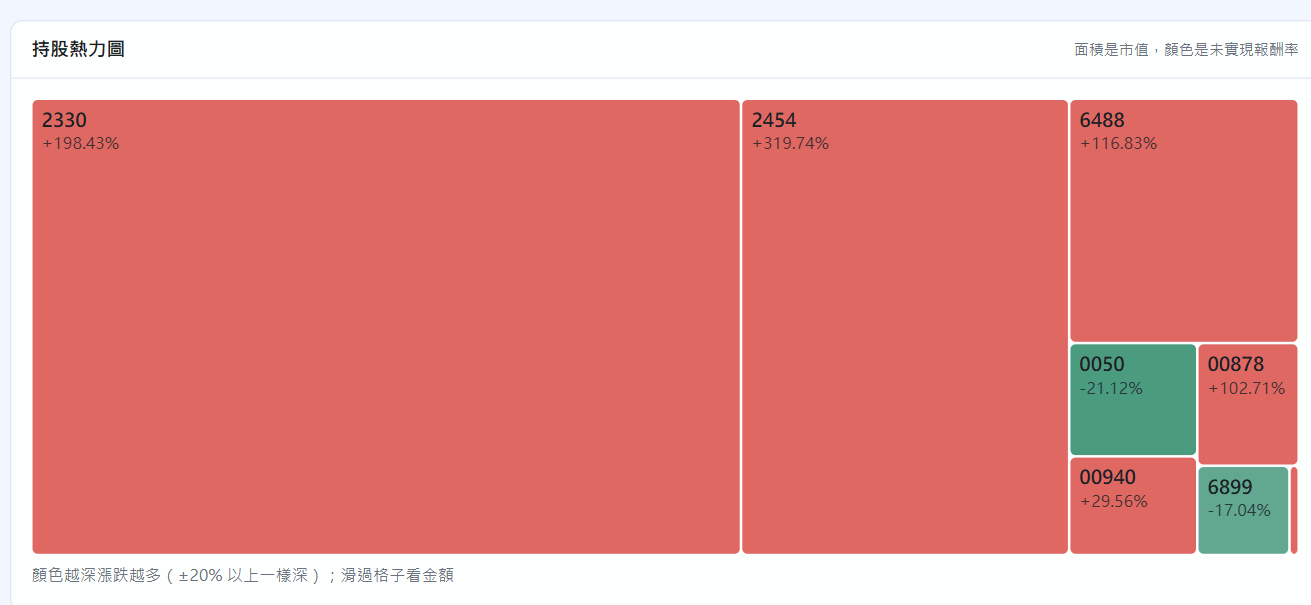
持股熱力圖、資產類別配置、持股集中度與幣別曝險走勢。A holdings treemap, asset classes, concentration and currency exposure over time.
任何標的都能看,不必有交易紀錄。Works for any instrument, whether or not you've traded it.
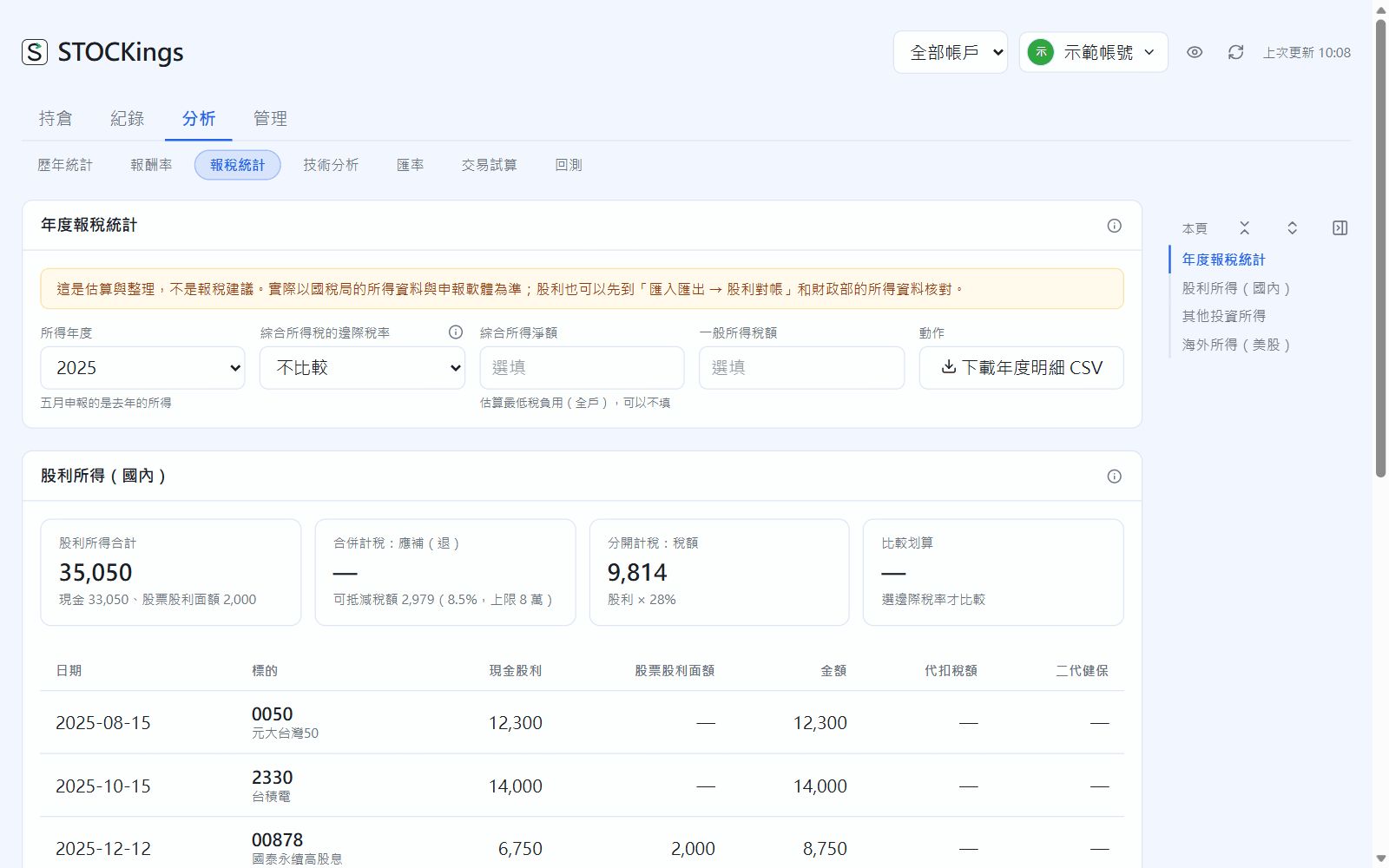
照綜合所得稅申報的分類整理,不分證券帳戶。這是估算與整理,實際以國稅局資料為準。Grouped the way Taiwan's income tax return asks for it, across all accounts. It's an estimate to help you prepare; official tax data prevails.
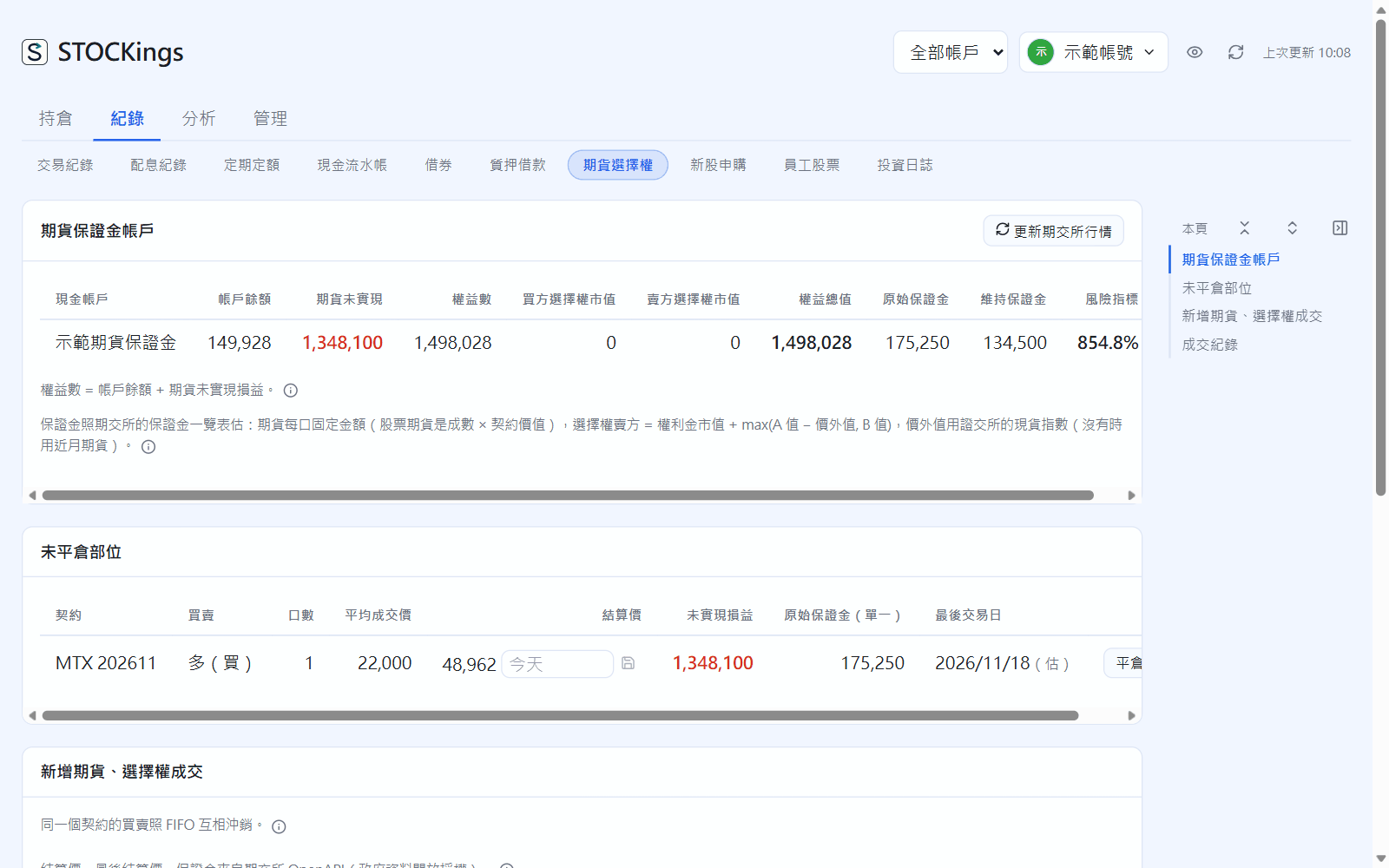
錢在期貨商的保證金帳戶,以「口」計,和股票分開。Money sits in a futures margin account and positions are counted in contracts, separate from stocks.
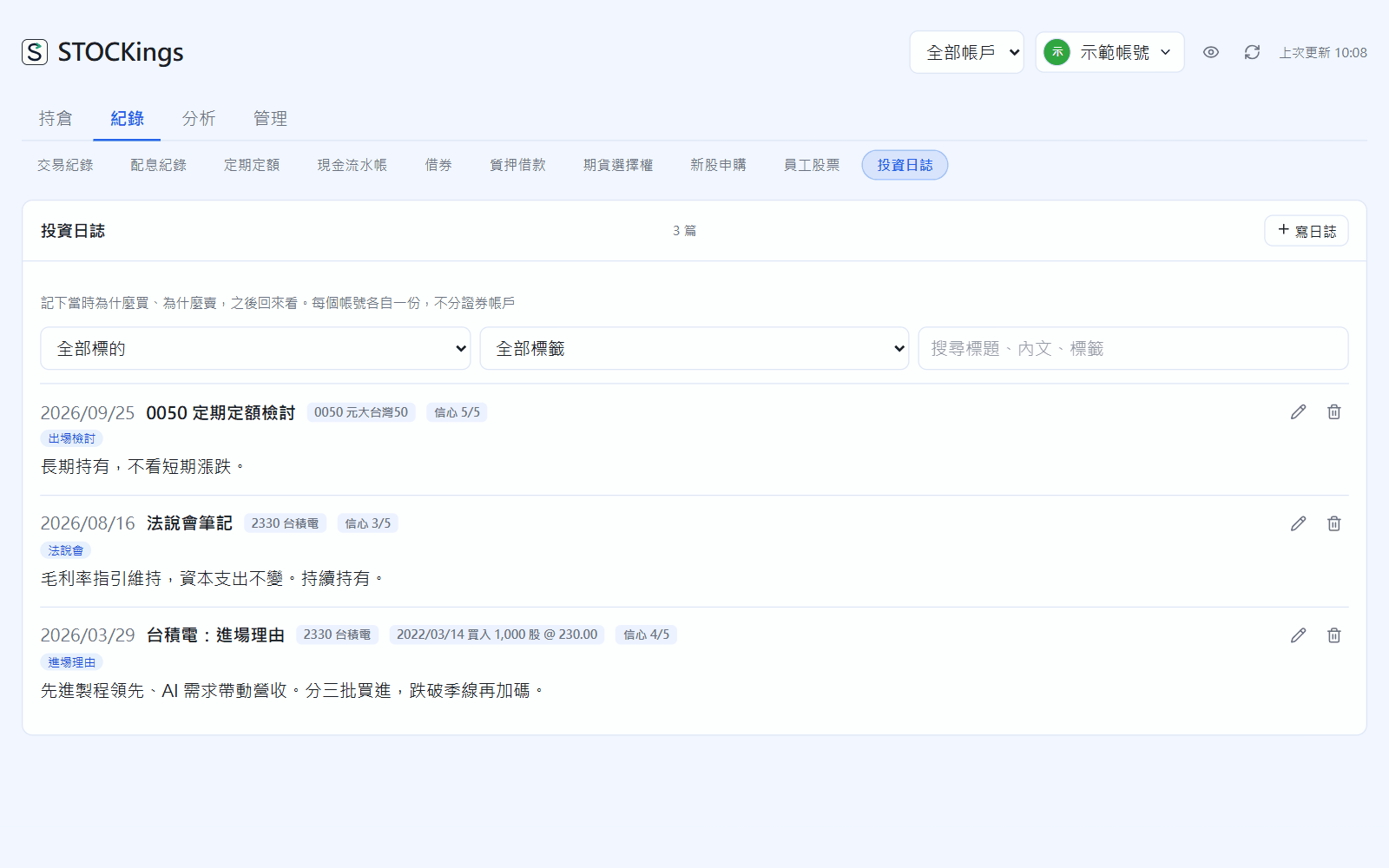
之後回來看,才知道是判斷對了還是運氣好。Later you'll know whether it was judgement or luck.
換電腦、電腦壞掉或改壞了,都能還原。每個帳號各自連自己的 Google、用自己的備份密碼。Restore after a new computer, a broken one or a mistake. Each user connects their own Google account and sets their own backup password.
drive.file 權限,看不到你雲端硬碟裡的其他檔案Only the drive.file scope — it can't see anything else in your Drive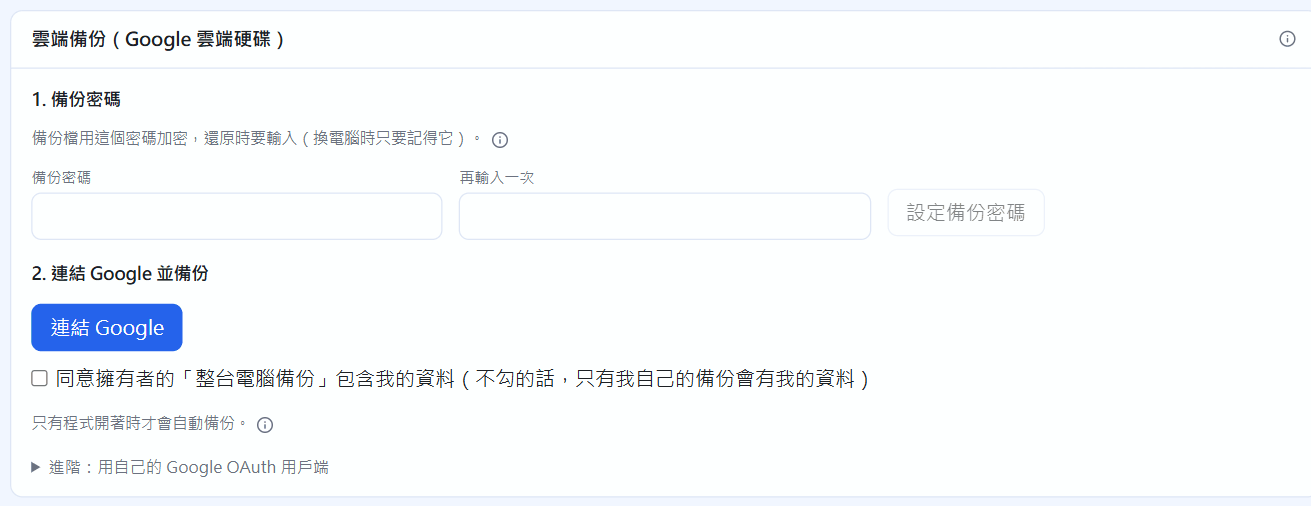
同一台電腦可以有好幾個帳號,每個人只看得到自己的資料。Several people can share one computer; each sees only their own data.
從建立帳號到報稅,每一章一頁、每一步一張截圖。點一張卡片開始。From creating your account to tax time: one page per chapter, one screenshot per step. Pick a card to start.
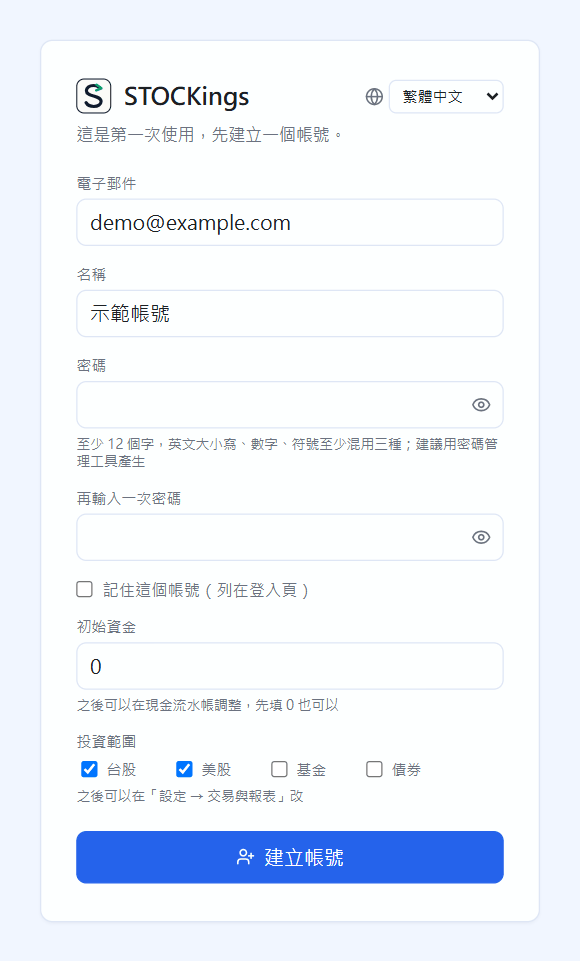
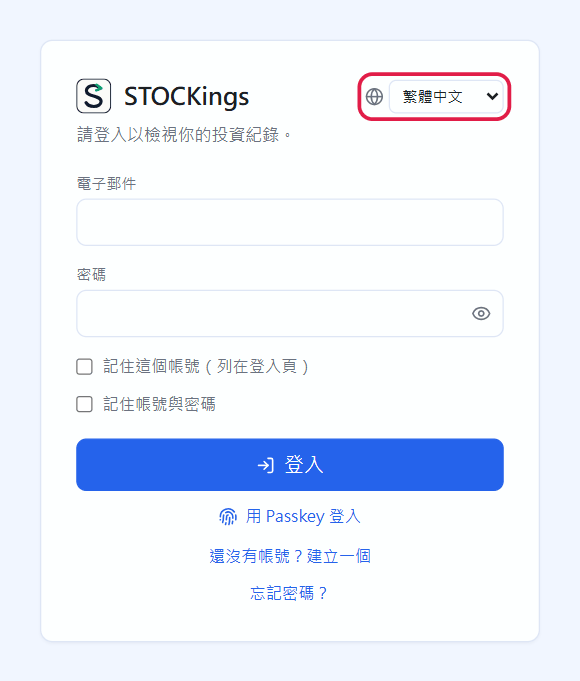
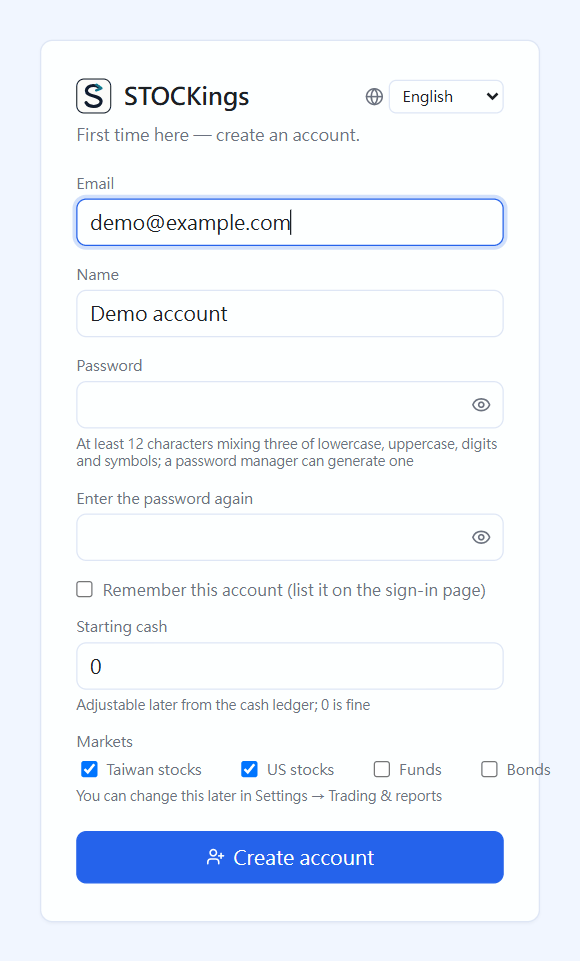 02第一次啟動:建立帳號與登入First launch: create an account and sign in建立第一個帳號、之後登入,以及擁有者一定要下載的復原金鑰。Create your first account, sign in afterwards, and download the recovery key (a must for the owner).
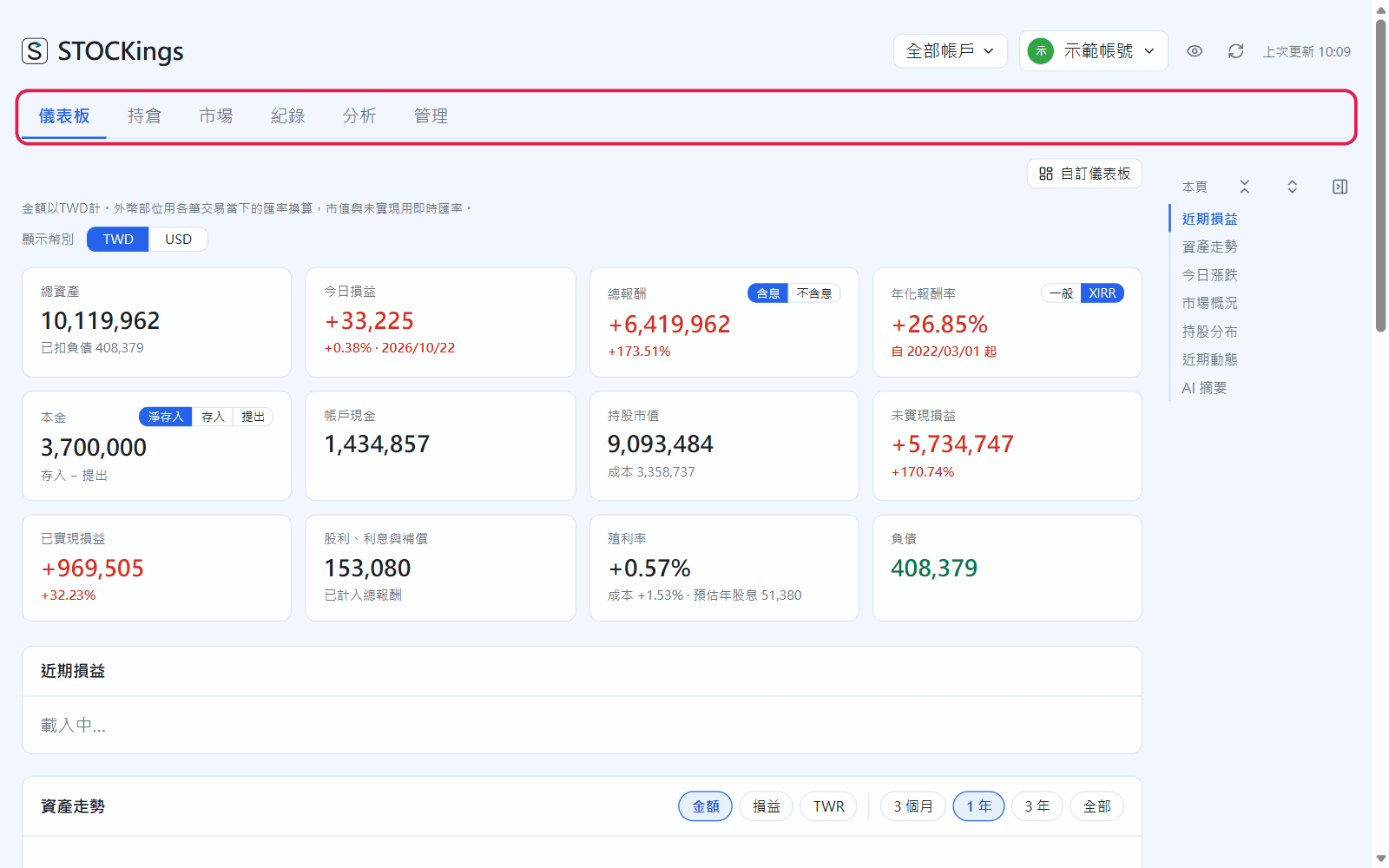
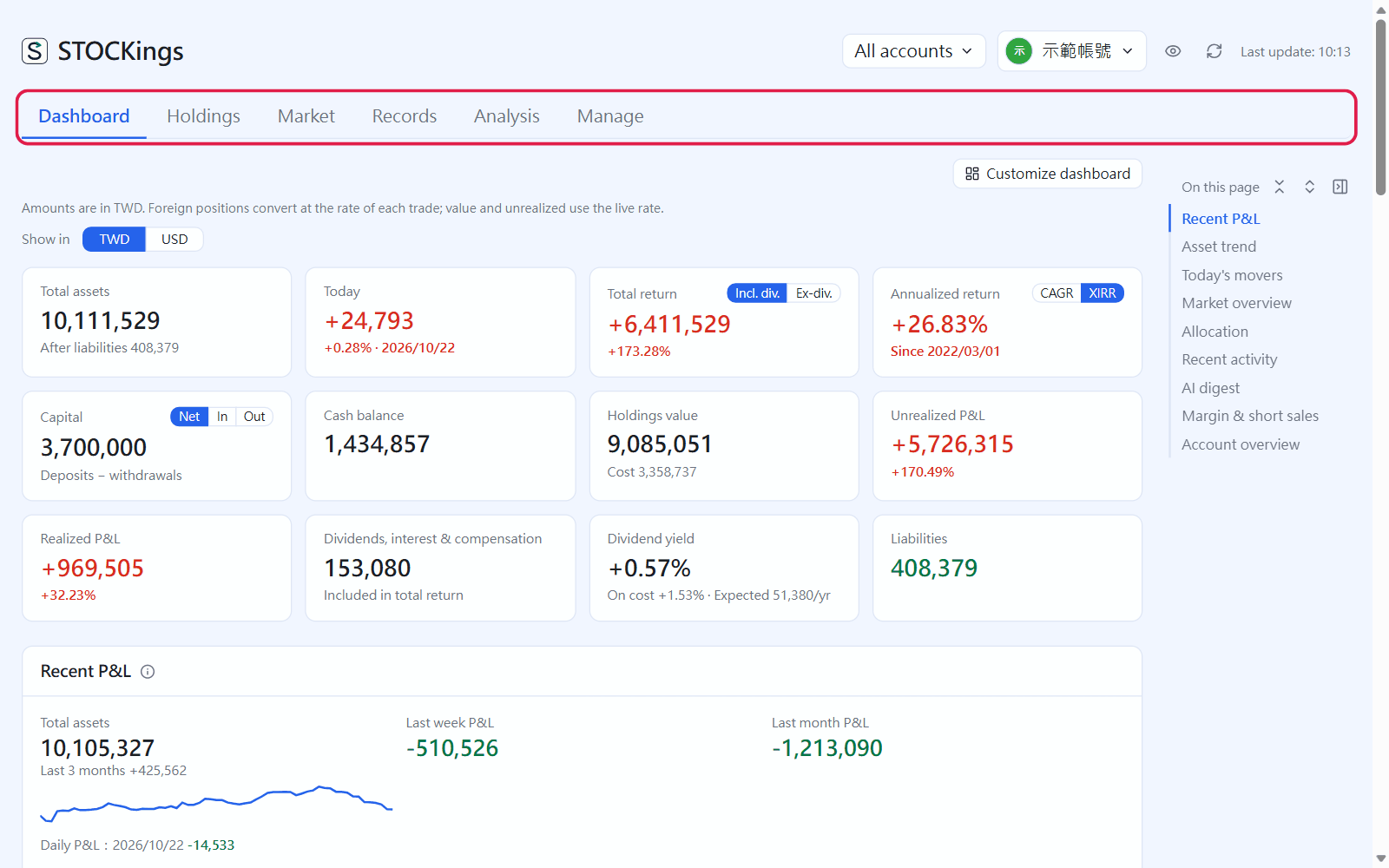 03畫面導覽Finding your way around右上角的按鈕、隱藏金額、切換帳號、隱藏分頁與收合區塊。The buttons at the top right, hiding amounts, switching accounts, hiding tabs and collapsing sections.
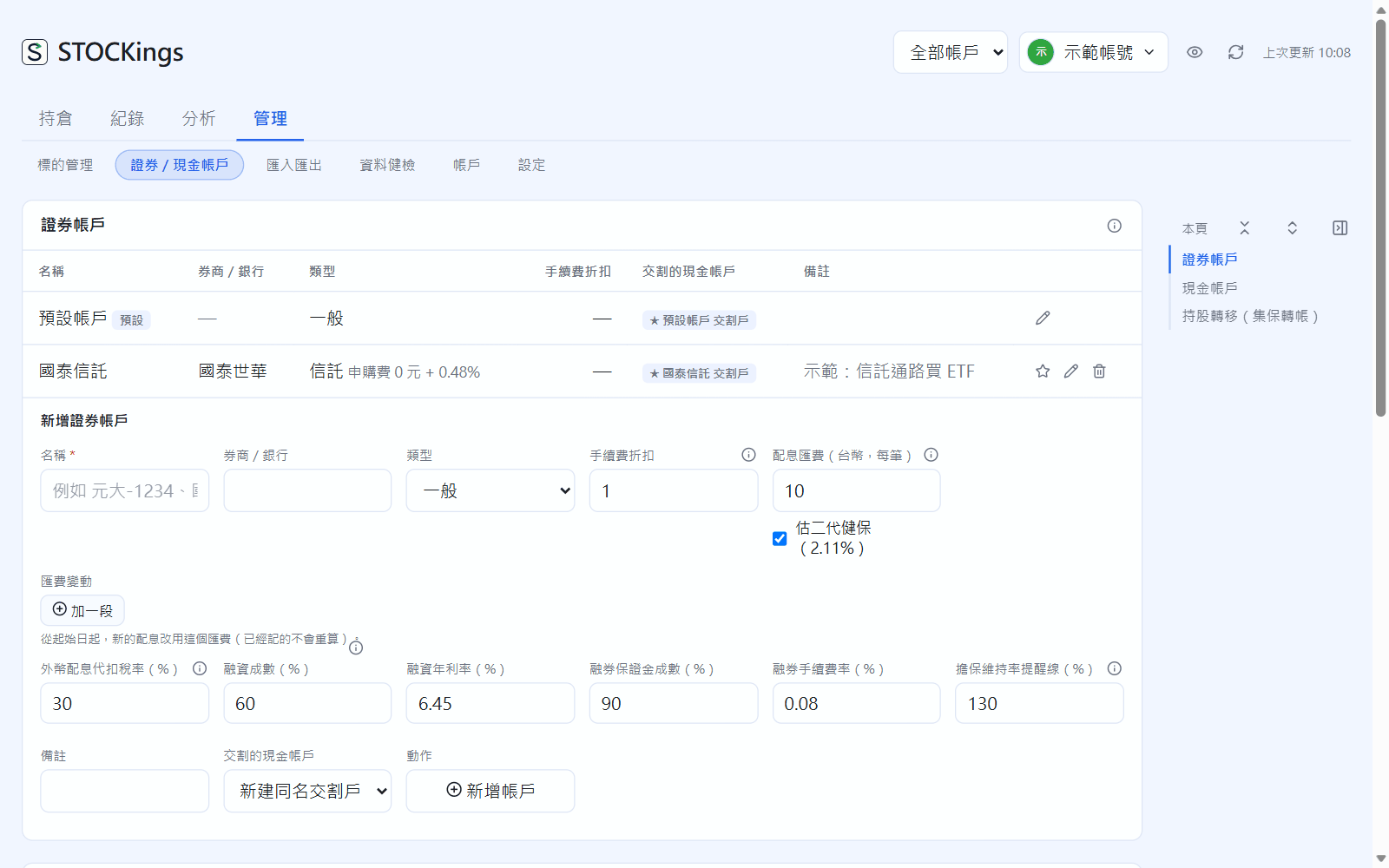
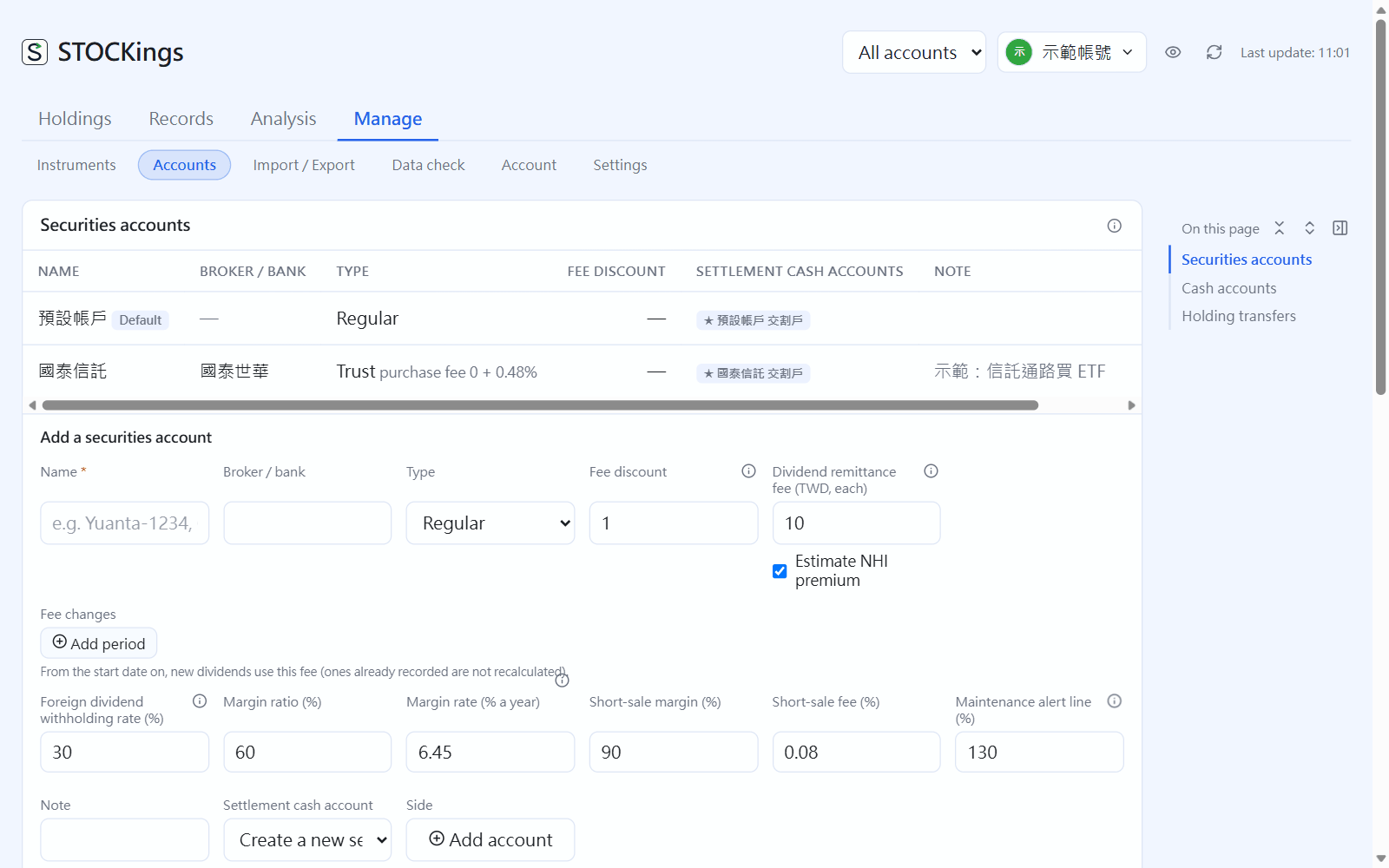 04證券帳戶與現金帳戶Securities accounts and cash accounts新增券商帳戶與交割戶、銀行活存或期貨保證金帳戶,以及集保轉帳。Add broker and settlement accounts, bank or futures-margin cash accounts, and TDCC transfers.
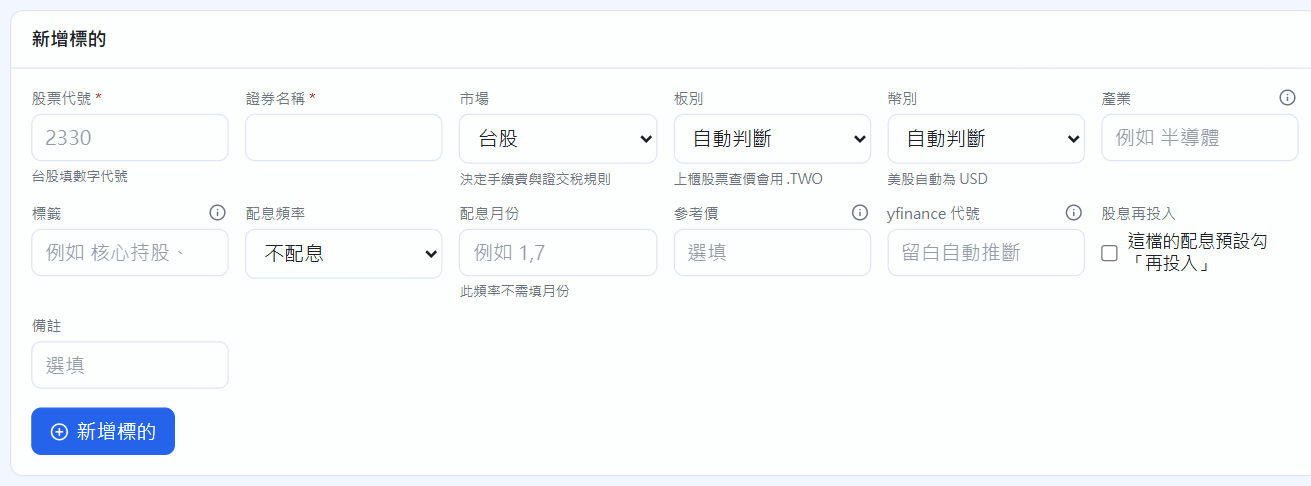
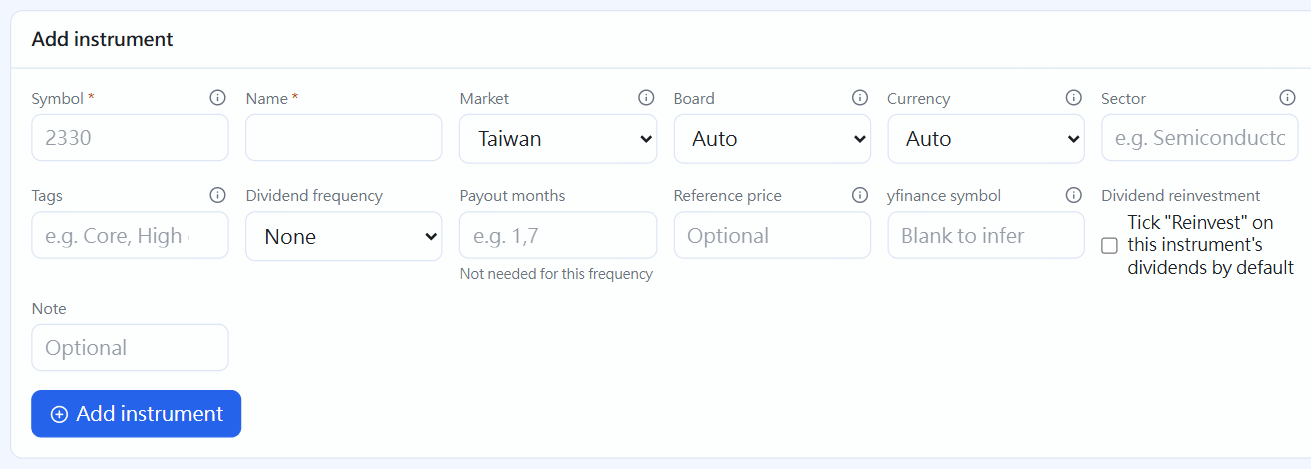 05標的管理Instruments記帳前先建立股票、ETF、美股、基金、債券,還有分割、合併與配息行事曆。Set up stocks, ETFs, US stocks, funds and bonds before you record trades, plus splits, mergers and the dividend calendar.
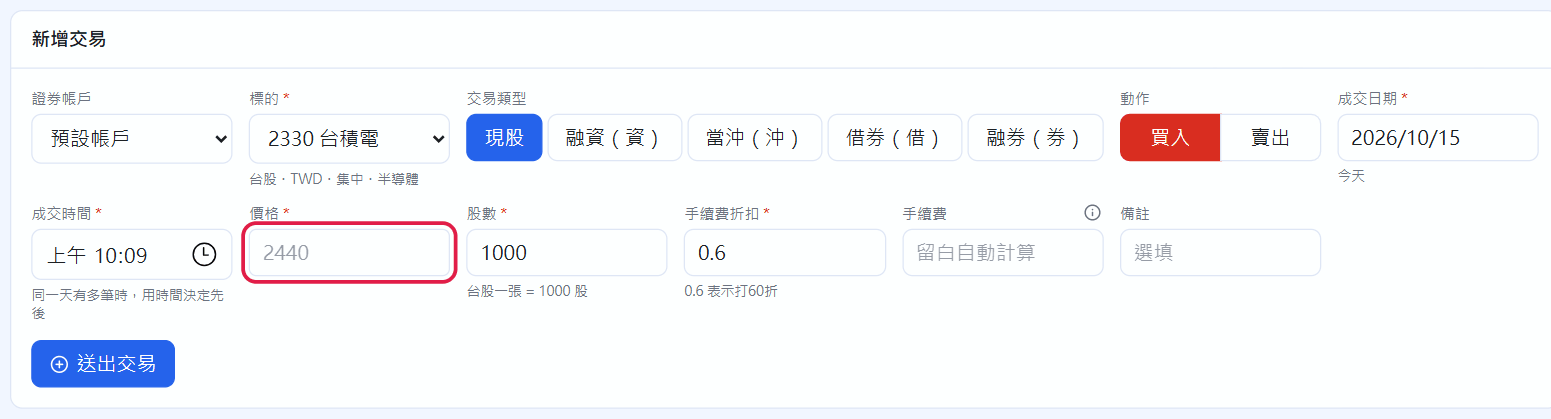
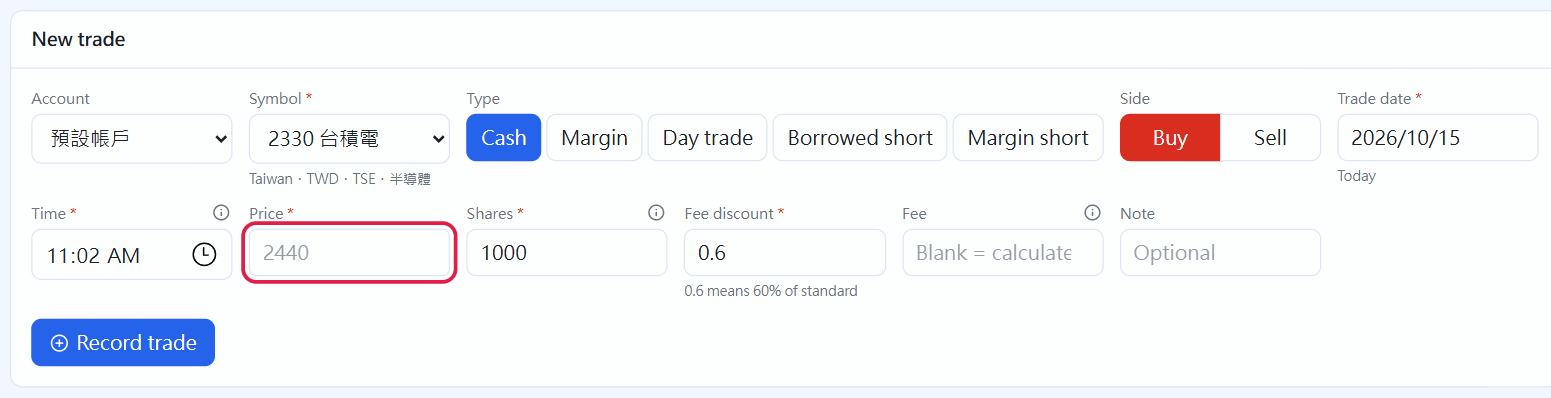 06記交易Recording trades記一筆買進與賣出、搜尋修改交易,以及當沖、融資融券、美股外幣。Record buys and sells, search and edit trades, and handle day trades, margin, short sales and US stocks.
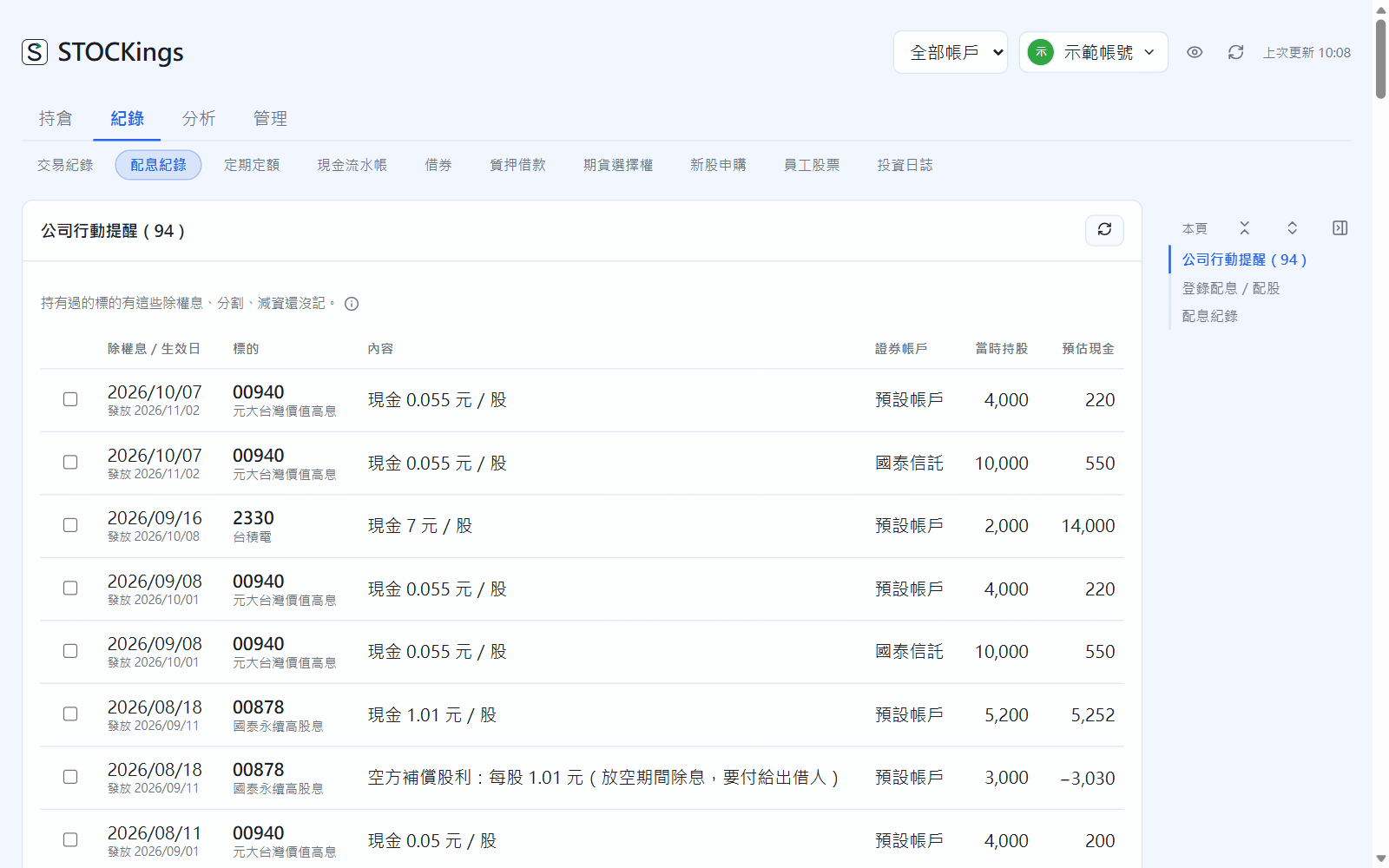
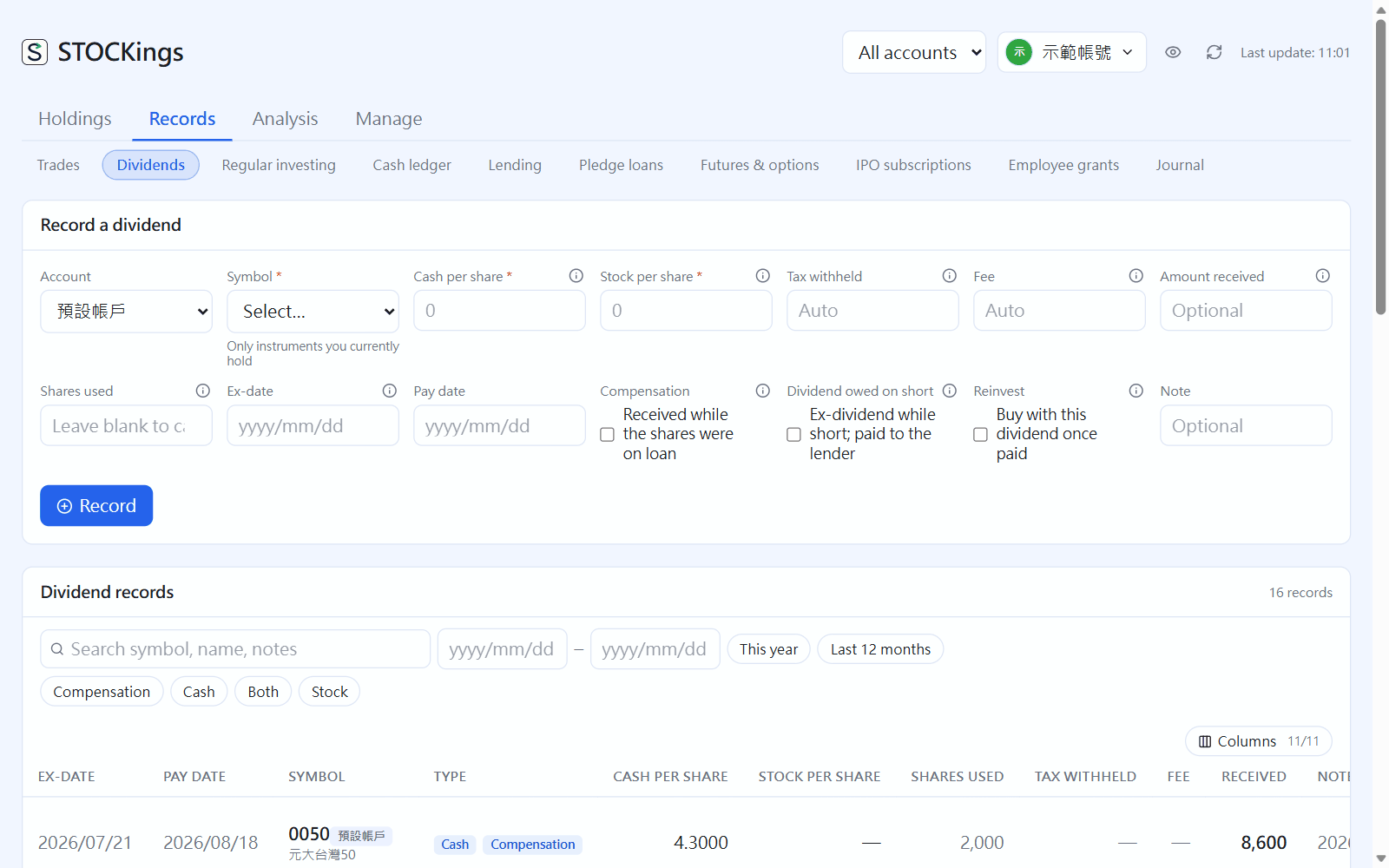 07記配息與配股Recording dividends and stock dividends公司行動提醒一鍵帶入除權息,或手動記現金股利與配股。Bring in dividends from corporate-action reminders in one click, or record cash and stock dividends by hand.
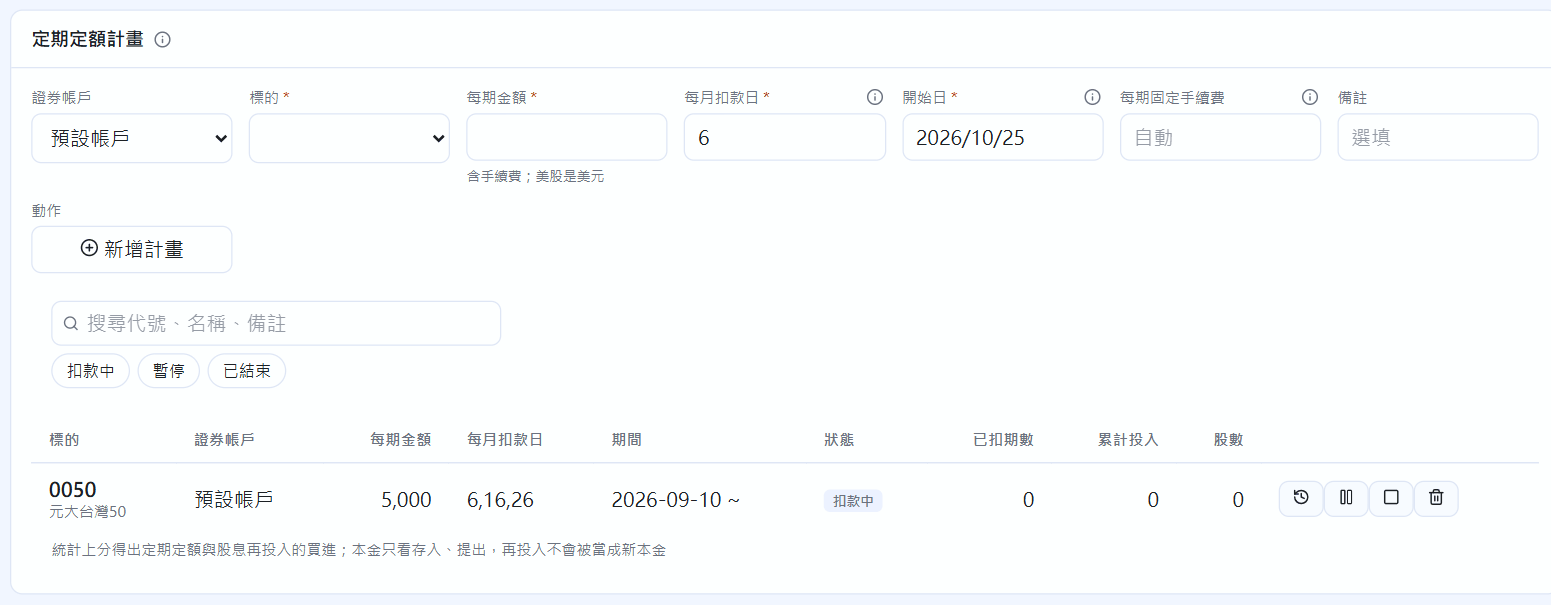
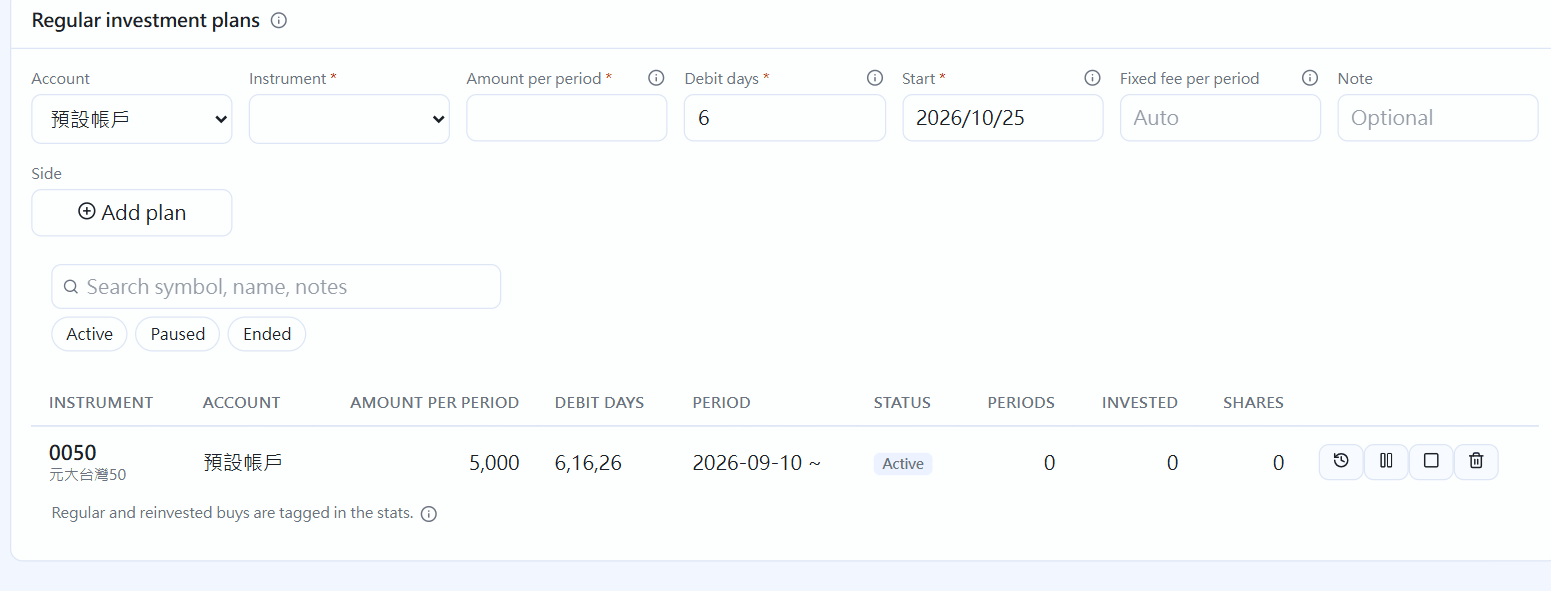 08定期定額與股息再投入Regular investing and dividend reinvestment設定定期定額計畫、確認待登錄的扣款,以及股息自動再投入。Set up regular investing plans, confirm each pending purchase, and reinvest dividends automatically.
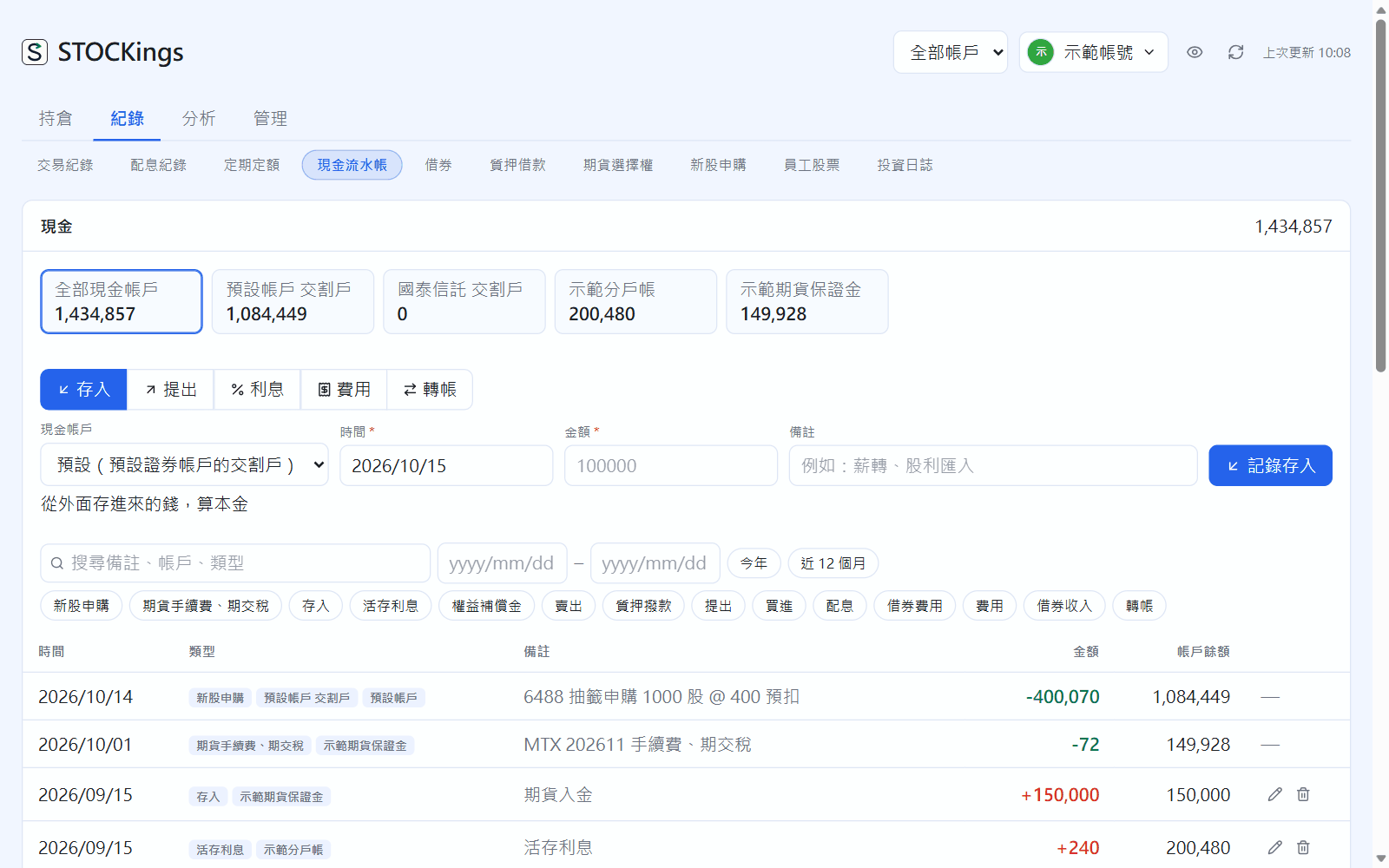
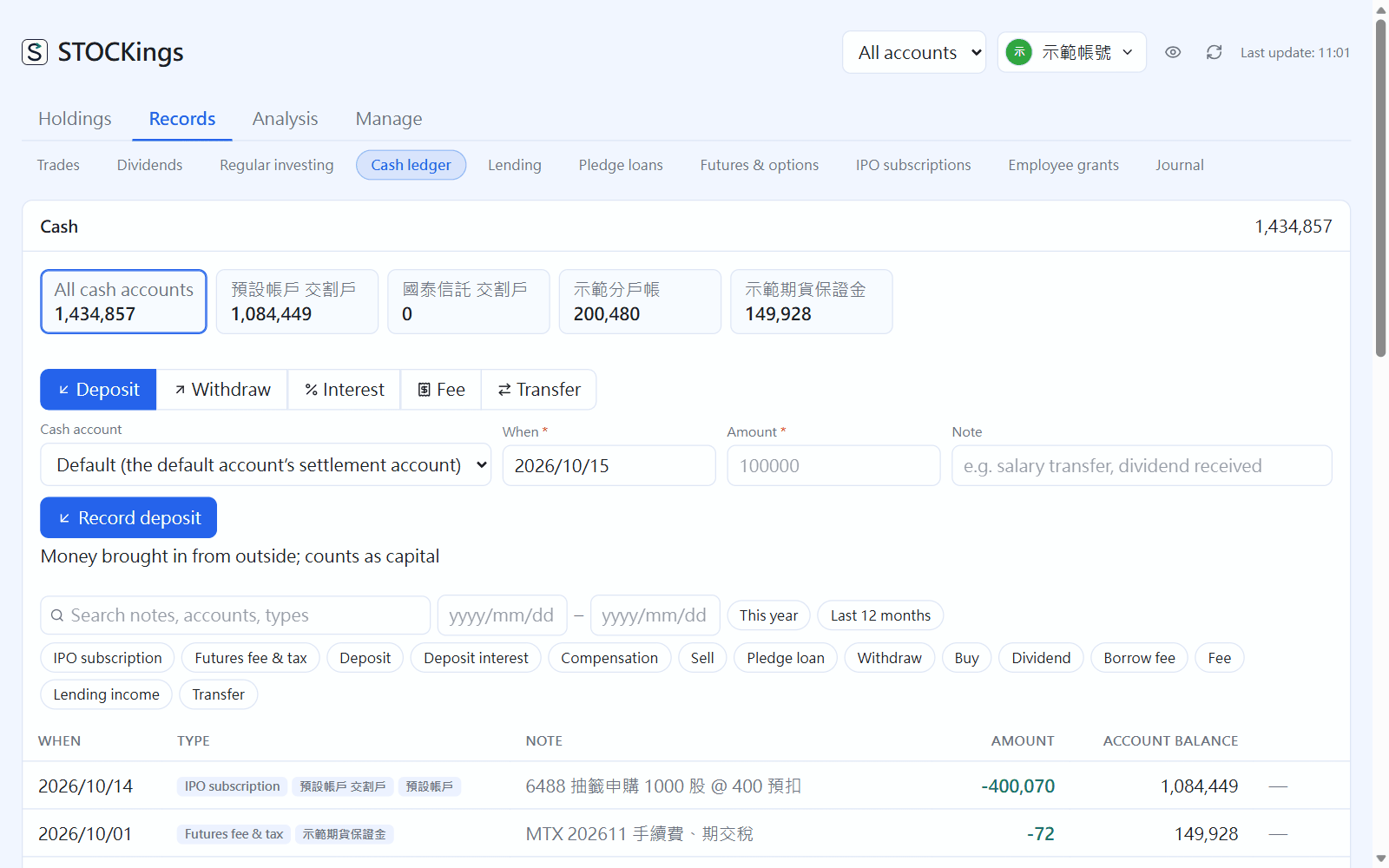 09現金流水帳Cash ledger存入、提出、利息、轉帳與換匯,分戶帳、活存的利息估算對帳。Deposits, withdrawals, interest, transfers and currency exchange, plus interest estimates for sub-accounts.
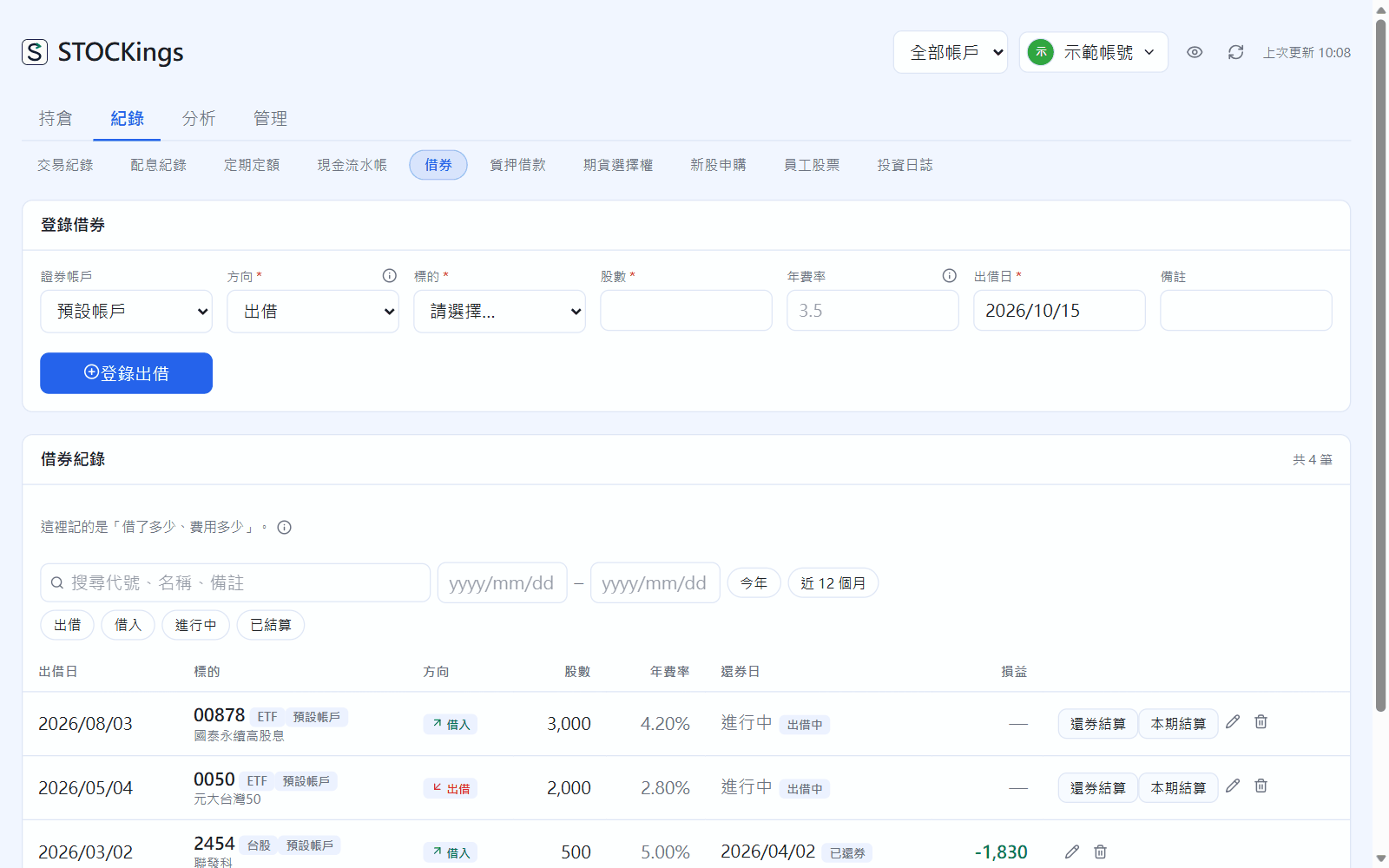
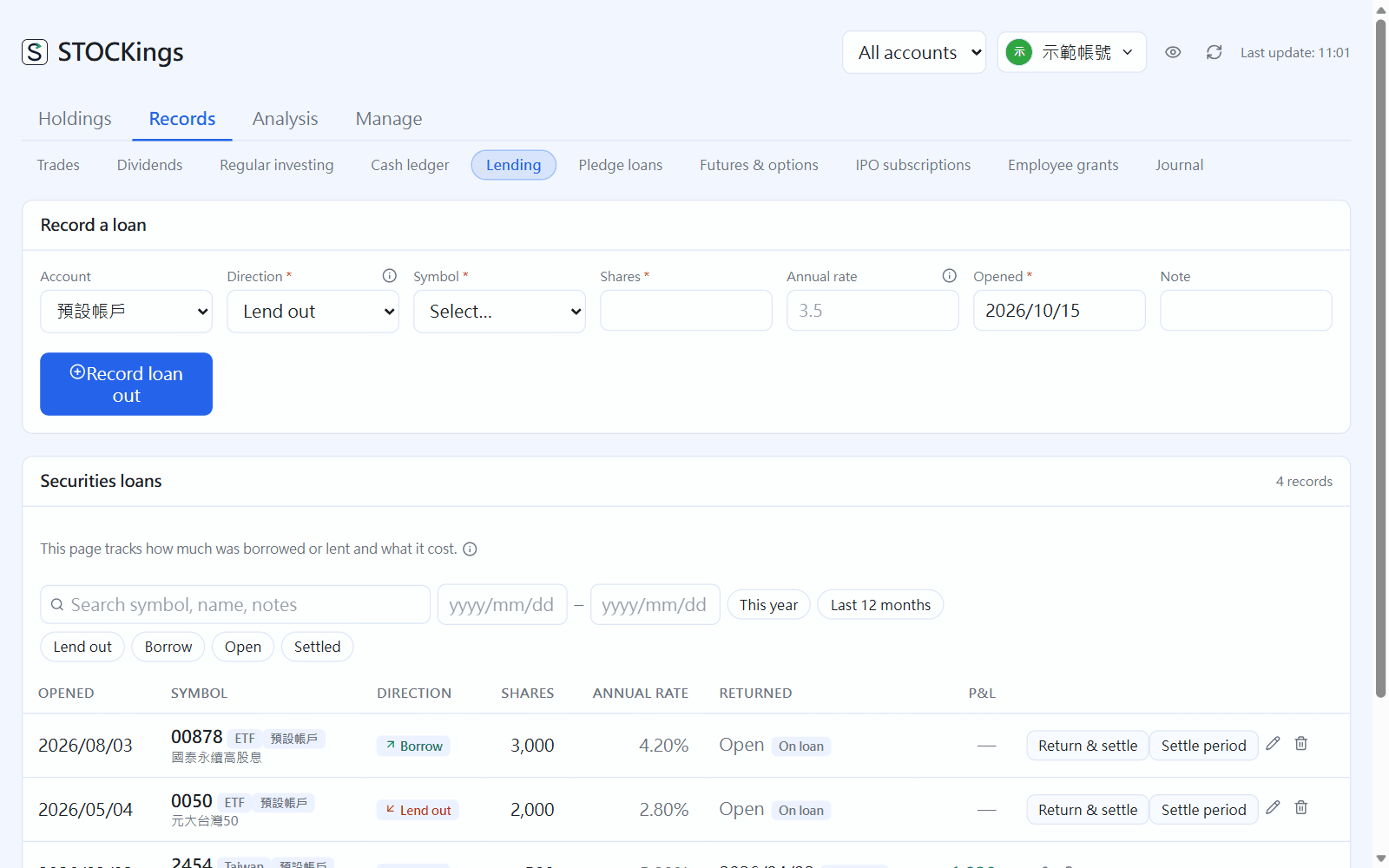 10借券:出借收租與放空Lending: earn fees and sell short出借股票收借券費,以及借券賣出(放空)與回補。Lend out shares to earn fees, and borrow shares to sell short and buy back later.
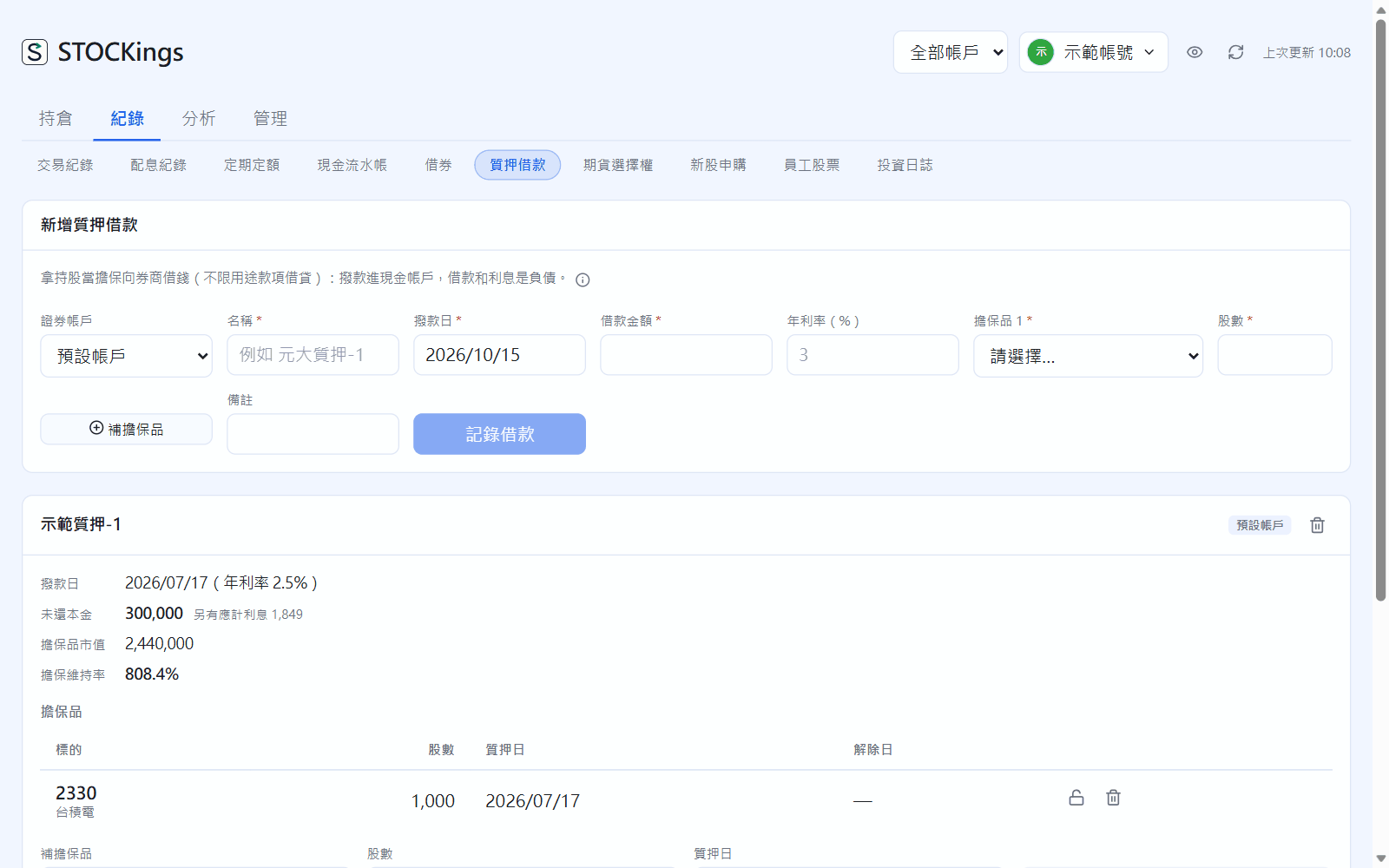
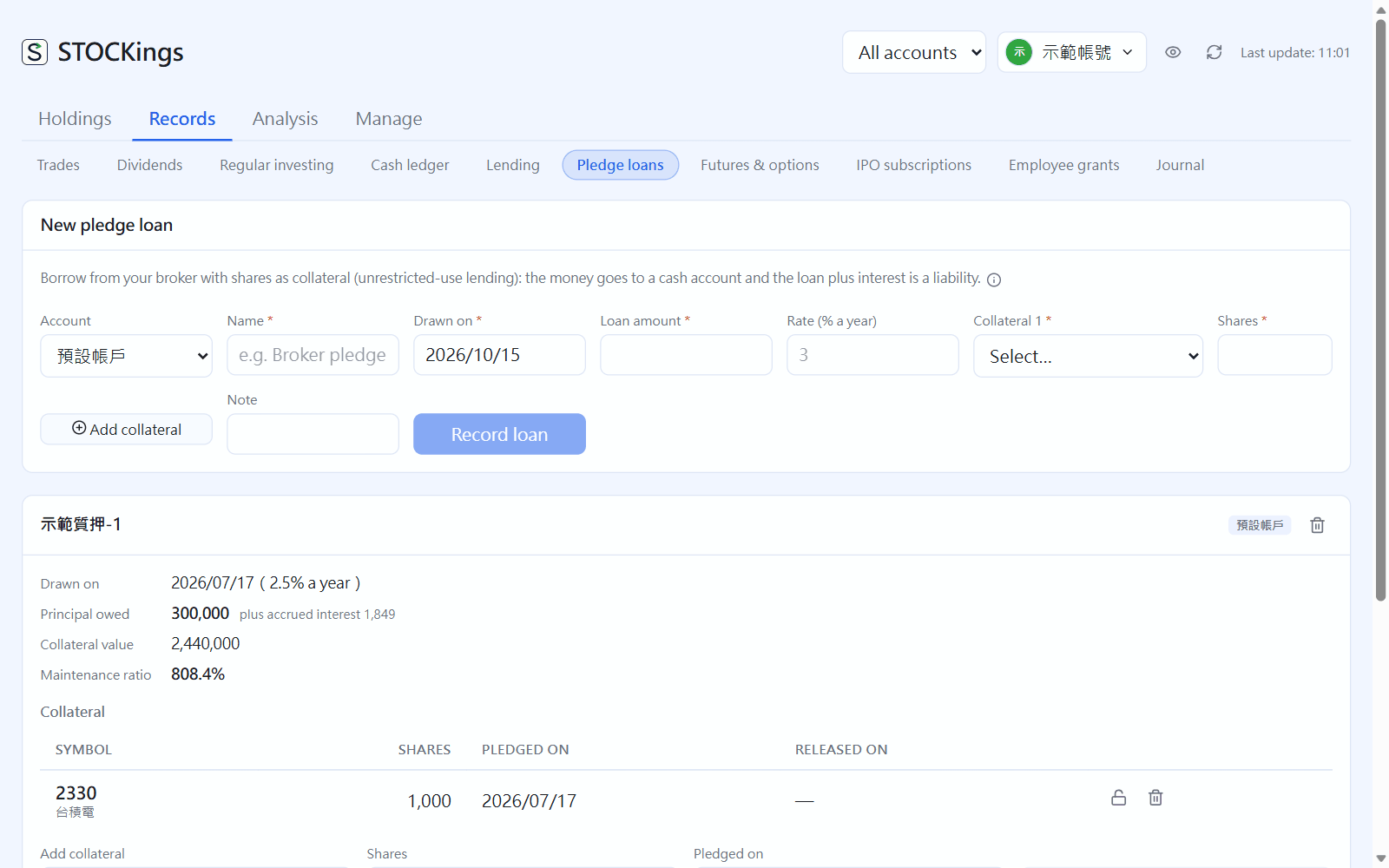 11質押借款Pledge loans拿持股向券商借錢:擔保品、借款與還款、維持率。Borrow from your broker against your shares: collateral, borrowing and repaying, maintenance ratio.
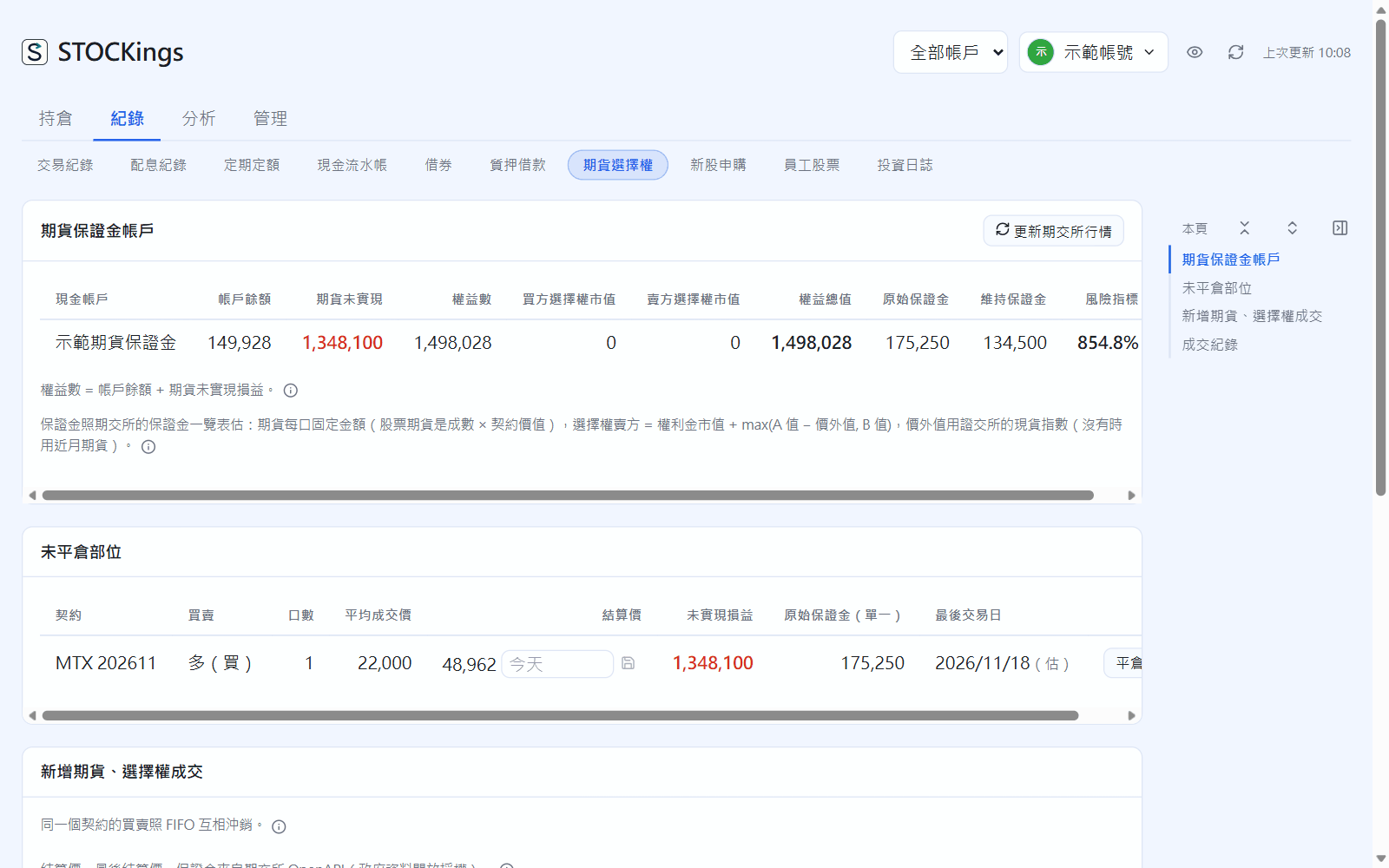
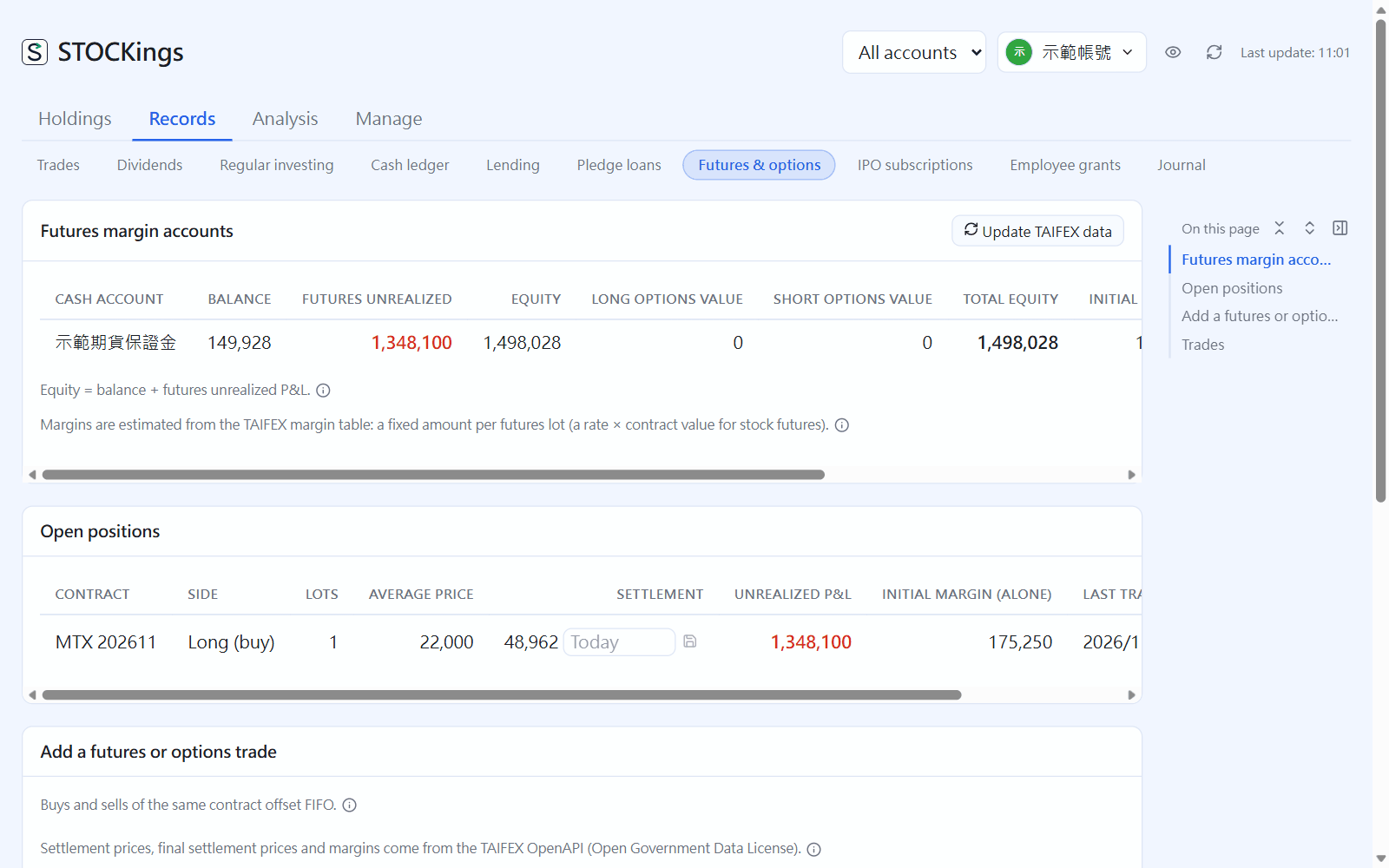 12期貨與選擇權Futures and options期貨保證金帳戶、台指期與選擇權的建倉與平倉、權益數。Futures margin accounts, opening and closing TAIEX futures and options positions, and account equity.
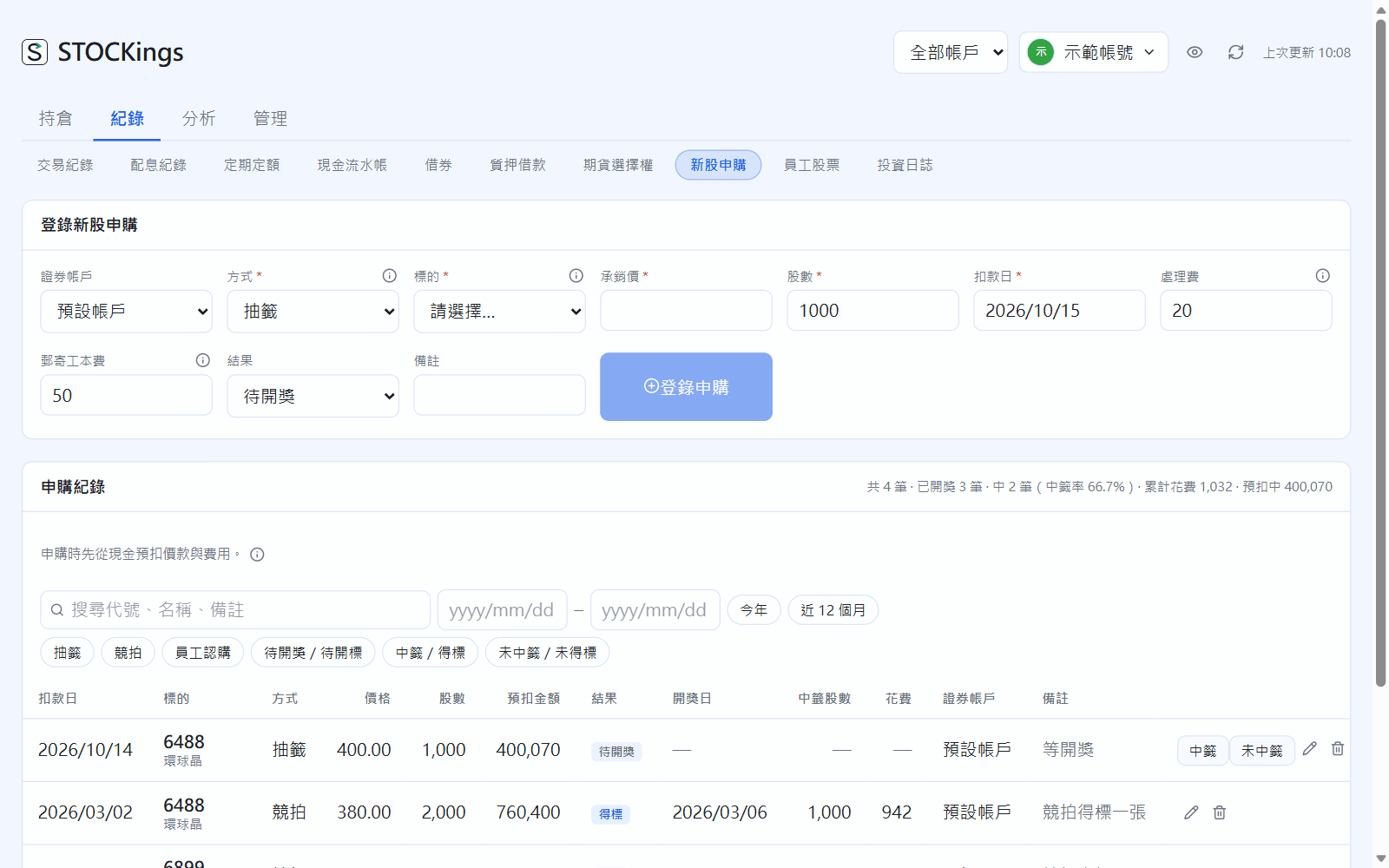
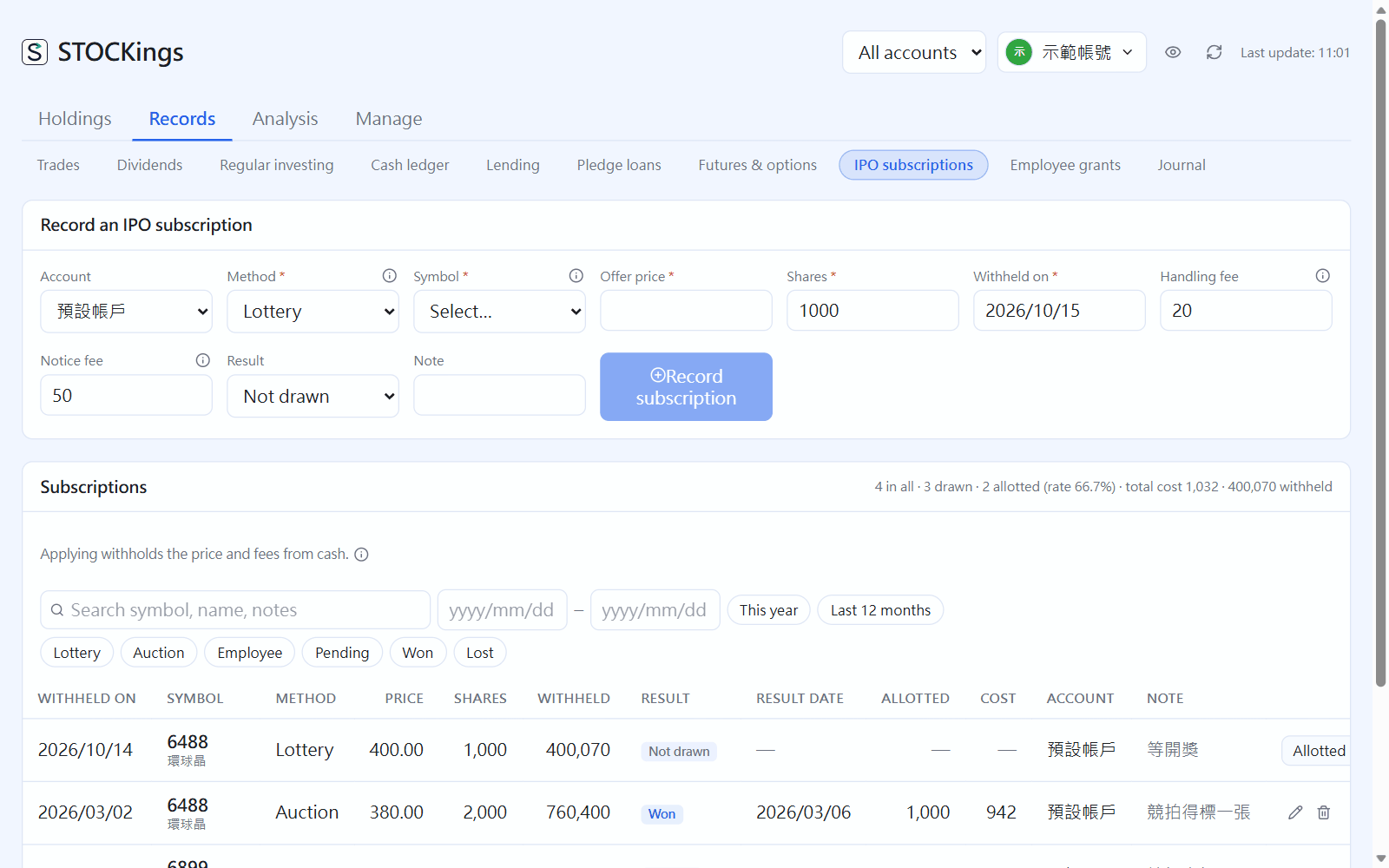 13新股申購(抽籤、競拍、員工認購)IPO subscriptions (lottery, auction, employee)抽籤、競拍、員工認購:申購、中籤到撥券怎麼記。Lottery, auction and employee subscriptions: from applying and winning to receiving the shares.
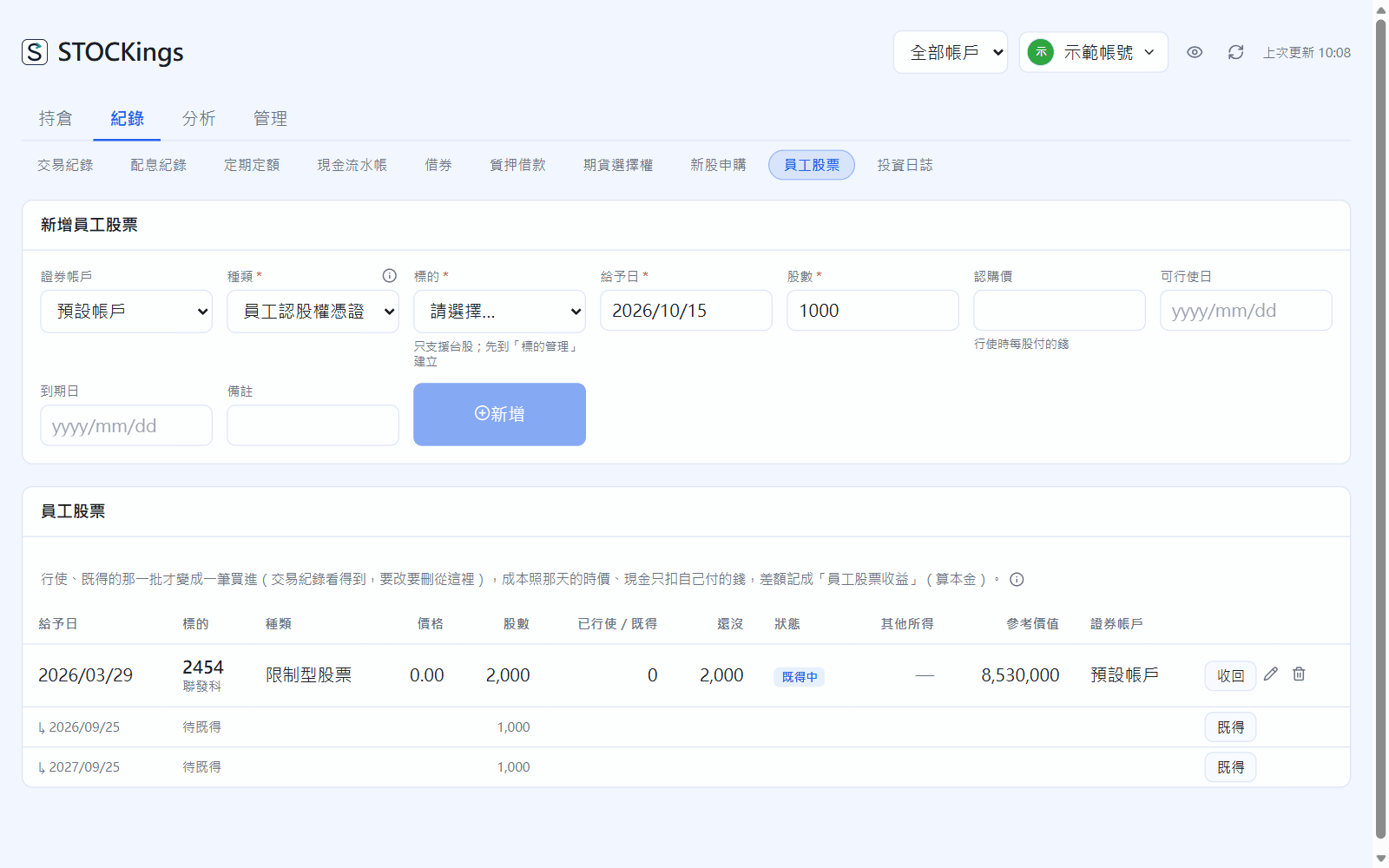
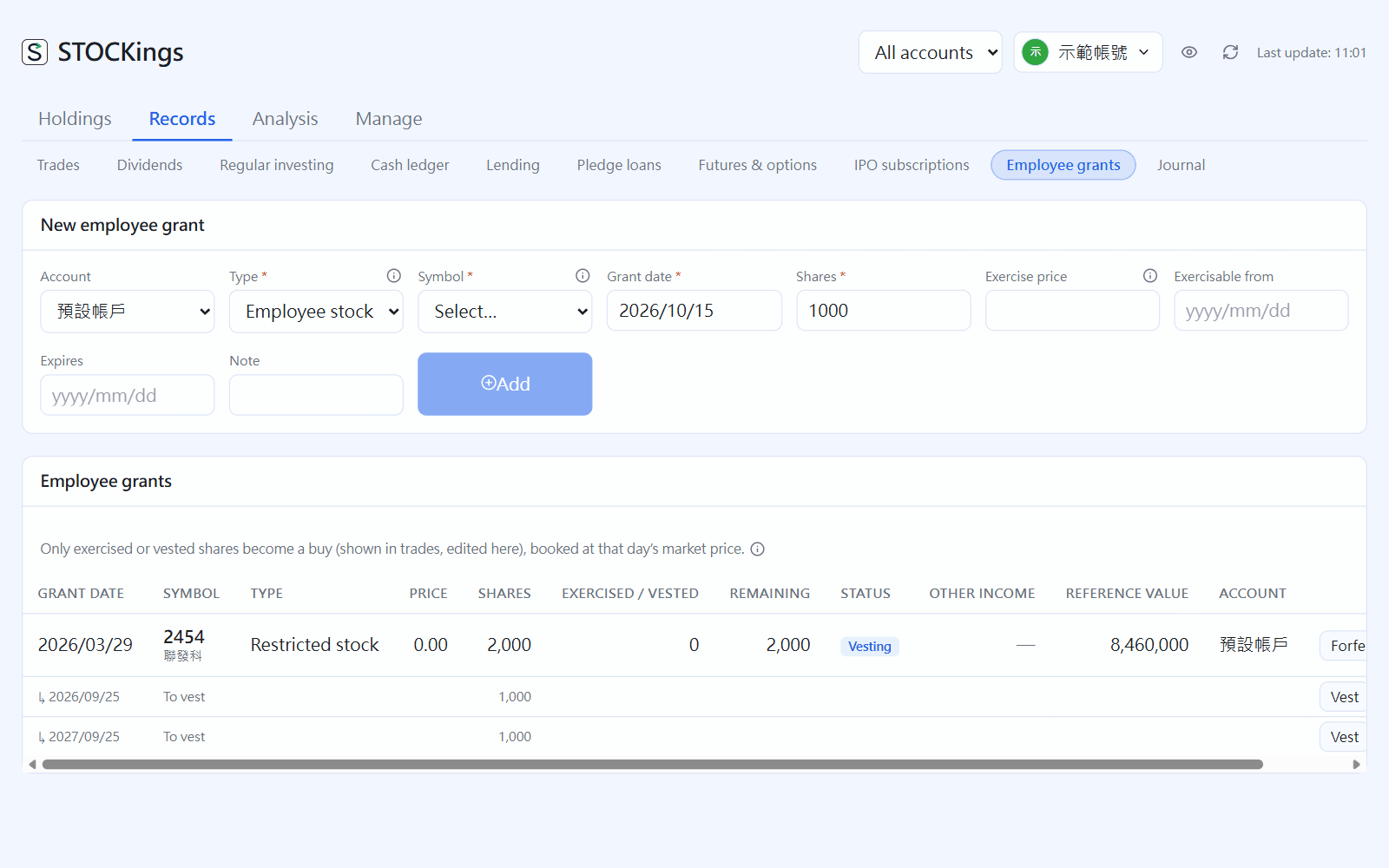 14員工股票(認股權憑證、限制型股票)Employee grants (stock options, restricted stock)認股權憑證與限制型股票:授予、既得、履約與賣出。Stock options and restricted stock: grants, vesting, exercising and selling.
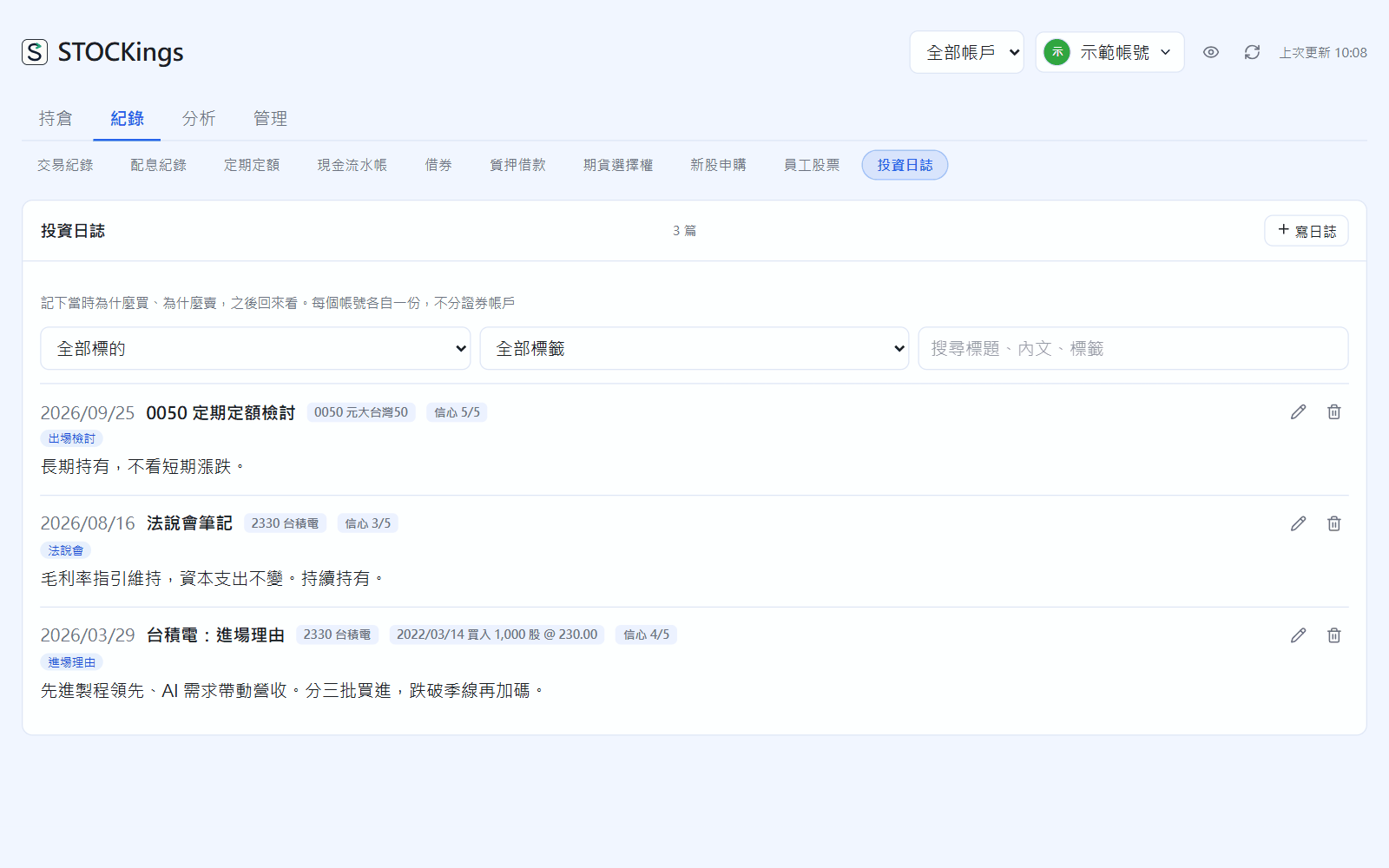
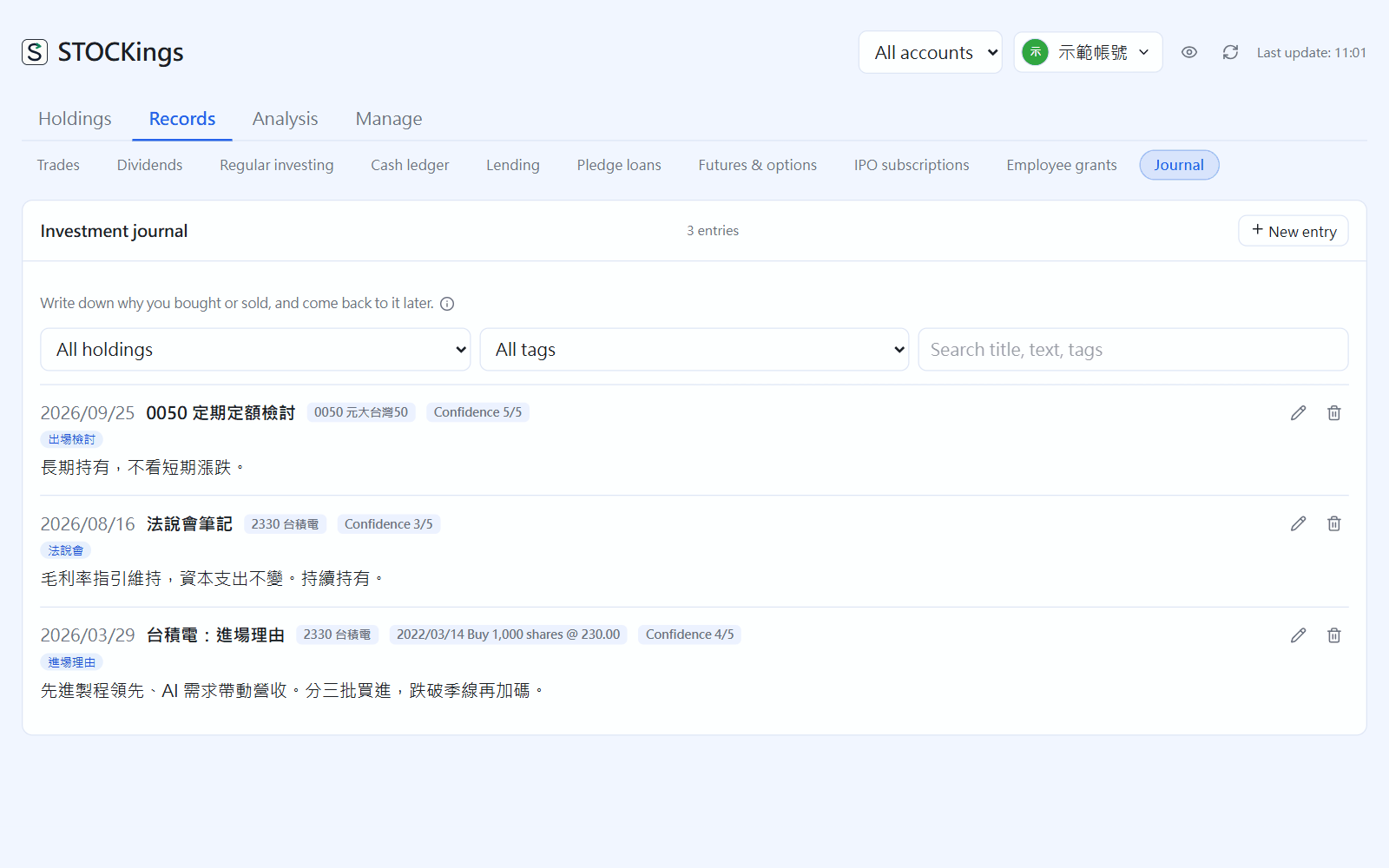 15投資日誌Investment journal記下當時為什麼買賣,連到標的與交易、加標籤,之後回來看。Write down why you bought or sold, link it to instruments and trades, tag it, and look back later.
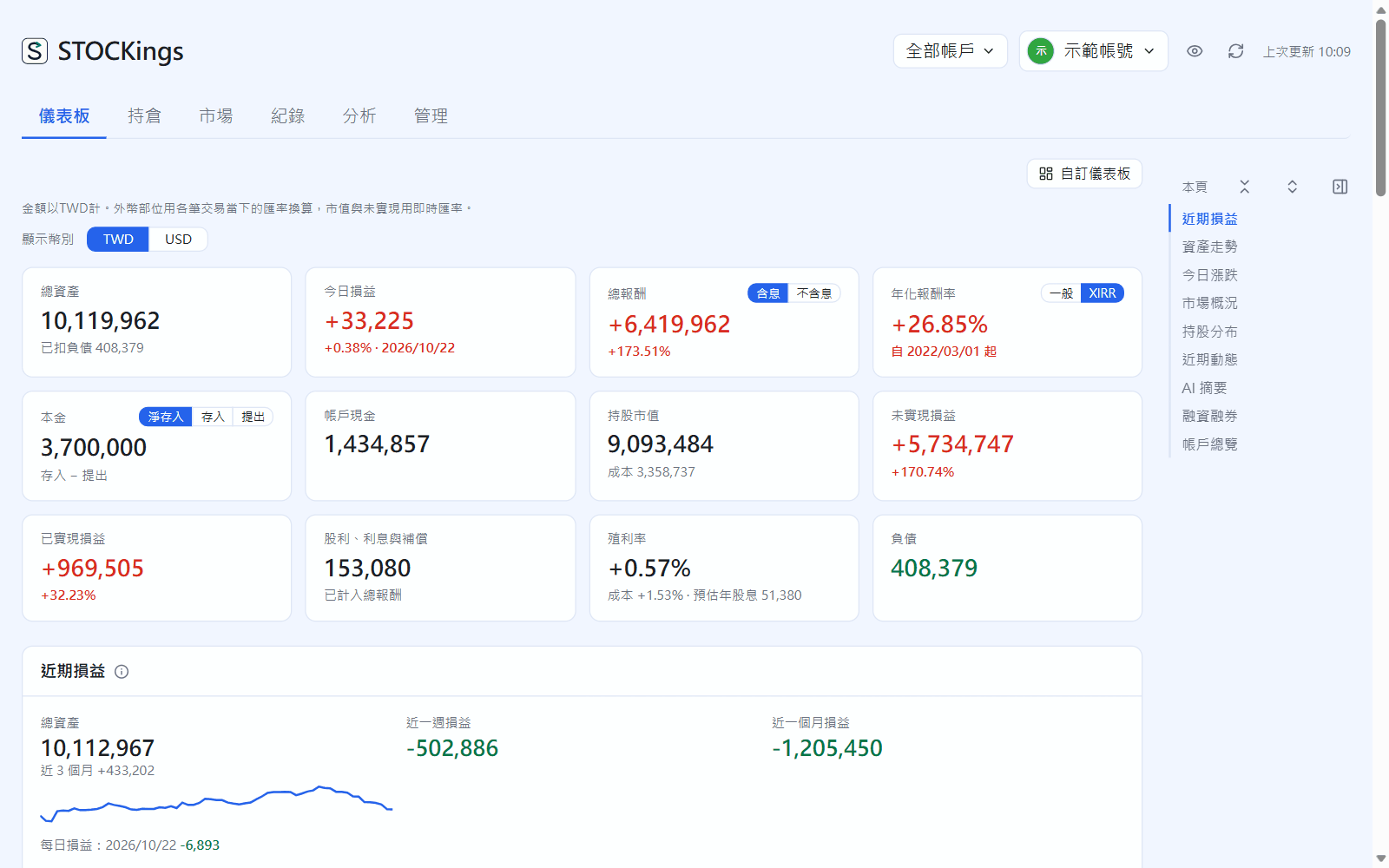
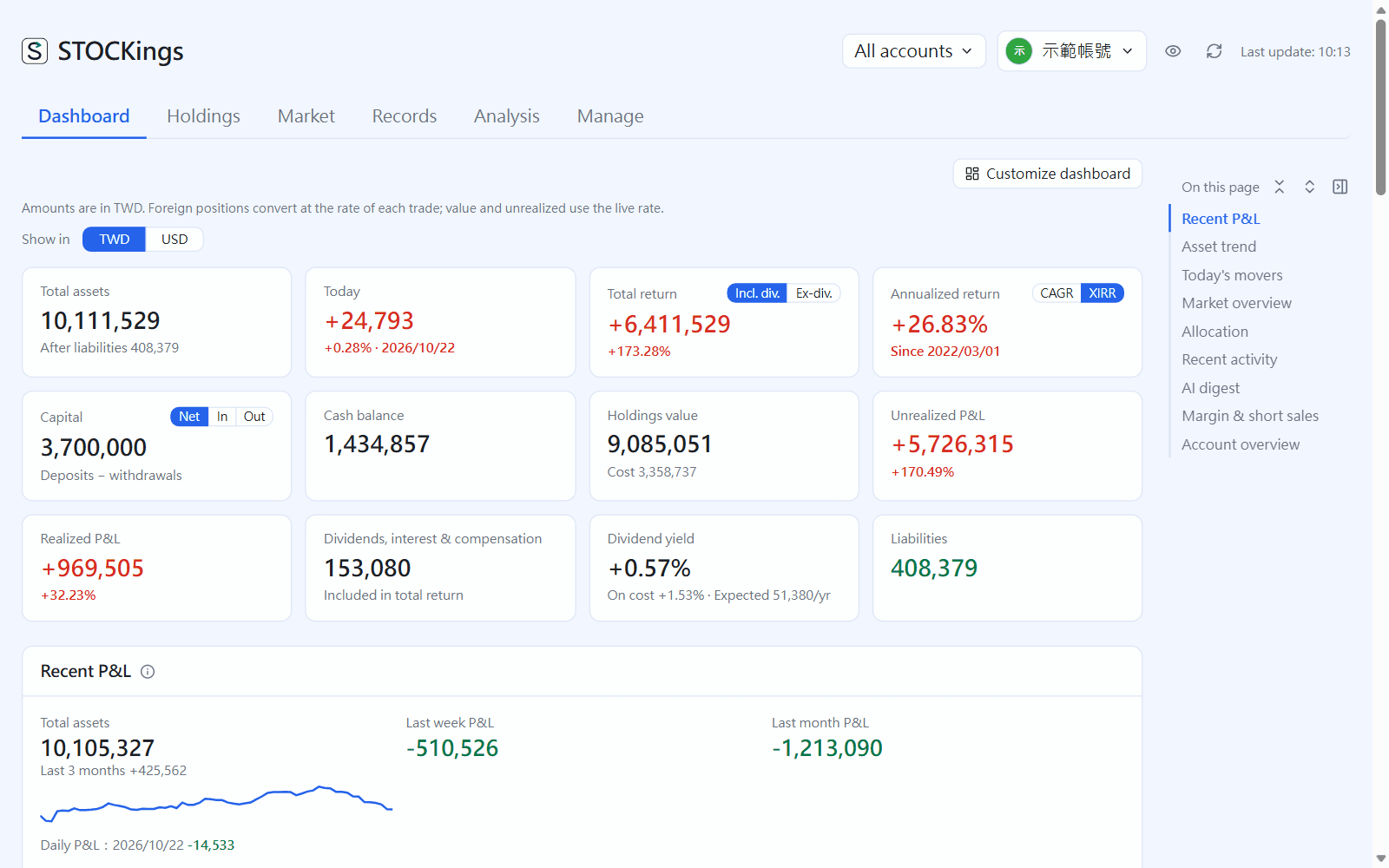 16看持倉Viewing your holdings儀表板、持股明細、資產配置、個股分析,以及回到過去某一天的歷史回溯。Dashboard, positions, allocation, stock detail, and looking back at any past day.
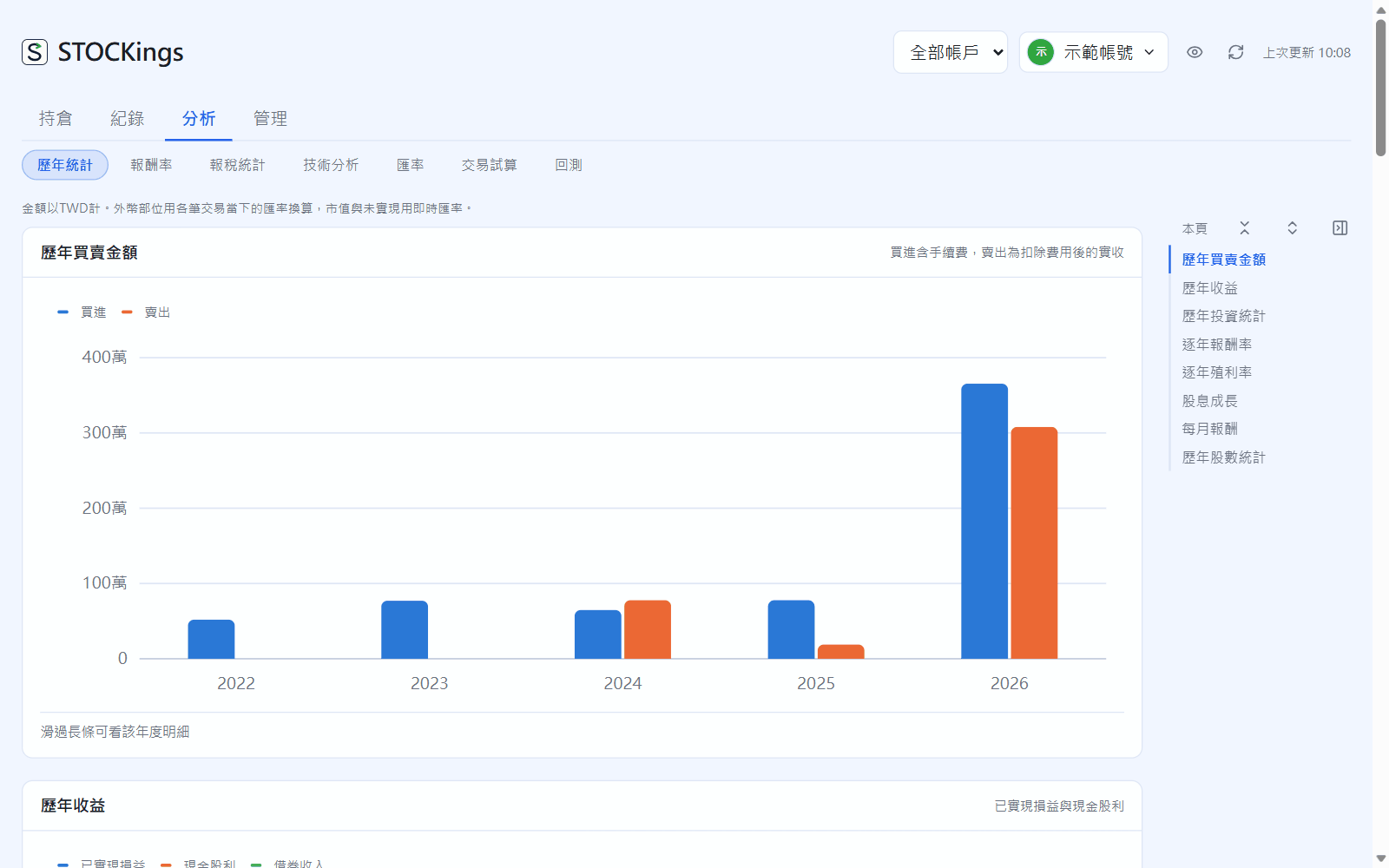
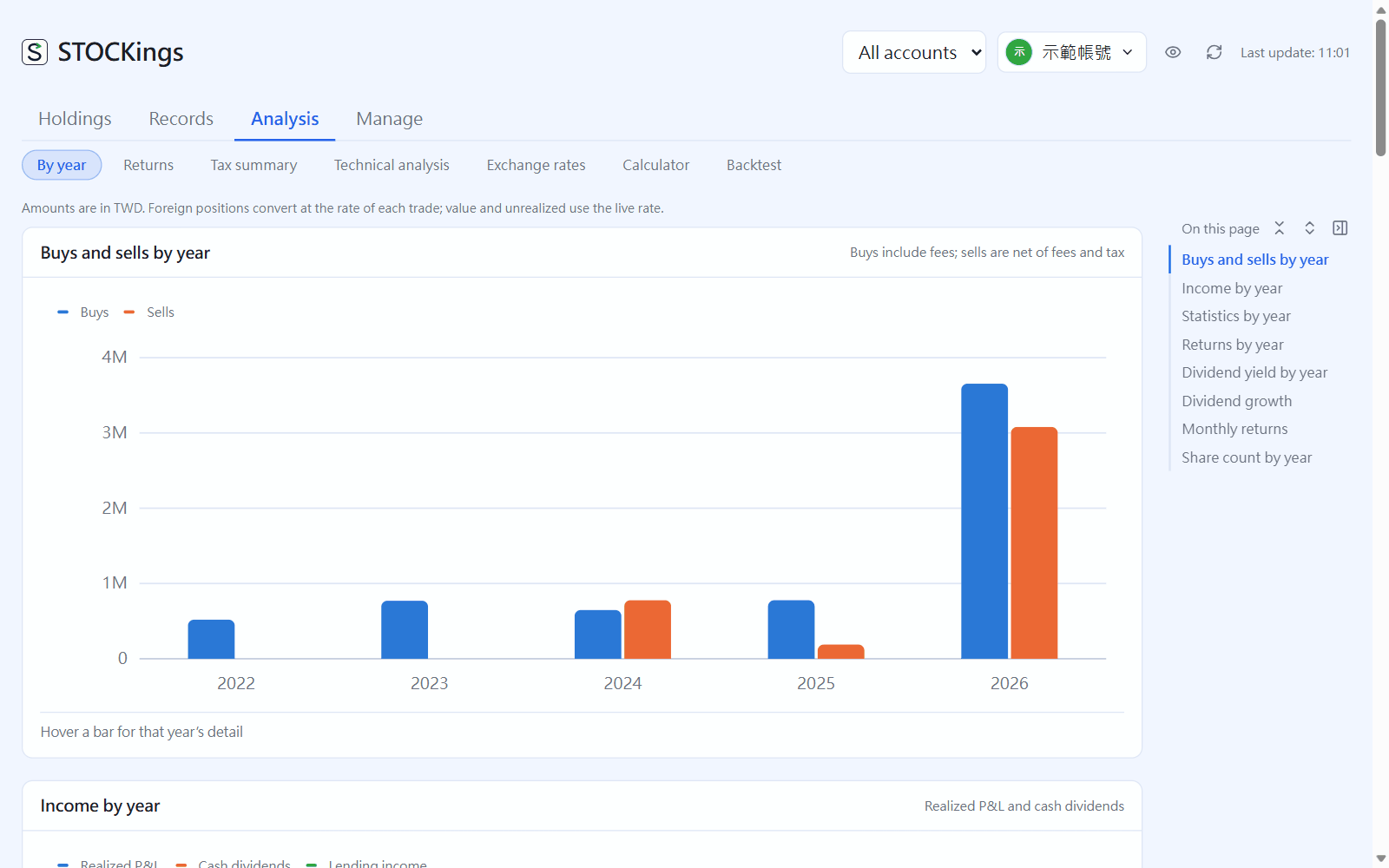 17分析:歷年統計、報酬率、報稅Analysis: by year, returns and tax歷年統計、報酬率(TWR、XIRR、和大盤比、最大回撤)與報稅統計。Statistics by year, returns (TWR, XIRR, benchmark comparison, max drawdown) and the tax summary.
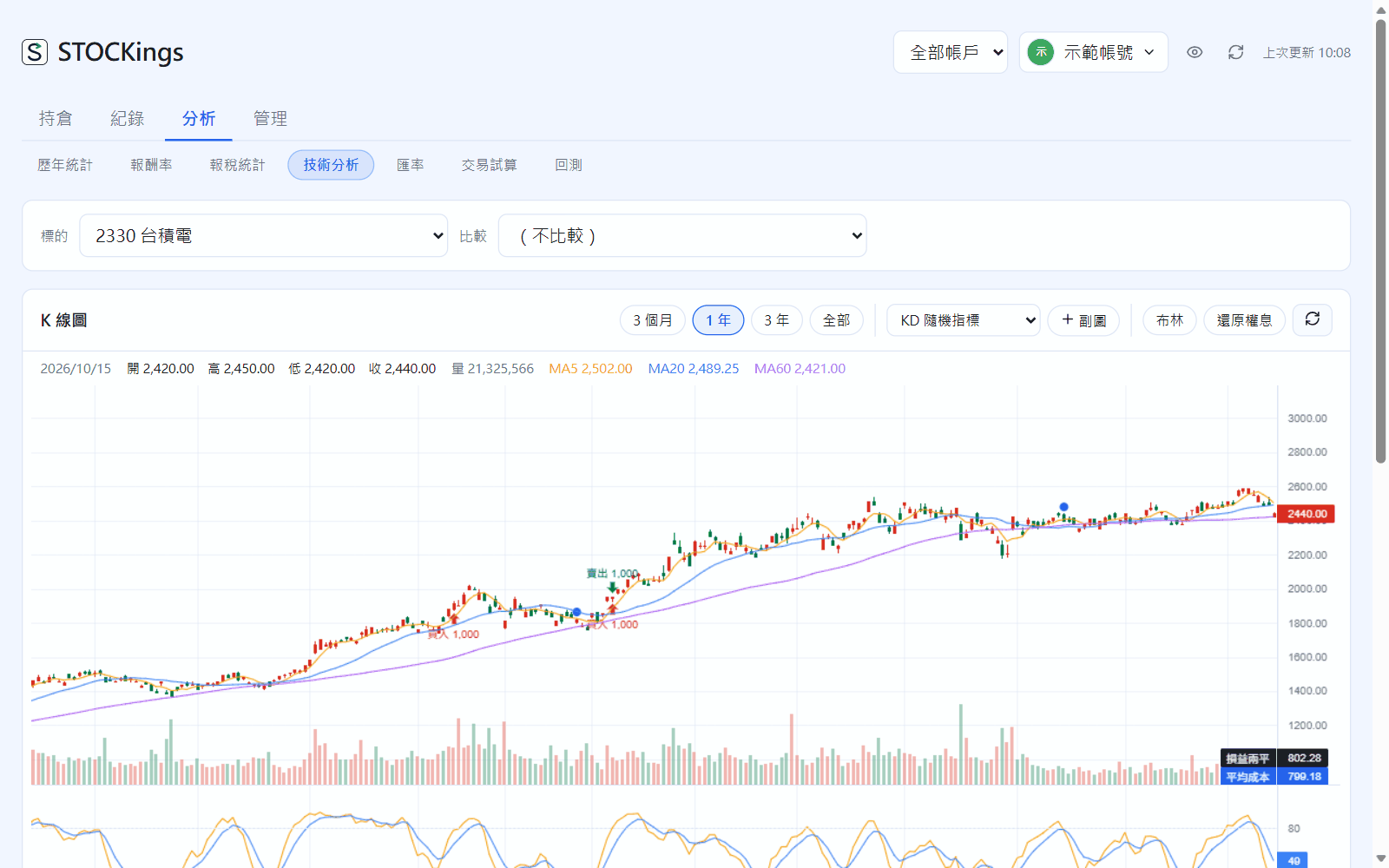
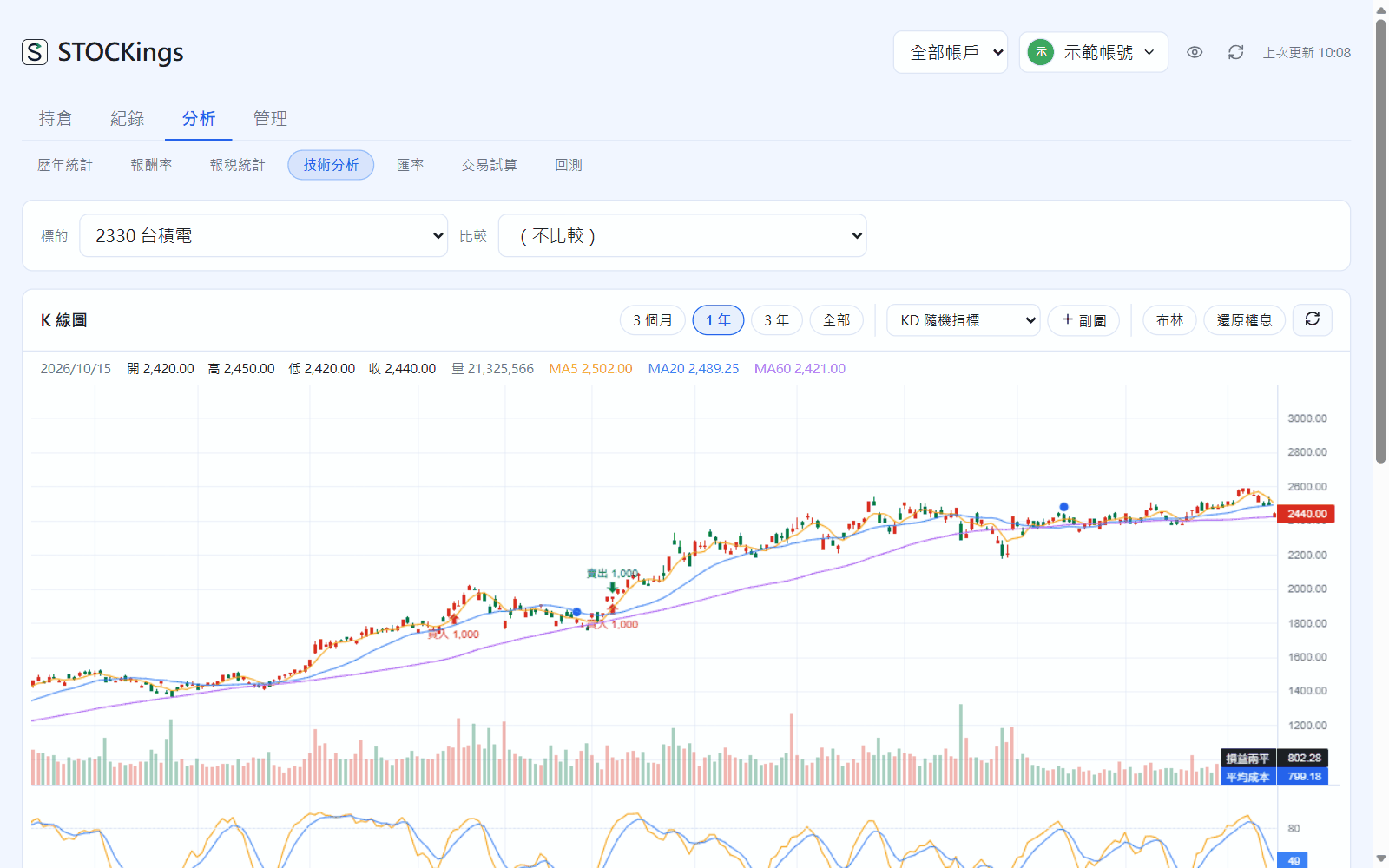
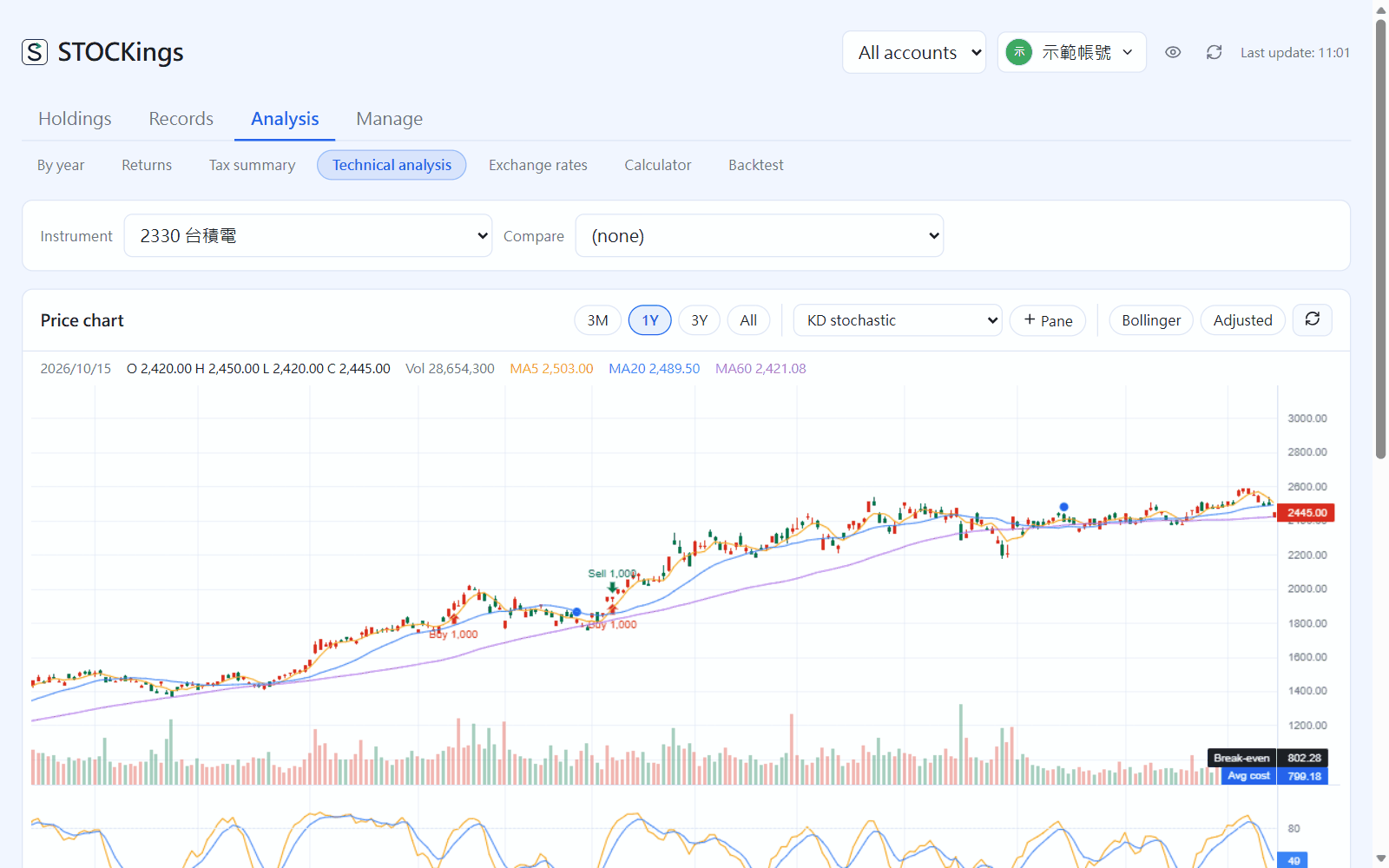 18技術分析與個股資訊Technical analysis and company infoK 線與技術指標、買賣點標在圖上,以及個股資訊與 AI 摘要。Candlestick charts and indicators with your trades marked on them, plus company info and AI summaries.
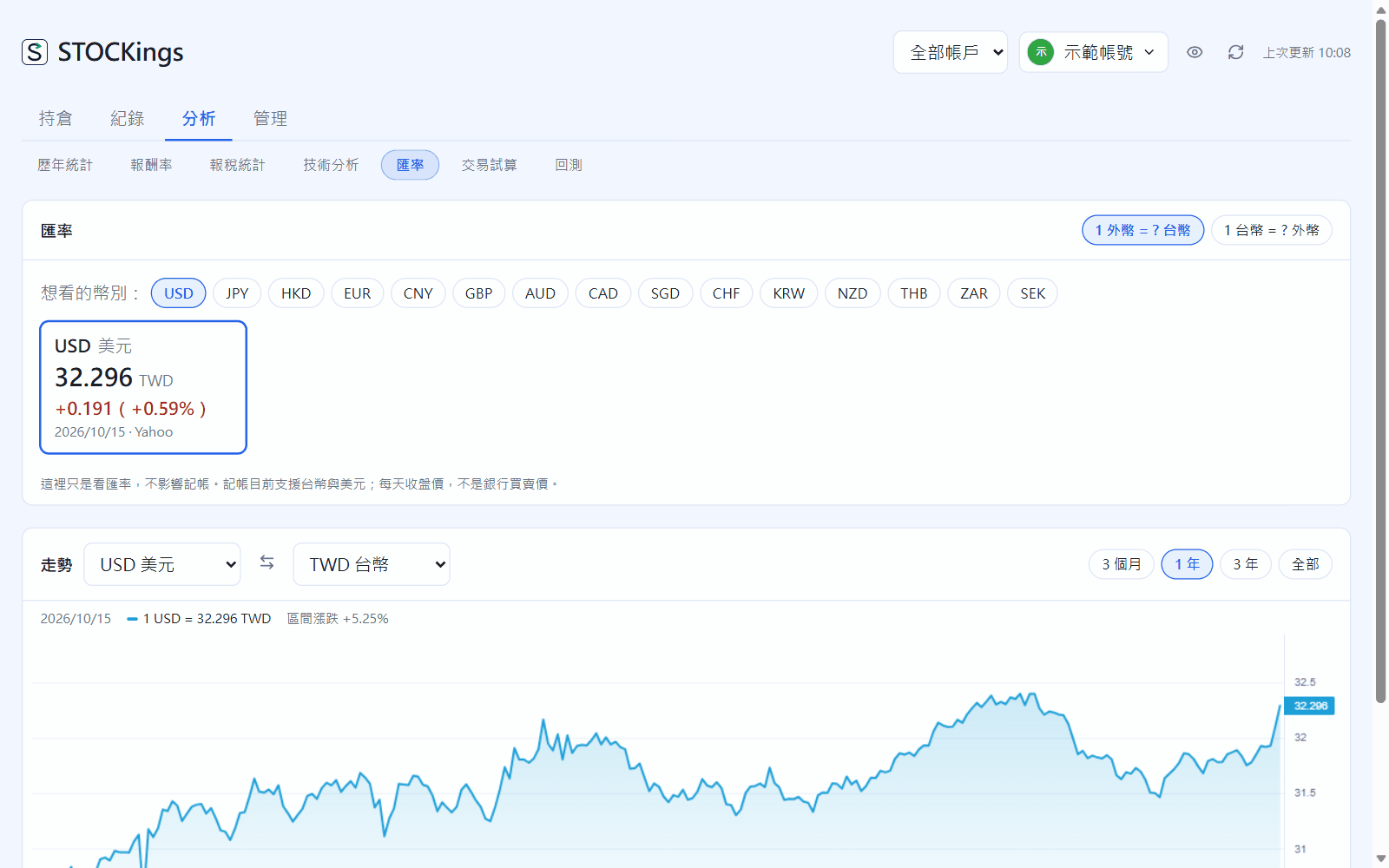
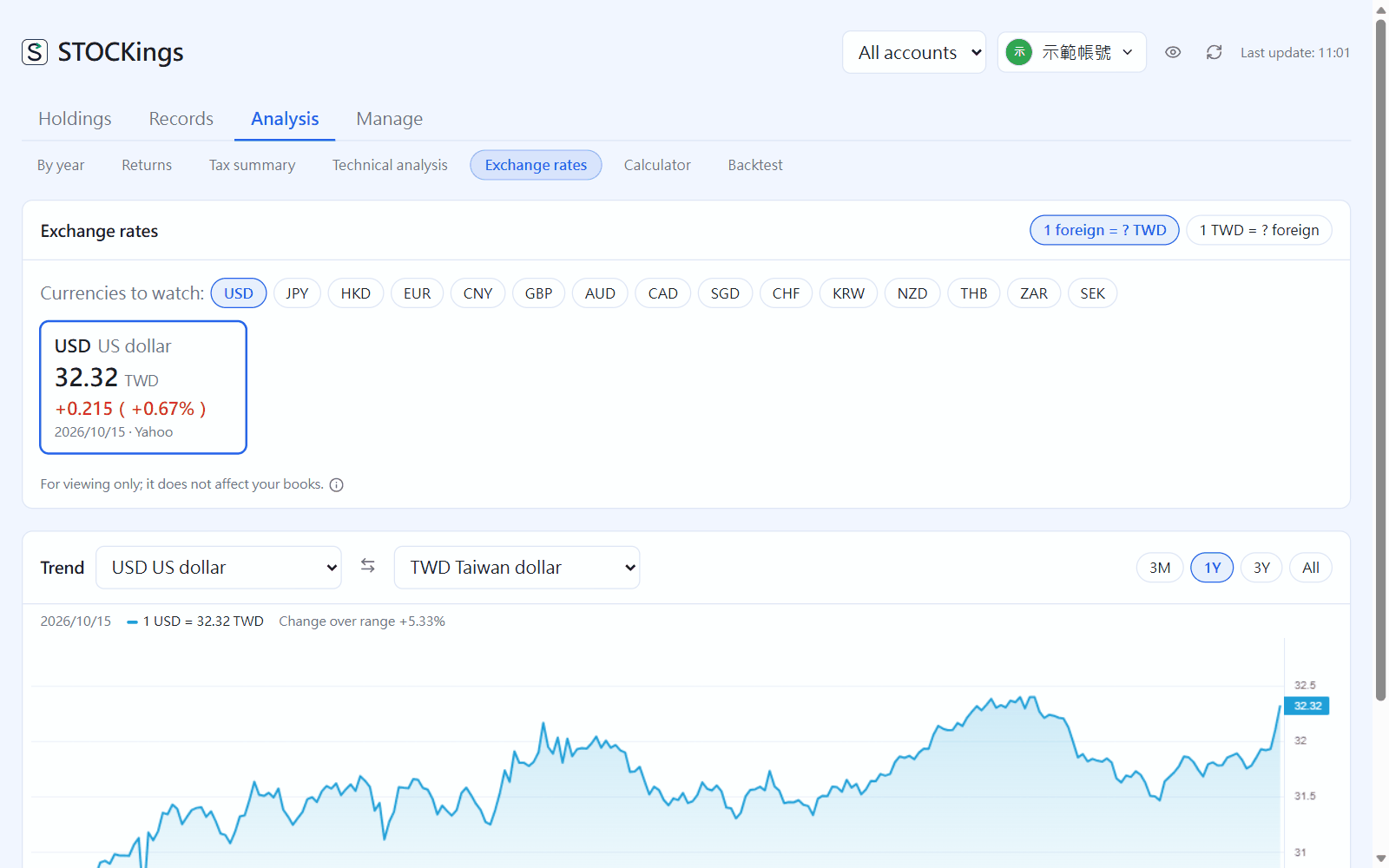 19匯率、試算與回測Exchange rates, calculators and backtests匯率走勢、交易與換匯試算,以及定期定額、單筆投入的回測。Exchange-rate charts, trade and currency calculators, and backtests for regular or lump-sum investing.
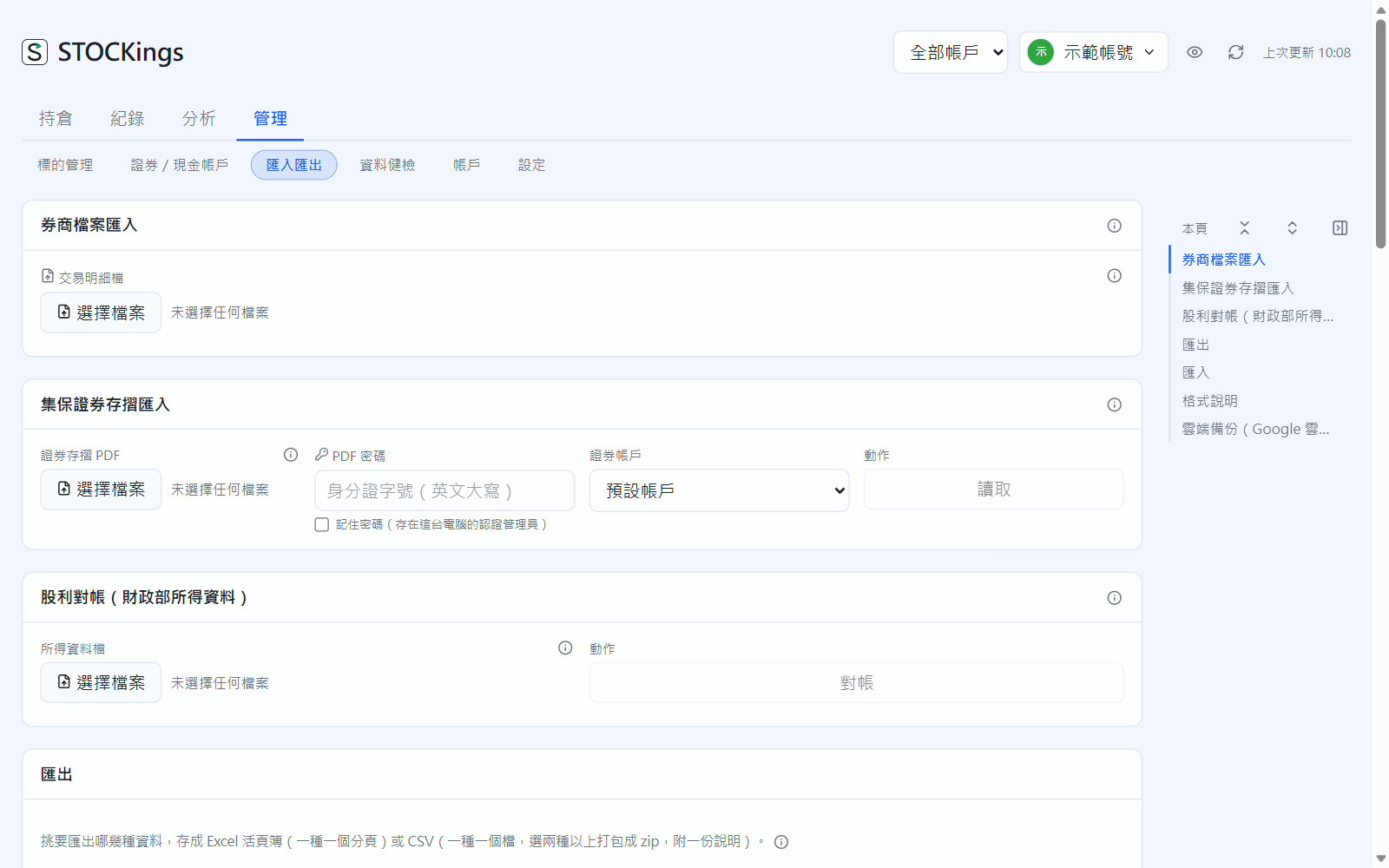
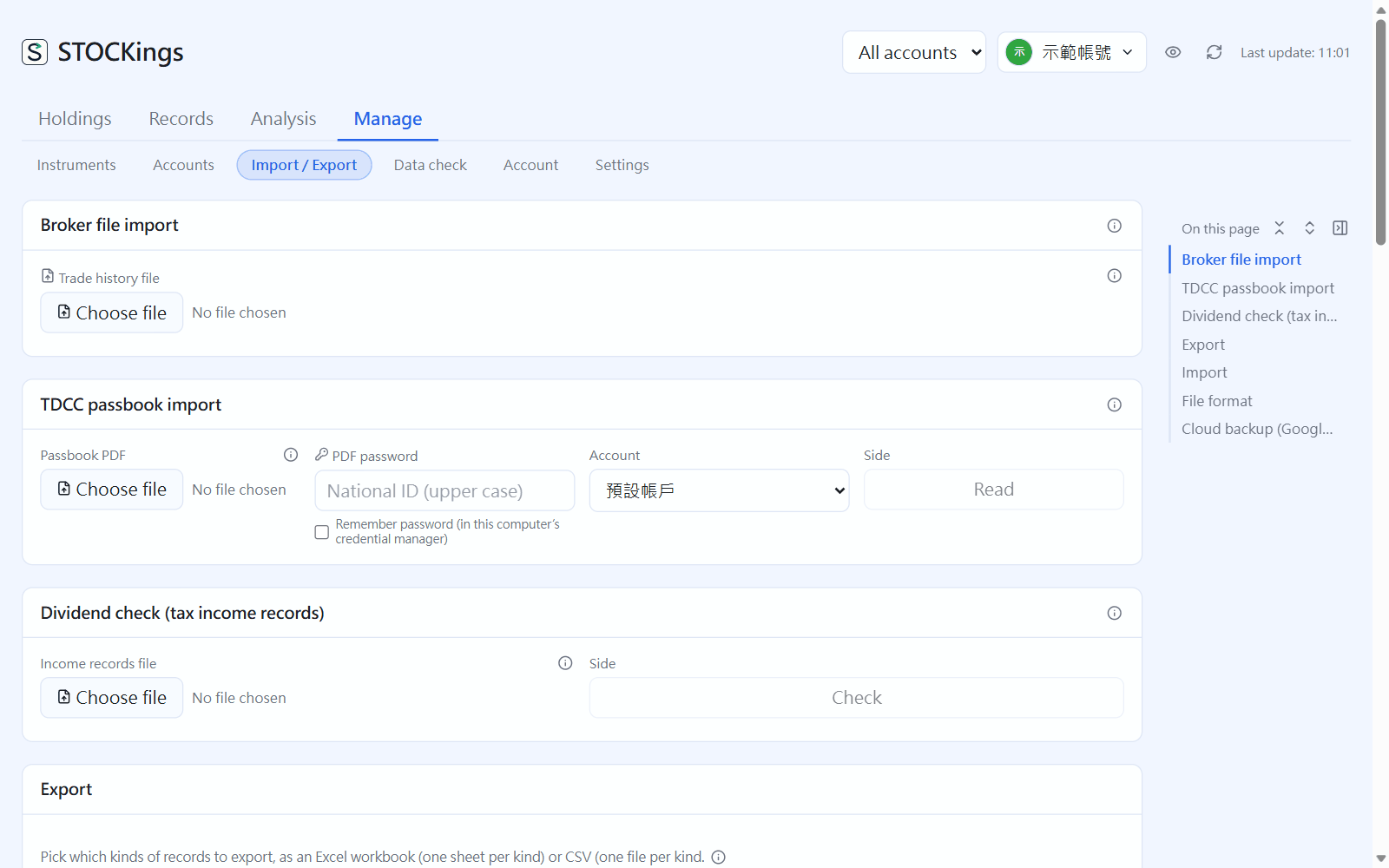 20匯入與匯出Import and export匯入券商 CSV、Excel、集保存摺 PDF、財政部股利資料,以及匯出備份。Import broker CSV and Excel files, TDCC passbook PDFs and tax-agency dividend data, and export backups.
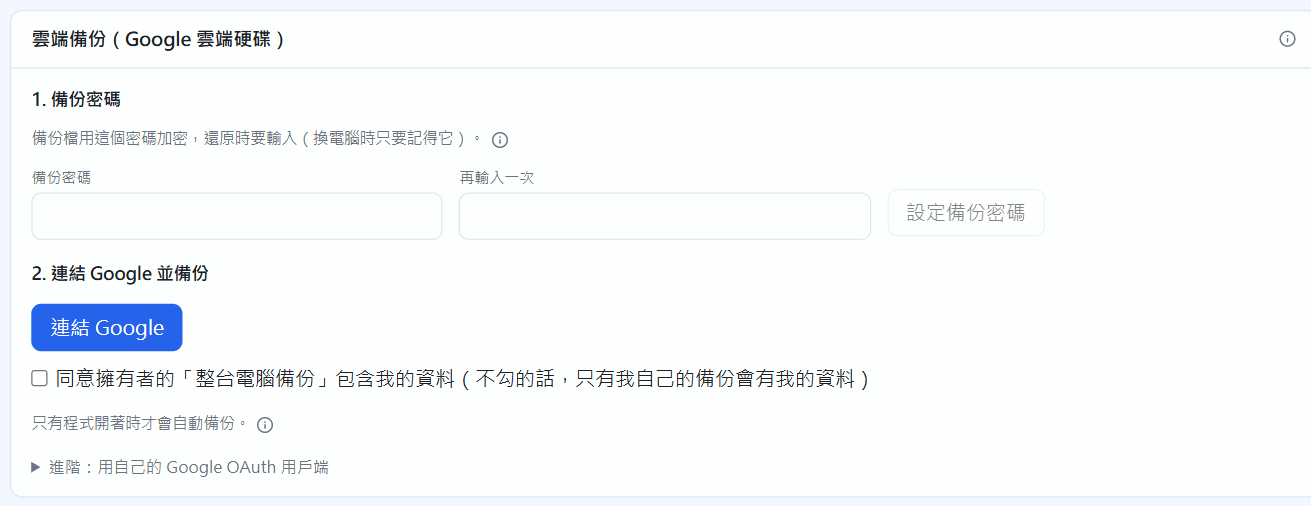
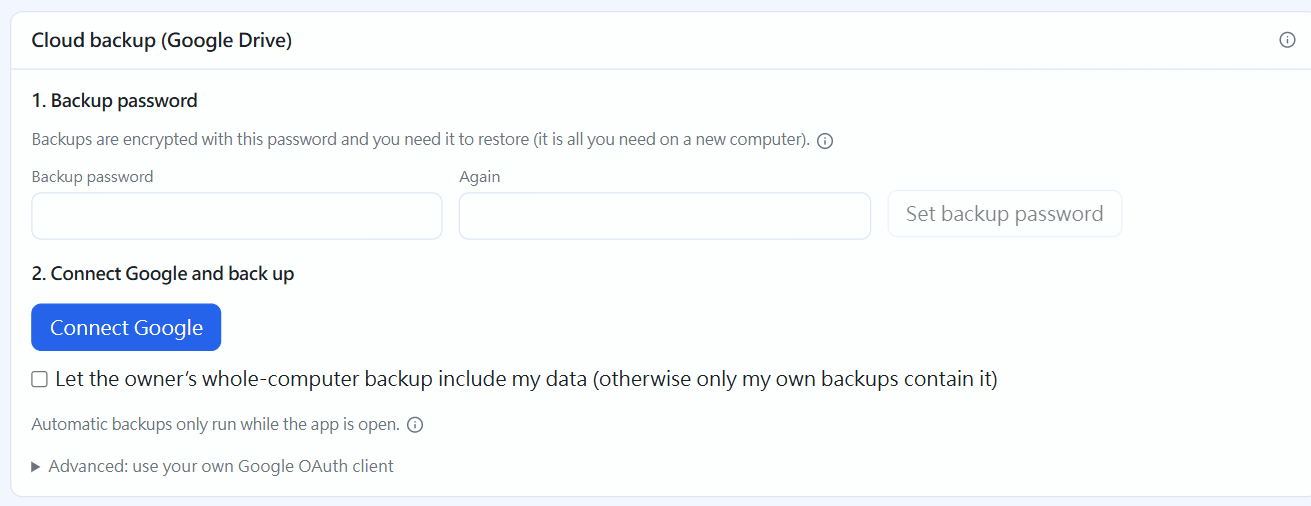 21雲端備份(Google 雲端硬碟)Cloud backup (Google Drive)把資料加密備份到自己的 Google 雲端硬碟,換電腦也能還原。Back up your data, encrypted, to your own Google Drive and restore it on a new computer.
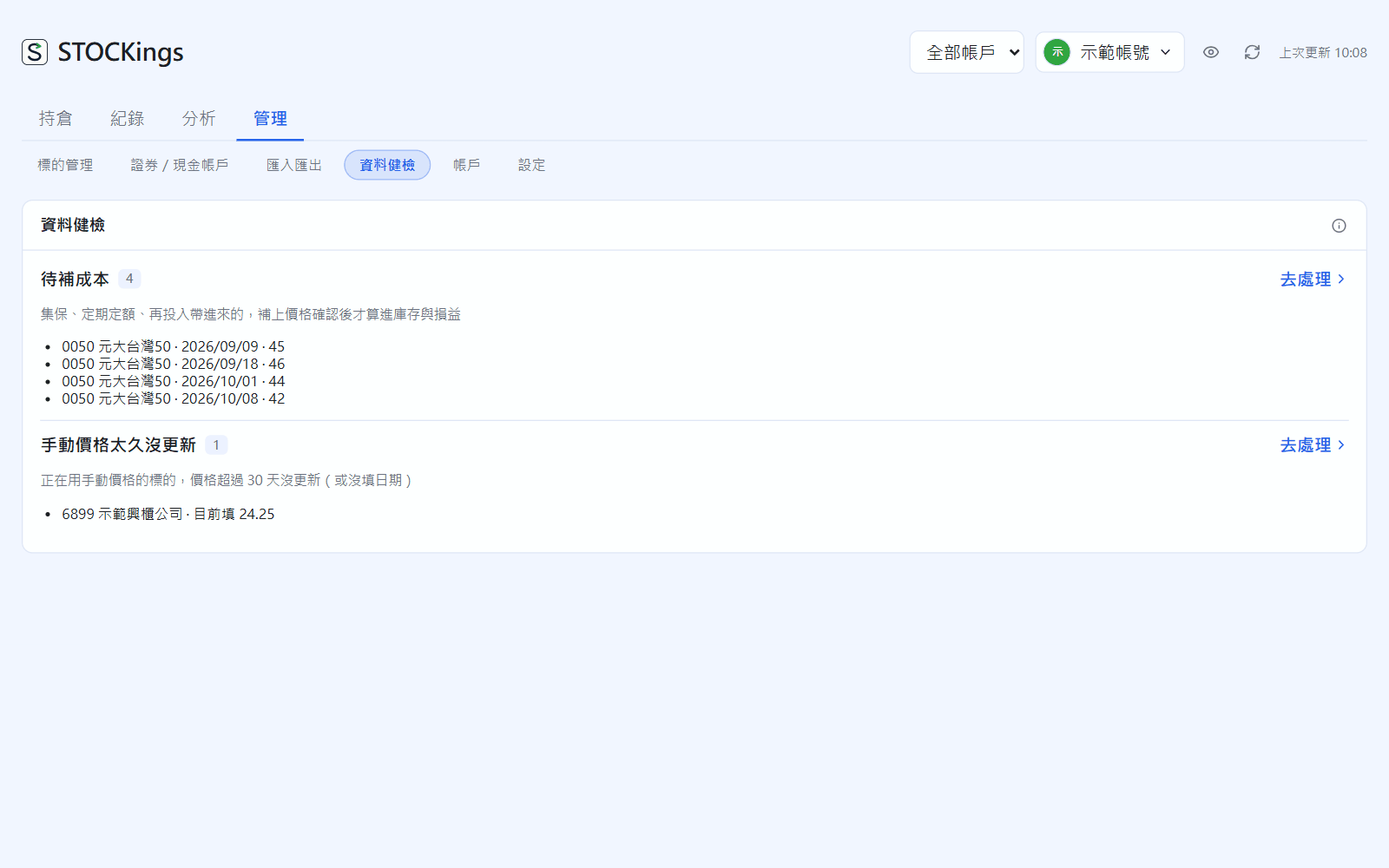
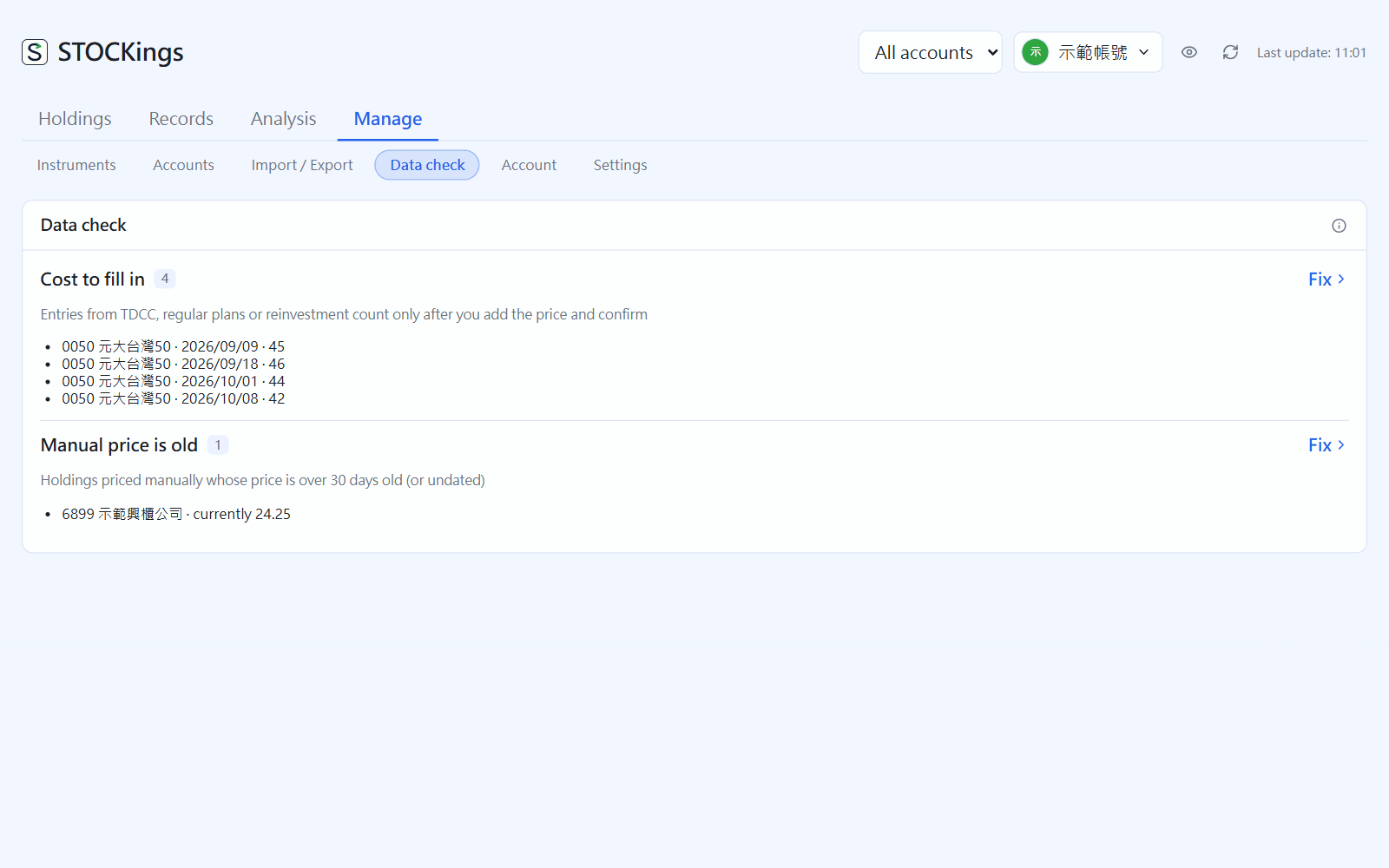 22資料健檢Data check一次列出可能記錯、漏記的地方:待補成本、配息待核對、沒有價格。Everything that may be wrong or missing in one list: missing costs, dividends to review, missing prices.
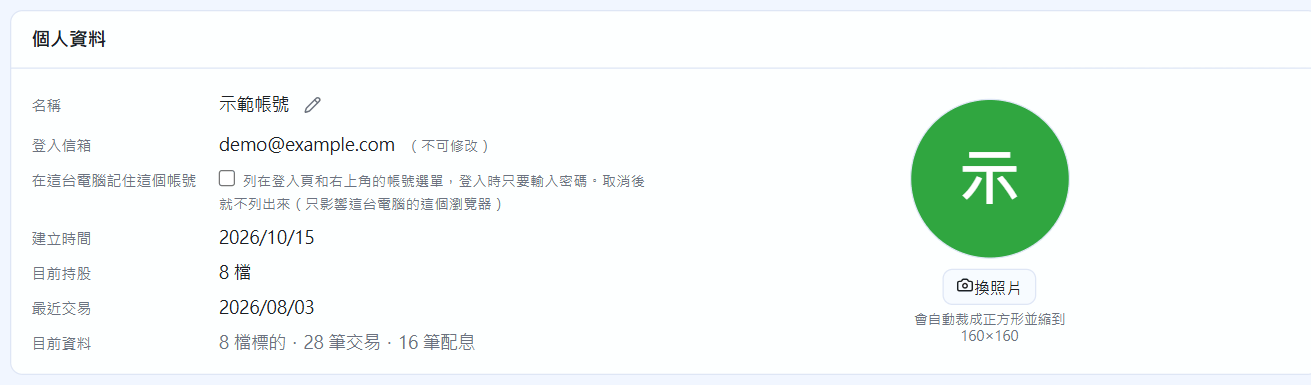
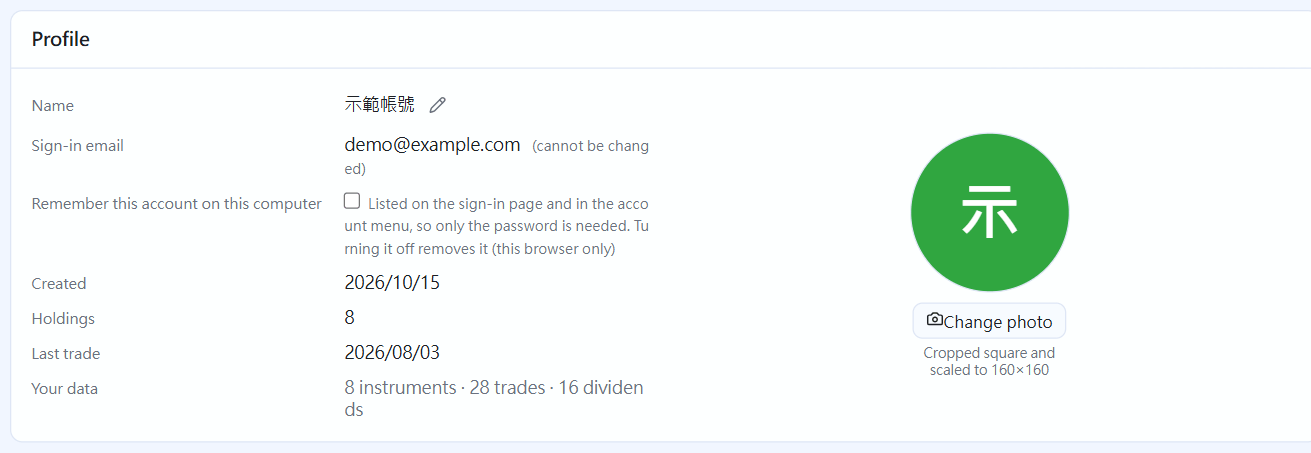 23帳號與安全Account and security個人資料、密碼、雙重驗證與 Passkey、救援碼、擁有者轉讓。Profile, password, two-step verification and passkeys, recovery codes, and transferring ownership.
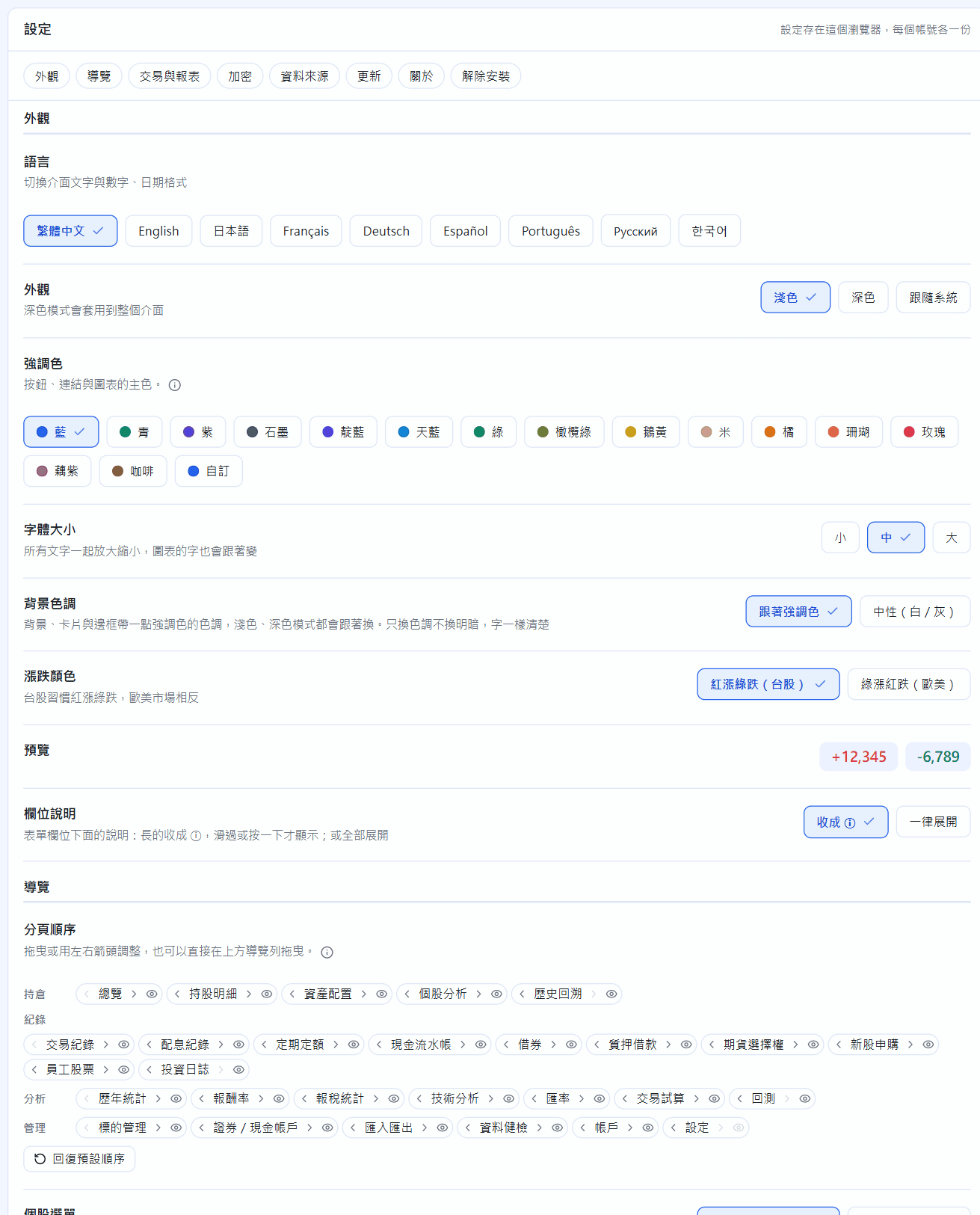
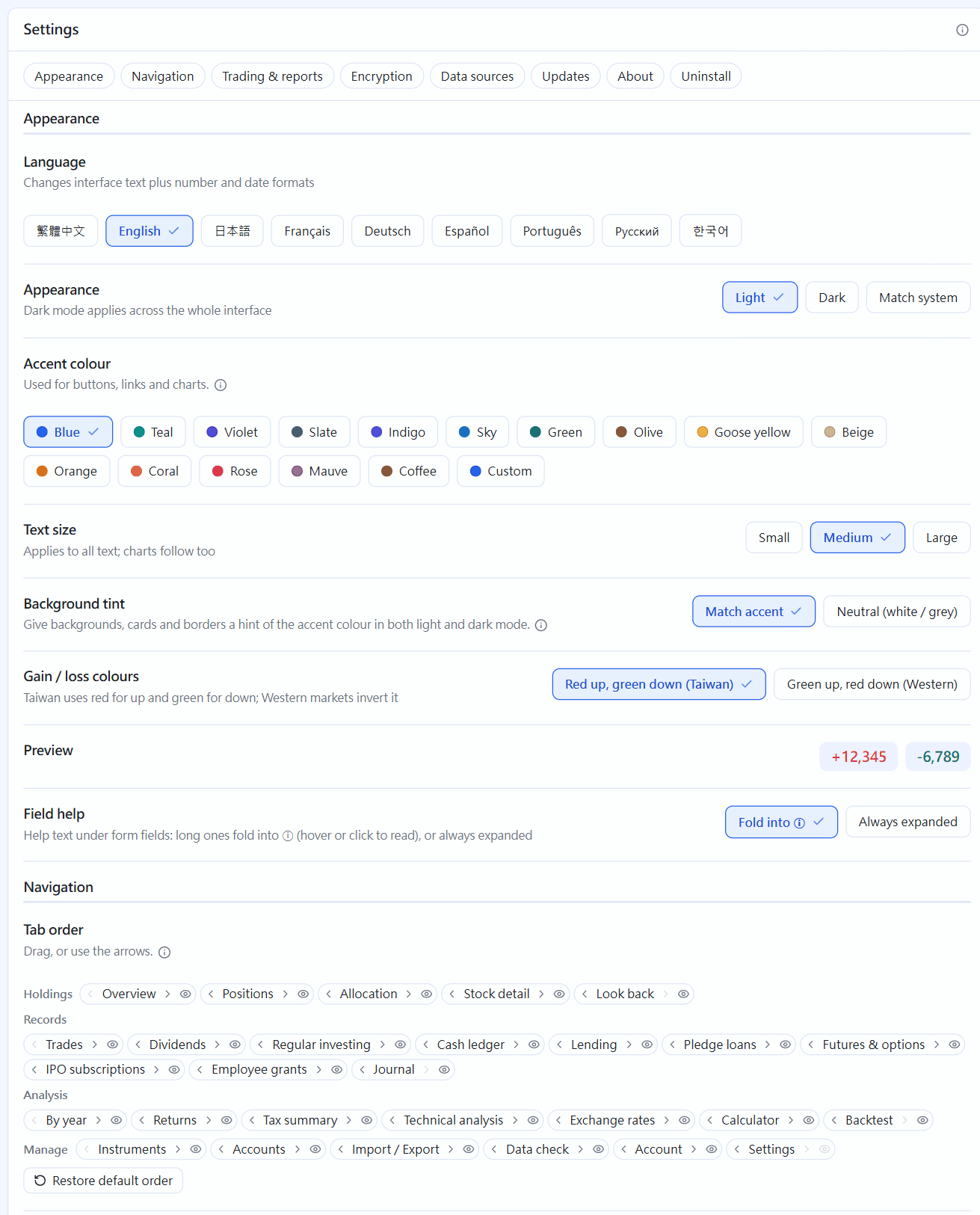 24設定Settings語言、深色模式、強調色、損益顏色、手續費折扣與分頁順序。Language, dark mode, accent colour, gain/loss colours, fee discount and tab order.
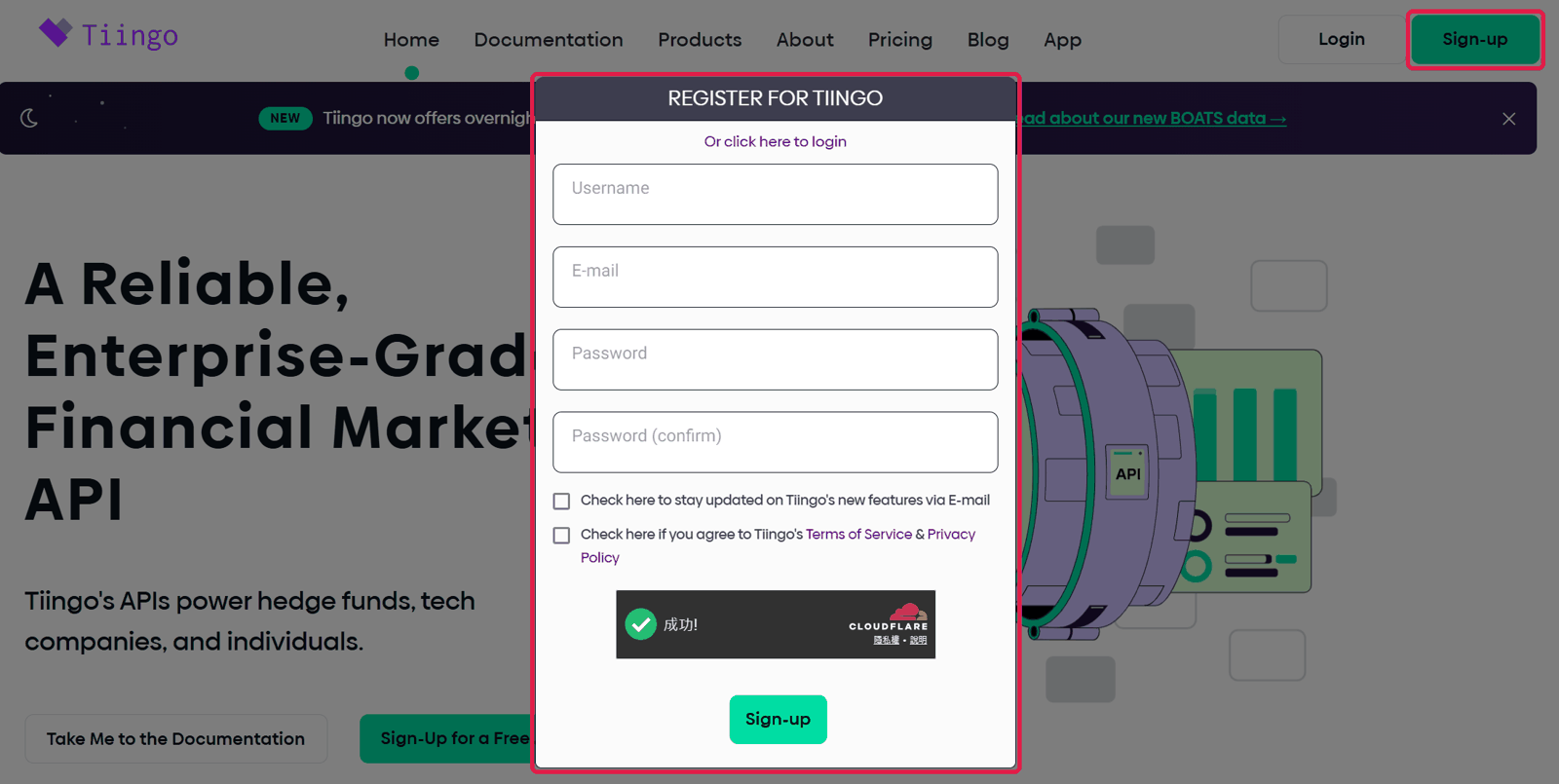
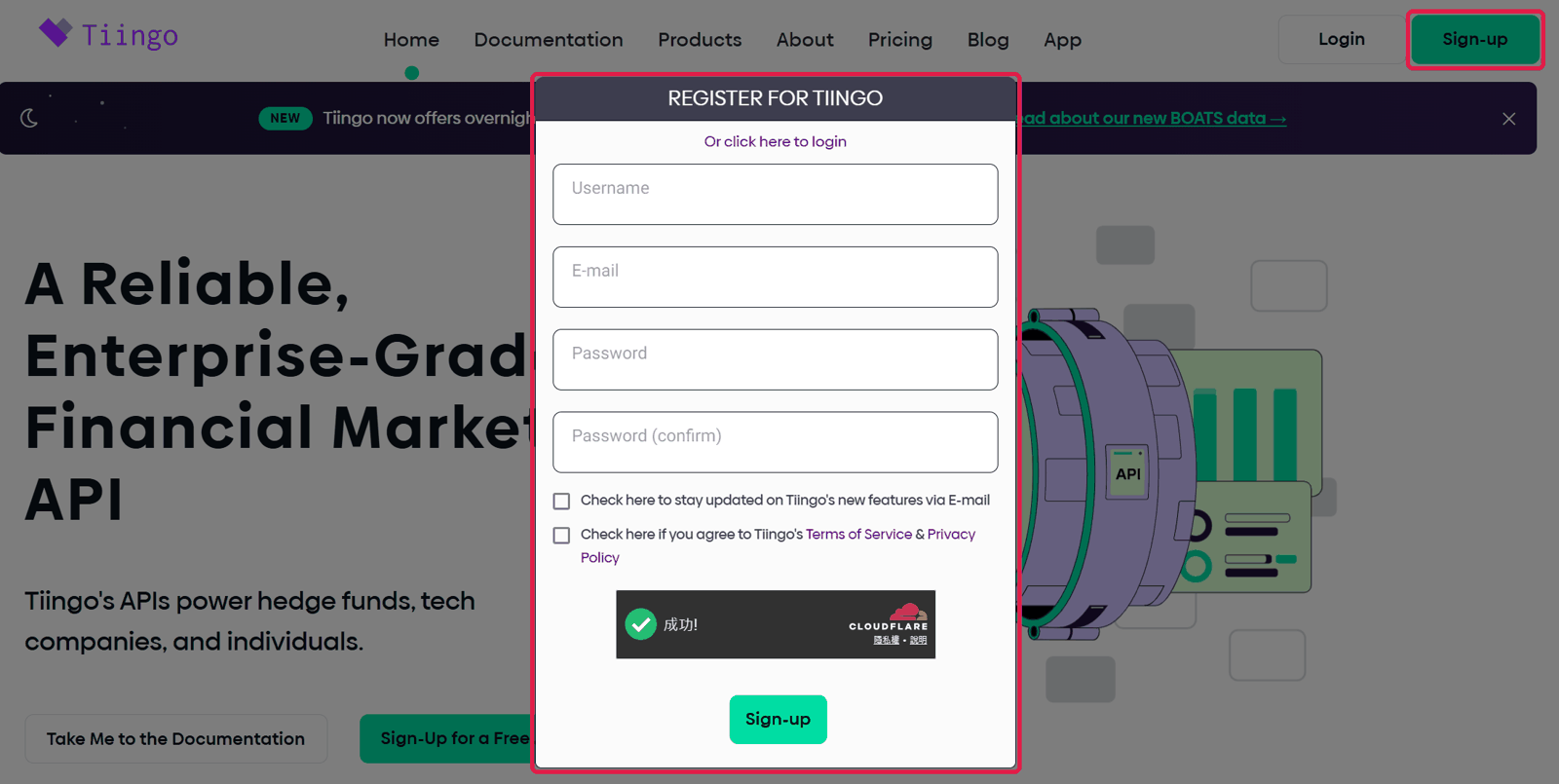 25要自己申請的金鑰Keys you apply for yourself美股行情(Tiingo)、AI 摘要、SEC 聯絡信箱、匯率 app_id:哪些要填、去哪裡申請、最後填什麼。US market data (Tiingo), AI summaries, the SEC contact email and the exchange-rate app_id: which to fill in, where to get them and what to paste.
26常見問題Frequently asked questions忘記密碼、換電腦、數字和券商對不上……常見問題的解法。Forgot your password, moving to a new computer, numbers that don't match your broker, and more.
25要自己申請的金鑰Keys you apply for yourself美股行情(Tiingo)、AI 摘要、SEC 聯絡信箱、匯率 app_id:哪些要填、去哪裡申請、最後填什麼。US market data (Tiingo), AI summaries, the SEC contact email and the exchange-rate app_id: which to fill in, where to get them and what to paste.
26常見問題Frequently asked questions忘記密碼、換電腦、數字和券商對不上……常見問題的解法。Forgot your password, moving to a new computer, numbers that don't match your broker, and more.
完整教學:「STOCKings 教學(圖解)」PDFFull guide: the "STOCKings picture tutorial" PDF
和這些教學頁同樣的內容,約 70 頁。隨程式附上(安裝檔、免安裝版都有),放在簡易說明旁邊,Windows 開始選單也有捷徑。The same content as these pages, about 70 pages. It ships with the app (installer and portable version), next to the quick guide, with a Start menu shortcut on Windows.
存在你電腦上的一個加密資料庫檔案裡。程式沒有上傳交易、持股的功能,開發者看不到也收不到。詳見隱私權政策。In a single encrypted database file on your computer. The app has no feature that uploads your trades or holdings, so the developer can't see or receive them. See the privacy policy for details.
Windows 10/11(64 位元)與 Linux(Ubuntu/Debian 有安裝檔,其他發行版用免安裝版)。Mac 版(Intel 與 Apple Silicon 都會有)準備中。Windows 10 / 11 (64-bit) and Linux (an installer for Ubuntu / Debian, a portable version for other distributions). A Mac version, for both Intel and Apple Silicon, is in the works.
記帳、看報表都在本機。只有查股價、匯率等公開資料、你自己開啟的 AI 摘要與雲端備份,以及檢查更新時才會連網。沒有網路時,成本、已實現損益照樣正確,只是報價不會更新。Bookkeeping and reports run locally. The app goes online only for public prices and exchange rates, the AI summaries and cloud backup you turn on yourself, and update checks. Offline, costs and realised P&L stay correct; only quotes stop updating.
不用。記帳、報表、台股與美股的報價都不必申請任何東西。想要更多時才選填:美股行情改用 Tiingo(免費註冊)、AI 摘要寫成段落(Anthropic、OpenAI、Google Gemini 選一家,按用量付費,或用自己電腦上的模型)、美股本益比要填自己的 email。每一項去哪裡申請、最後填什麼,見「要自己申請的金鑰」教學。No. Bookkeeping, reports and quotes for Taiwan and US stocks need nothing. Optional extras: US market data from Tiingo (free sign-up), AI summaries written as a paragraph (pick Anthropic, OpenAI or Google Gemini and pay as you go, or use a model on your own computer), and your own email for US P/E. Where to get each one and what to paste is in the “Keys you apply for yourself” tutorial.
手續費、配息的匯費與代扣稅都可以照對帳單直接填,手動填的會標出來。「資料健檢」也能幫你找出可能漏記或記錯的地方。You can enter fees, remittance fees and withholding exactly as on your statement; manual amounts are marked. The data check also points out likely gaps and mistakes.
已經發生的(成交、配息)用當下的匯率並存起來,可以改成券商實際換到的價格;市值、未實現損益用即時匯率。每一列用自己的幣別,合計一律台幣。Things that already happened (trades, dividends) use the rate at the time, which is saved and can be set to what your broker actually gave you. Market value and unrealised P&L use today's rate. Each row keeps its own currency; totals are in TWD.
用雲端備份還原到新電腦,或把資料庫檔案複製過去再用復原金鑰解鎖。請記好備份密碼和復原金鑰,忘了就救不回來。Restore from your cloud backup, or copy the database file over and unlock it with your recovery key. Keep your backup password and recovery key safe — without them the data can't be recovered.
不會。它是記帳與資產管理工具,所有數字與分析只供參考,以券商對帳單與主管機關資料為準。No. It's a bookkeeping and portfolio tool. All figures and analyses are for reference only; your broker statements and official data prevail.
第一版即將推出,屆時會放在 GitHub 的發布頁。The first release is coming soon and will be published on GitHub.

第一版還在準備中,發布後會放在 GitHub 的發布頁。The first release is being prepared and will be published on GitHub.